
Polar
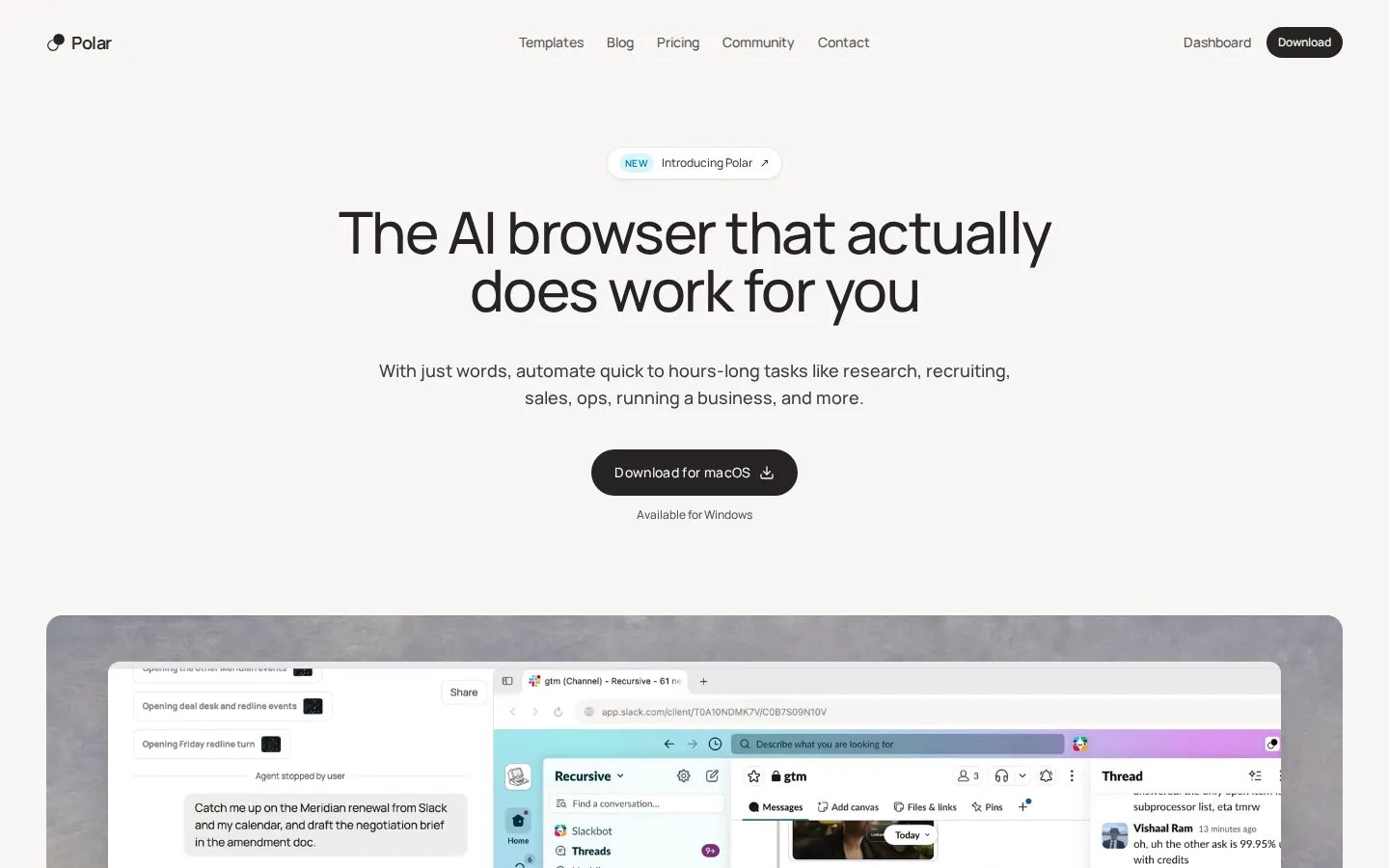
Polar is a Chromium-based AI browser built by Recursive Intelligence. Describe a task in plain language and its agent clicks, types and navigates across dozens of sites, logged into your own accounts, for minutes or many hours. It runs several tasks at once, schedules them as workflows, and starts from a library of 290+ templates for sales, research, recruiting and ops.
What is Polar?
Polar is an AI browser from Recursive Intelligence, a San Francisco applied AI lab, and the pitch is deliberately narrow: hand it a sentence and it does the work on the web instead of describing it. It is a full Chromium browser rather than an extension, so the agent operates inside the accounts and sessions you are already signed into, including your inbox, CRM, LinkedIn, spreadsheets and internal tools, clicking and typing the way a person would. The company says users have asked it to take more than 4.5 million actions since launch, and that single tasks have run for over fifteen hours.
What separates Polar from the first wave of AI browsers is the length of the leash. Chat-with-your-tabs products save minutes and require you to watch; Polar is built for work you hand off and walk away from, across dozens of sites, with several tasks running in parallel windows while you keep browsing in another. A memory layer accumulates preferences and context so repeat jobs need less setup, and projects group related chats together.
On its own benchmark, Odysseys BU Bench V1, Polar scores 98.0 against Aside at 75.5, Browser Use at 70.0, GPT-5.4 at 60.8 and Claude Opus 4.6 at 44.5. The company attributes that lead to tooling for awkward interfaces such as spreadsheets and maps, agent-to-agent delegation, and mixing different models per step. Vendor-run numbers deserve scepticism, but the gap here is large, and the evaluation repo is public.
Around the agent sit the productivity layers. Workflows save a prompt and re-run it on a schedule, on an app event from 23 connectors including Gmail, Slack, HubSpot and Salesforce, or from a webhook that Zapier, n8n or your own code can fire. Each trigger pauses independently, and runs wait if your laptop is asleep. A library of 290+ templates covers ops, research, sales, data, marketing, personal, career, docs, engineering, monitoring and recruiting, and any template can be saved as a workflow. Tasks also resume where they stopped after you close the lid, as long as you come back within a day.
Control is the other half of the design. Every task shows a live view you can watch or take over, the agent asks for approval before anything irreversible such as sending a message, paying or deleting, and card numbers pass from the browser to the checkout page rather than to the model. History, bookmarks and cookies stay on the device, and the company is SOC 2 Type II certified.
Polar is free to try with 3,000 credits plus 100 more daily, then $20 to $200 a month for individuals and $50 to $100 per seat for teams, with credits consumed by agent work. It runs on macOS, with Windows in beta.
Polar Core Features
Long-running browser agent
one sentence becomes a task that clicks, types and navigates any website inside your logged-in sessions, lasting from a couple of minutes to more than fifteen hours.
Parallel tasks with a live view
several jobs run at once in their own windows while you keep browsing, and every run can be watched or taken over at any moment.
Scheduled and event-driven workflows
save a prompt, then re-run it hourly, daily or weekly, on an event from 23 connectors such as Gmail, Slack, HubSpot and Salesforce, or from a webhook fired by Zapier, n8n or your own code.
Template library of 290+ ready tasks across twelve categories, including Ops, Research, Sales, Data, Marketing, Personal, Career, Docs, Engineering, Monitoring and Recruiting, each convertible into a workflow.
Use in any tab
bring the page you are on as context, ask a quick question about it, or hand off a longer job without switching what you are doing.
Memory and projects
Polar builds context about your preferences over time so repeat tasks need less prompting, and chats can be grouped into projects from the sidebar.
Built-in control and safety
approval prompts before irreversible actions such as sending, paying or deleting, card details filled by the browser rather than exposed to the model, local browsing data and SOC 2 Type II certification.
Resilient runs
closing your laptop pauses a task instead of killing it, and the task continues by itself when you reopen the machine within a day.
Who is Polar for?
Polar is for people whose week is half judgement and half browser chores: the research, list building, form filling, inbox clearing and status updating that surrounds the actual work. It assumes you can describe an outcome clearly, that the work happens across several logged-in websites, and that you would rather review a finished draft than perform every click. It is a poor fit for anyone who needs deterministic, auditable steps or who works only inside tools with clean APIs. Roles it tends to serve: - Founders and operators who need market maps, vendor comparisons and account research without hiring an analyst. - Sales teams building prospect lists, enriching leads and personalising outreach from LinkedIn and company sites. - Recruiters sourcing candidates beyond job boards, pulling evidence from GitHub, talks and portfolios into a sheet. - Analysts and investors turning messy public sources into a decision-ready brief with citations. - Ecommerce and inventory operators checking orders, stock and supplier portals that have no API. - Marketing teams repurposing content and monitoring competitors' pricing pages and changelogs. - Agencies and consultants running the same research or reporting playbook for several clients. - Individuals using it for apartment hunts, flight comparisons, subscription audits and trip planning. Three signals decide fit. First, task shape: multi-step work across many sites is where it shines, while a single lookup is faster by hand. Second, account access: value comes from being logged in, which also means you must be comfortable granting that. Third, cadence: anything you repeat weekly is worth turning into a workflow, and anything you do once is probably not. Heavy volume is a cost question rather than a capability one, because credits are consumed per unit of agent work. Teams that need a shared workspace, pooled credits and usage analytics get those on the Teams plans.
Polar Use Cases
Build a qualified prospect list from LinkedIn and company websites, with a note on why each person fits, straight into a spreadsheet.
Source engineering candidates through GitHub work and conference talks, then record each candidate with supporting evidence.
Triage and label an inbox every morning, drafting replies for the threads that need one and leaving the rest for you.
Compile a market map or competitive readout from vendor pages, reviews and Reddit threads, with links to every source.
Check competitors' pricing pages and changelogs weekly and report exactly what changed since the last run.
Turn a directory or listing page into a structured spreadsheet, including pages that block copy and paste.
Draft replies to new support tickets or customer emails as they arrive, ready for a human to approve.
Audit a website for broken links, missing images and SEO issues, and return a prioritised fix list.
Polar Pros and Cons
Pros
- Genuinely long-running autonomy: the agent keeps working for hours across many sites, and tasks survive a closed laptop, which is the gap most AI browsers still leave open.
- Works inside your existing accounts because it is a real Chromium browser, so it can use tools that have no API or Zapier connector.
- Unusually mature automation layer for a browser: schedules, 23 app-event triggers, webhooks and 290+ templates turn one-off prompts into recurring operations.
- Transparent safety posture: per-action approval for sends, payments and deletions, card numbers kept away from the model, local browsing data and SOC 2 Type II.
- Clear pricing ladder with a usable free tier of 3,000 credits plus 100 daily, and cheap entry at $20 a month before usage-heavy tiers.
Cons
- Credit consumption scales with task length, so hours-long research or large list builds can burn through a plan quickly and make real costs hard to predict.
- Platform coverage is limited: macOS is the main build and Windows is still beta, with no mobile, Linux or web-only option.
- There is no public API for the agent itself, only inbound webhook and Zapier triggers, so engineering teams cannot embed Polar in their own pipelines.
FAQ About Polar
Polar Pricing
Polar is freemium and credit based. The free tier gives 3,000 credits to start plus 100 daily, capped at 1,000, with the full browser agent included. Individual plans are Pro at $20 a month for 10,000 credits, Pro+ at $60 for 36,000 credits with priority support, and Max at $200 for 160,000 credits with early access to new features. Teams pay $50 per seat a month for 25,000 pooled credits or $100 per seat for 60,000, adding centralised billing, usage analytics and a dedicated support channel. Annual billing saves about 17 percent, and extra credits can be topped up at any time.
Check official pricingFree
3,000 credits to start plus 100 credits daily, capped at 1,000. Includes browser agent capabilities and advanced AI features, with no card required.
Pro
10,000 credits per month with the ability to top up anytime. About $17 a month equivalent on annual billing. Aimed at solo users handing off regular tasks.
Pro+
36,000 credits per month plus priority support, about $50 a month on annual billing. For individuals running several long tasks a day.
Max
160,000 credits per month, priority support and early access to the newest features, about $167 a month on annual billing. The heaviest individual tier.
Teams Pro
25,000 pooled credits per seat per month, centralised team billing, usage analytics and a dedicated support channel. About $42 per seat on annual billing.
Teams Max
60,000 pooled credits per seat per month with the same team controls plus the higher individual allowances. About $83 per seat on annual billing.
Polar Alternatives

Rill
Rill is a free beta browser for Apple silicon Macs that puts Claude Code and Codex beside your browsing. Press Command-E on any page to send a task, with the page or selection attached, and Rill routes it to the right local project. Your existing agent plan powers everything, with no new subscription or API keys, and nothing to configure.

MaxAsk
MaxAsk is a free search engine run by Maxthon Limited. A query returns web results and image results on one page, and adding a question mark at the end of a query requests an AI answer. It runs in the browser, needs no account, and can be set as a browser default search engine. The same search service is built into the Maxthon browser.

Aside
Aside is a Y Combinator-backed AI browser that acts as the most intelligent AI assistant, but as a browser. It works across your logged-in websites and accounts - email, dashboards, internal tools - and completes tasks other agents can't: messaging, payments, research, and file work. Ranked #1 on three browser-agent benchmarks, it features local-first memory, a built-in password manager, and agent tabs that work while you work.