
Otty
Otty is a native, GPU-accelerated terminal app for macOS designed for developers who use AI coding agents. It combines a fast, beautiful terminal with first-class affordances for Claude Code, Codex, and OpenCode, including agent status, live previews of agent edits, and parallel agent task monitoring. All offline usage is free with no account required, and Windows and Linux support is on the way.
What is Otty?
Otty is a native terminal emulator for macOS built with GPU-accelerated rendering using Metal, designed for developers who care about the feel of every keystroke and who run AI coding agents in their daily workflow. Unlike Electron-based terminals that feel sluggish, Otty delivers smooth, responsive interactions with a modern interface that includes rich text styles, inline images, programming ligatures, colorful multi-codepoint emoji, clickable URLs, and clickable file names in command output. The app sits between a traditional terminal and a full agent development environment: it offers tabs, panes, and splits for organizing sessions, a command palette for fuzzy-finding any action, inline autocomplete with ghost-text suggestions, open quickly navigation, snippets, commands and layouts called recipes, and session recovery. The standout focus is code agent integration, with first-class support for Claude Code, Codex, and OpenCode. Users can run agents side by side, watch every task with progress monitoring, see live status badges in the tab sidebar, and preview updates as the agent edits code, with the ability to reply to agents directly from the terminal and open pull requests. Otty includes an agent shell experience with a status bar showing active agents and performance metrics like bench results. The app is free for macOS with no account required, and Windows and Linux support is on the way. The developers document that all offline usage is free forever, while future server-dependent features such as data sync, remote control, and Otty AI may become paid with clear disclosure before opt-in. Otty is built by AppMakes, with documentation hosted at docs.otty.sh covering installation, configuration, keybindings, and an extensive VT escape sequence reference. The agent shell experience is built around practical workflows: parallel agent tasks display progress indicators so users can monitor several agents at once, the status bar shows which agents are active, and performance metrics like benchmark results render inline as agents complete work. Otty's docs provide extensive coverage of agent setup for Claude, Codex, and OpenCode, prompt queue management, and piping terminal output into agent chat, making the integration story concrete rather than marketing. The app also includes file and folder panes with drag-and-drop support, search in files, find and outline navigation, and SSH and remote development workflows for connecting to remote machines. For users who want automation, the CLI integrates into shells, and recipes combine commands, snippets, and layouts into reusable workflows.
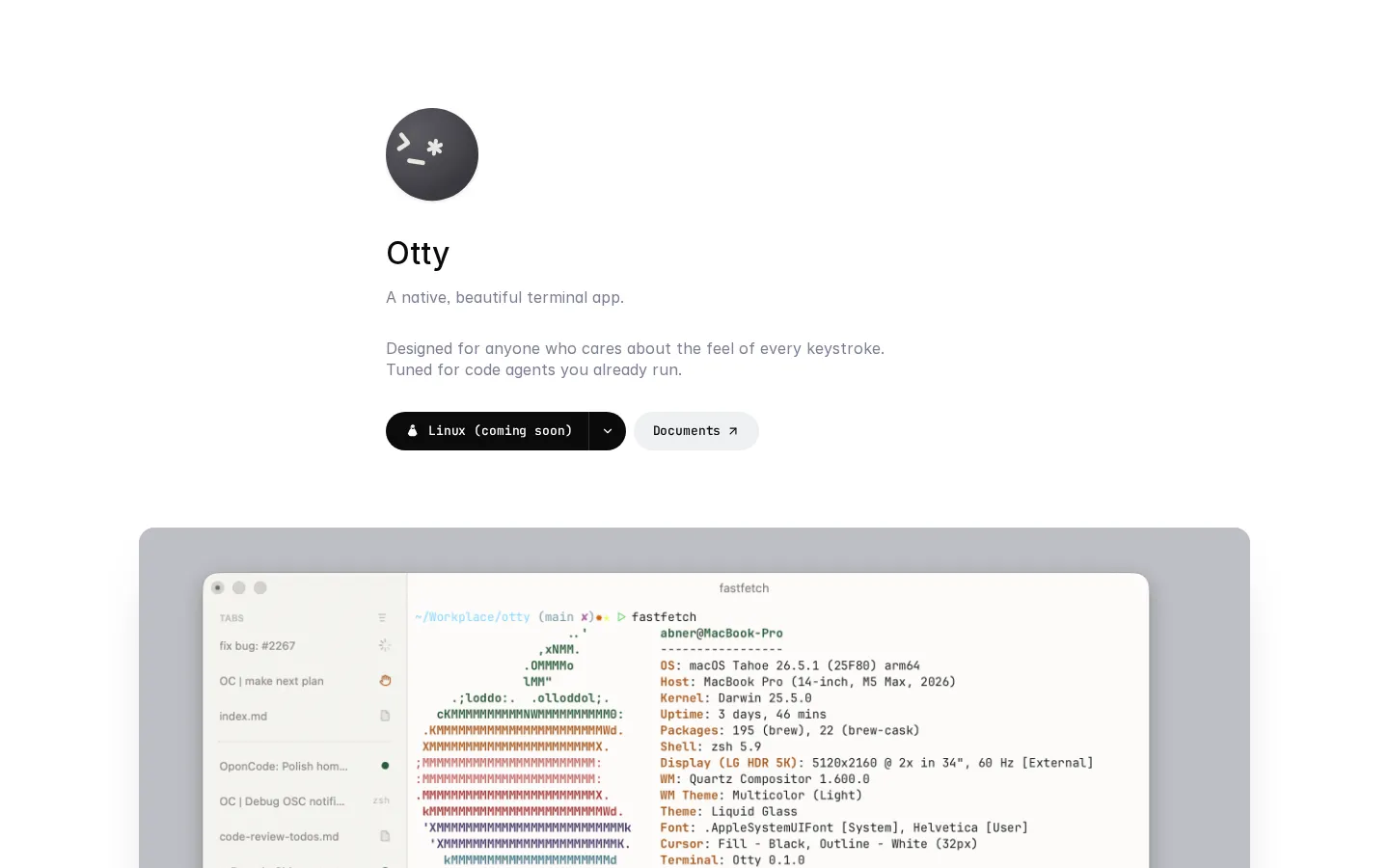
Otty Core Features
GPU-accelerated rendering
Native Metal rendering delivers smooth scrolling, ligatures, true color, and inline images without Electron overhead
Code agent integration
First-class support for Claude Code, Codex, and OpenCode with agent status and progress monitoring
Live agent previews
Watch updates as agents edit code and reply to agents directly from the terminal
Tabs, panes, and splits
Organize sessions with a flexible layout system and live status badges
Command palette
Fuzzy-find any action with a powerful keyboard-first command palette
Inline autocomplete
Ghost-text suggestions as you type, plus snippets, commands, and layout recipes
Deep customization
Themes you can swap live, a config file that hot-reloads, and keybinding profiles
Session recovery
Pick up exactly where you left off across windows and tabs
Who is Otty for?
Otty is designed for developers and engineers who use AI coding agents and want a terminal that feels native and fast. Software developers running Claude Code, Codex, or OpenCode benefit from the agent-first workflow, including parallel task monitoring and the ability to preview and reply to agent work without leaving the terminal. Terminal power users who care about keystroke feel, ligatures, themes, and keyboard-first navigation will appreciate the native performance and deep customization options. Developers who multitask across many sessions use the tabs, panes, splits, and open quickly features to stay organized. Teams standardizing on AI-assisted development workflows can use Otty's agent affordances to review agent output, benchmark performance, and manage multiple agents side by side. Developers on macOS who are tired of Electron-based terminal apps get a lightweight, GPU-accelerated alternative. Early adopters who want Windows and Linux support can follow development as those platforms are on the way, and developers who value privacy and simplicity benefit from a terminal that requires no account and works fully offline for free. Technical leads supervising multiple engineers using AI agents can watch agent activity from a single terminal and review work as it lands. DevOps engineers managing remote development sessions benefit from the SSH workflow and session recovery. Open-source contributors running agent-assisted patches use the inline diff and pull request features to keep contributions reviewable. Terminal enthusiasts who customize everything appreciate the live theme swapping and hot-reload config. Students learning agent-assisted development get a free, fast terminal that grows with their workflow, and security-conscious developers appreciate that no account is required and everything runs locally.
Otty Use Cases
Run Claude Code and Codex side by side in split panes while monitoring their tasks
Review agent-generated patches with inline diffs and open pull requests directly
Benchmark performance improvements and see results inline as agents work
Organize multiple development sessions with tabs and live status badges
Automate workflows with snippets, recipes, and command palette actions
Customize themes and keybindings for a personalized keyboard-first experience
Use Otty as a daily terminal for shell work with native speed and inline images
Prepare for future data sync and remote control features as they launch
Otty Pros and Cons
Pros
- Completely free for macOS with no account required
- Native GPU-accelerated performance without Electron bloat
- Genuinely useful agent-first features for AI coding workflows
Cons
- Currently macOS only, with Windows and Linux still on the way
- Future features like data sync and Otty AI may become paid
- Agent integrations depend on external CLI tools users must install separately
FAQ About Otty
Otty Pricing
Free: all offline usage is free forever, no account required. Future cloud features (sync, remote control, Otty AI) may become paid.
Check official pricingFree
All offline usage free: terminal, tabs, themes, recipes, autocomplete, agent affordances
Otty Alternatives

FastRouter
FastRouter is a unified LLM gateway that gives developers one OpenAI-compatible API for 200+ models from providers such as OpenAI, Anthropic, Google, and xAI. It adds automatic model routing, fallbacks, caching, spend caps, role-based access, guardrails, and per-request observability, while passing provider token prices through with no markup on any plan, including the free tier.

Cindy
Cindy is an open-source desktop AI agent from XD Inc. that unifies Claude Code, Codex and Pi harnesses with 20+ tools, persistent memory and reusable skills. Use it free with your own API key or existing Coding Plan, or pay for the optional managed model service that works the moment you sign in. No setup project required.

MyToolster
MyToolster packs 41 free utilities into one browser-based site, sorted into Audio & Video, Text, Data, Web, Color, QR Code and Image. Beyond the usual encoders, formatters and generators it runs OpenAI Whisper transcription, AI text and image detection, background removal and subtitle export locally, with no uploads, account or installation, and every tool page does its work client-side.