
Omni Vid
Omni Vid is a browser-based AI video generator built around Google's Gemini Omni Flash model. Write a prompt or upload a reference image, choose an aspect ratio and style, and render short clips for product demos, ads, and social content. A credit system, a free starter tier, and automatic refunds for failed generations keep testing affordable for small marketing teams.
What is Omni Vid?
Omni Vid is a web-based AI video generator that creates short videos from a text prompt, a reference image, or a product photo. The core workflow is a single prompt box: you describe the scene, choose a style such as cinematic, product video, anime, or TikTok ad, pick an aspect ratio, and generate a clip that you can preview, retry, or download. Text-to-video turns a written idea into a new scene, while image-to-video animates an uploaded image, such as a product shot, artwork, room, character, or app screen, so the subject stays recognizable while the prompt controls motion, camera movement, and atmosphere. Omni Vid runs on Google's Gemini Omni Flash model and also exposes other video models in the same workspace, including Seedance, Veo, and Kling variants, with resolution and duration options such as 480p, 720p, and 1080p at four, six, eight, or ten seconds depending on the model. Camera controls cover pan, zoom, orbit, dolly, and push-in, and an AI Director mode plans multi-scene sequences for longer ads and product launches, so a 20 or 30 second product video is assembled from several shorter generated scenes rather than one long render. Beyond the generator, the platform ships use-case landing pages for product demos, ecommerce video, TikTok ads, Instagram Reels, YouTube Shorts, anime video, and talking photos, plus a prompt guide, a public Showcase gallery, and comparison pages against Sora, Kling, and Veo. Billing is credit-based: each render consumes credits based on model, duration, quality, and settings, with rough estimates of about 45 credits for a four second clip, 60 for a six second clip, and 90 for a ten second clip. The free plan grants 75 one-time credits and publishes results to the public Showcase with a mandatory watermark, while paid tiers add monthly credits, watermark removal, HD exports, and faster queues. Failed generations caused by system errors are refunded automatically, generation history and progress are tracked in one place, and prompt expansion plus output-language selection help you turn a rough idea into a usable clip.
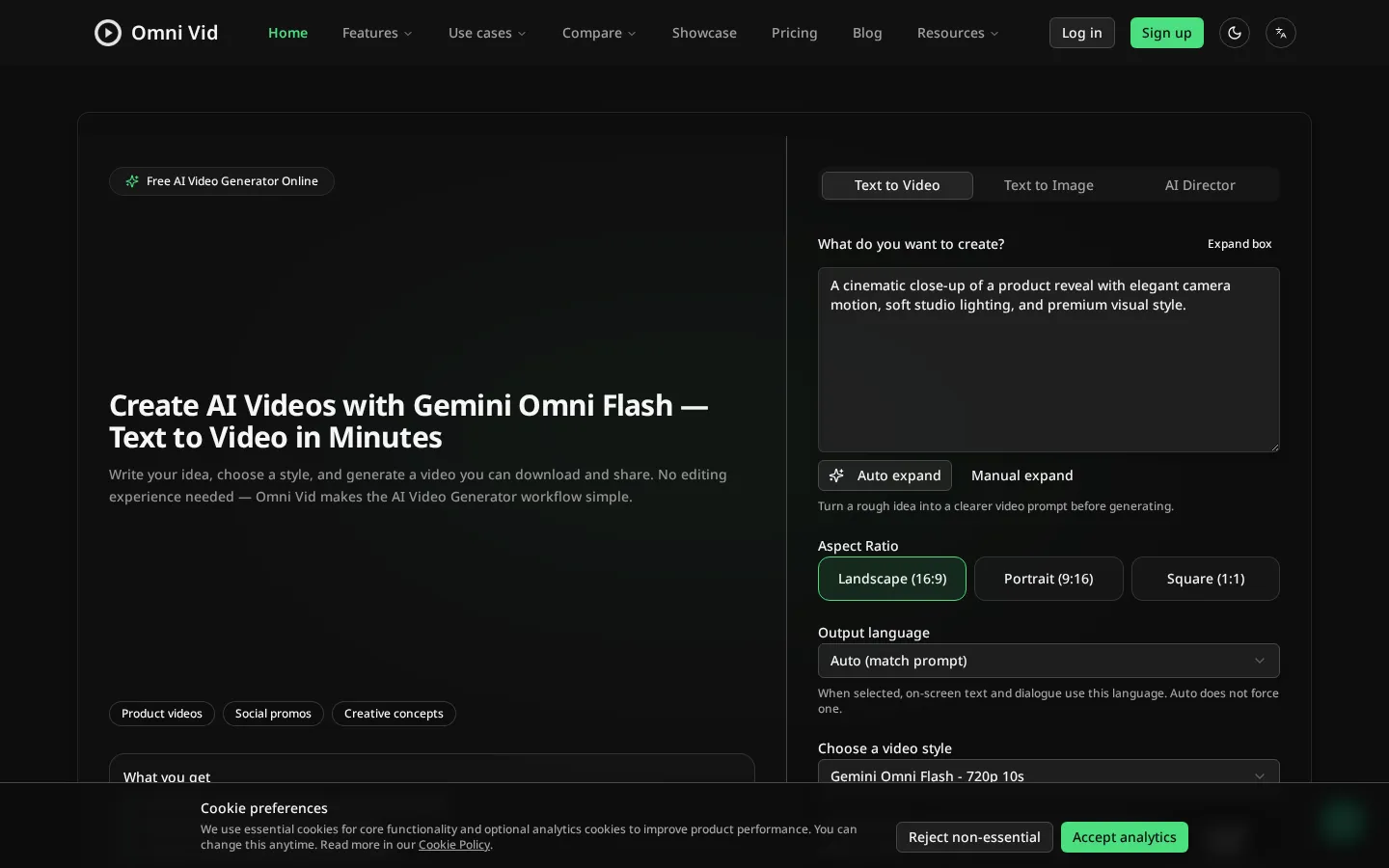
Omni Vid Core Features
Text-to-video generation from a written prompt or an auto-expanded idea.
Image-to-video animation that keeps product photos, artwork, rooms, and characters recognizable.
AI Director mode that plans and composes multi-scene videos for longer ads and launches.
Camera motion controls including pan, zoom, orbit, dolly, and slow push-in.
Aspect ratios for 16:9, 9:16, and 1:1 with 480p, 720p, and 1080p output tiers.
Multiple video models in one workspace, including Gemini Omni Flash, Seedance, Veo, and Kling.
Output language selection for on-screen text and dialogue, plus a built-in prompt guide.
Generation history with progress tracking and automatic credit refunds for failed runs.
Who is Omni Vid for?
Omni Vid is built for creators, marketers, ecommerce sellers, and small teams that need short marketing videos but have no shooting crew, studio, or video editor. The most obvious fit is a Shopify, Etsy, or Amazon seller who already owns clean product photos and wants them turned into a demo loop, a product reveal, or an ad test without booking a photoshoot. Social media managers use it to produce vertical hooks for TikTok, Instagram Reels, and YouTube Shorts from a written idea rather than a filmed scene, which is useful when a brand needs volume across many products and campaigns. Performance marketers and DTC teams can run several prompt variations, compare the results, and pick the strongest hook before spending budget on production. Founders, indie hackers, and agencies use the platform for landing page heroes, Kickstarter teasers, and mood boards, where a five to ten second concept clip is enough to communicate an idea. It also works for creative exploration: anime scenes, talking photo greetings, cinematic concept shots, and visual mockups that would otherwise need a specialist. Because generations start from text or a reference image and cost credits rather than hours, the product suits people who iterate quickly and value a clear price before each render. It is less suited to teams that need long-form edited video, precise brand-controlled footage, or deterministic packaging shots, and anyone who cannot accept a public Showcase listing and a watermark will need a paid plan. Marketers who already work inside an editing suite can still use Omni Vid as a fast first-draft generator, then finish the stronger clips elsewhere.
Omni Vid Use Cases
Ecommerce product demo and reveal clips for Shopify, Amazon, and Etsy listings.
TikTok ad hooks and vertical short-form creatives built from a text prompt.
Instagram Reels and YouTube Shorts content without filming or editing.
Anime-style and cinematic concept scenes for campaign mood boards.
Talking photo clips for greetings, explainers, and creator storytelling.
Multi-scene product launch videos assembled by the AI Director.
Product image animation for real estate, fashion, furniture, and beauty previews.
Omni Vid Pros and Cons
Pros
- Free plan with 75 one-time credits and no credit card required, so you can test models before paying.
- Several third-party video models (Gemini Omni Flash, Seedance, Veo, Kling) inside one browser workspace.
- Transparent credit estimates per duration and quality, with automatic refunds when a generation fails technically.
- Prompt expansion, camera presets, and AI Director make ad-style clips approachable for non-editors.
- Use-case landing pages and comparison guides help you pick a workflow before spending credits.
Cons
- The free plan forces a public Showcase listing and a mandatory omni-vid.com watermark on every video.
- Output is limited to short clips; 20 to 30 second product videos are stitched multi-scene renders rather than single long takes.
- Monthly subscription credits expire at the end of each billing cycle and do not roll over, and credit packs publish no prices on the pricing page.
FAQ About Omni Vid
Omni Vid Pricing
Freemium: a free $0 plan with 75 one-time credits, then Starter $12/month (1000 credits), Pro $49/month (5000 credits), and Max $99/month (12000 credits); one-off Starter, Growth, and Scale credit packs exist without published prices.
Check official pricingFree
75 one-time credits on signup, all available video models, generation history; videos are auto-published to the public Showcase with a mandatory omni-vid.com watermark and run in the standard queue.
Starter
1000 monthly credits (typical videos use 30-90 credits), watermark removal or customization, faster processing, HD exports, and email support; no team seats and no custom SLA.
Pro
5000 monthly credits, watermark removal, more premium video styles, faster processing priority, and priority support; fair-use policy applies and there is no dedicated CSM.
Max
12000 monthly credits, watermark removal, highest processing priority, maximum monthly video capacity, early access to agent features, a priority support channel, and custom onboarding.
Omni Vid Alternatives

Rumpelstiltskin AI
Rumpelstiltskin AI turns two photos into a short, whimsical fairytale scene with an AI-powered dance video.

Burning Bridges AI
Burning Bridges AI is a single-purpose video generator: upload one portrait, pet, or character photo, pick an aspect ratio, and get a fixed 15-second chandelier-party clip with the viral trend motion already applied. There is no prompt box and no reference footage to source. Output is 720p MP4 via Wan 3.0 reference mode, priced by credit packs from $9.90 or monthly plans from $29.

Pollo AI
Pollo AI bundles dozens of third-party generative models behind a single workspace: video generation with Pollo 2.5 and Seedance 2.5, image generation with Pollo Image 2.0 and Nano Banana, plus avatar, audio and editing tools. Credits are shared across models, paid plans remove watermarks, and an MCP/API path exists for automation.