
NocoBase
NocoBase is an open-source AI + no-code platform for building business systems and internal tools. AI coding agents such as Claude Code, Codex, and Cursor build on production-proven infrastructure, while teams refine work in a WYSIWYG interface and AI employees handle routine operations. Self-host the free community edition with no limits on users, apps, or data; commercial licenses add branding removal, SSO, and advanced features.
What is NocoBase?
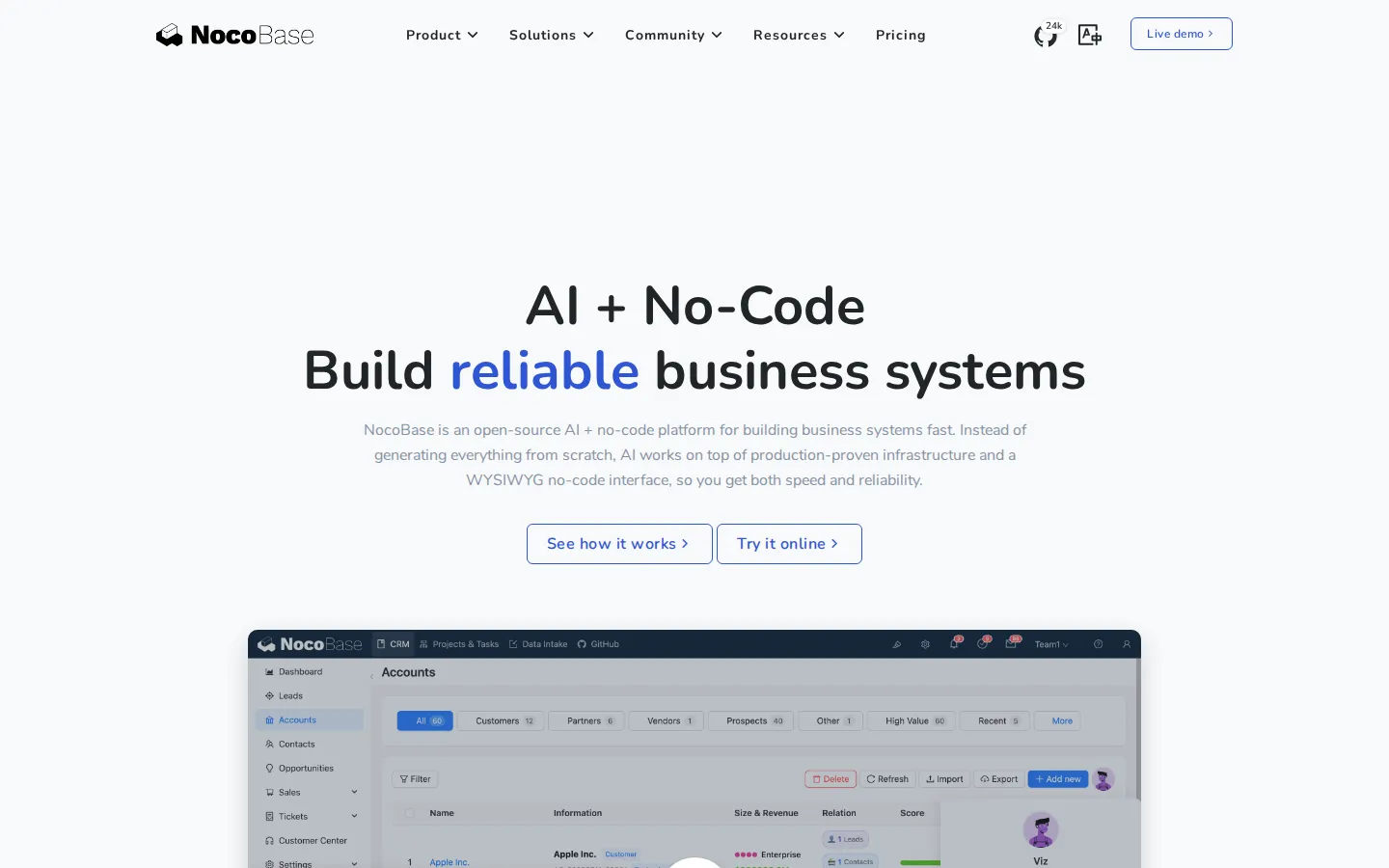
NocoBase is an open-source AI + no-code platform for building reliable business systems and internal tools, designed for teams that want AI-driven speed without the fragile, black-box architecture that raw code generation tends to produce. Instead of generating an entire application from scratch, NocoBase lets AI work on top of production-proven infrastructure - built-in data models, permissions, workflows, and audit logs - combined with a WYSIWYG no-code interface that people can operate directly. The result is one platform where AI coding agents, human builders, and AI employees collaborate on the same system. The platform is data-model driven: business data lives in standard relational structures inside your own database - MySQL, PostgreSQL, MariaDB, or others - fully decoupled from the UI, and you can also connect external databases and third-party REST APIs as data sources. Teams define collections and fields first, then present the same data through multiple pages and interfaces. A microkernel architecture means everything is a plugin, from core modules to new business features, so the system can grow without losing control and can mix official, community, and custom plugins freely. Because these foundations are tested and proven in production rather than regenerated as code each time, NocoBase reports deployments across organizations such as Sony, Lenovo, American Express, Yamaha, and NXP, and describes the platform as light enough that a single person can maintain and extend it. Building happens in three complementary ways. AI coding agents such as Claude Code, Cursor, Codex, OpenCode, and TRAE get a full CLI and skills, letting them handle setup, development, migration, and release end to end. People can instead - or in parallel - build and refine data models, pages, workflows, and permissions visually, switching between usage and configuration modes with one click. Built-in AI employees then work inside the running system: they help with analysis, Q&A, form filling, document recognition, risk monitoring, and task routing, and because they plug into the workflow engine they can join decisions and execution. External agent ecosystems connect through MCP, HTTP APIs, CLI, and skills, so platforms like Dify, Coze, and n8n, and channels like Telegram, WhatsApp, Slack, and Gmail, can act within the same fine-grained, field-level permissions and audit logging applied to human users. Permission boundaries apply uniformly, so whether a change is initiated by an agent, an AI employee, or a person, it follows identical role-based rules - keeping AI output aligned with the system architecture instead of drifting into an opaque black box. NocoBase core code and foundational plugins are fully open source with more than 24,000 GitHub stars, built with TypeScript on Node.js, React, and Koa, and lightweight enough to run on modest servers with total control over data and AI interactions. Licensing is simple: a free community edition with unlimited applications, users, and records, plus buy-once commercial editions covering branding removal, external data sources, client application development, SSO, advanced security, and enterprise deployment - no subscriptions, no per-user pricing, and no data-volume charges.
NocoBase Core Features
AI coding agent integration
Build complete systems with Claude Code, Cursor, Codex, OpenCode, and TRAE, which receive a full CLI and skills to handle setup, development, migration, and release end to end.
WYSIWYG no-code builder
Switch between usage and configuration modes to visually create data models, pages, workflows, and permissions an interface designed for regular business users, not just developers.
AI employees in workflows
Deploy built-in AI employees that work inside the system for analysis, Q&A, form filling, document recognition, risk monitoring, and task routing with full business context.
Data-model-driven architecture
Keep business data in standard relational structures decoupled from the UI, so people and AI work on the same model and data always stays in your own database.
Plugin architecture
Extend a microkernel core where everything is a plugin mix official, community, and custom plugins to grow the system without losing architectural control.
Fine-grained permissions and audit
Give every AI employee its own role with field-level read and write rights, and trace every data change and workflow trigger through audit logs.
Open agent ecosystem
Connect external platforms like Dify, Coze, n8n, and OpenClaw via MCP, HTTP APIs, CLI, and skills, plus channels such as Telegram, WhatsApp, Slack, and Gmail.
Self-hosted and open source
Run the fully open-source core and foundational plugins on your own infrastructure TypeScript on Node.js, React, and Koa, light enough for modest servers.
Who is NocoBase for?
NocoBase fits teams that want AI-speed development without fragile, regenerated architecture. Software teams and IT departments can hand setup, development, migration, and release to coding agents such as Claude Code and Cursor while keeping every change reviewable in the no-code interface, so velocity no longer depends on scarce senior engineers. Founders and small companies get a genuinely free self-hosted foundation for their CRM, ERP, inventory, and back-office tools, with no per-seat, per-app, or data-volume charges as they grow. Freelance developers and solo technical consultants can deliver small business systems in days rather than months, reusing the same production-proven infrastructure across every client instead of rebuilding user management, permissions, and workflows from scratch. Operations managers and business analysts who are not developers can define data models, build pages, wire workflows, and refine whatever AI produced using the WYSIWYG configuration mode, closing the loop between business owners and the system. Teams migrating from spreadsheets, Airtable-like tools, or rigid legacy systems use NocoBase to centralize their data and automate recurring processes with visible, controllable rules. Agencies and software consultancies that build applications for clients fit the Professional or Enterprise editions, which grant the right to develop, sell, and license client-facing products while the licensing terms clarify exactly when end clients also need their own license. Enterprise IT and security teams that must keep everything inside their own environment value self-hosting, field-level permission control over every AI action, audit logs, SSO, and the option of cluster deployment and commercial support, which suits regulated industries such as banking, healthcare, and public administration. Department leaders and office administrators benefit from built-in AI employees that absorb routine work such as document recognition, risk monitoring, Q&A, form filling, and task routing inside existing workflows, while the customer-facing and back-office staff who use the finished systems daily get answers and automated task handling without leaving the application. Supply-chain and procurement teams build traceable workflows for purchase requests, approvals, and deliveries, with AI flagging risks and exceptions as records flow through. Finally, developers who prefer open source extend NocoBase with custom plugins or connect external agents from Dify, Coze, or n8n through MCP, HTTP APIs, and CLI under one permission model, which makes the platform as attractive to tinkerers as to enterprise architects, and its free community edition keeps the cost of experimenting at zero.
NocoBase Use Cases
Build internal CRM, ERP, inventory, and project-management systems that teams can reshape without waiting on a development cycle.
Let AI employees monitor risks, classify incoming documents, and route tasks automatically in the background of daily operations.
Prototype and ship client-facing business applications for customers using the Professional or Enterprise commercial editions.
Connect an existing external MySQL or PostgreSQL database and assemble admin interfaces over your current operational data.
Ask Claude Code, Codex, or Cursor to scaffold data models, pages, and workflows, then refine the details manually in the WYSIWYG builder.
Automate approvals, subflows, and webhooks by integrating AI employees into the workflow engine for decisions and execution.
Self-host a company-wide no-code operations platform on modest servers while keeping all data and AI traffic inside your own environment.
Connect external agents from Dify, Coze, or n8n through MCP or HTTP APIs so they query data and trigger actions inside your permission boundaries.
NocoBase Pros and Cons
Pros
- Genuinely free community edition with full source code, unlimited applications, users, and records - no per-seat, per-app, or data-volume pricing.
- Buy-once commercial licenses starting at $800 with a lifetime license, instead of recurring per-user SaaS subscriptions.
- AI coding agents and AI employees are native to the platform, giving agents a real CLI and skills rather than bolting AI onto the UI.
- Production-proven infrastructure ships built-in - data models, permissions, workflows, and audit logs - instead of being regenerated as black-box code every time.
- Active open-source project with 24,000+ GitHub stars, 100+ contributors, and a large official and community plugin ecosystem.
Cons
- Self-hosting is the main deployment path and still requires technical skill for setup, upgrades, and maintenance; there is no turnkey hosted SaaS plan.
- The richest capabilities - building applications for clients, SSO, version control, advanced security, and cluster deployment - sit in the paid Professional and Enterprise editions.
- The plugin ecosystem and ready-made template library are smaller than mainstream low-code platforms, so complex or niche projects may need custom plugin development.
FAQ About NocoBase
NocoBase Pricing
NocoBase is freemium with a buy-once model: the open-source Community Edition is free with unlimited apps, users, and records, while commercial licenses are one-time purchases - Standard at $800 and Professional at $8,000, each a lifetime license with one year of upgrades and support - and Enterprise is quoted on contact.
Check official pricingCommunity Edition
Free forever with full source code and self-hosting: unlimited applications, users, and records, AI-driven development, WYSIWYG builder, most AI employee capabilities, built-in workflows and permissions, community support, and an unobtrusive NocoBase logo on the interface.
Standard Edition
One-time payment for internal company use; removes NocoBase branding, connects external MySQL and PostgreSQL data sources, enables large-volume Excel import/export, and includes one year of upgrades and support with 24-hour first response.
Professional Edition
For professional teams building for clients: advanced AI employee capabilities, SSO, version control for human-AI development, approvals, subflows, webhooks, record history, dev/test/prod environments, unlimited support tickets, and dedicated usage consulting.
Enterprise Edition
For large applications and enterprises: cluster deployment, multi-application and multi-space architecture, Oracle, ClickHouse, and Doris data sources, telemetry, audit logging of every user action, commercial source code access, priority roadmap features, and faster dedicated support.
NocoBase Alternatives

Locofy.ai
Locofy.ai converts Figma, Penpot and Adobe XD designs into developer-friendly frontend code for React, Next.js, Gatsby, Vue, Angular, HTML/CSS, Flutter and React Native. It imports existing design systems, generates reusable components with LocoAI, and plugs into Cursor, GitHub Copilot, Windsurf and Claude through MCP, giving product teams an enterprise-grade frontend baseline that AI coding agents can then extend.

Rork
Rork is an AI app builder for iOS, Android, and the web. Describe your idea in plain English and an AI agent writes, compiles, and previews a working app on your phone. Pro builds cross-platform apps with React Native and Expo, while Max builds native SwiftUI apps for iPhone, iPad, Watch, and Vision Pro. A free design tier lets you start without paying.

CTO.new
CTO.new is a free, ad-supported AI workspace for founders: describe what you want to build or grow by chatting, and multi-agent teams handle research, code, marketing and admin with web browsing, email and scheduling built in. Hire ready-made AI teams from the marketplace, connect Linear, Notion, Vercel, Sentry or any MCP server, and upgrade to Premium from $20 for at least five times the usage.