
Movavi
Movavi is a trusted video and photo editing suite with over 70 million users in 190+ countries. Its flagship Video Editor 2026 pairs fast timeline editing with one-click AI tools, including auto subtitles, silence and noise removal, motion tracking, background removal, and upscaling, plus 10,000+ effects and 1,500 music tracks for Windows and macOS.
What is Movavi?
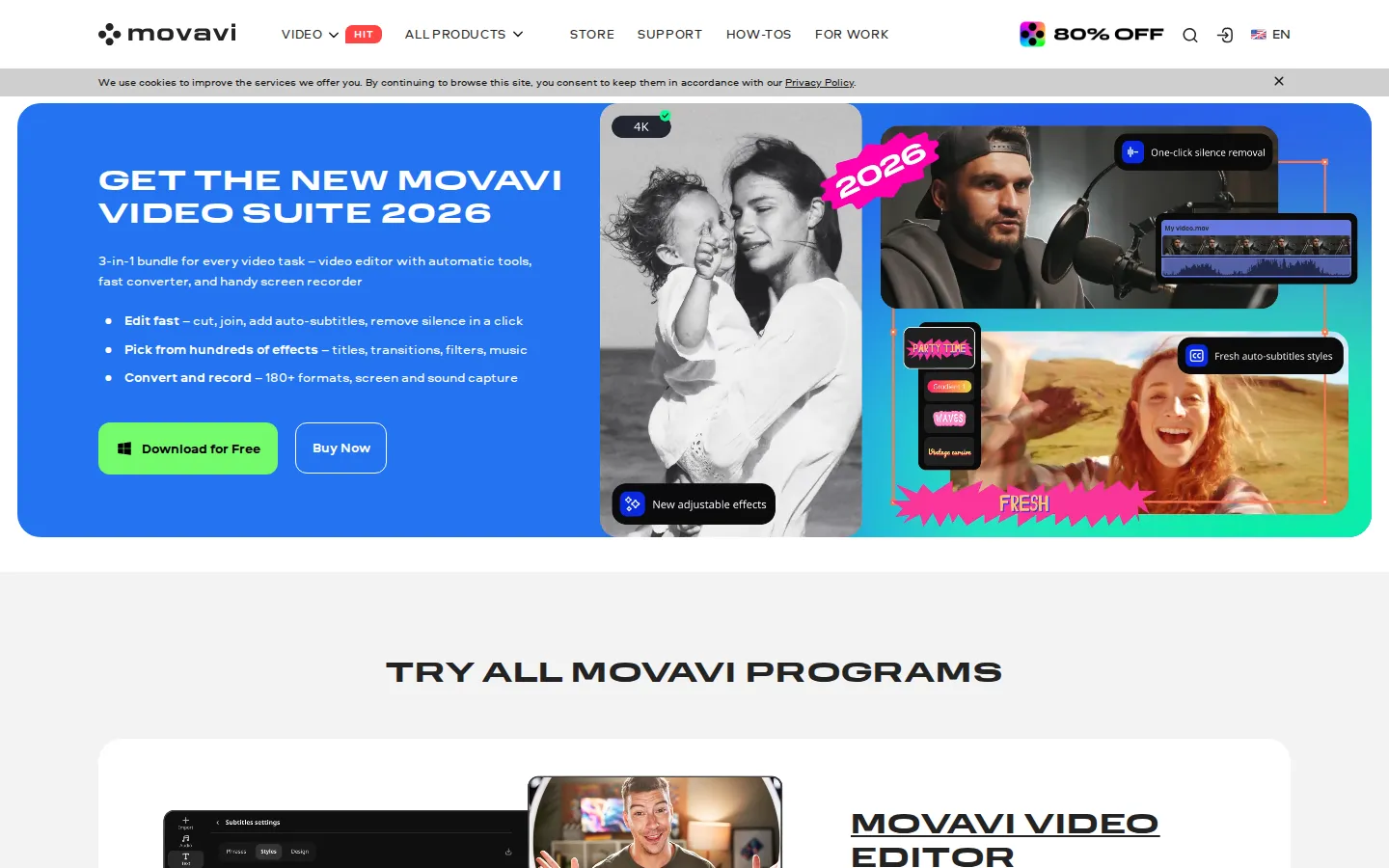
Movavi is a desktop software suite for video and photo editing, file conversion, and screen recording, available for Windows and macOS. The flagship product is Movavi Video Editor 2026, described as 'your simple yet powerful editor for creating wow videos.' It combines fast manual editing, including cutting, cropping, color adjustment, speed control, a blade tool, stabilization, chroma key, picture-in-picture, and slow motion, with one-click AI tools. The AI capabilities shown on the site include automatic subtitles that turn speech into captions in almost any language, AI noise removal that strips out car and wind sounds, one-click silence removal, AI motion tracking that attaches photos, videos, emojis, or memes to objects in footage, auto-tracked cropping that keeps a speaker or product centered when converting horizontal clips to vertical, and a background removal tool used for vlog blur backgrounds and clone-yourself effects. The 2026 version adds a revamped timeline, fast effect copying, 30+ auto-subtitle styles, and 40+ adjustable effects, plus mouse-over previews and animated movie-like overlays such as fire and lightning. The Movavi Effects library offers over 10,000 effects and 1,500 music tracks for any mood. Around the editor, the suite includes Movavi Photo Editor with AI retouching, background swap, object removal, and color correction presets; Movavi Video Converter with lightning-fast conversion across 180+ formats, powerful compression, and AI video upscaling up to 8X; and Movavi Screen Recorder with full-screen or custom-area capture, webcam recording, real-time drawing, and cursor and keystroke highlighting. Movavi Unlimited bundles all programs with the full effects library. The company reports 70M+ users across 190+ countries, 15+ updates per year, and a 4.8/5 rating from 1,127 reviews on the Video Editor page, with ratings also shown from Trustpilot, G2, and other review platforms. Movavi was established in 2004, partners with Intel, NVIDIA, and 2Checkout, and ships 21 apps in 18 languages, including free online tools such as an online video editor and converters.
Movavi Core Features
One-click AI auto subtitles turn speech into captions in almost any language
AI noise removal and one-click silence removal clean up unwanted audio automatically
AI motion tracking attaches photos, videos, emojis, or memes to moving objects
Auto-tracked cropping keeps speakers centered when reformatting clips to vertical
Background removal tool with blur effects for vlogs and clone-yourself effects
10,000+ effects and 1,500 music tracks, plus LUTs, transitions, titles, and overlays
Fast effect copying applies effects, color tweaks, and audio settings across clips
AI video upscaling up to 8X and conversion across 180+ formats in the converter
Who is Movavi for?
Movavi is built for people who want to make great-looking videos and photos without learning a complex professional editor. The site's own copy stresses beginner-friendliness: the company says users can master Movavi Video Editor in less than 20 minutes thanks to an easy-to-follow interface, handy tooltips, and drag-and-drop effects, and that they even test the software on their grandparents. That makes it a natural fit for first-time editors, hobbyists, and casual creators who find high-end NLEs intimidating. YouTubers and social media creators are a core audience: the homepage features influencer tutorials for editing YouTube videos, Instagram Reels, and TikToks, making YouTube Shorts in seven minutes, and generating voiceovers. Small businesses and marketers use the one-click AI tools and presets to produce promo reels and brand videos in minutes without hiring an editor. Families and everyday users craft birthday, holiday, and wedding videos with titles, transitions, and music. Screen recording targets anyone making tutorials, presentations, or product demos, with webcam capture, real-time drawing, and cursor and keystroke highlighting. Students, teachers, and educational institutions are served through a dedicated Movavi Education program with special pricing and purchasing options. Professional scenarios are covered too: wedding videographers and hybrid-event shooters appear in influencer reviews, business licenses permit commercial use in a business environment, and corporate sales are handled by a dedicated sales team. Reviewers quoted on the site describe it as a simple editor that does what everyday creators need, with a streamlined workflow and no unnecessary complexity.
Movavi Use Cases
Edit YouTube videos, Instagram Reels, and TikTok clips on a simple timeline
Create promo reels and brand videos for small businesses in minutes
Craft family movies, birthday, and holiday videos with titles and music
Record screen, webcam, and tutorials with cursor and keystroke highlighting
Convert and compress video between 180+ formats for any device
Retouch, restore, and swap backgrounds in photos with AI tools
Upscale old or low-resolution footage up to 8X with AI
Add automatic subtitles to reach viewers who watch on mute
Movavi Pros and Cons
Pros
- Drag-and-drop interface designed for beginners, praised by reviewers for its simplicity
- One-click AI tools for subtitles, silence removal, and noise removal save editing time
- Lifetime license option for Video Editor Plus at a one-time price
- 70M+ users, 15+ updates per year, and free minor and major updates during subscription
- 14-day money-back guarantee with 24/7 payment support via 2Checkout
Cons
- Free version is limited to a watermark, 60-second video or half audio length, and locked advanced features on export
- Desktop-only software that requires a Windows or macOS install, with no fully web-based editor
- Full access to the Movavi Effects library costs an extra subscription of $39.95/month after a 7-day trial
FAQ About Movavi
Movavi Pricing
Movavi sells desktop video software as subscriptions and lifetime licenses, starting with a free trial version, then Video Editor from $19.95/month, Video Editor Plus lifetime at $69.95, and the Video Suite Plus bundle at $99.95/year, with optional Movavi Effects access at $39.95/month.
Check official pricingFree
Free version to download and try: watermark on exported clips, 60-second video or half audio length limit, and some advanced features locked when exporting; full version free for 7 days.
Video Editor (Monthly)
1-month subscription with 10% off the first month: no watermark, no cap on video or audio length, and free minor and major updates throughout the subscription.
Video Editor Plus (1 Year)
1-year subscription with no watermark or length caps, free updates, plus 3 effects packs for a quick start.
Video Editor Plus (Lifetime)
Bestseller lifetime license: all Video Editor features, no recurring fee, plus 3 effects packs for a quick start.
Video Suite (Monthly)
3-in-1 video bundle (Video Editor, Video Converter, Screen Recorder) on a 1-month subscription.
Video Suite Plus (1 Year)
3-in-1 video bundle at 60% off ($250.95 regular) plus 3 bonus effects packs, on a 1-year subscription.
Movavi Alternatives

VideoBGRemover
Remove backgrounds from recorded videos online. Keep motion and audio, export transparent WebM or MP4. Free trial and paid plans.

BGChanger AI
Remove video backgrounds with AI, export transparent WebM or solid-color clips, keep original audio, and choose MP4, WebM, MOV, MKV, or GIF.

Kaleidly
Kaleidly is an AI repurposing studio for long videos. Paste a YouTube, TikTok, Instagram, X or Facebook link and it transcribes the episode, learns your writing voice from your own posts, then returns scored vertical clips with synced captions plus five text formats. One credit covers one minute of video. It understands 35 languages and writes posts in the language you write in.