
MindMap AI
MindMap AI is a browser-based AI mind mapping tool that turns a prompt, PDF, Word file, web page, image, or audio and video recording into a structured, editable map in seconds. A chat assistant stays beside the canvas to expand, summarize, or reorganize branches, and manual editing is unlimited and free. Available on web, Chrome extension, iOS, and Android, with support for 29+ languages.
What is MindMap AI?
MindMap AI is an AI-native mind mapping app that runs entirely in the browser. Instead of building nodes by hand, you hand it a prompt, a PDF or Word document, a plain-text file, a web URL, an image, or an audio or video recording, and it returns a structured map with hierarchy, grouping, and labels already in place. Generation is only the start: the AI stays available as a chat panel beside the canvas, so you can expand a thin branch, summarize a subtree, rename groups, or reorganize the whole structure without regenerating and losing your edits. The manual canvas is a full editor with drag, reparent, styling, and free-form node editing, and it is unlimited on the free plan. The same content can be reshaped between several layouts, including mind map, logic chart, org chart, and concept map. Files from XMind, MindManager, SimpleMind, and Freeplane import natively at no cost, so migrating an existing library does not mean rebuilding it. Usage runs on a credit model: AI actions consume credits, while manual editing, undo, retries, and importing shared maps never do. Every account, free included, receives credits that renew monthly, paid plans add larger allowances plus on-demand top-ups, and lifetime plans offer one large pool that never expires. MindMap AI works in the browser on any operating system, with iOS and Android apps and a Chrome extension, and the interface is localized into 29+ languages, which makes it practical for international students, distributed teams, and global agencies alike. Maps can be exported or shared from the editor, and a set of free AI tools on the site — including article, PDF, text, and video summarizers — extend the workflow beyond the canvas. A Thinking Mode praised by reviewers places branches where they make logical sense rather than where the source text merely mentions them, which keeps large maps organized as they grow. The company behind the product, 3axislabs, Inc., publishes comparison pages against Xmind, Mapify, MindMeister, GitMind, Ayoa, and MindManager, and the platform is referenced by industry professionals in live webinars.
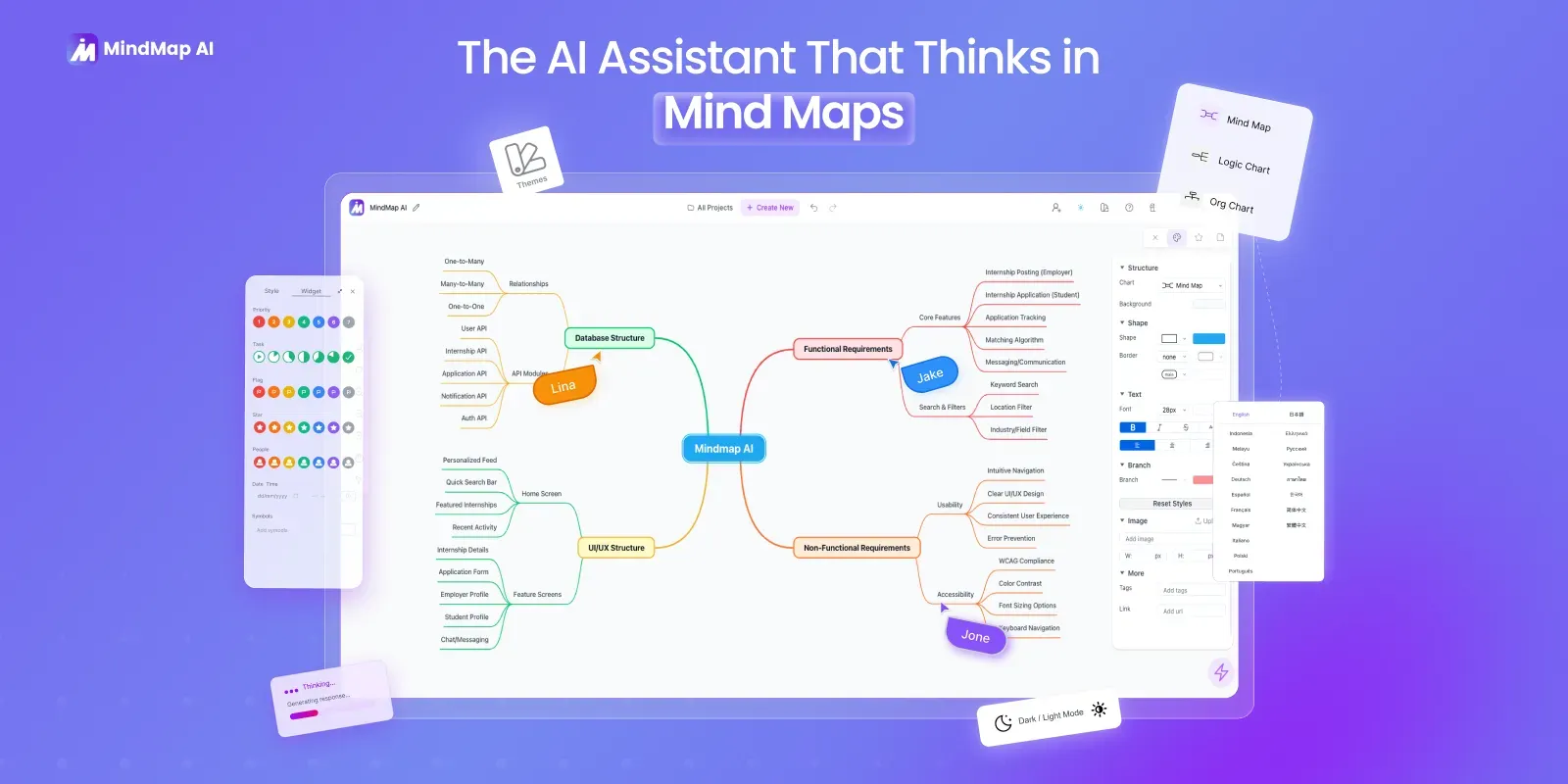
MindMap AI Core Features
Multi-input generation
Turn prompts, PDFs, Word and text files, web URLs, images, and audio or video recordings into structured maps in seconds
Continuous AI chat
Expand, summarize, or reorganize any branch after generation without losing your manual edits
Free manual canvas
Unlimited manual mind mapping with drag, reparent, styling, and free-form node editing on the free plan
Multiple layouts
Reshape the same content between mind map, logic chart, org chart, and concept map views
Native file imports
Import XMind, MindManager, SimpleMind, and Freeplane files free on all plans
Renewing credit model
Every plan including free gets monthly AI credits, while manual editing, undo, and imports never consume credits
On-demand top-ups
Buy 1,000 extra credits for $5 anytime on Basic or Pro, or choose a lifetime pool that never expires
Works everywhere
Browser, iOS and Android apps, and a Chrome extension, localized into 29+ languages
Who is MindMap AI for?
MindMap AI is built for people who turn messy input into structured thinking. Students use it to convert lecture notes, readings, and recorded classes into revision maps before exams, in any of 29+ supported interface languages. Researchers and analysts break long papers, reports, and meeting transcripts into structured overviews they can navigate in minutes. Product, marketing, and strategy teams plan launches, roadmaps, and content calendars from rough briefs, then keep refining the structure in AI chat. Educators build lesson plans and teaching material, while consultants, coaches, and facilitators run client sessions and webinars with live maps. Writers and journalists map articles and interview recordings into outlines before drafting. It also suits anyone migrating from a desktop mind mapper such as XMind or MindManager who wants AI assistance without giving up manual control — the manual canvas stays unlimited and free, so heavy editors keep full power. Teams can collaborate through plans that start at two seats with shared workspaces and centralized billing, and verified students get 70% off monthly plans. Freelancers and solo operators use it to turn client briefs and calls into deliverables, and small agencies map campaign structures and share them across team workspaces. Because the free plan keeps the full editor and all layout types, casual note-takers get a capable tool at zero cost, while power users can scale credits as needed.
MindMap AI Use Cases
Turn a lecture recording into a revision map before an exam
Break a 50-page research paper into a navigable visual overview
Plan a product launch from a rough one-paragraph brief
Summarize a long PDF into a single screen you can scan in seconds
Convert a meeting recording into action items and owners
Map a webinar video into structured talking points for your team
Migrate XMind and MindManager libraries and continue editing with AI
Run a solo brainstorm and let AI expand thin branches into detail
MindMap AI Pros and Cons
Pros
- Widest input range in the category — prompt, PDF, Word, text, URL, image, audio, and video
- AI stays in the loop after generation, so you refine and reorganize instead of regenerating from scratch
- Free plan is genuinely free forever: unlimited manual mapping plus 50 renewing AI credits monthly
- Native free import of XMind, MindManager, SimpleMind, and Freeplane files for easy migration
- Runs anywhere — browser, Chrome extension, iOS, Android — in 29+ languages
Cons
- No offline desktop app — an internet connection is required to create or edit maps
- AI usage is metered by credits, and heavy inputs burn them fast (a 5-minute video map runs roughly 177 credits)
- Real-time multi-user co-editing is lighter than dedicated collaboration whiteboards, and team plans start at 2 seats
FAQ About MindMap AI
MindMap AI Pricing
Freemium. Free plan is free forever with 50 AI credits/month and unlimited manual mapping. Basic $9.99/mo ($4.99/mo billed annually at $59.88), Pro $14.99/mo ($7.99/mo billed annually at $95.88), lifetime plans from $157 one-time, team plans from $9.99/seat/month. 7-day money-back guarantee and 70% student discount available.
Check official pricingFree
Free forever, no credit card required. 50 AI credits per month, unlimited manual mind mapping, full editor, all layout types, all AI tools and exports.
- 50 AI credits / month
- Unlimited manual mind mapping
- Full editor & all layout types
- All AI tools & exports
- No credit card required
Basic
For professionals integrating mind maps into daily work. 2,000 AI credits per month with on-demand top-ups. Also billed annually at $4.99/month ($59.88/yr).
- 2,000 AI credits / month
- On-demand top-up: 1,000 credits for $5
- Larger file inputs
- Annual option: $4.99/mo billed yearly
Pro
Most popular. For power users handling large file inputs at scale. 5,000 AI credits per month with on-demand top-ups. Also billed annually at $7.99/month ($95.88/yr).
- 5,000 AI credits / month
- On-demand top-up: 1,000 credits for $5
- Largest file inputs
- Annual option: $7.99/mo billed yearly
- 7-day money-back guarantee
Lifetime Lite
100,000 AI credits in a pool that never expires.
- 100,000 AI credits
- Pay once, never expires
Lifetime Plus
Most popular lifetime tier. 200,000 AI credits in a pool that never expires.
- 200,000 AI credits
- Pay once, never expires
Lifetime Ultimate
Best value lifetime tier. 500,000 AI credits in a pool that never expires.
- 500,000 AI credits
- Pay once, never expires
Team
Team plans from $9.99 per seat per month, 2 to 100 seats, centralized billing, per-seat credits, and shareable projects in a team workspace.