Klipa AI
Klipa AI is a browser-based video toolkit built around AI Clips, which scans long recordings and pulls out the strongest moments as ready-to-post shorts. It adds burned-in animated subtitles in 51 styles, reframes footage vertically, removes silences and filler words, translates audio, and wraps everything in a conversational assistant that chains up to four steps from a single sentence.
What is Klipa AI?
Klipa AI is a browser-based video toolkit with an AI clip finder at its centre, built for people who already have long footage and need short, captioned, vertical versions of it. You upload a file from your device or paste a link to an online video, and AI Clips reads the transcript, scores the moments that carry the strongest hook or the clearest payoff, and returns up to ten clips per source. Each clip can be reframed to 9:16, 1:1, 4:5 or 2:3, fitted with burned-in animated subtitles, and exported without uploading the source again.
The site does not stop at clip extraction. Around twenty tools draw on the same credit balance: silence removal that cuts dead air, filler-word removal that drops the ums and uhs, background noise removal, transcription, subtitle translation across 30+ languages, voice dubbing in 32 languages with seven voice choices, best-of montage assembly, compression, format conversion, trimming, resizing, GIF export and watermarking. Klipa Studio is the full editor where cuts, captions and exports come together, so a clip found by the AI can be polished by hand before it is published. The interface ships in sixteen languages, which suits creators publishing for more than one market. Browser-only delivery means nothing to install, and every job starts from the same dashboard where past conversations and finished results are kept until they expire.
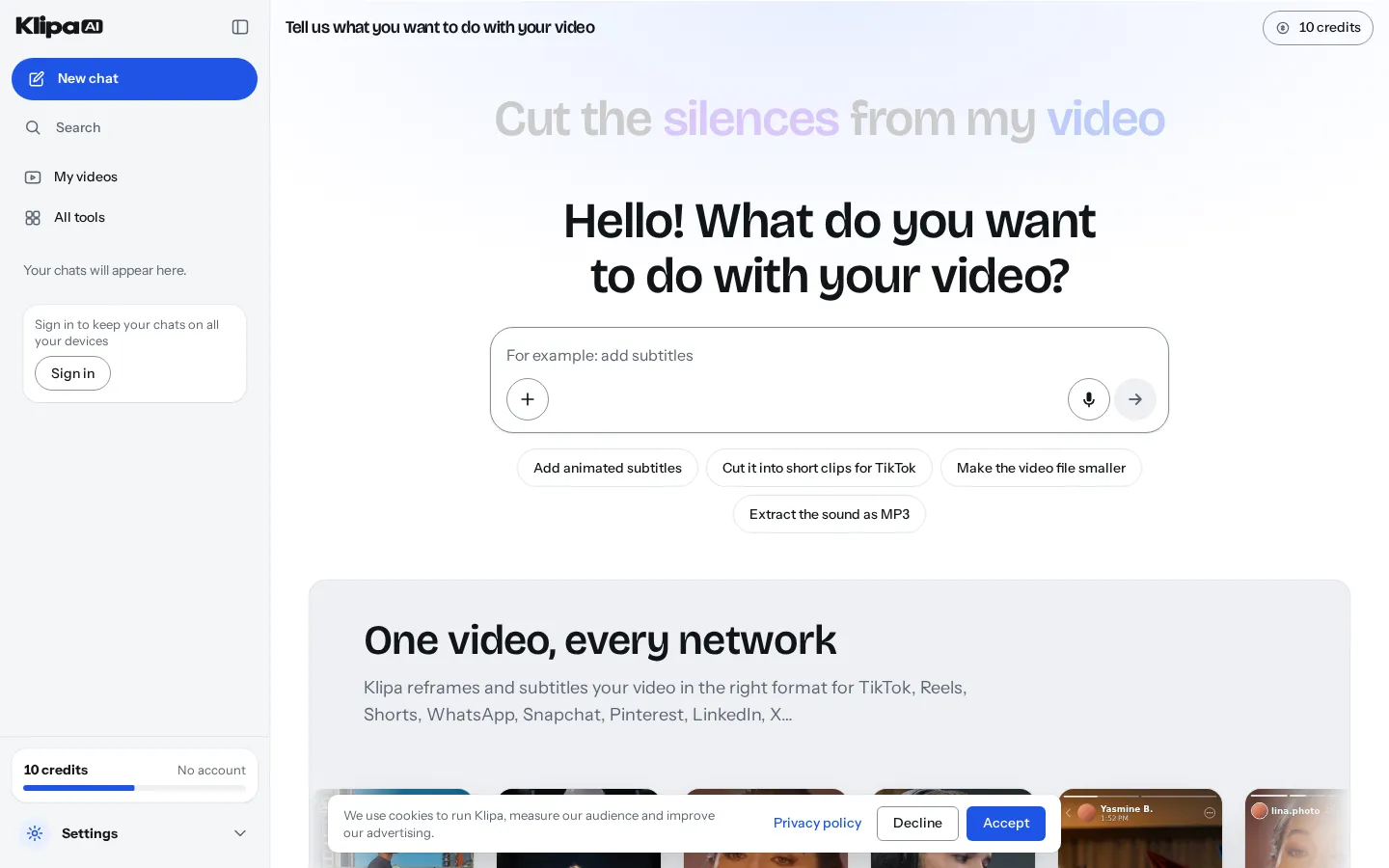
What separates the product from a single-purpose clipping tool is the Klipa Assistant. It is an agent rather than a menu: you type or speak a request such as cutting a video into short clips for TikTok, and it selects the right tool, pre-fills the settings it needs, shows you a plan with an estimated time, and waits for you to press Start. One request can chain up to four steps, each building on the previous result, so a webinar can be made vertical, then subtitled, then clipped, without the source being sent again. If you would rather drive yourself, the same request opens the underlying tool with your file already loaded, and the assistant keeps the conversation on your dashboard if you close the page.
Pricing works on credits rather than seats, and the free tier is real rather than a trial: ten credits before you even create an account, ten more once you register, exports carrying the Klipa logo and capped at 720p. Pro at $9.90 per month billed annually adds 200 credits monthly, 1080p output, no logo, sources up to two hours, 30-day file retention and priority processing, while Studio raises that to 600 credits, 4K output, 90-day retention and 30 minutes of translation per month. Charges follow the length of the source you upload rather than the length of the files produced, and most AI tools carry a per-file cap so a long recording cannot drain a balance in one run.
Klipa AI Core Features
AI Clips
Scans a full recording and returns up to ten of the strongest moments as separate short clips.
51 subtitle styles
Burned-in animated captions, revealed word by word, including one-word, highlighter, impact and comic looks.
Vertical reframe
Tracks the speaker and re-crops landscape footage to 9:16, 4:5, 1:1 or 2:3 without manual keyframing.
Audio clean-up
Removes dead air, filler words and background noise automatically, with separate tools for each job.
Klipa Assistant
A conversational agent that picks the tool, pre-fills settings and chains up to four steps once you approve the plan.
Translation and dubbing
Converts speech into 32 languages with seven voice options, plus translated subtitle files for 30+ languages.
Best-of montage
Condenses a long video into one edited highlight reel instead of a set of separate clips.
Klipa Studio
A browser editor for cutting, captioning and exporting, so AI output can be adjusted by hand before it ships.
Who is Klipa AI for?
Klipa AI is aimed at creators and small teams who already record long-form video and need to keep a short-form publishing schedule without hiring an editor. Podcasters are the clearest fit: a weekly two-hour episode can be turned into a batch of captioned vertical clips for TikTok, Reels and Shorts in one pass, and the silence and filler-word tools clean up conversational audio that would otherwise need manual tidying. Coaches, consultants and course sellers use it to slice webinars and recorded lessons into teasers, and the video translation feature matters to them because their audience is often spread across several languages. Agencies and freelance editors are another natural audience. Plans are credit-based rather than seat-based, translation limits and file retention scale with the tier, and the entry price is low enough for a small shop to run several client channels from one subscription. Media publishers and e-commerce teams use the vertical reframe and watermark tools to repurpose product demos, interviews and event footage into the square or portrait formats that LinkedIn, Pinterest, Threads and Facebook feeds prefer. Non-English creators get real value here too, because the interface, subtitles and dubbing cover languages well beyond English, including French, Spanish, Portuguese, German, Japanese, Arabic and Hindi. The tool is also reasonable for people who are not editors at all. Because the assistant accepts a plain sentence and returns a finished file, someone who has never opened a timeline can ask for subtitles, a smaller file or a vertical cut and get it. What Klipa is not built for is frame-accurate cinematic work, multi-cam editing, colour grading or advanced motion graphics; it is a repurposing and clean-up tool, and anyone who needs a full non-linear editor with keyframes and layered compositing will outgrow it quickly. Teams that need a documented REST API for programmatic rendering, or that must keep footage on their own infrastructure, should look elsewhere too, since everything here runs in the vendor's browser workspace under a French-law software agreement.
Klipa AI Use Cases
Turn a two-hour podcast episode into ten captioned vertical clips for TikTok and Reels.
Repurpose a recorded webinar into short promotional teasers without re-recording any of the material.
Cut dead air and filler words from an interview before publishing it as a clean audio-led video.
Translate a product demo into Spanish, German or Japanese with dubbed audio and matching subtitles.
Reframe landscape event footage into square LinkedIn posts and 4:5 Instagram feed videos.
Compress and convert large camera files so clients can download them without a file-sharing service.
Build a best-of highlight reel from a conference talk to use as a channel trailer.
Batch-produce a month of shorts from an evergreen course library using the same assistant workflow.
Klipa AI Pros and Cons
Pros
- The free tier is genuine: 20 credits in total, split between use without an account and a free sign-up, with no card required.
- One assistant covers clips, subtitles, reframing, silence removal and compression, so a single sentence can produce a finished file.
- Charges are based on source length with per-file caps, which makes costs predictable on long recordings.
- The interface and output pipeline work in sixteen interface languages, with dubbing in 32 languages and translated subtitles in 30+.
Cons
- Free exports carry the Klipa logo and are capped at 720p, so the free tier is a test drive rather than a workable publishing setup.
- Sources are limited to two hours even on paid plans, which rules out very long livestreams and full-day event recordings.
- There is no public API or documented integration path, so the workflow cannot be automated inside an existing production pipeline.
FAQ About Klipa AI
Klipa AI Pricing
Klipa AI is freemium. The free tier gives 10 credits without an account plus 10 more after sign-up, with a Klipa logo on exports, 720p output and two-day storage. Pro costs $9.90 per month billed annually ($14.99 monthly) for 200 credits a month, 1080p, no logo and 30-day retention; Studio costs $33 per month annually ($39 monthly) for 600 credits, 4K output and 90 days. Credit top-ups and single-video Passes are also sold.
Check official pricingFree
20 credits granted once (10 before signing up, 10 with a free account), 720p exports carrying the Klipa logo, sources up to 60 minutes, files kept 2 days, 5 hours of link downloads over 7 days.
Pro
200 credits per month, 1080p exports without the logo, sources up to 2 hours, 30-day storage, 10 minutes of translation monthly, 100 hours of link downloads, priority processing.
Studio
600 credits per month, 4K exports without the logo, sources up to 2 hours, 90-day storage, 30 minutes of translation monthly, 400 hours of link downloads, unlimited non-AI tool use.
Klipa AI Alternatives

DirectAI
DirectAI is a browser-based AI video studio for faceless channels. You give it a topic, a script, or a link to a video that already worked, and it writes the narration, generates scene visuals, adds captions and music, then renders a finished video ready for YouTube, Shorts, TikTok or Reels, with no camera work and no editing skills required.

Clippie AI
Clippie AI is a browser-based faceless video generator for TikTok, YouTube Shorts and Instagram Reels. It combines proven viral templates such as Reddit stories, fake text chats and stickman explainers with 16,000+ AI voices, captions in 102 languages, a free stock gameplay library and an AI Studio for motion transfer, image generation and long-form 16:9 documentary videos.

faceless.video
Faceless.video is an AI content system for anonymous short-form channels. You pick a niche, it writes scripts, generates narration, visuals and captions, then schedules or auto-posts each video to TikTok, Instagram Reels and YouTube Shorts. Ten specialist generators cover stories, POV clips, memes, podcast clips and AI influencers, and unused credits roll over between months on any paid plan.