
Kiro
Kiro is AWS's agentic AI development environment: turn prompts into executable specs, implement them with parallel agents on your machine or in the cloud, and catch edge cases with property-based tests. It ships as an IDE, CLI, web app and open-source Crew workspace, supports models such as Anthropic Claude, GPT-5.6 and open-weight options, and starts free.
What is Kiro?
Kiro is an agentic AI development environment from AWS that moves developers beyond plain AI coding: it turns a prompt into an executable spec, implements that spec with parallel agents, and validates the result before the code ships. It runs as a desktop IDE, a terminal CLI, a browser-based web app and Kiro Crew, an open-source development workspace that keeps working across sessions.
The centre of the product is spec-driven development. Instead of asking for code directly, you describe your intent and Kiro produces requirements, architectural designs and sequenced tasks, then implements them. Because the reasoning behind each decision is written down, complex work lands in fewer attempts and the outcome stays reviewable by a team. Kiro also inspects the requirements themselves for contradictions and gaps before any code is written, using automated reasoning techniques.
Correctness is the second pillar. Property-based tests assert rules that must hold across all inputs instead of checking a few examples, so they surface the edge cases that ordinary unit tests pass over. Agents run those checks alongside implementation and feed failures back into the session.
For larger work Kiro runs parallel agents locally or in cloud sandboxes, and cloud sessions continue while your laptop is closed. Agent hooks run recurring jobs such as tests, documentation and linting on your triggers, steering files keep project conventions in place, MCP servers connect external tools, and Kiro powers add integrations such as Figma, Terraform, Postman, Datadog or Stripe. Multimodal input lets you drop screenshots and diagrams into the conversation as context.
Model choice is deliberately open. Auto selects the best model for each task based on complexity, quality, latency and cost, and you can override it with Anthropic Claude Opus 5, Sonnet 5 or Haiku 4.5, OpenAI's GPT-5.6 tiers, or open-weight models including DeepSeek 3.2, MiniMax M2.5, GLM-5 and Qwen3 Coder Next, each with a published credit multiplier.
Kiro is built on open standards: the agent speaks Agent Client Protocol, respects AGENTS.md, Skills.md and MCP, and the IDE supports Open VSX extensions, themes and imported VS Code settings. Because it is built and operated by AWS, enterprise buyers get IAM and SSO authentication, usage dashboards, cost controls, IP indemnity and governance. Sign-in works with GitHub, Google, AWS Builder ID or AWS IAM Identity Center, and no AWS account is required.
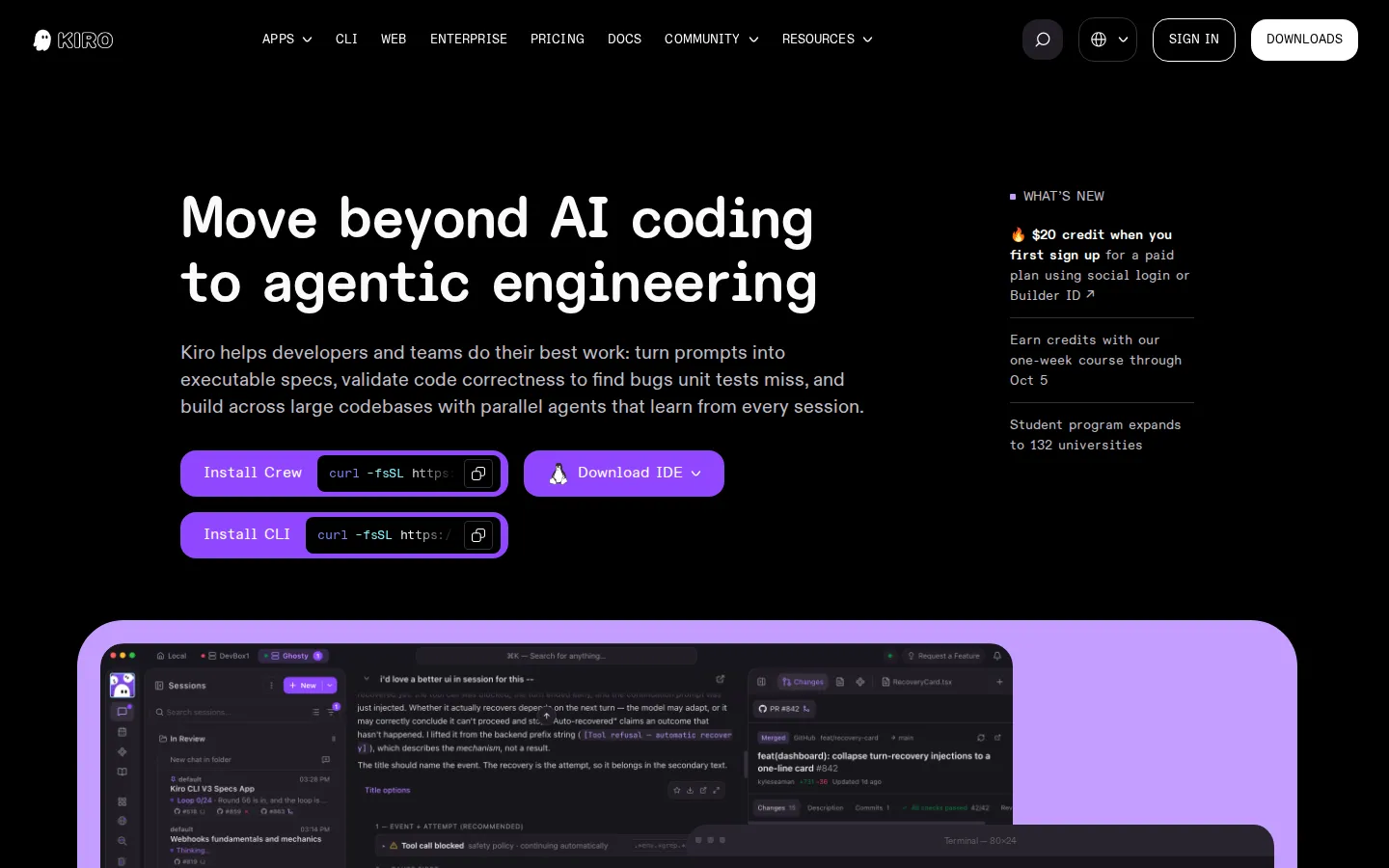
Kiro Core Features
Spec-driven development
Kiro turns prompts into requirements, architectural designs and sequenced tasks before writing any code.
Correctness checking
Kiro inspects requirements for gaps and contradictions, then verifies behaviour with property-based tests.
Parallel and cloud agents
Run several agents at once locally or in cloud sandboxes that keep working overnight.
Agent hooks and steering
Automate tests, documentation and linting on triggers while project conventions stay enforced automatically.
Model choice with Auto
Pick Anthropic Claude, OpenAI GPT-5.6 or open-weight models, or let Auto choose per task.
Open standards and powers
Agent Client Protocol, AGENTS.md, Skills.md, MCP, Open VSX extensions and integrations such as Figma or Terraform.
Headless CLI for CI/CD
Run Kiro in a pipeline to review pull requests, generate tests and fix bugs.
Enterprise controls built by AWS
IAM and SSO sign-in, usage dashboards, cost management, governance and IP indemnity.
Who is Kiro for?
Kiro is aimed at developers and teams who already use AI coding assistants but want more structure than prompt-by-prompt generation. The core audience is professional software engineers on teams: they plan work as specs, let parallel agents implement changes in large repositories, and rely on property-based tests before a change reaches review. Platform and cloud engineers are a strong fit too. Specs fit infrastructure work well, and the Terraform power, container workflows and generated property tests map neatly onto the AWS estate these engineers already run. Startup founders and small engineering teams use Kiro to keep small crews productive, converting overlooked documentation and specs into durable project assets rather than one-off prompts. Enterprise organisations are a target segment in their own right: Kiro is sold per user with consolidated billing, usage analytics, SAML and SCIM single sign-on through AWS IAM Identity Center, governance controls and administration features for teams up to 500 users and beyond. Security and data engineers use it for tasks such as building a secure internal tool or file-sharing service from written requirements, with encryption and security practices applied without extra prompting. Data scientists and analysts use it to write scripts, queries and pipelines in languages such as Python, SQL or Scala. Students and learners are a supported audience as well, with a university programme and guides such as Learn by playing, which teach the workflow inside a small sample game codebase. Open-source maintainers and solo builders get the free tier and the terminal-first CLI. Consultants, contractors and agencies fit the per-user model as well: each client repository can carry its own steering files and specs, so project context is documented rather than held in one person's head, and work continues from the CLI or the web when you are away from your usual machine. Developers moving from Amazon Q Developer or another AI assistant get dedicated migration guides. It suits people comfortable in a terminal, in VS Code-style editors or in Git-based review workflows, and teams that want one subscription across IDE, CLI, web and automation.
Kiro Use Cases
Turn a rough feature request into a spec, then let parallel agents implement it across a large codebase.
Review a teammate's pull request and generate the missing tests from the terminal inside CI.
Migrate an existing VS Code setup to Kiro, importing settings, themes and Open VSX compatible extensions.
Delegate long refactors to cloud agents that keep running after you shut the laptop.
Write Terraform modules, container configuration and AWS infrastructure with infrastructure powers attached to the session.
Catch contradictory requirements and edge cases before a single line of implementation code exists.
Learn a new language or stack by reading Kiro's plan and asking questions as the work proceeds.
Run headless Kiro on a schedule to review pull requests and fix failing builds automatically.
Kiro Pros and Cons
Pros
- There is a real free tier: Kiro Free is a perpetual plan with 50 monthly credits and access to Claude Sonnet 4.5 plus open-weight models, not a short trial.
- Credit-based pricing has no daily or weekly rate limits, add-on credits cost $0.04 each, and different models carry published multipliers so cost per task is predictable.
- Model choice is unusually broad, covering Anthropic Claude, OpenAI GPT-5.6 tiers and open-weight models such as DeepSeek 3.2, MiniMax M2.5, GLM-5 and Qwen3 Coder Next.
- One subscription works across Kiro IDE, CLI, web, Crew and CI/CD automation, and steering files plus cloud configuration follow you between those surfaces.
- It is built and operated by AWS, so enterprise buyers get IAM and SSO identity, governance, usage dashboards and IP indemnity alongside VS Code extension compatibility.
Cons
- Usage is metered in credits and consumed by every prompt, spec refinement, hook and task, so heavy spec work on premium models such as Opus 5 costs several credits per prompt, and unused monthly plan credits do not roll over.
- The free tier is limited to open-weight models and Claude Sonnet 4.5 with rate limits, it is unavailable in Kiro Enterprise and AWS GovCloud (US) regions, and GovCloud pricing runs roughly 20% above commercial pricing.
- The workflow is opinionated around specs and structured tasks, so developers who prefer purely conversational generation may find the requirements, design and task files extra ceremony, and routing requests through third-party harnesses outside Kiro's native interfaces is not permitted.
FAQ About Kiro
Kiro Pricing
Kiro keeps a perpetual free tier with 50 monthly credits and sells four monthly per-user plans - Pro at $20 with 1,000 credits, Pro+ at $40 with 2,000, Pro Max at $100 with 5,000 and Power at $200 with 10,000 - plus add-on credits at $0.04 each and enterprise billing through AWS; no annual discount is published.
Check official pricingKiro Free
Perpetual free tier with 50 monthly credits and access to open-weight models such as Qwen3 Coder Next, DeepSeek 3.2 and MiniMax M2.1 plus Claude Sonnet 4.5, subject to rate limits. Not available in Enterprise or AWS GovCloud regions.
Kiro Pro
1,000 monthly credits with access to premium models including Auto, Claude Sonnet 5 and Claude Opus 5, for teams up to 500 users. Add-on credits cost $0.04 each, and a $20 sign-up credit applies on first upgrade with social login or Builder ID.
Kiro Pro+
2,000 monthly credits for heavier agent use, with the same premium model access and add-on credit pricing, for teams up to 500 users.
Kiro Pro Max
5,000 monthly credits aimed at power users and heavier multi-agent workflows, with premium models and add-on credits at $0.04 each.
Kiro Power
10,000 monthly credits, the highest self-serve allocation, with premium model access and add-on credits for sustained agentic work.
Kiro for Enterprise
Centralised billing, SAML and SCIM SSO through AWS IAM Identity Center, usage analytics, governance, enterprise security controls and optional automatic overages billed at $0.04 per credit. No free tier.
Kiro Alternatives
Kitool.AI
Kitool.AI is an AI coding workspace that puts Claude Code and Codex behind one account and one API key. It offers transparent usage-based billing, a model plaza with per-million-token prices, and routing that can cost less than paying each vendor directly. Configure it once in VS Code, JetBrains, or the terminal on macOS, Windows, or Linux.

claude-mem
claude-mem keeps structured project memory outside the chat. An open-source engine captures decisions, discoveries, and fixes locally, while CMEM Pro adds hosted observation, cloud sync, and a private MCP link. Recall synced notes from Claude Code, Cursor, Codex, Gemini CLI, Windsurf, or ChatGPT, or keep everything local-first on your own machine.
GetLayers
GetLayers is Textura's library of design foundations for AI coding workflows. Browse templates, motion sections, 3D scenes, backgrounds, and gradients, then copy structured prompts into your preferred assistant. Paid plans include commercial licensing, while Full Stack adds source files and private Discord support. Full Stack Lifetime also connects the library directly to compatible assistants through MCP.