
Kaze
Kaze is an AI photo editing and creation platform that combines watermarks removal, image restoration, headshots, outfit changers, and image generation in one browser-based suite. It includes a Kaze Agent for AI-powered tasks, credits-based pricing with a free tier, and an API for developers who want to integrate its tools.
What is Kaze?
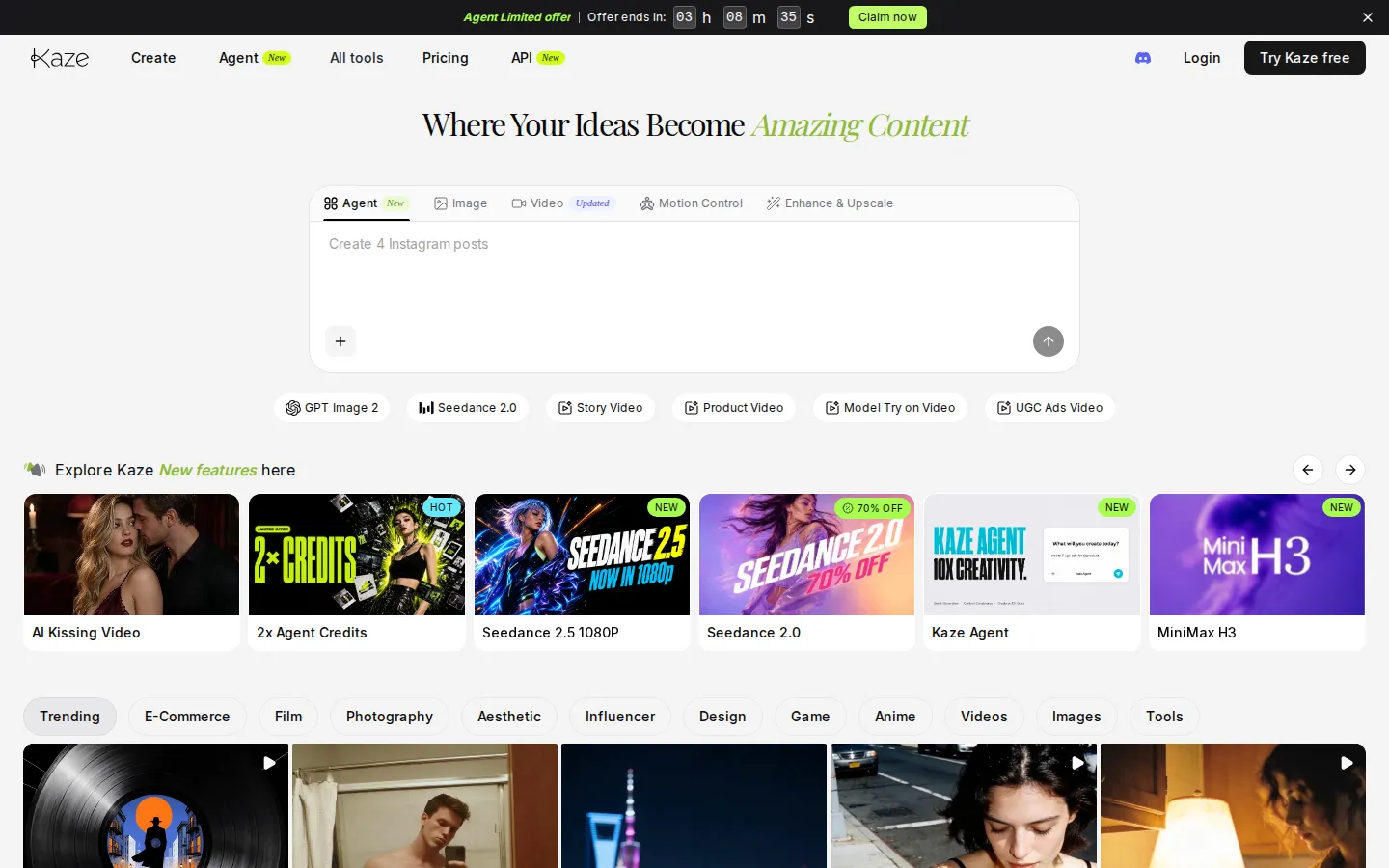
Kaze is an AI-powered photo editing, design, and image generation platform that works entirely in the browser and on mobile. It positions itself as an all-in-one solution for elevating visual content, combining quick touch-ups with advanced enhancements such as AI clothes changing, outfit generation, headshot generation, watermark removal, image restoration, and style transfers. The platform includes a large collection of specialized tools, including an AI dress generator, AI wedding dress generator, AI suit generator, Goth AI, and a range of image enhancers, each tuned for a specific creative task. Kaze also offers an Agent mode, a newer capability that lets users run multi-step AI workflows, with a limited-time promotion doubling agent credits on subscriptions. The service is powered by a credit system: every plan includes a fixed number of credits per month that are consumed by generations, with free users receiving a small grant of credits to try the best models. Paid plans such as Pro, Pro+, Max, and Ultra include progressively larger credit allowances, extra agent credits, premium customer support, high-volume batch mode, ultra HD results, and edit history access. Kaze provides access to popular frontier models including Nano Banana 2 and Pro for image generation and Kling 3.0 Pro for video, along with the platform's own tuned models. The pricing page promotes annual plans with roughly 50 percent savings plus bonus credits, and monthly plans are also available for flexibility. Kaze also offers an API for developers who want to integrate its image tools into their own applications. The FAQ describes Kaze as a seamless blend of photo editing, design, and AI-powered tools built for social media, blogs, and creative projects, with fast, reliable results and no downloads required. With a free tier, subscription plans, and an API, Kaze covers casual users, professional creators, and developers alike. The service is designed for speed and reliability, with no downloads required, which makes it practical for quick touch-ups and advanced enhancements alike. Its social channels and customer support complement the product, and the platform's roadmap continuously adds new tools and models.
Kaze Core Features
AI Clothes Changer
Changes outfits in photos with AI-powered virtual try-on.
AI Headshot Generator
Creates polished professional headshots from uploaded photos.
Watermark Removal
Removes watermarks and unwanted objects from images.
Image Restoration
Repairs old, damaged, or low-quality photos.
Outfit & Dress Generator
Generates outfits, dresses, wedding dresses, and suits for photos.
Kaze Agent
Runs multi-step AI workflows with agent credits.
Premium Models
Access Nano Banana 2, Nano Banana Pro, and Kling 3.0 Pro.
API Access
Integrate Kaze's image tools into your own applications.
Who is Kaze for?
Kaze serves individuals and professionals who want quick, reliable AI photo editing without installing software. Content creators and social media influencers use the AI clothes changer, outfit generator, and dress tools to create fresh looks for posts. Job seekers and professionals use the AI headshot generator to produce polished profile pictures for LinkedIn and resumes. Ecommerce sellers use background and watermark removal to clean up product photos before listing them. Photographers and designers use image restoration and enhancement to repair old photos and improve quality. Marketers and small business owners use the AI image generator to create visuals for ads, blogs, and social campaigns without hiring a designer. Students and casual users use the free tier to experiment with the tools on a handful of images. Video creators can also use Kaze's video-related tools and agent mode for more complex multi-step tasks. The platform works in the browser and on mobile, so users can edit on any device. Its credit system gives flexibility: free users get a small number of credits, while subscribers get monthly credit allowances plus bonus agent credits, with higher tiers unlocking more credits and premium models such as Nano Banana 2 and Kling 3.0 Pro. Businesses also use Kaze for internal design requests, and educators use the free credits to introduce students to AI image tools. The browser-based workflow means no installation, which suits teams on managed devices.
Kaze Use Cases
Create professional LinkedIn headshots without a photo studio.
Try on different outfits and dresses before buying clothes online.
Remove watermarks from images you have rights to use.
Restore old family photos and improve their quality.
Generate social media visuals with the AI image generator.
Create consistent character visuals for content projects.
Enhance product photos for ecommerce listings.
Automate image workflows with the Kaze Agent and API.
Kaze Pros and Cons
Pros
- Large collection of specialized AI photo tools in one browser-based platform.
- Free tier with credits lets new users try the tools before subscribing.
- Credit system works across all models, with bonus agent credits on promotions.
- API access makes it suitable for developers and automation.
Cons
- Credits can run out quickly on higher-resolution or complex generations.
- Free tier offers a very small number of credits.
- Some features and promotions such as doubled agent credits are time-limited.
FAQ About Kaze
Kaze Pricing
Freemium: Free tier with 4 credits; Pro $9.9/mo, Pro+ $19.9/mo, Max $59.9/mo, Ultra $179.9/mo (yearly billing ~50% off).
Check official pricingFree
4 free credits to try the best AI models.
Pro
120 credits monthly plus 120 extra agent credits, access to Nano Banana 2 & Pro and Kling 3.0 Pro.
Pro+
300 credits monthly plus 300 extra agent credits and premium customer support.
Max
1,000 credits monthly plus 1,000 extra agent credits, high-volume batch mode and ultra HD results.
Ultra
2,700 credits monthly plus 2,700 extra agent credits, premium support and all advanced features.
Kaze Alternatives

Lummi
Lummi is a stock library where AI-generated photos, illustrations, and 3D models sit next to editing tools that work on the asset you just picked. Search by category, color, or mood, then reframe, restyle, or remove the background before downloading. The free tier covers standard-resolution personal and commercial use; Pro adds watermark-free files, ultra resolution, and generation credits.

PhotoTextEdit
PhotoTextEdit edits text inside existing photos, posters, screenshots and product shots without the original design file. Upload a PNG, JPG or WebP up to 10 MB, enter the original and replacement wording, and the AI regenerates the lettering with matched font, lighting and perspective in 30 to 60 seconds. A free Add Text tool is included.

SparkPix
SparkPix is a free AI photo editor that runs in the browser and edits photos from plain text instructions. Upload a JPG, PNG or WebP up to 20 MB, describe the change, and it removes backgrounds, erases objects, restores old prints, upscales resolution, restyles images or generates new ones using models such as GPT Image and NanoBanana.