Image Editor AI
Image Editor AI is a free online AI photo editor. Upload up to five images, enter a text prompt, and the platform edits backgrounds, changes styles, modifies objects, removes backgrounds, upscales resolution, and generates new AI art. It combines an AI image generator, background remover, image upscaler, and text-prompt editor in one fast, browser-based tool.
What is Image Editor AI?
Image Editor AI is a free online AI image editor that lets you transform, enhance, and generate pictures using simple text prompts. It runs entirely in a web browser, so no software installation, graphic-design training, or Photoshop skills are required. You upload an image, describe the change you want in plain language, and the platform's AI produces the edited result in seconds.
The site bundles several tools under one roof. The core AI Image Editor accepts up to five uploaded images at once, applies a natural-language prompt, and supports aspect ratios including auto, 1:1, 3:4, 9:16, 4:3, and 16:9. Alongside it sit three dedicated tools: an AI Image Generator that creates original artwork from text descriptions, an AI Background Remover that isolates subjects and produces clean cutouts, and an AI Image Upscaler that raises resolution and sharpens detail. Together they cover generation, editing, cutout, and enhancement in a single workflow.
Image Editor AI highlights several advanced editing capabilities. Character Consistency keeps a subject's face, proportions, and style recognizable across new poses, outfits, and backgrounds, which suits storytellers, creators, and brands. Precision Editing lets you isolate and modify a specific object, texture, or color while preserving the rest of the frame. The built-in AI Text Editor replaces, adds, or modifies text inside images while matching the original fonts, lighting, and perspective, which is useful for signs, banners, and documents. AI Style Transfer converts a photo into artistic looks such as anime characters, paintings, or chibi-style designs from a prompt.
The workflow is straightforward. Pick a tool, upload a JPG, PNG, or WebP file, type a prompt such as 'remove background' or 'change to anime style', and let the cloud process it. You can generate multiple variations, review recent tasks in your creation history, and download the finished image in high resolution. The platform states that edited and generated images carry a commercial license, and a free tier with daily generation limits lets newcomers try everything before paying. Paid subscriptions add larger monthly credit allowances, longer history, prioritized generation, and more simultaneous jobs.
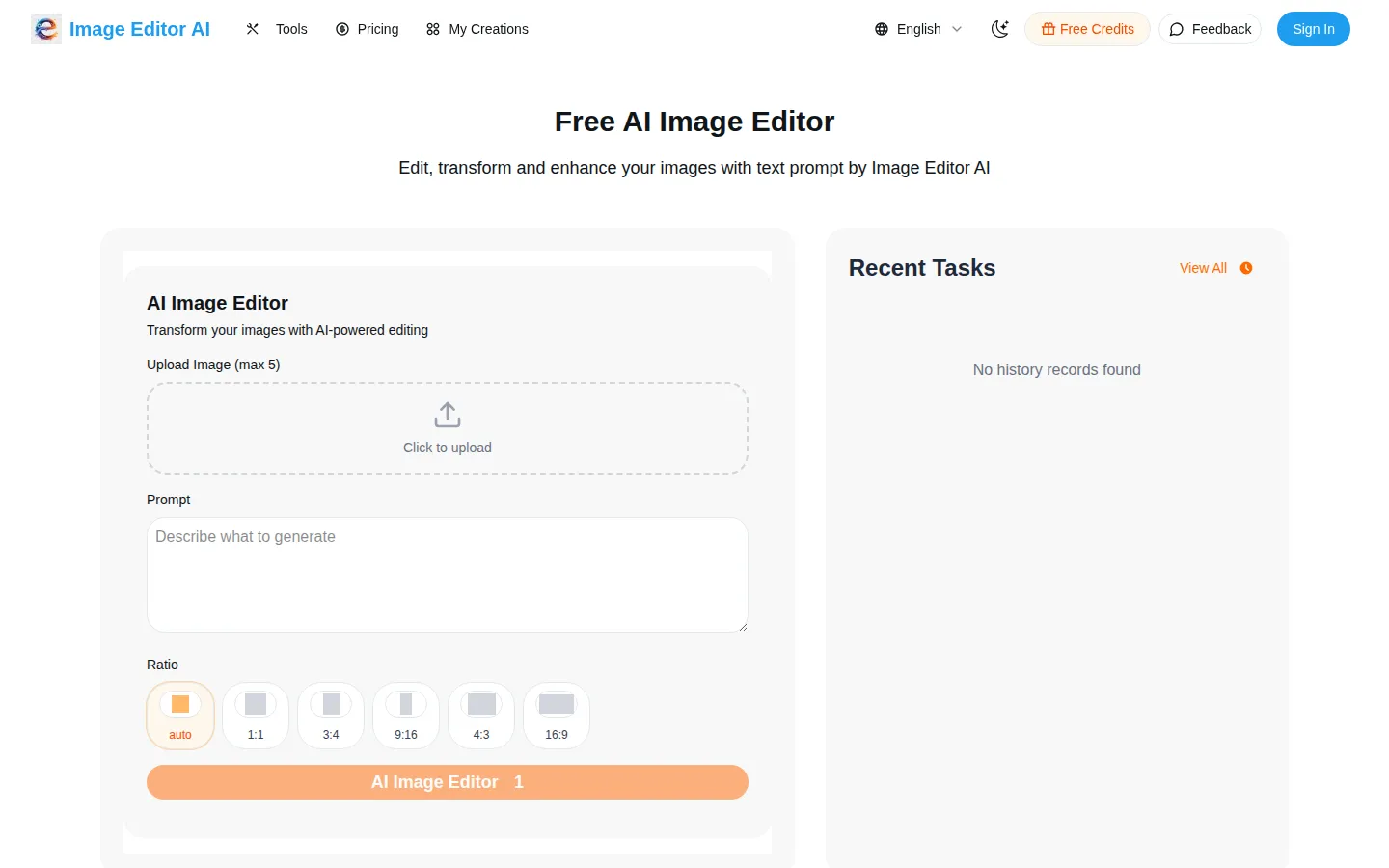
Image Editor AI Core Features
Text-Prompt Editing
Transform images by describing the change in natural language, editing backgrounds, styles, and objects without design software.
AI Image Generator
Create original artwork and designs from text descriptions using advanced AI image models.
AI Background Remover
Automatically detect subjects and produce clean, professional cutouts for products, portraits, and marketing material.
AI Image Upscaler
Increase image resolution and sharpness with AI-powered upscaling for low-quality or small photos.
Character Consistency
Keep a subject's face, proportions, and style recognizable across new poses, outfits, backgrounds, and scenes.
AI Text Editor
Replace, add, or modify text inside images while preserving original fonts, lighting, and perspective.
AI Style Transfer
Convert photos into artistic styles such as anime, painting, or chibi-style designs from a simple prompt.
Multi-Image Upload and Ratios
Upload up to five images at once and choose aspect ratios including 1:1, 3:4, 9:16, 4:3, and 16:9.
Who is Image Editor AI for?
Image Editor AI targets anyone who needs quick, affordable image editing without professional software. The clearest audience is non-designers: small-business owners, marketers, and social media managers who must produce polished visuals daily but lack Photoshop skills or a design budget. Because everything is prompt-driven, they can remove a background, restyle a product photo, or generate a fresh graphic in minutes. Content creators are a second core group. Bloggers, YouTubers, Etsy sellers, and Instagram or TikTok creators use the image generator for thumbnails and posts, the background remover for clean product and portrait cutouts, and the upscaler to rescue low-resolution assets. Character Consistency specifically appeals to comic artists, game designers, and storytellers who need a subject to stay recognizable across many scenes. The AI Text Editor helps anyone updating signage, banners, or mockups where wording must change while the layout keeps its original look. E-commerce and marketing teams also fit well. Online stores can cut out products for listings, upscale catalog images, and generate lifestyle or promotional art without booking a photographer or retoucher. Agencies and freelancers can draft concepts fast before moving into heavier tools. Educators, students, and hobbyists benefit from the free tier to learn prompt-based editing at no cost. The platform suits users who want speed and simplicity over fine manual control. People who need layered editing, precise vector work, RAW processing, or team collaboration features may prefer dedicated desktop software. Users who require a documented public API for automated, high-volume pipelines will not find one advertised here. In short, Image Editor AI is aimed at individuals, creators, and small teams who value fast, free, browser-based AI photo editing.
Image Editor AI Use Cases
Remove backgrounds from product photos and portraits for clean listings and avatars
Generate original AI art, thumbnails, and social media graphics from text prompts
Upscale low-resolution or blurry images for printing and high-quality sharing
Change or replace text on signs, banners, and mockups while keeping the original layout
Apply anime, painting, or chibi art styles to ordinary photos in one click
Keep a character's identity consistent across multiple scenes for comics or storytelling
Retouch and restyle personal photos for holidays, profiles, and marketing content
Prototype marketing and product concepts quickly before moving into professional editing tools
Image Editor AI Pros and Cons
Pros
- Free tier with daily generation limits lets anyone try the full editing suite
- Multiple tools in one place - editor, generator, background remover, and upscaler
- No install or design skills needed; runs entirely in the browser with plain-language prompts
- Affordable paid plans from $7.99 per month with a commercial license included
- Advanced features like Character Consistency, text editing, and style transfer add creative depth
Cons
- No public API is advertised, limiting automated or high-volume workflows
- Credit limits on every plan can feel restrictive for heavy daily users
- Less manual, layer-level control than dedicated desktop editors like Photoshop
FAQ About Image Editor AI
Image Editor AI Pricing
Image Editor AI is a freemium service with a free tier offering daily generation limits. Paid monthly plans are Hobby at $7.99, Basic at $15.99, and Pro at $31.99, each discounted 20% annually and bundling monthly credits, history, a priority queue, and a commercial license.
Check official pricingFree
Free tier with daily generation limits for editing images, removing backgrounds, upscaling photos, and generating AI art.
Hobby
100 credits reset monthly, 30-day history, 4 running jobs, priority generation queue, and commercial license. Discounted from $9.99.
Basic
300 credits reset monthly, 60-day history, 4 running jobs, priority generation queue, and commercial license. Discounted from $19.99.
Pro
600 credits reset monthly, 100-day history, 4 running jobs, priority generation queue, and commercial license. Discounted from $39.99.
Image Editor AI Alternatives

Lummi
Lummi is a stock library where AI-generated photos, illustrations, and 3D models sit next to editing tools that work on the asset you just picked. Search by category, color, or mood, then reframe, restyle, or remove the background before downloading. The free tier covers standard-resolution personal and commercial use; Pro adds watermark-free files, ultra resolution, and generation credits.

PhotoTextEdit
PhotoTextEdit edits text inside existing photos, posters, screenshots and product shots without the original design file. Upload a PNG, JPG or WebP up to 10 MB, enter the original and replacement wording, and the AI regenerates the lettering with matched font, lighting and perspective in 30 to 60 seconds. A free Add Text tool is included.
SparkPix
SparkPix is a free AI photo editor that runs in the browser and edits photos from plain text instructions. Upload a JPG, PNG or WebP up to 20 MB, describe the change, and it removes backgrounds, erases objects, restores old prints, upscales resolution, restyles images or generates new ones using models such as GPT Image and NanoBanana.