
Freebuff
Freebuff is a free AI coding agent funded by text ads. It ships a desktop app, a terminal CLI installed with npm, a browser-based web app builder with managed hosting, a cloud IDE for any GitHub repo, and a research chat. Every user gets 100 Freebucks a day to spend across supported models, with no subscription, API key or credit card required.
What is Freebuff?
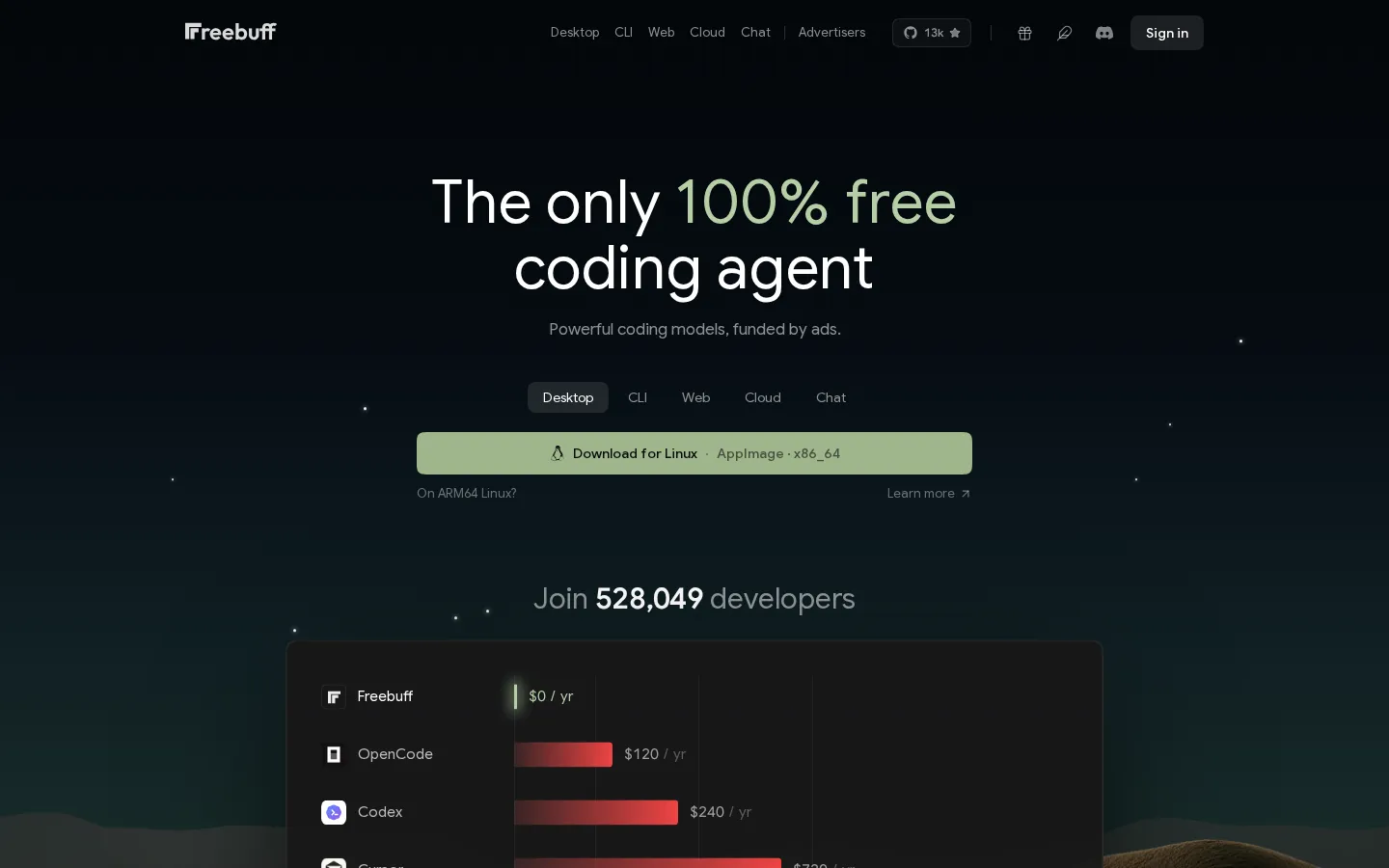
Freebuff is a free AI coding agent funded by text ads, positioned as a $0 alternative to paid tools such as Claude Code, Cursor, Codex, Devin and Copilot Pro. It calls itself the only 100% free coding agent, sells advertising instead of subscriptions, and the homepage states flatly that it killed paid coding agents.
The product family covers five surfaces. Freebuff CLI is a terminal agent installed with npm install -g freebuff; you cd into a project, run freebuff, and ask for changes in plain English. Freebuff Desktop runs coding agents in parallel on macOS, Windows and Linux, each in its own workspace. Freebuff Web is a browser-based AI app builder with fully managed agentic hosting that takes a prompt to a live app on its own URL. Freebuff Cloud places a coding agent inside a full cloud IDE that works on any public or private GitHub repository, with an editor, terminal and a real sandbox. Freebuff Chat is a free research assistant that thinks and researches before answering.
Access runs on Freebucks rather than subscriptions. Every account receives 100 Freebucks per day, refilled at midnight Pacific and not carried over, to spend on any mix of supported models. The free lineup includes GLM 5.3 Flash, Solar Mini 4, DeepSeek V4.1 Flash, MiMo 2.6 Flash, Solar Pro 4, GPT-6 Luna and MiMo 2.6 Pro, with Space Bunny Alpha listed at zero cost and per-day hour estimates for each model. A few models, including Gemini 3.8 Flash, Muse Spark 1.3 and GPT-6.1 Sol, are reserved for paid plans. The site is candid that hour totals assume you spend the whole daily allowance on one model, that access depends on country and VPN, and that session limits still apply.
Freebuff also sells paid subscriptions for heavier users: Starter at $8 a month, Plus at $25 and Pro at $60, each adding a daily model budget, a flexible monthly top-up, a maximum monthly spend and larger per-day hour allowances. While the service is in beta, the company promises that a plan always returns more in model spend than it costs, that Freebucks costs can move with provider pricing, and that a change never affects a session already running.
The project is tied to Codebuff: the footer links to both freebuff.com and codebuff.com, the site points at the CodebuffAI/codebuff GitHub repository, and the community gathers on Discord. The homepage counts 527,957 developers and shows a live map of people building right now, with the United States, India, Indonesia and Brazil leading. Freebuff asks for no API key and no credit card to start.
Freebuff Core Features
Freebucks daily allowance
Every account receives 100 Freebucks a day to spend on any mix of supported models, refilled at midnight Pacific and never carried over.
Freebuff CLI
Install with npm install -g freebuff, then run freebuff inside any project folder to edit code from the terminal with no API key.
Freebuff Desktop
Run coding agents in parallel on macOS, Windows and Linux, each agent working in its own isolated workspace on your machine.
Freebuff Web
A 100% free AI web app builder with fully managed agentic hosting that turns a prompt into a live app on its own URL.
Freebuff Cloud
A coding agent inside a full cloud IDE with editor, terminal and a real sandbox, working on any public or private GitHub repository.
Freebuff Chat
A free AI chat that researches and thinks deeply to answer questions, replacing tools such as Perplexity Pro or ChatGPT Plus.
Broad model choice
Pick from GLM 5.3 Flash, Solar Mini 4, DeepSeek V4.1 Flash, MiMo 2.6 Flash, Solar Pro 4, GPT-6 Luna and MiMo 2.6 Pro.
Ad-funded access
Text advertising pays for the service, so there is no subscription, no credit card and no API key required to begin.
Who is Freebuff for?
Freebuff targets developers who want capable AI coding help without adding another monthly subscription. The clearest fit is the individual developer or hobbyist currently paying for Cursor, Claude Code, Codex or Copilot Pro, because the homepage frames the product as a $0 replacement for tools costing $120 to $2,400 a year. Anyone writing code for personal projects, side businesses or open-source work can install the CLI with npm and start immediately. Students and people learning to code are a second group. The CLI runs in a project folder, accepts plain-language requests and needs no API key or credit card, which lowers the barrier for someone experimenting with their first repository. Web app builders who do not write code themselves fit Freebuff Web, which the site describes as a 100% free AI web app builder with fully managed agentic hosting, taking a prompt to a live app on its own URL. Its FAQ even asks whether you need to know how to code to use it, which signals that non-developers are an intended audience. Startups, small teams and agencies are served by the shared allowance model and by Freebuff Cloud, which works on any public or private GitHub repository inside a cloud IDE with editor, terminal and a real sandbox. Replacing a $600 to $2,400 per year cloud agent across a few seats is the value story the site repeatedly makes. Developers who prefer their own machine use Freebuff Desktop to run coding agents in parallel, each in its own workspace, on macOS, Windows or Linux. Edge cases include teams that need guaranteed capacity, enterprise controls or regional availability, since Freebuff notes access varies by country and VPN and that limits are still in beta. People who need the strongest models specifically will find Gemini 3.8 Flash, Muse Spark 1.3 and GPT-6.1 Sol require a paid plan, so the free tier suits general coding rather than every premium workload.
Freebuff Use Cases
Ship a feature in an existing repository directly from the terminal with the Freebuff CLI.
Run several coding agents in parallel in separate workspaces on your own machine.
Build and host a full-stack web app from a prompt inside the browser.
Work on a public or private GitHub repository inside a cloud IDE with a real sandbox.
Research a technical question with a chat assistant before committing to an approach.
Replace a paid Cursor, Claude Code, Codex or Copilot Pro subscription for everyday coding.
Prototype an internal tool without buying cloud compute or provisioning an API key.
Learn a new codebase by asking Freebuff to explain and modify files in a test project.
Freebuff Pros and Cons
Pros
- Costs nothing to start: the homepage and pricing page both state Freebuff is $0 forever, with 100 Freebucks a day, no subscription, no API key and no credit card.
- Five products share one account and allowance, covering the terminal, the desktop, the browser, the cloud and chat-based research.
- Transparent model list with published per-day hour estimates for every supported model, plus a clear note that the totals assume one model only.
- Meets developers where they already work: npm for the CLI, GitHub for cloud, and desktop downloads for macOS, Windows and Linux.
- Publishes its plans, beta caveats and cancellation terms openly rather than hiding pricing behind a sales call.
Cons
- Free access depends on your country and VPN, and the site warns that session limits and fair-use rules can stop a running session even when allowance remains.
- The strongest models, including Gemini 3.8 Flash, Muse Spark 1.3 and GPT-6.1 Sol, sit behind paid plans, so the free tier is narrower than the headline suggests.
- Pricing and limits are explicitly in beta, with Freebucks costs able to move with provider pricing and daily or monthly figures open to tightening.
FAQ About Freebuff
Freebuff Pricing
Freebuff is freemium: every account gets 100 free Freebucks a day with no subscription or credit card, while optional paid plans cost $8 per month for Starter, $25 for Plus and $60 for Pro, each adding a daily model budget, a flexible monthly amount, a spend cap and higher per-day hour allowances.
Check official pricingFree
100 Freebucks every day to spend on any mix of supported models, refilled at midnight Pacific and not carried over. Includes GLM 5.3 Flash, Solar Mini 4, DeepSeek V4.1 Flash, MiMo 2.6 Flash, Solar Pro 4, GPT-6 Luna, MiMo 2.6 Pro and Space Bunny Alpha, with no subscription, API key or credit card.
Starter
Unlimited messages per session, a $1.50 daily budget plus a flexible $3 per month, and a $50 maximum spend per month. Roughly 32 hours of GLM 5.3 Flash or 16 hours of DeepSeek V4.1 Flash per day, with all models available. Yearly billing saves about 22 percent.
Plus
Unlimited messages per session, a $2.50 daily budget plus a flexible $5 per month, and an $83 maximum spend per month. Roughly 53 hours of GLM 5.3 Flash or 26 hours of DeepSeek V4.1 Flash per day, on top of the full model lineup. Yearly billing saves about 22 percent.
Pro
Unlimited messages per session, a $4 daily budget plus a flexible $8 per month, and a $132 maximum spend per month. Roughly 85 hours of GLM 5.3 Flash or 42 hours of DeepSeek V4.1 Flash per day, plus a Pro badge on your community profile and the leaderboard.
Freebuff Alternatives

FastRouter
FastRouter is a unified LLM gateway that gives developers one OpenAI-compatible API for 200+ models from providers such as OpenAI, Anthropic, Google, and xAI. It adds automatic model routing, fallbacks, caching, spend caps, role-based access, guardrails, and per-request observability, while passing provider token prices through with no markup on any plan, including the free tier.

Cindy
Cindy is an open-source desktop AI agent from XD Inc. that unifies Claude Code, Codex and Pi harnesses with 20+ tools, persistent memory and reusable skills. Use it free with your own API key or existing Coding Plan, or pay for the optional managed model service that works the moment you sign in. No setup project required.

MyToolster
MyToolster packs 41 free utilities into one browser-based site, sorted into Audio & Video, Text, Data, Web, Color, QR Code and Image. Beyond the usual encoders, formatters and generators it runs OpenAI Whisper transcription, AI text and image detection, background removal and subtitle export locally, with no uploads, account or installation, and every tool page does its work client-side.