Free Image Generator
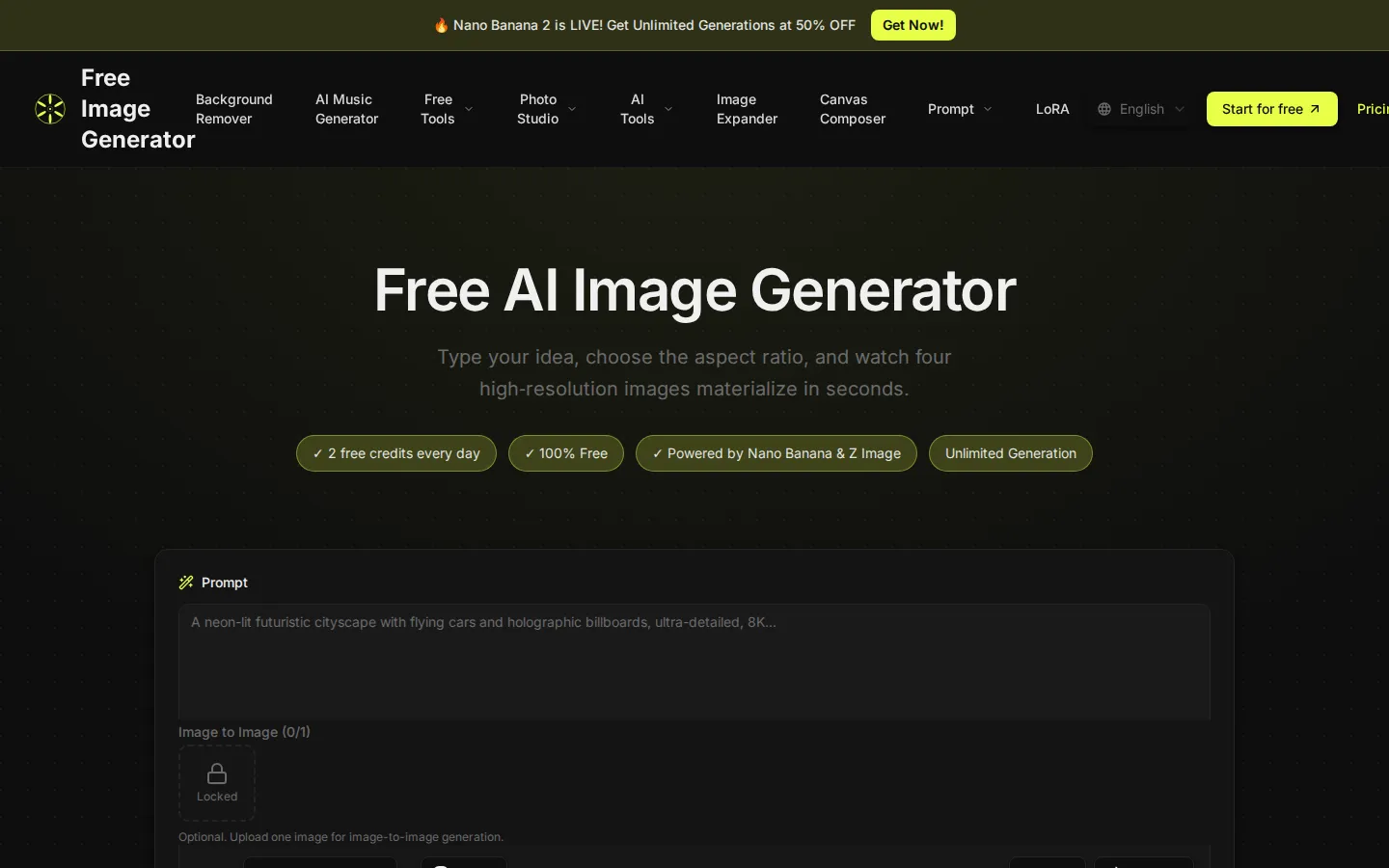
Free Image Generator is a browser-based AI studio that converts text prompts into four high-resolution images within seconds. Every account receives free daily credits, while paid plans add larger credit allowances, priority queues and watermark-free downloads. The wider toolkit covers background removal, image expansion, an AI music generator and one-click LoRA presets, so creators can produce visuals without switching apps.
What is Free Image Generator?
Free Image Generator is a web-based AI image creation platform that turns written prompts into high-resolution artwork, product visuals and concept art without any design software. You type an idea, pick an aspect ratio, and the site renders four variations at once so you can compare directions instead of regenerating one image at a time. Generation is powered by current diffusion models, including Nano Banana 2 and Z Image, with outputs from 1K up to 4K resolution depending on the settings you choose.
The platform is built around a credit system that keeps costs predictable. New accounts receive two free credits every day, enough to test the workflow and produce images at no cost. Paid subscribers get monthly credit bundles plus faster queue priority, and both free and paid users can fall back on a zero-credit slow generation mode that processes images whenever capacity is available.
Beyond plain text-to-image, the site bundles several adjacent tools into one interface. Image-to-image lets you upload a reference photo and restyle it, the built-in editor handles touch-ups, Canvas Composer arranges elements into composed layouts, and Image Expander extends a picture beyond its original borders. Separate sections add a background remover, an AI music generator, an image upscaler, a photo enhancer and a prompt library for people who want help writing descriptions.
LoRA presets are a major part of the offering. One-click effects cover professional headshots, caricature portraits, YouTube thumbnails, pet stickers, virtual bangs and pixel-art conversions, each tuned for a specific output style rather than requiring manual prompt engineering. These presets draw on the same credit balance as standard generation, so there is no separate subscription to track.
Use rights are broad: the site's own FAQ allows personal and commercial projects, including social posts, marketing materials and concept art, as long as the acceptable use policy is respected. Free downloads carry a watermark, so client-facing work normally means upgrading. The free flow also asks for a short verification step before generating, and processing priority scales with the plan you hold.
The interface stays deliberately minimal: a prompt field, an aspect ratio selector, a model picker and a generate button. There is no timeline, layer panel or plugin ecosystem to learn, which keeps the gap between idea and finished asset short. Free users download watermarked files, while Premium and Ultimate subscribers receive clean images with no branding, ad-free browsing and, on the top tier, full privacy options.
Everything runs in the browser, with no desktop installation and no GPU requirement on your machine. Accounts, credit balances and generation history sit behind a standard sign-in, and all plan details are published openly on the site's pricing page.
Free Image Generator Core Features
Multiple AI models
Switch between available generation models, including Nano Banana 2 and Z Image, to match the visual style you need for a project.
Four-image batch output
Every prompt returns four variations in one run, so you can compare directions side by side instead of regenerating image by image.
Flexible aspect ratios
Pick from standard ratios for social posts, vertical stories, widescreen thumbnails, wallpapers and product shots without cropping later.
1K to 4K resolutions
Output settings scale from quick previews up to print-ready files, which covers web publishing and larger marketing formats.
Daily free credits
Each account receives two credits every day, and a zero-credit slow mode keeps generation available once the balance runs out.
LoRA style presets
One-click effects for professional headshots, caricature portraits, YouTube thumbnails, pet stickers, bangs filters and pixel art.
Connected editing tools
A background remover, image expander, canvas composer, upscaler and AI music generator sit alongside the generator in one account.
Clean paid exports
Premium and Ultimate subscribers download watermark-free images, get queue priority and see no ads in the interface.
Who is Free Image Generator for?
Free Image Generator suits people who need usable visuals quickly and do not want to pay for a full design suite or learn a complex editor. Social media managers and content creators: they need a steady supply of scroll-stopping visuals for several platforms every week. Batch generation of four variations per prompt, preset aspect ratios and the 4K output option make it fast to produce square, vertical and wide-format versions of a single idea without reopening a layout tool. Small business owners and e-commerce sellers: shops without an in-house designer can generate product lifestyle scenes, promotional banners and seasonal graphics instead of commissioning each asset. Higher resolution output holds up in marketplace listings and print pieces, and the background remover handles cutouts for clean catalogue shots. YouTubers and streamers: the thumbnail LoRA preset produces click-oriented artwork with expressive faces, bold text areas and punchy composition, while the pixel-art effect covers retro channel branding, emote drafts and overlay assets. Batch output means a whole set of thumbnail options exists before a video is even exported. Bloggers and affiliate marketers: the tool covers featured images, comparison graphics and concept panels for articles. Daily free credits are enough to keep a small publishing schedule fed, and paid credits absorb heavier months when several posts ship at once. The 16:9 and 1:1 ratios mean one prompt can serve both a hero image and a social card. Indie game and app developers: pixel-art conversion, image-to-image restyling and the canvas composer help prototype sprite ideas, icon sets and store screenshots long before a final art pass, which shortens early concept review and keeps placeholder art from looking obviously placeholder. Freelancers and solo marketers running paid ads: they can iterate on several creative angles in one session, export watermark-free files on a paid plan, and skip a stock imagery subscription for test budgets that may never scale. Presenting three distinct visual directions to a client takes minutes rather than a day, and the background remover covers product cutouts needed for the final layouts. Hobbyists and complete beginners: the prompt-plus-ratio workflow needs no layer knowledge, so someone with zero design background can reach a presentable result in minutes. People who already work in Photoshop or Figma will treat it as a fast ideation step rather than a replacement for their main editor.
Free Image Generator Use Cases
Generate featured images for blog articles and newsletters without commissioning custom art.
Produce scroll-stopping social posts in square, vertical and landscape formats from one prompt.
Create click-oriented YouTube thumbnails with the dedicated LoRA preset and bold compositions.
Restyle existing product photos into lifestyle scenes for e-commerce listings and marketplace ads.
Turn casual portraits into corporate headshots for LinkedIn profiles and team pages.
Extend a cropped image beyond its borders to fit wider banners and presentation slides.
Prototype pixel-art sprites, icons and retro assets for indie games and app store screens.
Draft multiple ad creative angles in one session and export clean files for paid campaigns.
Free Image Generator Pros and Cons
Pros
- Genuinely free starting point: every account gets two free credits daily plus a zero-credit slow generation mode, so you can evaluate the tool before paying.
- Four images per prompt: batch output makes comparison fast and reduces the number of separate generations you need to spend credits on.
- Published, simple pricing: Premium at $20 per month and Ultimate at $40 per month are listed openly with credit allowances, and yearly billing advertises 50% savings.
- Wide adjacent toolkit: background removal, image expansion, upscaling, canvas composition and an AI music generator are included rather than sold as add-ons.
- No design skill required: a prompt box, ratio selector and generate button cover the whole workflow, and LoRA presets remove prompt-engineering work.
Cons
- Free downloads carry watermarks, so any commercial or client-facing use effectively requires a paid plan.
- Credits are consumed per generation and the top plan caps at 5,000 per month, which can feel tight for high-volume batch work.
- The free tier runs on a best-effort queue, so wait times vary with load and priority is reserved for subscribers.
FAQ About Free Image Generator
Free Image Generator Pricing
Free tier with two free daily credits and a zero-credit slow generation mode. Premium is $20 per month for 2,000 credits, and Ultimate is $40 per month for 5,000 credits; yearly billing is advertised at 50% off.
Check official pricingFree
Two free credits every day, four images per prompt, watermark on downloads and best-effort processing plus a zero-credit slow generation mode.
Free Image Generator Alternatives

Thumbs.ai
Thumbs.ai is an AI thumbnail studio for YouTube creators. Describe a video and it renders a finished cover, recreate a competitor's thumbnail as a fresh variation, swap in your face with a chosen expression, or clone the visual DNA of any channel. Twenty-plus design effects, a two-million template library and a CTR rater sit alongside it.
Meowa
Meowa is a browser-based AI game art studio built for indie game developers. It generates pixel and HD characters, sprite packs, props, tilesets, top-down and isometric maps, game UI, background music and sound effects, and even helps plan game mechanics, all inside one credit-based workspace where you keep commercial ownership of everything you make, with 200 free credits to start.
ZenCreator
ZenCreator bundles image generation, video creation, face swapping, lip sync, upscaling and an uncensored NSFW mode into a single browser workspace run by Dimeris Ltd. Credits never expire, work across every tool, and can be bought by card or crypto. Developers can drive the same 14 tools through a REST API or an MCP server inside Claude, ChatGPT and Cursor.