
Fliki
Fliki is a browser-based AI video and audio creation platform that combines text-to-video editing with synthetic voiceovers, stock media, and generated visuals. Users can repurpose articles or presentations, create avatar videos, translate content, and produce social clips. A free watermarked plan supports evaluation, while paid subscriptions unlock commercial rights, higher resolution, additional voices, and larger credit allowances.
What is Fliki?
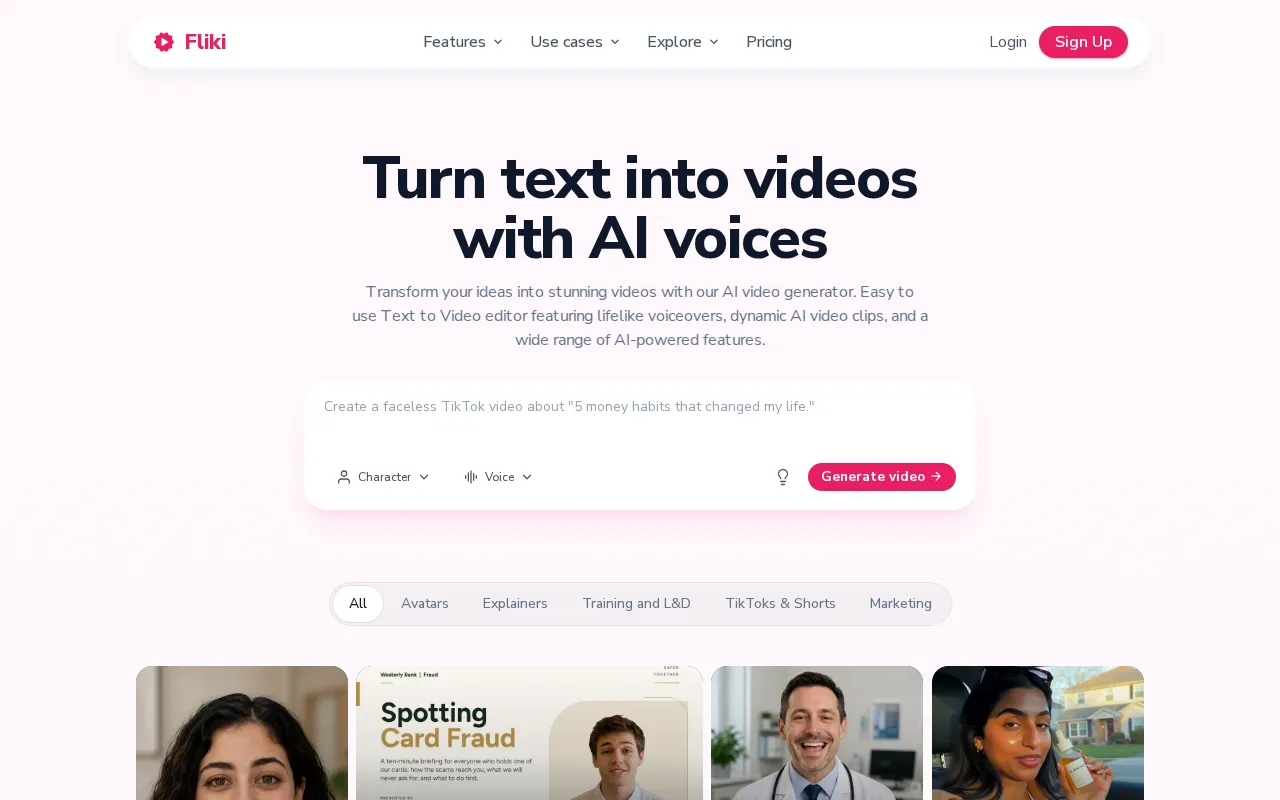
Fliki is a web-based platform for creating videos and audio from text, existing content, and recordings. Its central workflow combines script generation, visual selection, AI narration, background music, and captions in one editor. Users can begin with a short idea, a prepared script, a blog URL, or a presentation instead of recording every scene and voiceover themselves. The service is operated by Nine Thirty Five LLC.
The platform offers more than 2,000 AI voices across over 80 languages, although the available selection depends on the subscription. Text-to-speech tools support narration, and paid plans include voice cloning for creating a reusable synthetic version of a voice. Avatar tools provide digital presenters, while the digital twin workflow uses a recording to create a consistent likeness and voice for subsequent videos. Custom characters and recurring Series support repeated content production.
Fliki combines stock images, footage, and music with AI-generated media. Its homepage describes animated explainers, motion graphics, music videos, video podcasts, thumbnails, ad creatives, social carousels, and presentation generation. Repurposing tools can transform articles into narrated videos, convert slides into video scenes, translate scripts and voiceovers, and extract shorter captioned clips from longer recordings. Screen recording and automated editing tools extend the workflow to existing footage.
The editor also supports subtitles and different output formats for social distribution. Paid plans list publishing allowances, brand kits, templates, a pronunciation map, bulk creation, and Make and Zapier integrations. Premium adds custom fonts, additional brand kits and voice clones, priority support, team collaboration, and API access. Enterprise arrangements include custom credits, invoiced billing, personalized avatars, and dedicated account management.
Usage is governed by credits rather than an unlimited video allowance. The pricing page explains that generating audio, exporting video, and regenerating content after changes can consume credits; model choices and optional generated media affect requirements. The free plan currently lists three monthly credits, 720p output, and a watermark. Standard raises resolution to 1080p and lists a fifteen-minute export limit; Premium's current comparison table lists forty minutes. Some older pricing FAQ answers give different duration figures, so the current plan cards and checkout should be checked before purchase. Paid plans include commercial rights, subject to users having appropriate rights to their own source material.
Fliki Core Features
Convert ideas, scripts, blog posts, and presentation slides into narrated video scenes.
Choose from over 2,000 AI voices across more than 80 supported languages.
Create avatar presentations and digital twins with consistent faces and cloned voices.
Combine stock media, generated images, AI video clips, music, and synchronized captions.
Translate videos and repurpose longer recordings into short captioned social clips.
Build recurring Series with reusable characters, styles, topics, and posting schedules.
Apply brand kits and access API automation on eligible paid subscription tiers.
Who is Fliki for?
Fliki is aimed at creators, professionals, and teams that want narrated video without building every component in separate recording and editing applications. Social creators can start with a topic or script, combine voiceovers with generated or stock visuals, and create faceless content for TikTok, Instagram Reels, and YouTube Shorts. Series and publishing tools are relevant when a channel needs a recurring format rather than occasional standalone uploads. Marketers and small businesses can use the platform for explainers, product introductions, advertising creatives, and educational content. Brand kits, custom characters, and repeatable visual styles help maintain a recognizable presentation across multiple assets. Bloggers and content teams can repurpose written articles into videos or spoken versions, while translation and multilingual narration provide a way to prepare content for audiences using different languages. Learning and development teams, educators, and internal communications staff can turn presentation slides into narrated scenes for onboarding, training, and instructional material. Avatar presenters and digital twins offer an alternative to repeatedly filming a speaker. Screen recording and automated editing are useful for demonstrations that begin with a software walkthrough or an existing recording. The free tier suits initial testing of the editor and basic outputs, but its watermark, limited credits, and restricted voice selection make it different from the paid production plans. Creators needing commercial rights and unwatermarked 1080p exports should examine Standard. Teams needing API access, collaboration, multiple brand kits, or a broader avatar selection should compare Premium and Enterprise. Anyone planning frequent script revisions or generated video clips should budget for credits rather than assume a fixed number of completed videos.
Fliki Use Cases
Produce faceless narrated videos for TikTok, Instagram Reels, and YouTube Shorts channels.
Repurpose published blog articles into narrated videos with matching visuals and subtitles.
Convert training presentation slides into instructional videos without recording new narration.
Create product explainers and marketing videos using avatars, stock footage, and voiceovers.
Localize existing video scripts, subtitles, and narration for audiences speaking different languages.
Extract captioned highlights from long videos or podcasts for social media distribution.
Generate branded thumbnails, ad creatives, carousels, and presentations alongside video content.
Fliki Pros and Cons
Pros
- Combines script preparation, media selection, narration, music, and captions in one browser workflow.
- Supports article and slide repurposing as well as creation from a short prompt.
- Paid plans include commercial rights, watermark removal, and 1080p video exports.
- Premium and Enterprise explicitly include API access for automated production workflows.
Cons
- Free exports include a Fliki watermark and are limited to 720p with three monthly credits.
- Regenerating narration after script or voice changes consumes credits, complicating output estimates.
- Pricing FAQ duration figures conflict with current plan cards, requiring confirmation before purchase.
FAQ About Fliki
Fliki Pricing
Freemium: Free includes 3 monthly credits; Standard is $28/user/month or $252/year, Premium $88/user/month or $792/year, and Enterprise is custom-priced; current plan cards take precedence over inconsistent older FAQ limits.
Check official pricingFree
3 credits per month, 300 voices, 720p exports, 5-minute export limit, and Fliki watermark; no credit card required.
Standard
Monthly billing with 180 credits per month, 1,000 voices, 1080p output, videos up to 15 minutes, one voice clone, commercial rights, and no watermark.
Standard Annual
Equivalent to $21 per month billed annually; 2,160 credits per year and Standard features.
Premium
Monthly billing with 600 credits per month, over 2,000 voices, videos up to 40 minutes per current cards, broader avatars, three voice clones, API, and collaboration.
Premium Annual
Equivalent to $66 per month billed annually; 7,200 credits per year and Premium features.
Enterprise
Custom credits, API access, personalized avatars, team collaboration, invoiced billing, and a dedicated account manager.
Fliki Alternatives

Reelina AI
Reelina AI is a web studio for generating video, images, voice and music with several hundred third-party and in-house models on a single coin balance. Weekly and monthly plans include coins that never expire, and coin packs can be added at any time. Generation costs appear before you run anything, so you can compare models without separate subscriptions.

Video Object Remover
Remove unwanted objects, people, and distractions from videos using AI. Upload a video, describe what to remove, and edit without manual masking.

Pollo AI
Pollo AI bundles dozens of third-party generative models behind a single workspace: video generation with Pollo 2.5 and Seedance 2.5, image generation with Pollo Image 2.0 and Nano Banana, plus avatar, audio and editing tools. Credits are shared across models, paid plans remove watermarks, and an MCP/API path exists for automation.