
Ferndesk
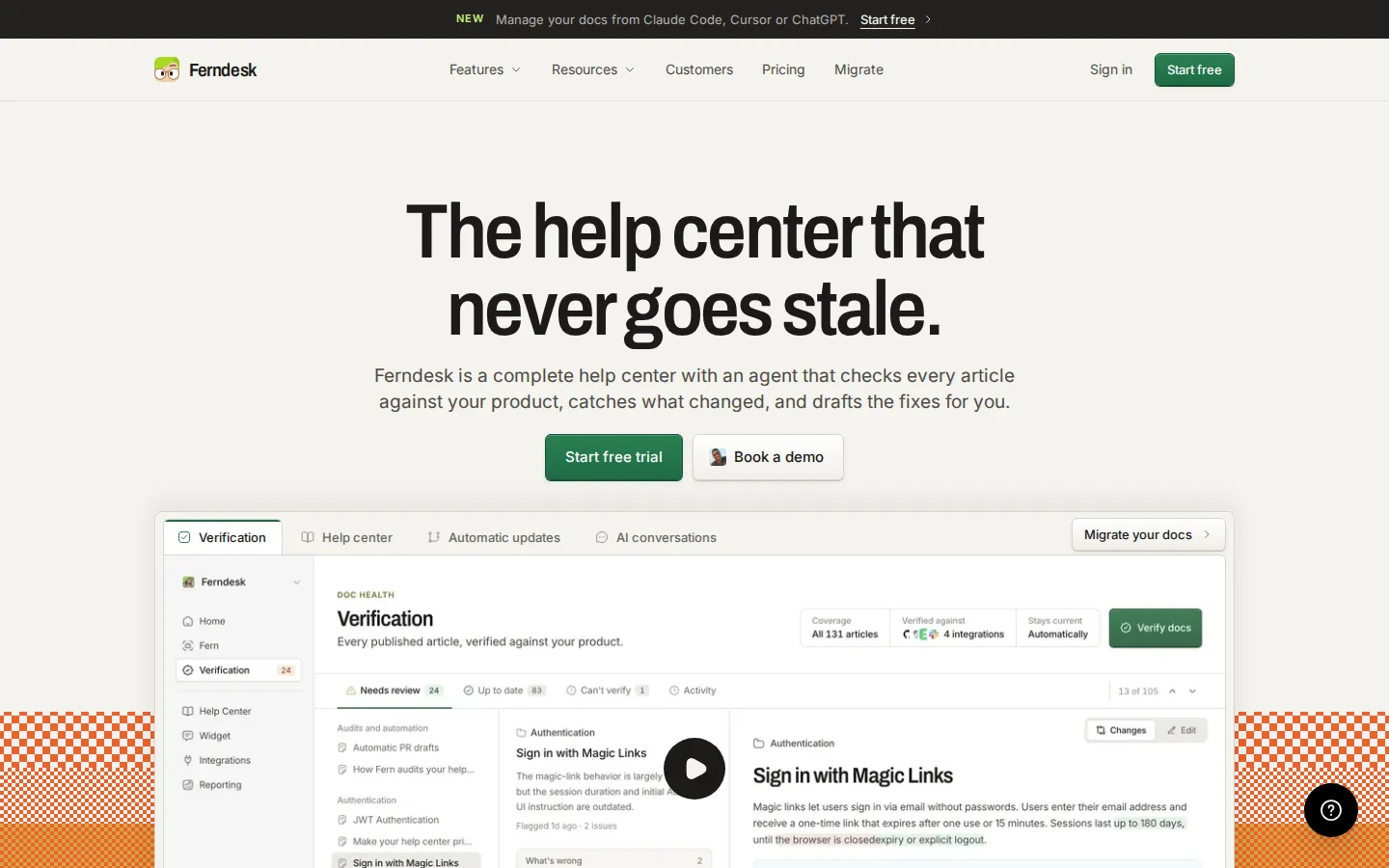
Ferndesk is a complete help center with an AI agent named Fern. She checks every article against your codebase and your live product, flags claims that are no longer true, and drafts the corrected text for a human to approve. Merged pull requests trigger new and updated articles automatically, so documentation stops drifting behind the product your customers actually use.
What is Ferndesk?
Ferndesk is a documentation platform built around one idea: a help center should check its own work instead of quietly going stale. It pairs a full customer-facing knowledge base with Fern, an AI agent that reads your codebase, your live product and your support inbox, then tests every claim in every article against what the software actually does. Anything that no longer matches comes back as a specific proposed edit with the reason attached, and nothing publishes until a person approves it.
The help center half is deliberately complete rather than modular. One plan covers a public portal on a custom domain or a /help subfolder, unlimited articles, AI conversations answered from verified docs, an in-app widget installed with a single script tag, an OpenAPI reference with a try-it playground, private docs behind magic links, OIDC or JWT, multilingual content with Fern-written translations, white labeling, and analytics that expose searches, missed searches and failed answers. When the assistant cannot answer, it escalates to Intercom, Zendesk or Help Scout.
The automation half is where Ferndesk separates itself from ordinary knowledge base tools. Connect GitHub, Linear, Slack, Intercom, Zendesk, Help Scout or Discord and Fern watches releases and support threads. When a pull request merges, she drafts the article for that feature before the release goes out and flags older articles the change invalidated. Screenshots are retaken when the interface moves, and scheduled audits sweep the library for claims that drifted.
Migration is treated as a first-class feature, because most buyers are switching from somewhere. Articles, images and URLs import in one click with redirects generated automatically, and since the source is usually a standalone help center, your inbox, chat and ticketing tools stay exactly where they are.
Ferndesk also exposes API and MCP access, so the same documentation can be read and edited from Claude Code, Cursor or ChatGPT. The company says more than 100 software teams use it, including Metricool, SEO Gets, RightMessage and Client Portal, and cites founders saving roughly 20 hours a month on documentation work.
Ferndesk Core Features
Article verification
Fern tests each claim in every article against your codebase and live product, then returns the mismatch as an edit you can approve with the reason attached.
Pull request drafting
when a release merges, Fern writes the article for the new feature before it ships and marks which existing articles the change broke.
Complete help center
a public, searchable, indexable portal on your own domain or a /help subfolder, with unlimited articles and custom branding.
AI conversations
customers ask in plain language and get answers drawn from verified docs rather than a generic model guess, with a monthly conversation allowance.
In-app widget
one script tag adds search, articles and AI chat inside the product where customers actually get stuck.
Migration in one click
articles, images and URLs come across from Intercom, Zendesk, Crisp, Help Scout, HubSpot, GitBook, Document360 and other help centers, with redirects created automatically.
API and MCP access
the same documentation can be read and edited from Claude Code, Cursor or ChatGPT, alongside a standard API.
Private docs and translations
magic link, OIDC or JWT authentication, plus a multilingual help center with Fern-produced translations and language-prefixed routes.
Who is Ferndesk for?
Ferndesk is aimed at software teams whose product ships faster than their documentation can follow. The company positions it for SaaS founders first, and the customer list backs that up: small, bootstrapped or lightly funded teams running a public help center without a dedicated docs department. SaaS founders and small product teams are the primary audience. These are people who write the release notes, answer the tickets and update the help articles themselves, and who lose hours every month to articles that describe a menu item that no longer exists. Customer support and success leads are the second group. Verified docs reduce repetitive tickets, the in-app widget deflects questions before they reach an inbox, and the escalation path still hands complex cases to Intercom, Zendesk or Help Scout rather than trapping them. The third group is technical writers and documentation owners at companies large enough to have one. Fern drafts from the codebase and from merged pull requests, so the writer edits and approves instead of starting from a blank page, and scheduled audits give them a list of articles to fix rather than a vague feeling of dread. Developer-tools and API-first companies fit well too, since the plan includes an OpenAPI reference with a try-it playground and MCP access for teams that would rather work in Claude Code, Cursor or ChatGPT than in a web editor. Early-stage startups under $1M ARR get a specific reason to look: the first year costs $75 a month instead of $149. Teams migrating off Intercom, Zendesk, Crisp, Help Scout, HubSpot, GitBook or Document360 are the other obvious fit, because import preserves URLs and redirects. It is a weaker fit for teams that must keep documentation inside their existing repository-based site or their current helpdesk. Fern only verifies and updates articles that live in Ferndesk, so anyone unwilling to move the help center itself is outside the core use case.
Ferndesk Use Cases
Verify an existing help center and fix the articles that describe features you renamed or removed
Draft documentation for a new feature straight from the pull request that ships it
Migrate off Zendesk Guide or Intercom Articles without losing URLs or search rankings
Deflect repetitive support tickets with an in-app widget that answers from verified docs
Publish API reference documentation with a try-it playground next to customer-facing articles
Run a private knowledge base for partners or internal teams behind SSO-style authentication
Translate a help center into multiple languages without rewriting every article by hand
Manage and edit help docs from Claude Code, Cursor or ChatGPT through MCP access
Ferndesk Pros and Cons
Pros
- The verification loop is the actual differentiator: articles are checked against the product instead of being trusted to stay true.
- One plan includes the whole surface, so there is no upsell ladder for private docs, translations, white labeling or the API.
- Migration preserves URLs and creates redirects, which removes the main reason teams put off switching.
- Fern drafts from merged pull requests, so release documentation happens before the release rather than a quarter after it.
- MCP and API access let technical teams work in the tools they already use instead of a separate web editor.
Cons
- Fern only verifies and updates articles hosted in Ferndesk, so you cannot keep your docs in your current helpdesk and just bolt the agent on.
- At $149 a month for a single plan, it is a real line item for a very small team, and the $75 first-year rate expires after twelve months.
- AI conversations are capped at 1,000 per month on Pro, and there is no ongoing free tier after the 7-day trial.
FAQ About Ferndesk
Ferndesk Pricing
One Pro plan at $149 per month ($1,490 a year, two months free), with a $75 per month first-year rate for teams under $1M ARR and a 7-day free trial that requires no credit card.
Check official pricingPro
The only standard plan: verification, PR drafting, help center, widget, 1,000 AI conversations, 5 seats, 5 languages, API and MCP access.
Early-stage
first year, under $1M ARR
Enterprise
Starting price: SAML SSO, SCIM provisioning, 2,500 conversations, custom integrations, DPA and white-glove onboarding.
Ferndesk Alternatives

AIDocMaker
AIDocMaker is a free AI document generator that turns prompts or uploaded files into professional Word documents, PDFs, PowerPoint slides, spreadsheets and voiceovers. You describe what you need, attach source material, and the agent drafts, formats and refines the file for you. Template-driven generators cover reports, proposals, contracts and letters, while paid tiers unlock flagship models, larger uploads and commercial audio rights.

BlueSearch
BlueSearch is an AI-powered website search component that delivers intelligent, conversational answers to user queries with source references.

Doclio
Doclio is an online PDF editor from Doclio Inc. It edits text and images in place, converts between PDF, Word, PowerPoint, Excel and image formats, merges, splits, rotates, compresses, protects and unlocks files, and fills and signs documents. AI tools summarise, translate and answer questions about a PDF. It runs in the browser with no install, needs no account for basic edits, and a free plan covers everyday use.