
Doclio
Doclio is an online PDF editor from Doclio Inc. It edits text and images in place, converts between PDF, Word, PowerPoint, Excel and image formats, merges, splits, rotates, compresses, protects and unlocks files, and fills and signs documents. AI tools summarise, translate and answer questions about a PDF. It runs in the browser with no install, needs no account for basic edits, and a free plan covers everyday use.
What is Doclio?
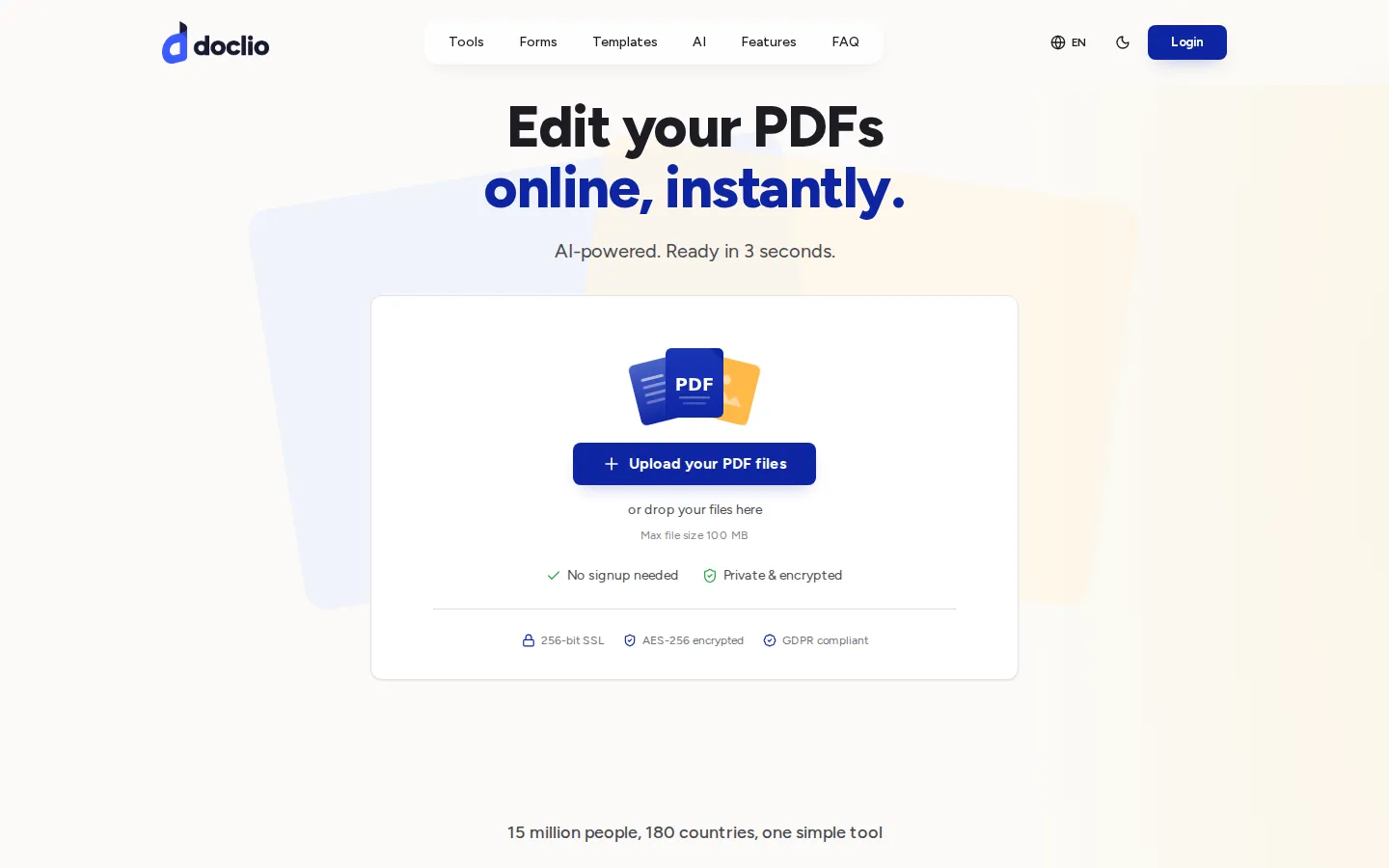
Doclio is a browser-based PDF workspace published by Doclio Inc. Its home page opens with a large upload area that accepts files up to 100 MB and states that no signup is needed, alongside claims of 256-bit TLS transfer, AES-256 encryption and GDPR compliance. The editor runs entirely in the browser on desktop, tablet and phone, so there is no desktop installation or plugin to manage.
The tool set is grouped into seven categories on the home page: AI tools, compress, edit PDF, convert to PDF, security PDF, convert from PDF, and split and merge. The individual tools cover editing text and images in place, adding images and watermarks, rotating, deleting, reordering and extracting pages, merging, splitting and combining files, compressing PDFs and images, password-protecting and unlocking documents, signing, and converting between PDF, Word, PowerPoint, Excel, JPG and PNG in both directions, including OCR conversion. Doclio also publishes an edit page that walks through three steps - upload, make changes, download or share - and lists a 4.8 score based on 5,438 reviews.
The AI features are summarising a document, translating a PDF while keeping its layout, and a talk-to-your-PDF mode that answers questions with references back to the section the answer came from. The home page also states that translation supports dozens of languages and that the chat answers are sourced from the document itself.
Beyond editing, Doclio hosts two libraries. The forms section provides official US tax and government forms, including W-9, 1099-NEC, W-2, W-4, the DS-11 passport application and I-9, which can be filled, signed and downloaded in the browser. The templates section covers legal and business documents such as a last will and testament, power of attorney variants, a lease agreement and a residential lease, described as guided documents that can be completed and downloaded.
Security and privacy messages appear throughout: encrypted transfer, GDPR and CCPA compliance, a statement that files are not sold, and a badge row on the edit page listing SOC 2 Type II, GDPR, ISO 27001, HIPAA, eIDAS and PCI DSS. Payment icons show Visa, Mastercard, Amex, PayPal and PayPay, which points to regional payment support.
The commercial model is not published on a pricing page. Basic editing works without an account; creating a free account unlocks editing your own documents and the AI tools; and downloading a finished document prompts an upgrade to Doclio Pro, which the editor's own interface describes as the plan that includes unlimited document generation, priority AI processing, an advanced template library, custom branding and exports, and priority support.
Support is offered through a contact page with 24/7 support messaging and a knowledge hub of guides and blog articles. The site footer carries a legal note that Doclio is not a law firm, does not give legal advice, and that documents may be generated or assisted by artificial intelligence and must be reviewed before use.
Doclio Core Features
Edit text and images in place
click into a PDF and type, or replace an image, without converting the file first
Format conversion
PDF to and from Word, Excel, PowerPoint, JPG and PNG, including OCR conversion, keeping the original layout
Organise tools
merge, split, combine, extract, reorder, rotate and delete pages in one workspace
Compression
reduce the size of PDFs and images so they can be emailed or uploaded
Security tools
password-protect a PDF, unlock a protected file and add watermarks
AI tools
summarise a document, translate a PDF while keeping its layout, and ask questions answered from the document itself
Signatures and fillable forms
draw, type or upload a signature, with ESIGN Act and eIDAS use cases cited, plus fillable US tax and government forms such as W-9, W-4, 1099-NEC, I-9 and DS-11
Legal and business templates
guided documents including a last will and testament, power of attorney variants and lease agreements
Who is Doclio for?
Doclio is built for people who handle PDFs occasionally rather than all day, and who do not want to install software to do it. Small business owners are the clearest fit: contracts to sign, invoices to merge, forms to fill and menus or price lists to correct. The site's own testimonials name a small business owner, a creative director and a marketing manager, which matches the tool's shape: edit a line of text, add a signature, compress a file before emailing it, convert a document that arrived in the wrong format. Freelancers and consultants form a second group. They receive documents from clients in mixed formats, need to sign and return them, and rarely want a subscription that runs all year for a handful of jobs. Because basic editing runs without an account and Pro is a monthly charge that can be cancelled, the product suits that pattern of occasional, unpredictable use. Administrative and back-office users are covered by the form and template libraries. Doclio hosts fillable US tax and government forms, including W-9, W-2, W-4, 1099-NEC, I-9 and the DS-11 passport application, along with legal and business templates such as a last will and testament, powers of attorney, a lease agreement and a residential lease. Someone filling a W-9 or applying for a passport in the browser can complete the task without printing or scanning, which is the workflow the site promotes. Students, researchers and anyone facing a long document are served by the AI tools: summarising a report, translating a PDF into another language while keeping the layout, or asking questions of a document and reading answers drawn from it. It is a weaker fit for teams with heavier requirements. There is no documented API and no bulk processing path, no admin console with roles, and no published commitment to a specific e-signature standard beyond the site's statement that signatures are designed for ESIGN Act and eIDAS use cases. Organisations that need audit trails, retention controls or automated document pipelines should look at a document platform rather than an online editor. Anyone who dislikes paywalls appearing mid-task should also note that downloading a finished document prompts an upgrade to Pro.
Doclio Use Cases
Fix a typo or update a form field directly in a PDF without converting the file first
Convert a Word document, image or spreadsheet into a PDF to send to a client
Compress a large PDF or a deck so it can be emailed or uploaded to a portal
Fill, sign and download a W-9, W-4 or lease agreement in the browser without printing
Summarise a long report and translate it into another language while keeping the layout
Ask questions about a contract and read answers that point back to the relevant section
Merge invoices, split a document or delete blank pages before sharing a file
Convert scans of text into searchable documents using OCR
Doclio Pros and Cons
Pros
- Runs entirely in the browser with no installation, and basic editing does not require an account
- Free to use for everyday editing, with Pro at $19.99 per month or $15.99 per month billed yearly
- Unusual breadth in one place: editing, conversion, compression, protection, signing, forms, templates and AI tools
- Published security and compliance statements, with pages listing SOC 2 Type II, ISO 27001, HIPAA, eIDAS, PCI DSS, GDPR and CCPA, plus AES-256 encryption and TLS transfer
- Support material built out, including a contact page with 24/7 support messaging and a knowledge hub of how-to guides
Cons
- No public pricing page: plan details only appear in the checkout shown inside the editor, so costs are hard to compare before starting a task
- Downloading a finished document is tied to the Pro plan in the editor's upgrade prompts, and the AI tools require creating a free account first
- The site's numbers are inconsistent and hard to check - the home page claims 15 million people across 180 countries while app strings say trusted by 2 million+ professionals - and the displayed 4.8 rating from 5,438 reviews does not say where the reviews were collected
FAQ About Doclio
Doclio Pricing
Freemium. Basic PDF editing runs in the browser without an account, and creating a free account unlocks editing your own documents and the AI tools. Downloading a finished document prompts an upgrade to Doclio Pro, which the editor's checkout lists at $19.99 per month or $15.99 per month when billed yearly at $191.88, described as a 20% saving. The checkout also shows a short introductory offer whose length and price are set at checkout before the monthly subscription renews, and it advertises a 30-day money-back guarantee with payments handled by Stripe. Doclio publishes no separate pricing page, so plans are only visible inside the editor.
Check official pricingFree
Editing in the browser without an account for basic tasks. Creating a free account unlocks editing your own documents and the AI tools (summarise, translate, talk to PDF). Downloading a finished document prompts an upgrade to Pro.
Doclio Pro (monthly)
Unlimited document generation, priority AI processing, advanced templates library, custom branding and exports, and priority support. Billed monthly, cancel anytime; the checkout advertises a 30-day money-back guarantee and Stripe payment.
Doclio Pro (yearly)
The same Pro feature set billed yearly at $191.88 once a year, presented as saving 20% against the monthly price.