
DualSubGenerator
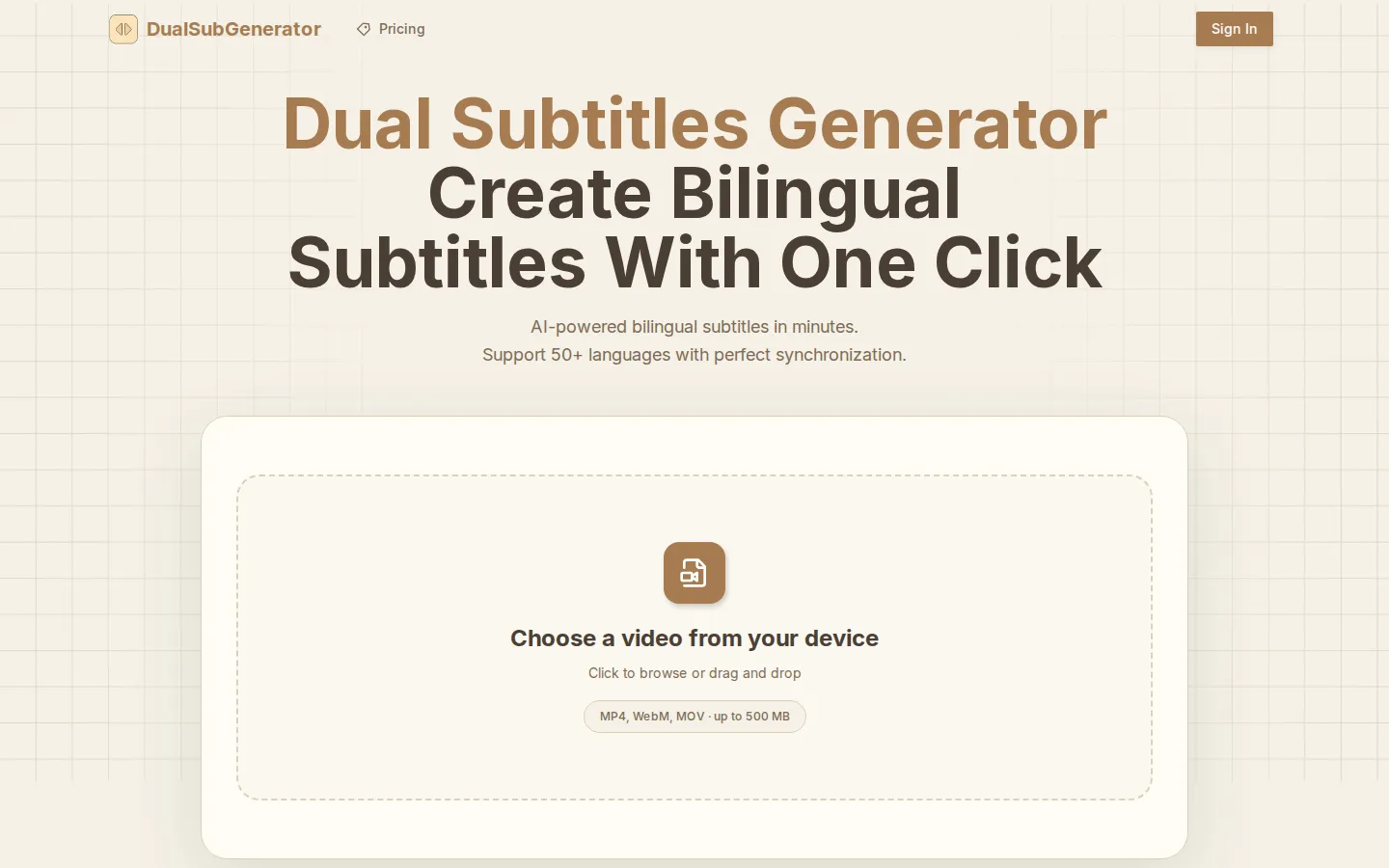
Dual Subtitles Generator is an AI-powered web tool that automatically transcribes your video's audio and translates it into a second language, producing synchronized bilingual subtitles in a single pass. It supports 50+ languages, exports SRT, VTT, ASS and JSON files, and works entirely online with no software to install. Uploaded videos are deleted automatically after processing.
What is DualSubGenerator?
Dual Subtitles Generator is an AI-powered web application that automatically creates subtitles in two languages at the same time for any video you upload. Instead of running separate transcription and translation steps, it takes a single video file, detects and transcribes the spoken audio in the original language, and then translates that transcript into your chosen target language, producing two synchronized subtitle tracks ready to download. The whole process runs in the browser, requires no software installation, and is aimed at turning ordinary videos into multilingual content in a few clicks. At its core the tool combines automatic speech recognition with machine translation. The AI analyzes context and terminology so the translated lines read naturally rather than word for word, and the platform advertises a 95%+ accuracy rate for clear audio. Timing is preserved across both languages, so viewers see smooth, professionally aligned subtitles instead of the mismatched captions that manual workflows often produce. Language coverage is broad: the service supports more than 50 languages, including English, Spanish, Mandarin, Arabic, French, German, Japanese, Portuguese, Korean, Russian, Italian, Dutch, Hindi and Turkish, and you can generate dual subtitles for essentially any supported pair. Accepted input formats include MP4, MOV, AVI and WebM files up to 500 MB, covering both very short clips and longer recordings. Finished subtitles can be exported as SRT, VTT, ASS or JSON, formats that work with YouTube, TikTok, Instagram Reels, Vimeo and most editing programs. Access is credit based. New users can sign in with email, Google or GitHub, then buy non-expiring credit packages to unlock bilingual subtitle generation whenever they need it. According to the site, uploaded videos are processed securely and deleted automatically within 24 hours under a zero-retention policy, and an online editor lets you adjust timing and fix translations before exporting. The result is a lightweight, focused alternative to hiring translators or juggling separate captioning and translation services.
DualSubGenerator Core Features
AI Transcription & Translation
Transcribes your video's original audio and translates it into a second language with 95%+ accuracy.
50+ Language Support
Creates bilingual subtitles for any supported language pair, from English and Spanish to Mandarin and Arabic.
One-Click Bilingual Output
Generates both language tracks at once with synchronized timing so viewers see smoothly aligned subtitles.
SRT, VTT, ASS & JSON Export
Downloads subtitles in formats compatible with YouTube, TikTok, Vimeo and most video editors.
Flexible File Handling
Accepts MP4, MOV, AVI and WebM video files up to 500 MB, from short clips to longer videos.
Privacy-First Processing
Videos are processed securely and deleted automatically within 24 hours under a zero-retention policy.
Built-In Subtitle Editor
Adjust timing, correct translations and fine-tune output before exporting your subtitles.
Credit-Based Access
Non-expiring credit packages unlock bilingual subtitle generation whenever you need it.
Who is DualSubGenerator for?
Dual Subtitles Generator is designed for anyone who publishes video to audiences that speak more than one language and wants subtitles without a manual transcription and translation workflow. YouTube creators use it to add dual-language captions that grow reach in new markets and improve watch time for international viewers. Online course instructors and e-learning teams rely on it to make lessons understandable for learners who speak a different native language, while marketers and small businesses localize product demos, ads and explainer videos for customers in several regions. Social media managers caption short-form clips for TikTok, Instagram Reels and YouTube Shorts, giving viewers the choice of reading in either language. Podcasters and journalists turn spoken interviews into bilingual text for accessibility and searchability, and independent film and documentary editors produce dual subtitles without hiring professional translators. Freelance video editors and small agencies that handle many client projects benefit from the speed of one-click generation and from credit packages that never expire, so they can process a batch of videos and use the remaining credits later. The tool suits beginners because no technical skills are required: you upload a file, choose two languages and download the result. It is less suited to studios that need custom terminology training, advanced collaboration or API access, since those advanced controls are not part of the current offering. Overall, it fits creators, educators, marketers and small teams that value fast, affordable bilingual subtitles over enterprise localization suites.
DualSubGenerator Use Cases
Translate YouTube videos into two languages to reach wider international audiences.
Add bilingual subtitles to course videos so learners can follow along in their native language.
Localize marketing and product demo videos for customers across multiple regions.
Subtitle short-form clips for TikTok, Reels and Shorts with dual-language captions.
Make interviews and podcasts accessible to viewers who speak either language.
Produce bilingual subtitles for films and documentaries without hiring translators.
Create dual-language captions for recorded webinars and corporate training sessions.
Convert Japanese, Arabic or Spanish video content into English dual subtitles.
DualSubGenerator Pros and Cons
Pros
- Creates both language tracks in one pass, with synchronized timing.
- Supports 50+ languages and exports SRT, VTT, ASS and JSON.
- Credit packages never expire, so you only pay when you need it.
- Claims 95%+ accuracy and auto-deletes uploads within 24 hours.
Cons
- There is no free tier, so you must buy a credit package before generating subtitles.
- Longer videos consume credits quickly, making heavy use pricier.
- Credit-based pricing is less predictable than a flat monthly subscription.
FAQ About DualSubGenerator
DualSubGenerator Pricing
Credit-based pricing with three one-time packages: Starter $4.99 (3,000 credits / 50 minutes), Basic $9.99 (7,200 credits / 120 minutes) and Pro $19.99 (18,000 credits / 300 minutes). Credits never expire and there is no free tier.
Check official pricingStarter
3,000 credits (about 50 minutes) for short videos, demos and personal projects.
Basic
7,200 credits (about 120 minutes) for regular creators with weekly uploads.
Pro
18,000 credits (about 300 minutes) for heavy, professional and agency use.
DualSubGenerator Alternatives

VMEG AI
VMEG AI is a web platform for translating, dubbing and localizing video and audio. It covers 170+ languages with 17,000+ premium voices, voice cloning, lip sync, bilingual subtitles and glossary control in one workspace. Teams can run process-driven pipelines with approvals, batch jobs, API and MCP access, or hand work to a managed human-in-the-loop delivery service.
Dubly.AI
Dubly.AI is an AI video translation, dubbing, and lip-sync platform built for companies, publishers, and course creators. Upload a file or paste a YouTube link and it returns a lip-synced video in any of 40+ target languages, keeping the original speaker's cloned voice. Everything, including unlimited users and API access, ships with every plan; the only thing you buy is credits for video minutes.

Dictationer
Dictationer is an AI transcription and content repurposing platform trusted by over 210,000 users. Upload video or audio files, paste links from YouTube, TikTok, Instagram, or X, or transcribe live sessions, then turn the results into clean transcripts, summaries, subtitles, translations, diagrams, blog posts, and social posts. Chrome and Edge extensions add one-click transcription while browsing.