
Coco by Combinely
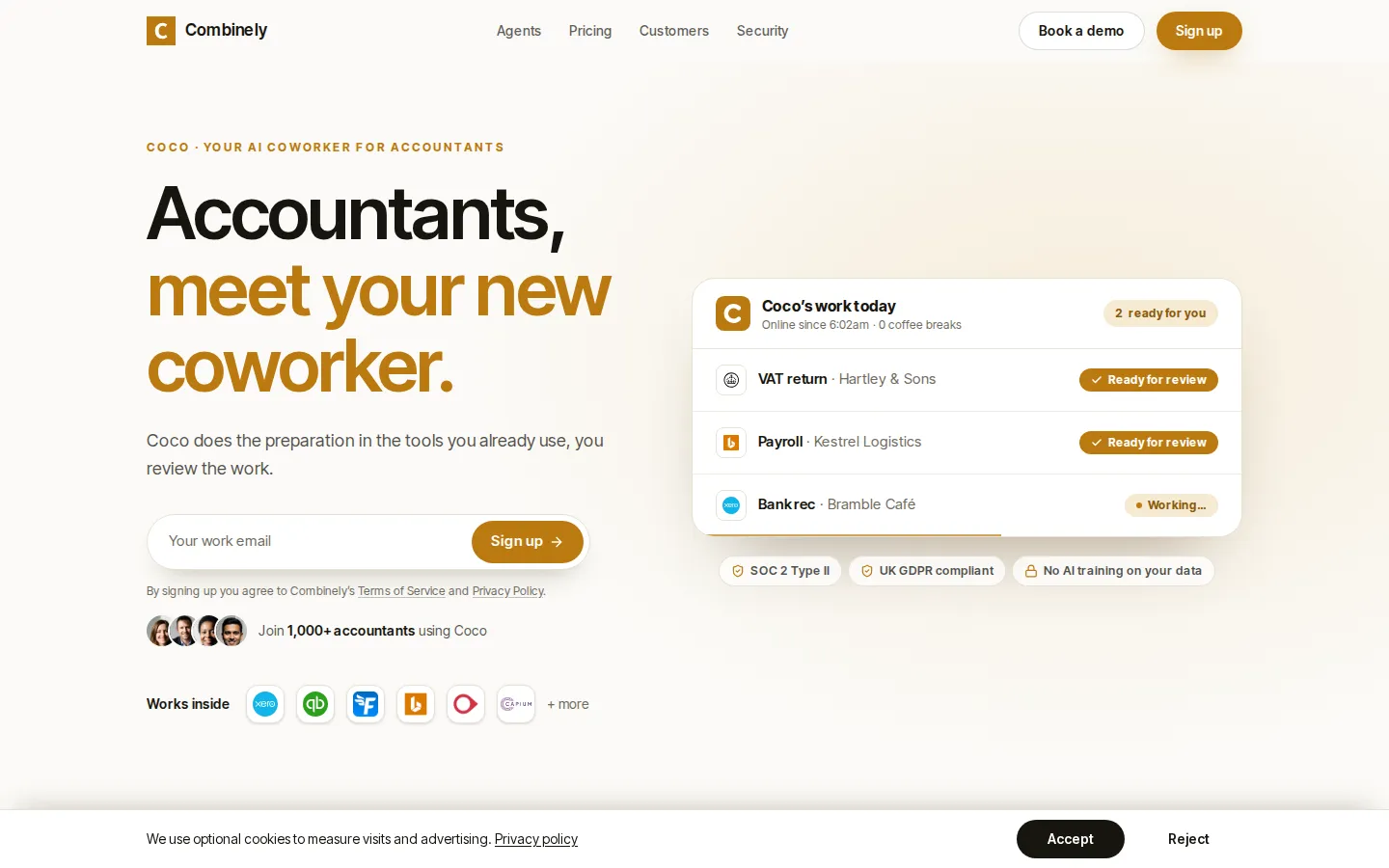
Coco is the AI coworker from Combinely, built for US accounting firms. It ships 50+ agents covering bookkeeping, sales tax, payroll, individual and business tax, financial statements and firm admin, and does the preparation inside the tools a firm already uses. One license covers the entire agent library, and an accountant reviews and approves every piece of output before it is finalized.
What is Coco by Combinely?
Coco by Combinely is an AI coworker built for US accounting firms — less a platform to log into, and more a junior team member that does the preparation inside the systems a firm already runs. The pitch starts from a familiar complaint: an accountant's day is split across QuickBooks, Outlook, Excel, the IRS and payroll portals, and the administrative load grows faster than headcount. Coco answers that with a library of 50+ ready-made agents, each mapped to a defined workflow running from chasing client records through to submission.
The agents are grouped into seven service lines. Bookkeeping covers posting invoices and bills plus bank reconciliation with missing-receipt summaries. Sales tax covers return prep and nexus review. Payroll covers information input and email drafting across Gusto, ADP and Paychex. Individual tax covers 1040 workpaper prep and 1040 return review. Business tax covers workpaper prep for 1120, 1120-S and 1065 plus R&D credit review. Financial statements covers year-end close workpapers and monthly statements, and firm admin covers document request tracking and engagement scope review. Beyond the library, a firm can brief a new agent in plain language, the way it would onboard a person.
What makes the model distinctive is where the work happens. Coco operates inside QuickBooks, Xero, Sage Intacct, NetSuite, Gusto, ADP, Paychex, UltraTax CS, Lacerte, CCH Axcess, Avalara, Excel, Word, Outlook, Karbon, Canopy and Ignition rather than asking a firm to migrate. Setup is described in three steps: choose an agent, connect the apps, then review what it produces. The review step is not optional — Coco prepares and flags anything needing judgment, but nothing is final until the firm approves it. That control model, alongside SOC 2 Type II audited controls and a commitment that client data is never used to train or fine-tune models, is clearly aimed at partners who cannot hand filings to a black box.
Combinely says more than 1,000 accountants and 70+ firms use Coco, and its published case studies cite 20 hours a month saved on payroll at LedgerPlus, 39% less manual data processing at Incra Group, 4× higher client satisfaction at Blu Sky and 78 agents deployed across service lines in eight weeks at McCabe Ford Williams. The team combines former accountants from EY, Deloitte, Crowe and S&W with engineers from Google, Monzo, Barclays and J.P. Morgan. Commercially, one license covers every agent, quoted per user per month on annual or monthly terms.
Coco by Combinely Core Features
Agent library
50+ ready-made accounting agents across bookkeeping, sales tax, payroll, individual tax, business tax, financial statements and firm admin.
Works inside existing tools
Coco operates in QuickBooks, Xero, Sage Intacct, NetSuite, Gusto, ADP, Paychex, UltraTax CS, Lacerte, CCH Axcess, Avalara, Excel, Word and Outlook instead of demanding a migration.
Human review built in
every agent prepares the work and flags what needs judgment, and nothing is finalized until the firm approves it.
Custom agents in minutes
firm-specific procedures are written in plain language and converted into a new agent without engineering work.
Organization-level context
connecting team mailboxes lets Coco draw on client correspondence when preparing workpapers and drafting replies.
Bank reconciliation and receipt chasing
agents reconcile accounts and summarize missing receipts, following up with clients politely.
Tax workpaper preparation
1040 workpaper prep and review, business workpapers for 1120, 1120-S and 1065, and R&D credit review.
Security and data handling
SOC 2 Type II audited controls plus a commitment that client data is never used to train or fine-tune any model.
Who is Coco by Combinely for?
Coco is built for US accounting firms and the people inside them who carry the administrative weight of client work. That means small and mid-sized CPA practices running bookkeeping, payroll, sales tax and tax preparation for business and individual clients, plus the partners and managers who own review and sign-off. It also suits fractional CFO and outsourced accounting shops where a small team services many clients across QuickBooks or Xero and needs extra capacity without adding headcount. The library is designed around US conventions — 1040, 1120, 1120-S and 1065 workpapers, state sales tax nexus, IRS transcripts — so firms outside that regime will find little of it directly applicable, even though Combinely surfaces UK and international versions of its site. It is a poor fit for firms that want a fully autonomous system: Coco deliberately stops short of finalizing anything, so practices hoping to remove humans from review will not get that here. Nor is it aimed at solo bookkeepers on a tight budget, since every route to pricing runs through a sales conversation. Firms already standardized on a proprietary practice-management suite should confirm integration coverage before committing, and any practice handling non-US filings should expect to write its own agents. The strongest fit is a firm with steady volume, written procedures, and staff who would rather supervise prepared work than assemble it from scratch.
Coco by Combinely Use Cases
Automate bank reconciliation and missing-receipt summaries for small business bookkeeping clients every month.
Prepare 1040 workpapers and first-pass return reviews so tax staff start from a completed file.
Draft payroll input and client emails across Gusto, ADP and Paychex without rekeying data.
Build business tax workpapers for 1120, 1120-S and 1065 engagements before partner review.
Track document requests and engagement scope so jobs stop stalling on client responses.
Produce monthly financial statements and year-end close workpapers from QuickBooks or Xero data.
Review sales tax nexus and prepare return filings across states for multi-state clients.
Onboard new clients by generating agents that follow your firm's own written procedures.
Coco by Combinely Pros and Cons
Pros
- Runs inside the stack firms already use — QuickBooks, Xero, Gusto, UltraTax CS and Outlook — so there is no new system to migrate to.
- One license unlocks all 50+ agents rather than metering each one, which keeps adoption broad across service lines.
- Human approval is part of every workflow, which suits firms that cannot let software finalize client filings.
- Setup is framed as three steps, and published case studies show agents live within weeks, including 78 in eight weeks at one firm.
- SOC 2 Type II controls and a no-training-on-client-data commitment address the confidentiality objections firms usually raise first.
Cons
- US pricing is not published: every route on the pricing page leads to 'talk to us' or a demo, so budgeting needs a sales conversation.
- The library is built around US filings such as 1040, 1120, 1065 and state sales tax, so firms in other jurisdictions get limited value.
- No public API, free tier or self-serve trial is documented, so a firm cannot evaluate agents without booking a walkthrough.
FAQ About Coco by Combinely
Coco by Combinely Pricing
Pricing is quote-based. Combinely sells one Coco license that includes all 50+ agents for the whole firm, billed per user per month with annual and monthly options, but the US price is not published — the pricing page routes visitors to 'talk to us' or a demo. No free tier or self-serve trial is documented, so the entry cost is unknown until a sales conversation and the effective starting price shown here is 0.
Check official pricingCoco License — Annual
One license covering all 50+ agents across every service line for the whole firm, with organization-level context through connected team mailboxes, SOC 2 Type II controls and no AI training on client data. US pricing quoted on request.
Coco License — Monthly
Same full agent library on a month-to-month term, billed per user per month. Combinely lists monthly and annual options side by side and shares US pricing during a demo or sign-up conversation.
Coco by Combinely Alternatives

Billow
Billow automates the manual work behind month-end close. It connects to NetSuite, QuickBooks, Dynamics 365 and adjacent tools, pulls the balances it needs, matches transactions, and assembles workpapers in Excel. Anything that does not reconcile is flagged as an exception and routed to a person. Your finance team reviews and approves; Billow handles the assembly.

FinConv
A free online tool that extracts transactions from bank and credit card statement PDFs into Excel, CSV, or JSON.

SpendKeep
SpendKeep is a 100% private, zero-sync budget tracker. Drop CSVs to spot SaaS bleed and cure financial amnesia without vulnerable bank logins or SMS scraping.