Chatbox AI
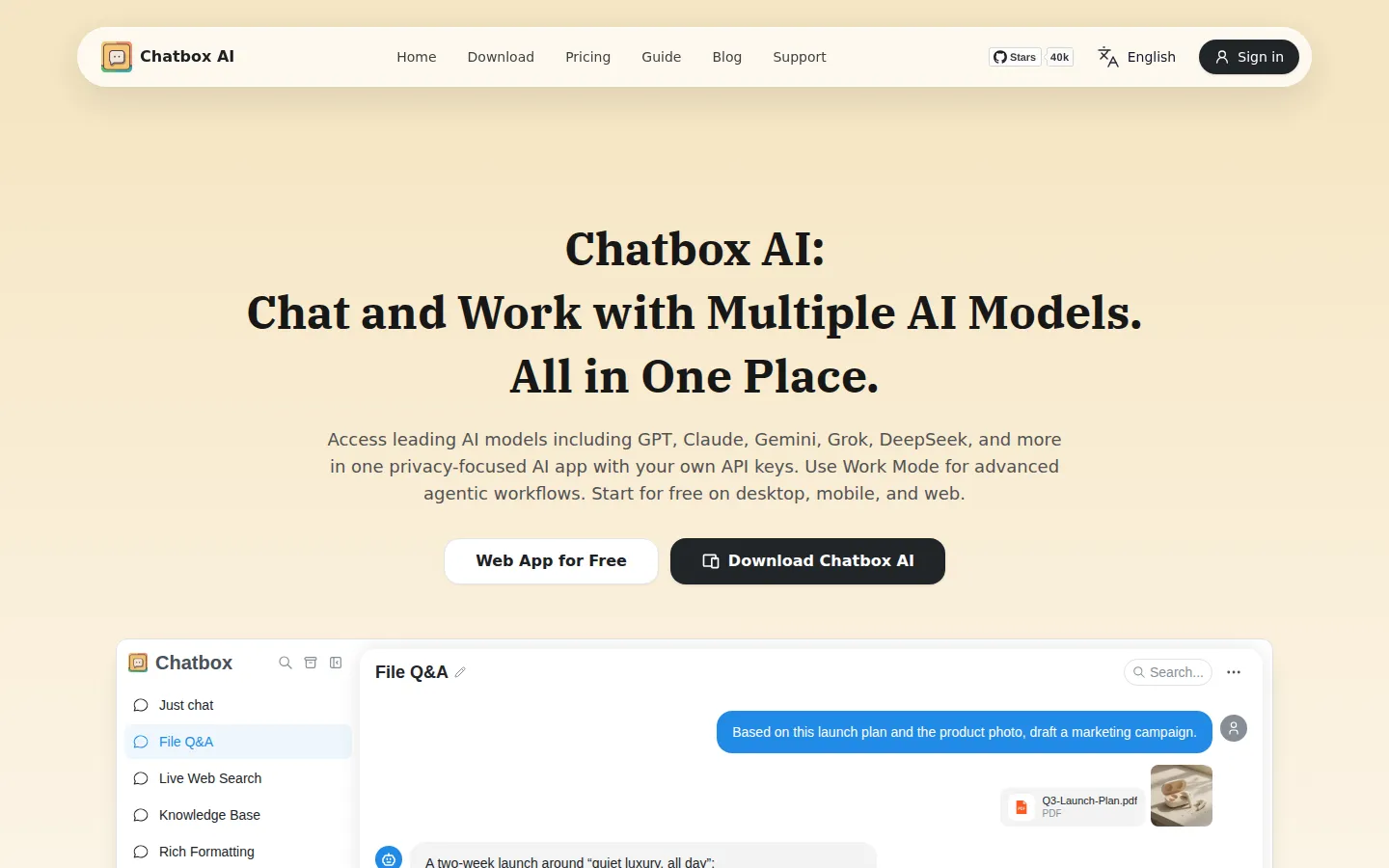
Chatbox AI is an AI client for desktop, mobile, and web that connects GPT, Claude, Gemini, Grok, and DeepSeek through your own API keys or a Chatbox subscription. It reads PDFs, Office files, and images, searches the web in real time, builds a local knowledge base, renders Mermaid and LaTeX, previews generated code, and runs agentic workflows from a single chat window.
What is Chatbox AI?
Chatbox AI is a privacy-focused AI client that runs on desktop, mobile, and the web, letting you chat with leading models such as GPT, Claude, Gemini, Grok, and DeepSeek in one place. Instead of being tied to a single vendor, Chatbox connects either to Chatbox AI's own hosted service through a subscription or to providers you register yourself with your own API keys. The app is open source and published on GitHub with more than 40,000 stars, and it ships as a native application for Windows, macOS, Linux, iOS, and Android plus a browser version you can start using for free.
Everyday work happens in one chat window with a switch between Chat Mode and Work Mode. Chat Mode covers conversation, file and image questions, real-time web search, and rich formatting; Work Mode hands the same context to an agent that can build AI chatbots, work with your files, search the web, write code, call tools, and take action autonomously. Answers render Mermaid diagrams, LaTeX formulas, and Markdown tables, while generated code appears with a live preview so you can iterate without leaving the conversation. AI image generation turns a text description into a picture, with a monthly image allowance that depends on your plan.
Chatbox reads PDFs, Word documents, PowerPoint decks, Excel and CSV files, EPUB books, plain text, Markdown, and common image formats. On desktop it adds a personal knowledge base that stores documents locally, so the assistant can search your private material without uploading it to a third-party index; each file can be up to 50 MB. Live web search pulls in current news and data for fact-checked answers. MCP services connect external tools to extend what the assistant can reach, and one account supports up to five devices at the same time.
Data handling is a selling point. Chat history stays local, order information is processed through Stripe and the Chatbox backend, and the company states it never sells or shares your data. If you use your own API keys, requests go straight to the provider, which matters for teams with compliance constraints; pointing Chatbox at Ollama or LM Studio keeps everything offline. Pricing is freemium: new users can try the hosted models free with a daily quota, and paid plans start at $3.99 per month for Lite, rising through Pro to Pro+ for heavier work, with usage metered in compute points.
Chatbox AI Core Features
Multi-model chat
talk to GPT, Claude, Gemini, Grok, DeepSeek, Qwen, and Kimi models from one window and switch between them mid-conversation.
Bring your own API key
register keys with OpenAI, Anthropic, Google, or OpenRouter, or run Ollama and LM Studio locally, and skip Chatbox credits entirely.
File and image understanding
send PDFs, Word, PowerPoint, Excel, CSV, EPUB, and image files up to 50 MB each and ask questions about their contents.
Work Mode agent
hand over a goal and let an agent build chatbots, work with your files, search the web, write code, call tools, and act autonomously.
Local knowledge base
store documents on your own desktop and let Chatbox search them without uploading private material to a third-party index.
Live web search
pull current news and data into answers so responses are not limited by a model training cutoff.
Rich rendering and code preview
draw Mermaid diagrams, typeset LaTeX formulas, format Markdown tables, and watch generated code update with a live preview.
MCP services and image generation
connect external MCP tools to extend what the assistant can do, and turn text prompts into generated images.
Who is Chatbox AI for?
Chatbox targets people who want one comfortable place to talk to many AI models, and its audience splits along a few clear lines. Students and self-learners are a large share of users. The Lite plan is pitched at light study and everyday work, and the free tier plus a daily point quota make it cheap to ask questions, summarize lecture notes, and turn a reading list into something conversational without paying. Knowledge workers in office jobs use Chatbox as a daily document assistant. Dropping a PDF or a spreadsheet into the chat and asking for key points, a summary, or a comparison is the workflow the app is built around, and the desktop knowledge base extends that to an entire folder of reference material. Writers, marketers, and researchers value the multi-model setup, because they can compare how GPT, Claude, Gemini, Grok, and DeepSeek answer the same prompt and keep the best result without juggling five browser tabs. Developers and technical users adopt Chatbox because it is open source and friendly to bring-your-own-key setups. They point it at their own OpenAI, Anthropic, or Google keys, run Ollama or LM Studio locally, wire in MCP tools, and use code generation with live preview to iterate on snippets inside the same window. Privacy-conscious professionals pick it for the local-first design. Chat history stays on the device, the knowledge base is stored locally, and routing traffic through your own API key means prompts never pass through a middleman, which suits legal, medical, and finance work. Cost-conscious heavy users choose BYOK over a subscription, paying providers per token instead of a flat monthly fee when their volume is high. It is a weaker fit for people who want a fully managed assistant that decides everything for them, and for teams that need shared workspaces with central administration, which Chatbox does not advertise.
Chatbox AI Use Cases
Summarize a long PDF report and pull out the decisions buried in its appendices.
Compare how GPT, Claude, and DeepSeek answer the same prompt before committing to one.
Build a local knowledge base of research papers and query it without uploading anything.
Draft and live-preview a small web page by describing the layout in plain English.
Fact-check an article against current search results before publishing it.
Run a Work Mode task that reads your files and produces a finished deliverable.
Generate marketing images from text prompts alongside the copy they accompany.
Ask questions about a spreadsheet and have the answers rendered as a clean table.
Chatbox AI Pros and Cons
Pros
- One client for every major model line, with a bring-your-own-key option that bypasses Chatbox credits completely.
- A real free tier with a daily point quota, so you can evaluate the hosted service before paying anything.
- A strong local privacy story: chat history and the desktop knowledge base stay on your own machine.
- Open source and cross-platform, with native apps for Windows, macOS, Linux, iOS, and Android plus a web app.
- Polished output handling, including Mermaid diagrams, LaTeX, Markdown tables, code previews, and image generation.
Cons
- Hosted usage is metered in compute points, so heavy work exhausts a tier's monthly allowance faster than the flat subscription price suggests.
- The knowledge base and several work-focused features are desktop-only, leaving web and mobile users with a thinner feature set.
- Team administration and shared workspaces are not advertised, which makes it a personal tool rather than a managed team platform.
FAQ About Chatbox AI
Chatbox AI Pricing
Chatbox AI is free to start with a daily compute point quota, and paid plans run from Lite at $3.99/month ($3.50/month billed annually) through Pro at $19.99/month to Pro+ at $39.99/month, with usage metered in compute points that also cover web search and document analysis.
Check official pricingFree
Free for light use: 10,000 compute points refreshed daily, 5 AI image generations, standard models such as GPT 5.6 Luna, Claude Haiku 4.5, Gemini 3 Flash, and DeepSeek V4 Flash, plus Work Mode on a trial basis.
Lite
For light study and everyday work: 2,000,000 compute points, 25 AI image generations, standard model access, and up to 5 devices at the same time; $3.50/month billed annually.
Pro
For professional productivity: 12,000,000 compute points (6x base quota), 100 AI image generations, advanced models including Claude Opus and the GPT 6 family, Work Mode, web search, knowledge base, and MCP services; $16.70/month billed annually.
Pro+
For intensive work and deep learning: 30,000,000 compute points (15x base quota), 200 AI image generations, and the full advanced model catalog; $33.33/month billed annually.
Chatbox AI Alternatives
Gauth
Gauth is an AI learning platform from GauthTech, formerly known as Gauthmath. Photograph a maths, physics, chemistry or biology homework question and it returns a worked solution with step-by-step explanations, then adds interactive AI courses, a visual Atlas explorer, a 100-million-question bank and human tutors available around the clock. Native iOS and Android apps, nineteen languages, and a free tier that needs no card.
Cue
Cue is Manus's standalone app for personal AI agents. Each agent gets its own email address, phone number, wallet and computer, then handles real-world errands such as bookings, calls, payments and research. Agents share group chats, connect to Gmail, Slack, Notion and Trip.com, run scheduled routines, and ask for your approval before spending any money.
Agent FM
It describes itself as AI teammates for busywork: you state the result you want, and the agent plans the steps, then works inside your inbox, files, and the websites you are already signed in to. Finished work returns to the same chat with every step visible, and nothing is sent or submitted until you approve it.