
Agent FM
It describes itself as AI teammates for busywork: you state the result you want, and the agent plans the steps, then works inside your inbox, files, and the websites you are already signed in to. Finished work returns to the same chat with every step visible, and nothing is sent or submitted until you approve it.
What is Agent FM?
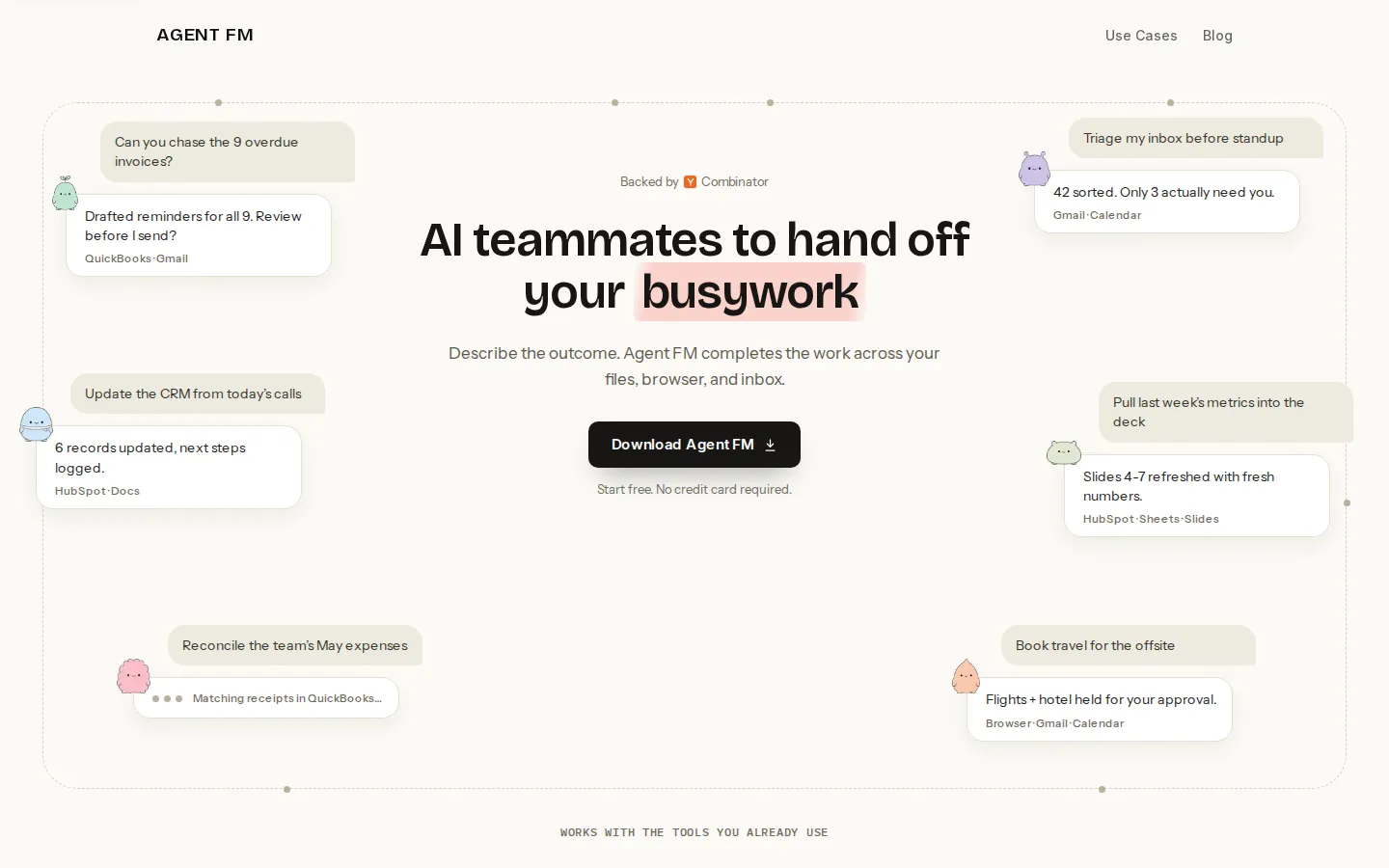
Agent FM is a desktop AI teammate built by a Y Combinator-backed team (YC F26) for knowledge workers whose week disappears into moving information between tabs, files, and inboxes. Instead of configuring workflows, triggers, or node graphs, you describe the outcome you want in plain language - chase the overdue invoices, triage my inbox before standup, pull last week's metrics into the deck - and the agent plans the steps, then executes them across your files, your browser, and your email.
The product runs locally on macOS 14+ and Windows and works inside the applications you are already signed in to. That design choice matters: rather than asking you to migrate data into a new system or hand over API keys for every service, Agent FM operates wherever your work already happens. The vendor lists Gmail, Outlook, Google Calendar, Slack, LinkedIn, Indeed, Greenhouse, Zoom, Shopify, Amazon, QuickBooks, Stripe, Salesforce, HubSpot, DocuSign, Zillow, Google Drive, Google Sheets, Google Docs, Notion, Airtable, Workday, Gusto, Dropbox, Calendly, G2, FedEx, UPS, OpenCorporates, The Hartford, and AppFolio among supported tools, and states that it can work in any other website, signed in or not.
Work comes back in the same chat thread rather than as a silent background job. Each run reports what it did, including what it could not check, and any outward action - sending an email, submitting a form, filing an attestation - waits for your explicit approval. The company frames this as three trust tests: you can watch the run happen, you can pause or halt it mid-task, and boundaries written into the request keep holding on later runs.
Beyond one-off asks, Agent FM supports routines: scheduled jobs that repeat on their own, such as a 7am carrier and portal brief, a Monday 8am invoice chase, a monthly rent-roll reconciliation, or a quarterly credential re-attestation sweep. The use-case library is organized by function - portals and filings, research and vetting, sales, recruiting, data and spreadsheets, email, orders and billing, and monitoring - and by audience, from founders and executive assistants to property managers, freight brokers, insurance brokers, credentialing teams, and e-commerce operators.
Onboarding starts free with no credit card. You request a download link by email or grab the installer, sign in to the accounts you want it to use, and hand over a first task. Pricing beyond that free start is not published anywhere on the site; the homepage only routes teams toward a conversation about plans and a walkthrough.
Agent FM is best understood as an operator's tool rather than developer infrastructure. There is no public API or headless mode to embed in your own product, and no marketplace of prebuilt agents. The bet is that most real busywork still happens in a browser session or a desktop app, where the agent has to log in, click, read, and type just like a person would.
Agent FM Core Features
Outcome-level requests
you describe the finished result rather than a workflow, and Agent FM plans the steps and works on its own while you follow along.
Cross-app execution
runs inside your files, browser, and inbox, including sites with no API that you are already signed in to, with nothing to migrate.
Approval before outward actions
sends, form submissions, and filings pause for your sign-off, and finished work returns to the same chat for review.
Step-by-step visibility
each report shows what was done and what could not be checked, so a partial result is never dressed up as complete.
Scheduled routines
repeatable jobs run on their own cadence, from a daily 7am carrier brief to a quarterly credential re-attestation sweep.
Desktop app for macOS and Windows
installs locally on macOS 14+ or Windows and reuses the signed-in sessions already on your machine.
Use-case library by function
ready-made asks for portals and filings, research and vetting, sales, recruiting, data and spreadsheets, email, orders, and monitoring.
Scoped permissions
you decide which accounts and sites the agent can touch, and boundaries written into an ask keep holding on future runs.
Who is Agent FM for?
Agent FM targets people whose work sprawls across tabs, files, and tools rather than living inside one SaaS product. The company's own answer names founders, chiefs of staff, operations and sales teams, team leads, and product and engineering managers as power users, adding that anyone whose week is eaten by repetitive computer work is a fit. The published use-case library is more specific, and it is the better signal of the real buyer. Operations staff and executive assistants use it for inbox triage, meeting follow-ups, expense reconciliation, and travel holds. Property managers and real-estate teams reconcile rent rolls and pull listings into sheets. Insurance brokers chase loss runs and work a certificate-of-insurance queue, while healthcare credentialing teams re-attest CAQH profiles and sweep payer portals for expirations. Freight brokers vet carriers and check load boards before dispatch. Recruiters enrich LinkedIn shortlists into Greenhouse and draft candidate nudges. Sales teams build prospect lists and follow up on stalled threads, and e-commerce operators sync price lists to Shopify and Amazon and answer reviews. It is a poor fit for two groups. Teams that want a headless, API-first agent embedded in their own product will not find one here, because the product is a desktop app built for humans at a keyboard. And buyers who need published self-serve seat pricing before they will trial anything will have to talk to the vendor, since the site promises only a free start with no credit card and lists no tiers or rates. Solo operators can use it, but the strongest fit is a small team with recurring, tool-heavy back-office loops that already has a person doing them manually and knows exactly what done looks like.
Agent FM Use Cases
Triage an overflowing inbox before standup and draft replies to only the threads that need you.
Chase overdue invoices with reminders whose tone matches how late each one actually is.
Reconcile a rent roll against the master sheet and flag every variance with an explanation.
Import a LinkedIn shortlist into Greenhouse and draft a nudge for each candidate.
Re-attest a provider's CAQH profile and sweep payer portals for credentials expiring soon.
Pull directory listings into a clean sheet with normalized names, phones, addresses, and websites.
Sync price lists to Shopify and Amazon, then draft replies to new customer reviews.
Run a daily carrier and vendor portal check and brief the orders that need a human.
Agent FM Pros and Cons
Pros
- Talks outcomes rather than workflows, so there are no node graphs or trigger setups between a request and finished work.
- Works where the work already lives, including signed-in websites with no API, and requires no data migration.
- Approval gates plus full run traces make it defensible for client-facing, financial, and regulated back-office tasks.
- The published use-case library is unusually concrete, covering property, insurance, freight, recruiting, credentialing, and e-commerce jobs.
- Free start with no credit card keeps the cost of a first real test close to zero.
Cons
- Pricing is unpublished: the site promises a free start but lists no tiers or per-seat rates, so any budget needs a sales conversation first.
- Desktop-only by design: no public API, no headless mode, and no documented Linux build, which rules out embedding it in your own product.
- Thin public proof: no named customer case studies, no visible G2 review volume, and no independent benchmarks on the site, while the old X account is dead.
FAQ About Agent FM
Agent FM Pricing
Agent FM advertises a free start with no credit card required, but publishes no plan tiers, seat rates, or usage limits on its homepage, use-case pages, or blog. The only pricing path offered is a conversation: the site invites teams to get help with pricing and plans or schedule a walkthrough. Because the product is distributed as a desktop app for macOS and Windows rather than sold self-serve, expect a vendor quote rather than a public price list.
Check official pricingFree start
Download the macOS or Windows app and hand over your first tasks at no cost; the site states Start free, no credit card required, without publishing usage caps.
Team and business plans
Agent FM does not list tiers or per-seat rates; the homepage routes teams to get help with pricing and plans or schedule a walkthrough, so pricing is quoted by the vendor.
Agent FM Alternatives

Giga
Giga is an enterprise AI agent platform for customer support. Its agents resolve complex issues across chat, voice and email, act inside your own tools, and improve against the KPI you set. Deployment takes weeks rather than quarters, and buyers start with a contact-sales pilot. DoorDash runs it at scale with a 90%+ Did We Resolve rate.

BuildMyDiscord
BuildMyDiscord is a free AI Discord server builder. Describe your community in plain language and Claude designs the categories, channels, roles and permission rules, then deploys them to your own server in under two minutes. Every build ships with a management bot covering moderation, welcome banners, leveling, tickets and polls, while a Pro AI Editor keeps editing the live server on command.

Dreamwork
Dreamwork is an AI job search agent for tech professionals. Upload a resume once and it ranks 1.8M+ live roles by fit, writes a tailored resume, cover letter and screening answers for each role you pick, then fills and submits the employer's application after your approval, or automatically on Autopilot with monthly caps and email receipts.