Blur & Unblur AI
Blur & Unblur AI is a free, browser-based face redaction tool that detects faces, blurs selected faces, or unblurs specific areas. All processing happens locally on your device — no images are uploaded to any server. Supports JPG, PNG, and WebP files with automatic face detection, lasso manual selection, full photo blur, and face unblur modes. Perfect for privacy-conscious users who need to hide identities in screenshots, group photos, event images, or social media posts before publishing.
What is Blur & Unblur AI?
Blur & Unblur AI is a free online face blur tool that runs entirely in your browser. It uses face detection technology to automatically find faces in uploaded photos, then lets you blur selected faces, unblur them, or blur the entire image. The tool also includes a lasso tool for manually selecting faces the detector might have missed. All image processing happens locally on your device via HTML5 Canvas — no files are uploaded to any server, making it fully private and secure for sensitive content.
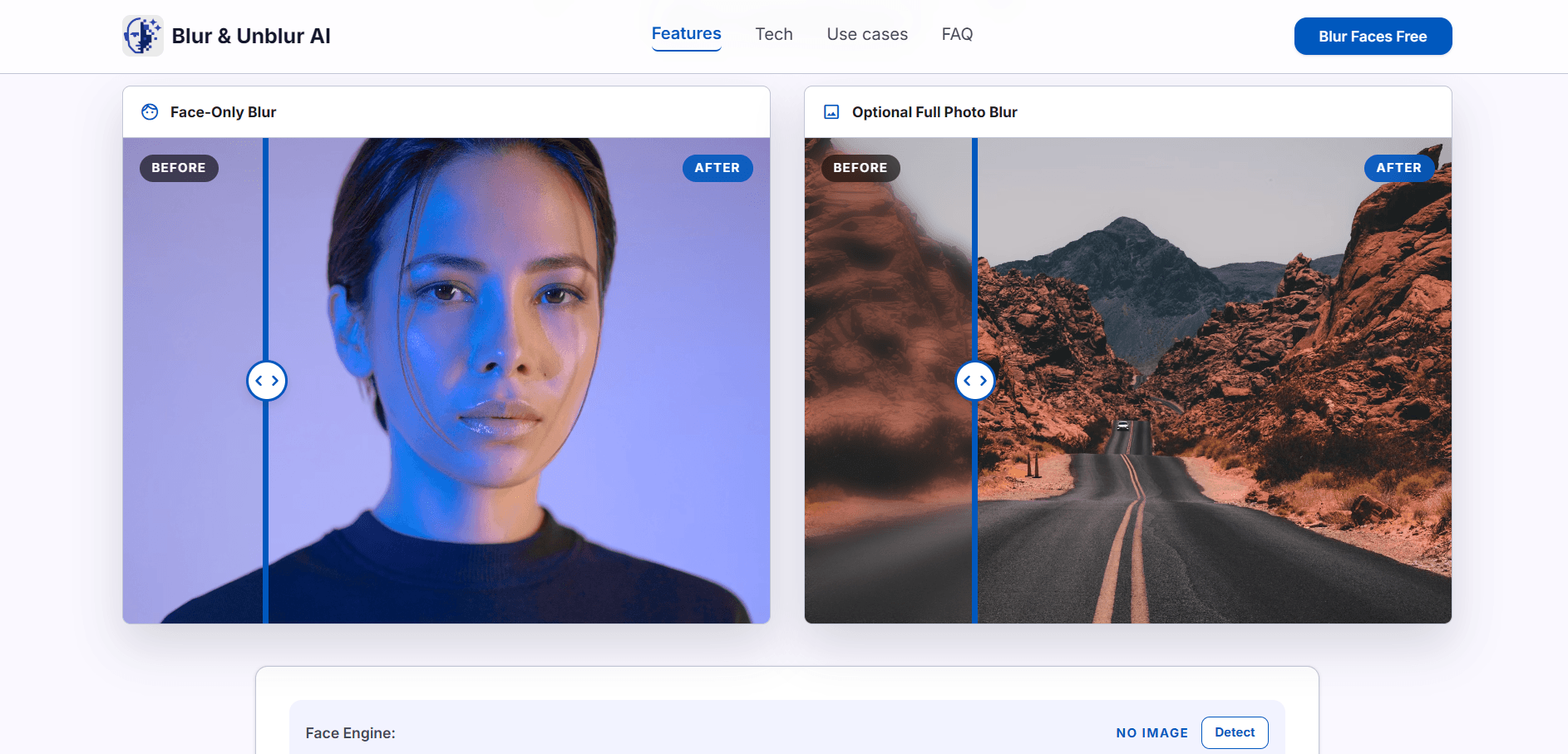
Blur & Unblur AI Core Features
Automatic face detection
AI-powered face detection finds faces in photos instantly without manual selection.
Selective face blur
Choose which detected faces to blur while keeping the rest of the photo clear.
Face unblur mode
Restore clarity to specific face regions when automatic blurring is too aggressive.
Full photo blur
Blur the entire image with adjustable strength for complete privacy.
Lasso manual selection
Draw custom masks around missed faces or irregular regions when detection needs correction.
Local browser processing
All image processing happens on-device via HTML5 Canvas with no server uploads.
Real-time preview
Adjust blur strength with an interactive slider that updates the canvas immediately.
Clean PNG export
Download final images without guide boxes, dashed frames, or editor overlays.
Who is Blur & Unblur AI for?
Blur & Unblur AI is designed for privacy-conscious social media users who need to blur faces before posting screenshots or group photos. It also serves content moderators, event photographers, school administrators, journalists, HR professionals handling employee photos, and anyone sharing public images that contain identifiable faces.
Blur & Unblur AI Use Cases
Blur faces before posting screenshots, event photos, or public albums on social media.
Selectively blur specific people in group photos while keeping others identifiable.
Unblur faces that were incorrectly blurred by automatic detection in low-light photos.
Blur entire images for complete privacy in sensitive document or environment screenshots.
Use the lasso tool to mark faces the automatic detector missed in side-angle or partially occluded photos.
Export clean face-blurred PNGs for use in presentations, reports, or published articles.
Blur & Unblur AI Pros and Cons
Pros
- Completely free with no account or registration required.
- All processing is local — no images are uploaded to any server for maximum privacy.
- Automatic face detection works quickly even with multiple faces in one photo.
- Lasso tool provides fallback when automatic detection misses irregular face angles.
- Real-time blur strength slider gives precise control over the final result.
Cons
- Face detection accuracy depends on photo quality and lighting conditions.
- Only supports JPG, PNG, and WebP formats — no HEIC or RAW file support.
- Browser-based processing may be slower on low-end or older devices with large images.
FAQ About Blur & Unblur AI
Blur & Unblur AI Pricing
Completely free with no account, registration, or payment required.
Check official pricingFree
Complete access to all face blur and unblur features with no usage limits.
- Face detection
- Selective blur
- Unblur mode
- Full blur
- Lasso tool
- PNG export
Blur & Unblur AI Alternatives

Lummi
Lummi is a stock library where AI-generated photos, illustrations, and 3D models sit next to editing tools that work on the asset you just picked. Search by category, color, or mood, then reframe, restyle, or remove the background before downloading. The free tier covers standard-resolution personal and commercial use; Pro adds watermark-free files, ultra resolution, and generation credits.

PhotoTextEdit
PhotoTextEdit edits text inside existing photos, posters, screenshots and product shots without the original design file. Upload a PNG, JPG or WebP up to 10 MB, enter the original and replacement wording, and the AI regenerates the lettering with matched font, lighting and perspective in 30 to 60 seconds. A free Add Text tool is included.
SparkPix
SparkPix is a free AI photo editor that runs in the browser and edits photos from plain text instructions. Upload a JPG, PNG or WebP up to 20 MB, describe the change, and it removes backgrounds, erases objects, restores old prints, upscales resolution, restyles images or generates new ones using models such as GPT Image and NanoBanana.