
Artguru
Artguru is an AI-powered media enhancement suite that improves photos, videos, and PDF documents in a single click. It removes noise, sharpens faces, upscales images up to 8K, restores damaged old photos, and upgrades video quality online. E-commerce sellers, photographers, print shops, students, and content creators use the browser-based tools to polish visuals for listings, prints, and social media without manual editing software.
What is Artguru?
Artguru is an AI-powered media enhancement platform that improves the quality of photos, videos, and PDF documents with one-click tools. The product positions itself as a one-click AI enhancer for photo, video, and PDF, with five core tools: a photo enhancer that removes noise and sharpens faces, an 8K image upscaler that rebuilds fine details for print-ready resolution, an old photo restorer that repairs scratches and recovers faded details, a video enhancer that sharpens frames and upgrades footage to 1080p or 4K, and a PDF enhancer that sharpens blurry text and boosts DPI for professional printing. Beyond enhancement, Artguru includes an AI image editor with background removal, object removal, AI image generation, and photo-to-AI-art conversion, so users can finish an entire visual workflow in one place. The platform runs entirely in the browser, requires no software installation, and processes tasks in seconds. Artguru uses a shared credit balance: every tool deducts credits at a documented rate, such as one credit per standard photo enhance, five credits for portrait or text enhancement, two credits for 4K upscaling, and ten credits per second of 1080p video enhancement. Users can start with a free trial that includes three images, subscribe monthly or annually for a monthly credit allowance, or buy credit packs when they run low. Artguru also offers an open API documented at docs.artguru.ai, which lets teams integrate enhancement, upscaling, and image-to-image generation into their own products, including an MCP server for AI coding tools. The platform is used by Amazon sellers to batch-polish product listings, by print shops to prepare images for large-format output, by photographers to save soft wedding shots, by students to make scanned books legible for OCR, and by social media creators to unify footage quality. Reviews on the site highlight how the one-click workflow replaces hours of manual retouching, and the FAQ confirms a free plan exists so new users can test results before paying. Trusted by creators and professionals, Artguru is positioned as an accessible alternative to desktop editors like Photoshop for users who want professional-quality output without learning complex tools.
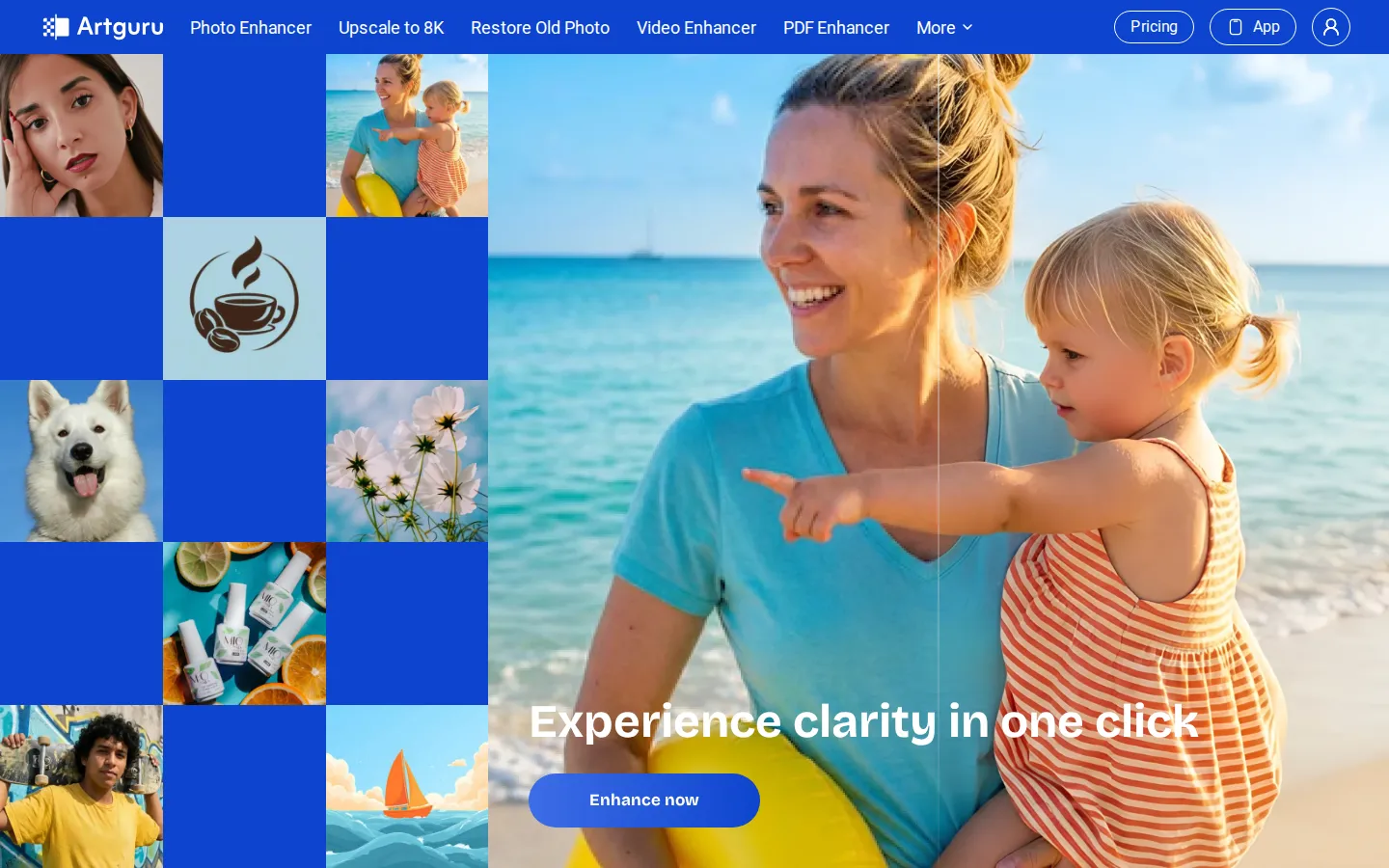
Artguru Core Features
AI photo enhancer
Removes noise, sharpens faces in group photos, and converts low-resolution images to 4K quality with one click.
8K image upscaler
Enlarges images without quality loss, rebuilding fine details for ultra-high resolution and print-ready output.
Old photo restorer
Automatically removes scratches, creases, and spots while recovering faces, natural colors, and original textures.
Video enhancer
Sharpens every frame, reduces noise and compression artifacts, and upgrades footage to smooth 1080p or 4K playback.
PDF and document enhancer
Sharpens blurry text, removes shadows, corrects warped text, and boosts DPI for printing and archiving.
AI image editor
Removes backgrounds and unwanted objects, generates images from text, and converts photos into AI art.
Batch processing
Polishes thousands of product images at once, making it practical for large e-commerce catalogs.
Open API and MCP
Integrates enhancement and image-to-image generation into your own products with documented REST endpoints.
Who is Artguru for?
Artguru is built for anyone who needs to improve visual media quickly without learning professional editing software. Amazon and e-commerce sellers use it to batch-enhance hundreds of product photos and remove backgrounds so listings look professional and consistent. Photographers use it to sharpen soft wedding and portrait shots, restore old family pictures, and prepare images for client delivery. Print shop owners upscale small or blurry customer images to 300 DPI print quality before producing posters, banners, and canvases. Social media creators and video editors enhance old footage and stock clips so everything blends together smoothly in their final edits. University students and researchers scan old books, newspapers, and documents through the PDF enhancer to make blurry text legible for OCR and archiving. Marketing teams and brand managers polish logos, AI art, and product imagery for both screen and print use. Finally, developers and product teams use the Artguru API to embed image enhancement and upscaling into their own applications at scale. In short, Artguru serves creators and professionals across photography, e-commerce, print, education, and content production who want professional results with minimal effort. Travel and event photographers use Artguru to rescue candid shots with poor lighting and to prepare high-resolution files for clients and albums. Real estate agents and listing teams sharpen property photos and remove clutter so listings stand out. Graphic designers and small business owners upscale logos and AI-generated artwork for both screen and print deliverables. Educators and librarians digitize aging documents and improve scan quality for archives. Anyone who shares visuals online, from bloggers to podcasters, can run images and clips through Artguru to maintain a consistent, professional look across channels. The platform's browser-based nature also makes it accessible to users on any operating system, and the free trial lets every new user verify quality before spending money.
Artguru Use Cases
Batch-enhance hundreds of Amazon product photos so listings look crisp, consistent, and professional.
Upscale small customer images to 300 DPI before printing posters, banners, and canvas products.
Restore faded old family photographs by removing scratches and recovering natural colors.
Sharpen soft wedding and portrait shots, enhancing every face without an over-processed look.
Clean up grainy stock footage and old clips so they blend into a single polished video edit.
Enhance scanned books and documents so blurry text becomes readable and OCR results improve.
Remove backgrounds and unwanted objects from product shots without leaving the Artguru workflow.
Integrate image enhancement into your app or AI agent through the Artguru API and MCP server.
Artguru Pros and Cons
Pros
- One-click workflow that requires no editing experience or software installation.
- Covers photos, videos, and PDFs in a single platform with a shared credit balance.
- Free trial with three images plus affordable subscriptions starting at $9.99 per month.
- Open API and MCP support for teams that need enhancement at scale.
Cons
- Credit-based pricing means heavy use of video enhancement consumes credits quickly.
- Free trial limits downloads to watermarked low-resolution output.
- Batch processing and advanced features require a paid subscription.
FAQ About Artguru
Artguru Pricing
Freemium: free trial (3 images, watermarked), Monthly $9.99 for 1,000 credits, Annual $39.99 for 4,000 credits; per-feature credit costs from 1 credit per image, credit packs available.
Check official pricingFree trial
3 images only, watermarked downloads, limited features.
Monthly
1,000 credits resets monthly, full feature access, no watermark, batch processing.
Annual
4,000 credits valid 12 months, full feature access, credits add-on anytime.
Artguru Alternatives

EzMaker AI
EzMaker AI is a no-signup online photo editor that bundles the editing jobs people normally open Photoshop for: background removal, object and watermark erasing, 4K upscaling, photo enhancement and AI image generation. Everything runs in the browser, uploads are deleted within 24 hours, and results download without watermarks.
SnapBG
SnapBG.ai is a free online AI background remover for photos. Upload an image, let the AI erase the background in seconds, then refine the cutout with a manual brush, make it transparent, or drop in a new color or one of 100+ templates. Download the result in HD as a transparent PNG, with no Photoshop, Canva, or sign-up required.

PicWish
PicWish is a web-based AI photo editing suite for people who need clean cutouts, sharp product shots and ID photos without learning Photoshop. It removes backgrounds in one click, fixes blurry images, upscales low-resolution photos and generates AI product photography. Free tools cover everyday edits, while Pro adds HD downloads and monthly credits.