
AI Remove Watermark
AI Remove Watermark is a browser-based tool that reconstructs the area behind text and logo watermarks on JPG, PNG and WebP images. Upload a photo up to 10MB and 4096px, run AI reconstruction, compare the before-and-after, then download the cleaned file. New accounts get 3 free credits; paid one-time packs start at $5.99.
What is AI Remove Watermark?
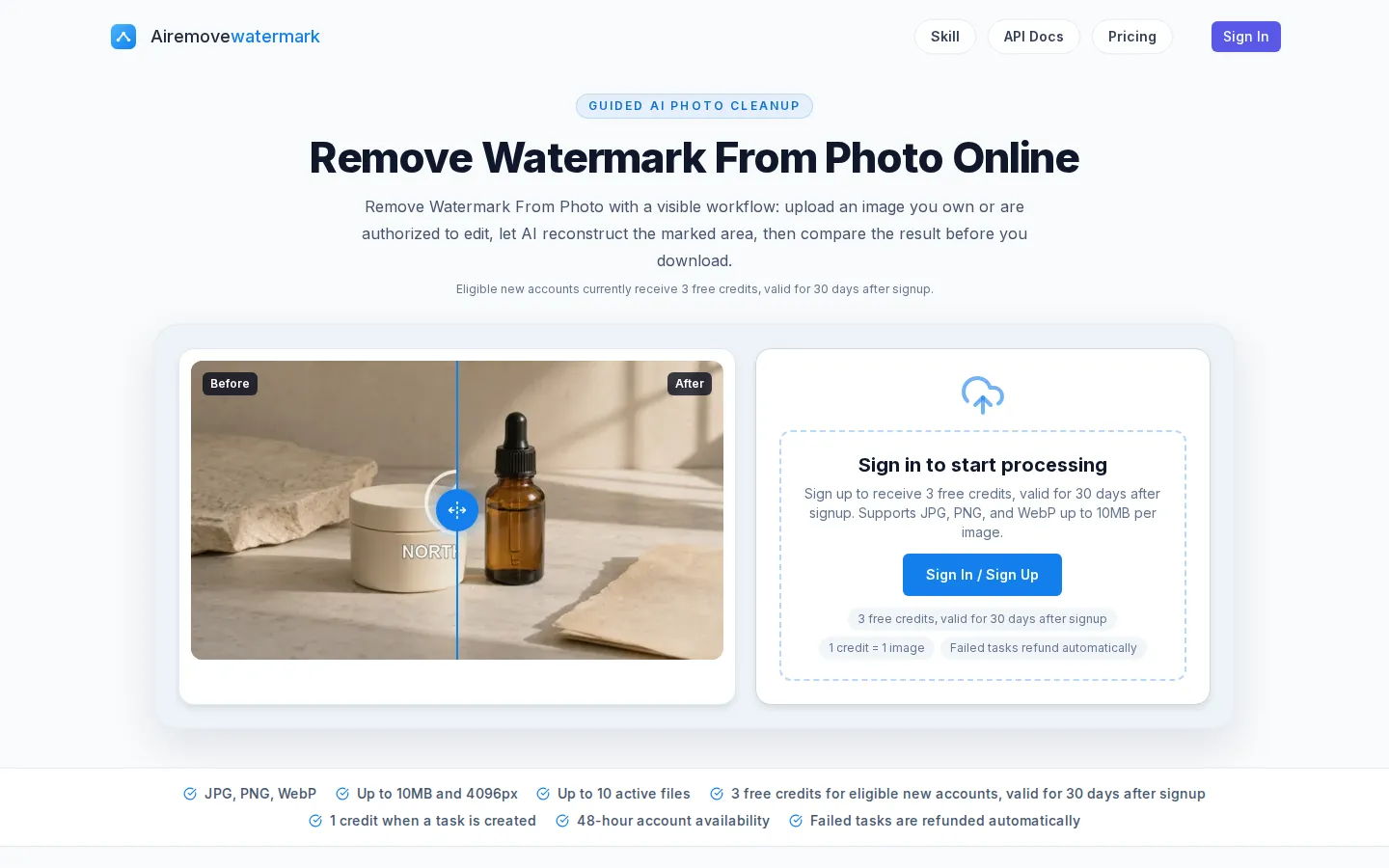
AI Remove Watermark is a web app that erases text and logo watermarks from photos by reconstructing the pixels a mark covers. You sign in, upload a JPG, PNG or WebP file, and the selected model detects the overlay and rebuilds the hidden area from the surrounding edges, colors and texture. Because this is reconstruction rather than recovery of a hidden original layer, the tool walks through a visible workflow: upload the image you own or are authorized to edit, let the AI clean the marked region, compare the before-and-after result, and only then download. The interface is built around a few controlled comparisons, including a logo on a product photo, a timestamp on a travel shot, and repeated text over a detailed room, so you can see how much visual context a mark hides before trying your own file. Uploads accept JPG, PNG and WebP up to 10MB with a maximum edge of 4096px, and you can keep up to 10 files active in the queue. Processing may run fewer tasks at once than the queue allows, and the completed item shows its download format and stays available with its input for 48 hours. Billing is credit based: one credit covers one image and is consumed when a task is created, failed tasks are refunded automatically, and eligible new accounts receive 3 free credits valid for 30 days. Paid pricing combines one-time packs, such as 120 images for $5.99, with monthly subscriptions like Starter at $6.99 for 160 images a month. Results depend on the detail around the mark, so the tool is explicit about good candidates, which are photos and marketing images you created or own and client assets you have clear permission to edit, versus harder cases such as large marks over faces, hands or repeating fabric. Straight edges, small text, reflections and fine texture are the areas worth inspecting at full size before you keep the cleaned result.
AI Remove Watermark Core Features
AI watermark removal that reconstructs text, timestamp and logo marks on JPG, PNG and WebP photos
Visible before-and-after comparison so you inspect the cleaned region instead of trusting a thumbnail
Guided upload limits
up to 10MB and 4096px per image, with up to 10 files active in the queue
Controlled demo comparisons across a product logo, a travel timestamp and repeated text on a detailed room
Credit billing of one credit per image, with failed tasks refunded automatically
3 free credits for eligible new accounts, valid for 30 days after signup
One-time packs and monthly subscriptions, with completed results retained for 48 hours
Who is AI Remove Watermark for?
AI Remove Watermark is aimed at anyone who needs to clean a watermark off a photo they are authorized to edit, without learning Photoshop or a pixel-level editor. Social media managers and content creators are a core audience: they often hold licensed or client-owned images carrying a stock logo, a reposted account handle or an old brand mark, and they need a clean version for a post, a thumbnail or a carousel. E-commerce sellers and small businesses use it on product photography, where a supplier logo, a sample watermark or a store name sits over packaging and needs to disappear before the image goes on a listing. Photographers and designers pull timestamps and overlay text off travel and lifestyle shots for portfolios or client galleries. Journalists and researchers sometimes need to strip an overlay from a document photo or a screenshot they own, though the tool is limited to JPG, PNG and WebP. Marketing teams rotating old assets that carry a retired brand mark value the batch-friendly queue, which holds up to 10 files at once. Casual users who rarely pay for editing suites fit the credit model well, since one-time packs never expire and a free tier of 3 credits lets them test the tool first. It is not built for images you do not own or are not authorized to edit, or for marks over faces, hands and dense repeated texture, where reconstruction leaves visible traces.
AI Remove Watermark Use Cases
Removing a stock or supplier logo from product photos you own before listing them
Cleaning timestamps and date stamps off travel and lifestyle images for a portfolio
Stripping an old brand mark from marketing assets you are reusing
Taking a reposted handle or text overlay off a screenshot you are authorized to edit
Preparing client-owned images for social posts, thumbnails and carousels
Cleaning small corner marks on several images in one batch without opening Photoshop
Testing whether AI reconstruction can clean a specific mark using the free welcome credits first
AI Remove Watermark Pros and Cons
Pros
- The before-and-after control makes you inspect the cleaned region directly instead of judging at thumbnail size
- Credit billing is simple and fair: one credit per image, with automatic refunds when a task fails
- Pricing is transparent, with one-time packs from $5.99 and monthly plans from $6.99 for 160 images
- 3 free credits for eligible new accounts let you test watermark removal on your own photo before paying
Cons
- Marks over faces, hands, fine typography or repeating texture can leave blur, duplicated detail or broken edges
- There is no unlimited free tier: after the 3 welcome credits you must buy a pack or subscribe
- Files are capped at 10MB and 4096px, and results stay available for only 48 hours before temporary assets are cleaned up
FAQ About AI Remove Watermark
AI Remove Watermark Pricing
Credit based: 3 free credits for eligible new accounts (valid 30 days), one-time packs at $5.99 for 120 images, $11.99 for 300 and $59.99 for 1600 (credits valid 1 year), or monthly subscriptions at $6.99 (160 images), $14.99 (390) and $39.99 (1060). One credit equals one image; failed tasks are refunded automatically.
Check official pricingWelcome credits
3 free credits for eligible new accounts, valid 30 days after signup; 1 credit = 1 image
120 images
120 images at $0.0499 per image; credits valid 1 year, no auto-renewal
300 images
Recommended pack: 300 images at $0.0400 per image; credits valid 1 year
1600 images
1600 images at $0.0375 per image, the lowest per-image price; credits valid 1 year
Starter
160 images per month at $0.0437 per image; monthly auto-renewal, cancel anytime
Pro
Recommended: 390 images per month at $0.0384 per image; monthly auto-renewal
Max
1060 images per month at $0.0377 per image; monthly auto-renewal
AI Remove Watermark Alternatives

Lummi
Lummi is a stock library where AI-generated photos, illustrations, and 3D models sit next to editing tools that work on the asset you just picked. Search by category, color, or mood, then reframe, restyle, or remove the background before downloading. The free tier covers standard-resolution personal and commercial use; Pro adds watermark-free files, ultra resolution, and generation credits.

PhotoTextEdit
PhotoTextEdit edits text inside existing photos, posters, screenshots and product shots without the original design file. Upload a PNG, JPG or WebP up to 10 MB, enter the original and replacement wording, and the AI regenerates the lettering with matched font, lighting and perspective in 30 to 60 seconds. A free Add Text tool is included.

SparkPix
SparkPix is a free AI photo editor that runs in the browser and edits photos from plain text instructions. Upload a JPG, PNG or WebP up to 20 MB, describe the change, and it removes backgrounds, erases objects, restores old prints, upscales resolution, restyles images or generates new ones using models such as GPT Image and NanoBanana.