
Zoviz
Zoviz is an AI branding and content platform for small businesses, creators, and agencies. Set up a Brand Profile with your audience, voice, colors, and fonts, then generate logos, business cards, social posts, product ads, videos, and websites that automatically match your brand. It also offers API and MCP access for developers, plus mobile apps for iOS and Android.
What is Zoviz?
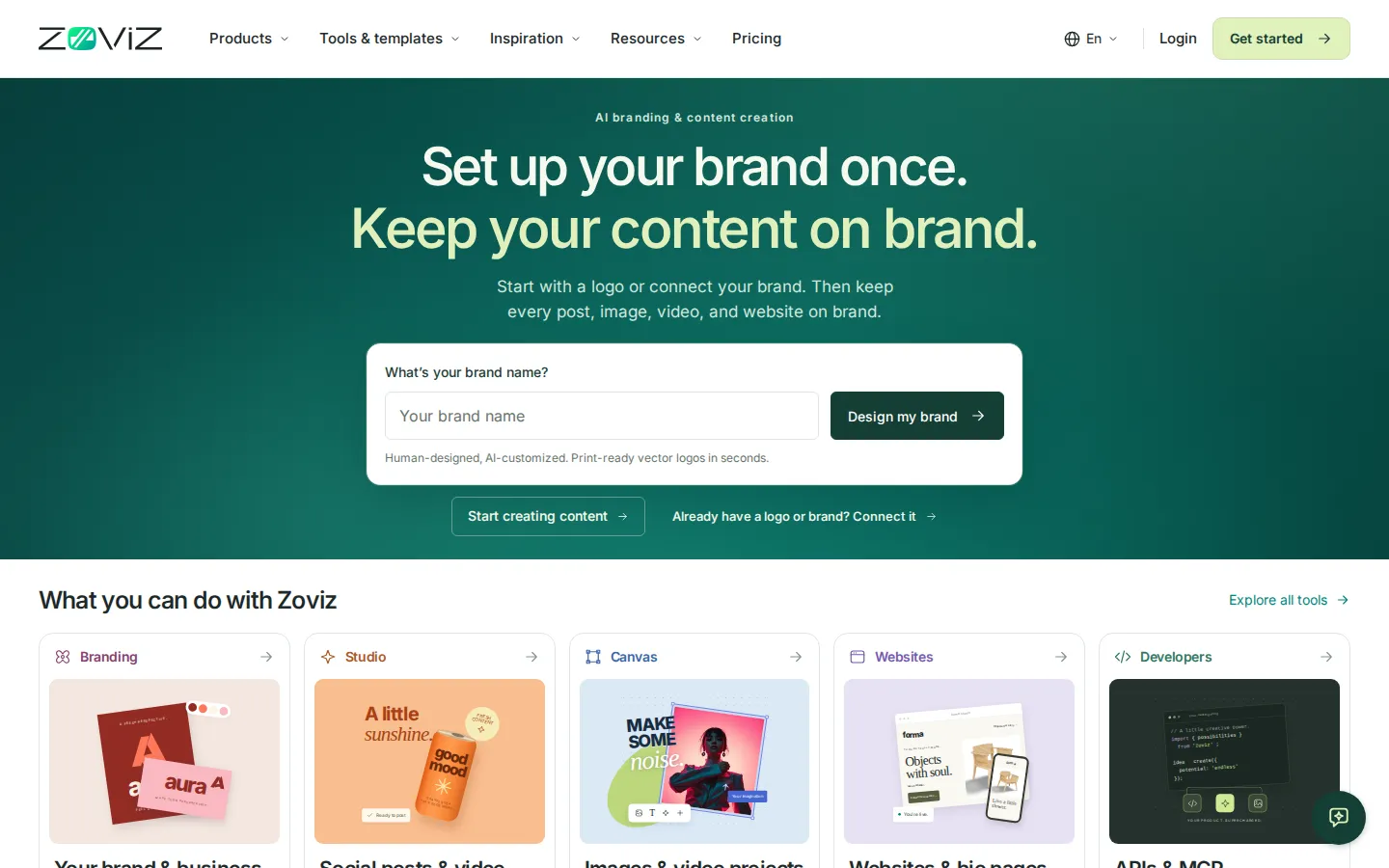
Zoviz (zoviz.com) is an AI branding and content creation platform built around one idea: describe your brand once, then let every asset you make inherit those details. It began as an online logo and brand kit maker and now spans five connected workspaces, Branding, Canvas, Studio, Websites, and Developers, so a business can move from a mark to a full campaign without leaving the platform.
The Branding workspace generates a logo from a brand name or connects an existing logo and business assets. Zoviz describes the output as human-designed and AI-customized: editable vector files in SVG, PNG, and JPG at any size, with full-color, monochrome, reversed, and transparent versions, plus matching business cards, letterheads, email signatures, favicons, and a brand book. A Brand Profile stores what the business does, who it serves, how it sounds, and which colors and fonts it uses, and templates then apply those choices automatically.
Studio is the guided path for marketers. Agent Studio turns a written brief into content, Video Ads Studio builds a product video in three steps, Content Plan proposes a month of post ideas from business details, and Image Studio handles social posts, campaigns, and thumbnails. Video Studio covers Reels, shorts, and product showcase clips, AI Influencer Studio creates personas for campaigns, and Voice Studio adds AI voiceovers and generated music. AI credits meter the heavier generations, starting at 300 credits a month.
Canvas is the open workspace for creators and agencies who want manual control. It connects image, video, and editing tools as nodes so a workflow can be built once, refined, and reused, and it includes a video editor for assembling clips. Websites adds a no-code website builder with custom domains, link-in-bio pages, and digital business cards that visitors can save to a phone.
For developers, Zoviz publishes a developer portal with a Logo API, broader creative APIs, and an MCP server so its tools can be called from other apps and AI assistants. The company also lists an Azure Marketplace presence and white-label options for enterprises. Zoviz reports 1.3 million businesses across 190+ countries and 100+ languages, and the interface is available in twelve languages.
Zoviz Core Features
Brand Profile that stores audience, voice, colors, and fonts, and drives every generation
AI-assisted logo maker with editable vector exports in SVG, PNG, and JPG across seven layouts
5,000+ auto-styled templates for business cards, letterheads, email signatures, favicons, and brand books
Studio suite
Agent Studio briefs, Video Ads Studio, Content Plan, Image Studio, social video, and thumbnails
Canvas node-based workspace that chains image, video, and editing tools into reusable workflows
Website builder with custom domains, link-in-bio pages, and saveable digital business cards
AI image toolkit
text to image, background remover, object remover, upscaler, product photography, sketch to image
Developer access through a Logo API, creative APIs, an MCP server, and an Azure Marketplace listing
Who is Zoviz for?
Zoviz is aimed at people who need brand-consistent design output but do not have a designer on hand. The homepage splits its audience into four groups, and the subscription tiers map onto them fairly cleanly. Individuals and creators use the Starter plan at $29 a month for one brand, one link-in-bio page, one digital business card, and 300 AI credits. That is enough for a solo operator putting a name, logo, colors, and fonts behind a YouTube channel, newsletter, or side project without hiring anyone. Startups and small businesses are the core case. A founder can enter a brand name, get a logo with print-ready vector files, then use Studio to produce launch posts, product video ads, and a website without briefing three separate vendors. Pro at $49 a month raises this to five brands, a custom domain, 800 credits, and three team seats. Marketers and small teams get the production side: Content Plan proposes a month of post ideas from business details, Agent Studio turns a brief into assets, and Video Studio handles Reels, shorts, and product showcase clips. Business at $99 a month adds fifteen brands, 2,000 credits, five websites, and up to fifty team members. Designers and agencies are served by Canvas, the node-based workspace where image and video tools can be chained into reusable workflows, plus multi-brand profiles that keep client identities separate. Enterprise buyers can request custom integrations, SSO, and white-label terms through sales. Developers and platform teams are a separate audience. The developer portal exposes a Logo API, wider creative APIs, and an MCP server, so branding or image generation can be embedded in another product or called from an AI assistant. It is a weaker fit for two groups. Teams that need a single one-off logo will find a subscription heavier than a pay-once logo service, because downloads require an active plan. Studios doing high-volume video work may also hit the monthly credit ceilings, which do not roll over.
Zoviz Use Cases
Launching a new business with a logo, business cards, letterhead, and a matching website
Branding a creator channel with consistent thumbnails, covers, and profile images
Producing product video ads and Reels for a launch without a video editor
Running a month of social content from a single Content Plan in Studio
Agencies managing separate brand kits for multiple clients from one account
Standing up a website or link-in-bio page that inherits the existing brand colors and fonts
Embedding logo or image generation in an app through the API or MCP server
Keeping a larger team's marketing collateral on brand with shared templates and seats
Zoviz Pros and Cons
Pros
- One subscription covers logo, print, social, video, and website tools, and every asset shares the same Brand Profile
- Vector logo exports with multiple layouts and color variants are unusually generous at this price
- Guided Studio flows and a no-sign-in chat assistant keep the learning curve low for non-designers
- API and MCP access let product teams embed branding instead of rebuilding it
- Twelve interface languages, iOS and Android apps, and multi-brand tiers for agencies
Cons
- There is no free plan: you can preview a brand kit but must subscribe before downloading files, and refunds stop once anything is downloaded or generated
- AI credits are capped monthly and do not roll over, so heavy video work pushes you toward credit packs or a higher tier
- The pricing page is internally inconsistent, with plan cards showing 300/800/2,000 credits while the comparison table lists 200/600/2,500
FAQ About Zoviz
Zoviz Pricing
Zoviz is subscription-only, with monthly plans at $29 (Starter), $49 (Pro), and $99 (Business), or $199/$339/$699 billed yearly, and custom enterprise pricing available on request.
Check official pricingStarter
One brand with 5,000+ auto-styled templates, logo resizing and export tools, 10 GB storage, 300 AI credits a month, one link-in-bio page, one digital business card, and one team member.
Pro
Up to five brands, multiple logo layouts and color styles, 500 GB storage, 800 AI credits a month, five link-in-bio pages and business cards, one website with a custom domain, and three team members.
Business
Up to fifteen brands, 2 TB storage, 2,000 AI credits a month, unlimited link-in-bio pages and digital business cards, five websites with custom domains, and up to fifty team members with priority chat support.
Zoviz Alternatives

BlockPoster.ai
Create custom block posters from your photos or AI-generated art with BlockPoster.ai. Easily crop, split, and preview designs for free.
NormalMap AI
NormalMap AI is a free browser-based generator that converts a single photo or albedo texture into a complete set of PBR maps—normal, height, roughness, metallic and ambient occlusion—using real-time WebGL, so nothing is uploaded. Its AI section turns text prompts into seamless, tileable textures, and the built-in 3D viewer previews results on spheres, cubes and planes before you download transparent PNGs.

Folio Labs
Folio Labs is a browser-based AI rendering studio for architects. Upload a viewport screenshot from SketchUp, Rhino, or Revit, pick a preset or write a prompt, and generate a polished architectural image that keeps your massing, camera, and openings intact. Choose 1K, 2K, or 4K output, save render history, and download presentation-ready files for clients.