
Vsub
Vsub is an AI faceless video platform. Paste a script, pick a template, and it draws every scene and assembles the video with voiceover, subtitles, and up to 4K exports. You can clone a template from a reference video and create videos from code or over MCP. Plans start at ninety-nine dollars per month.
What is Vsub?
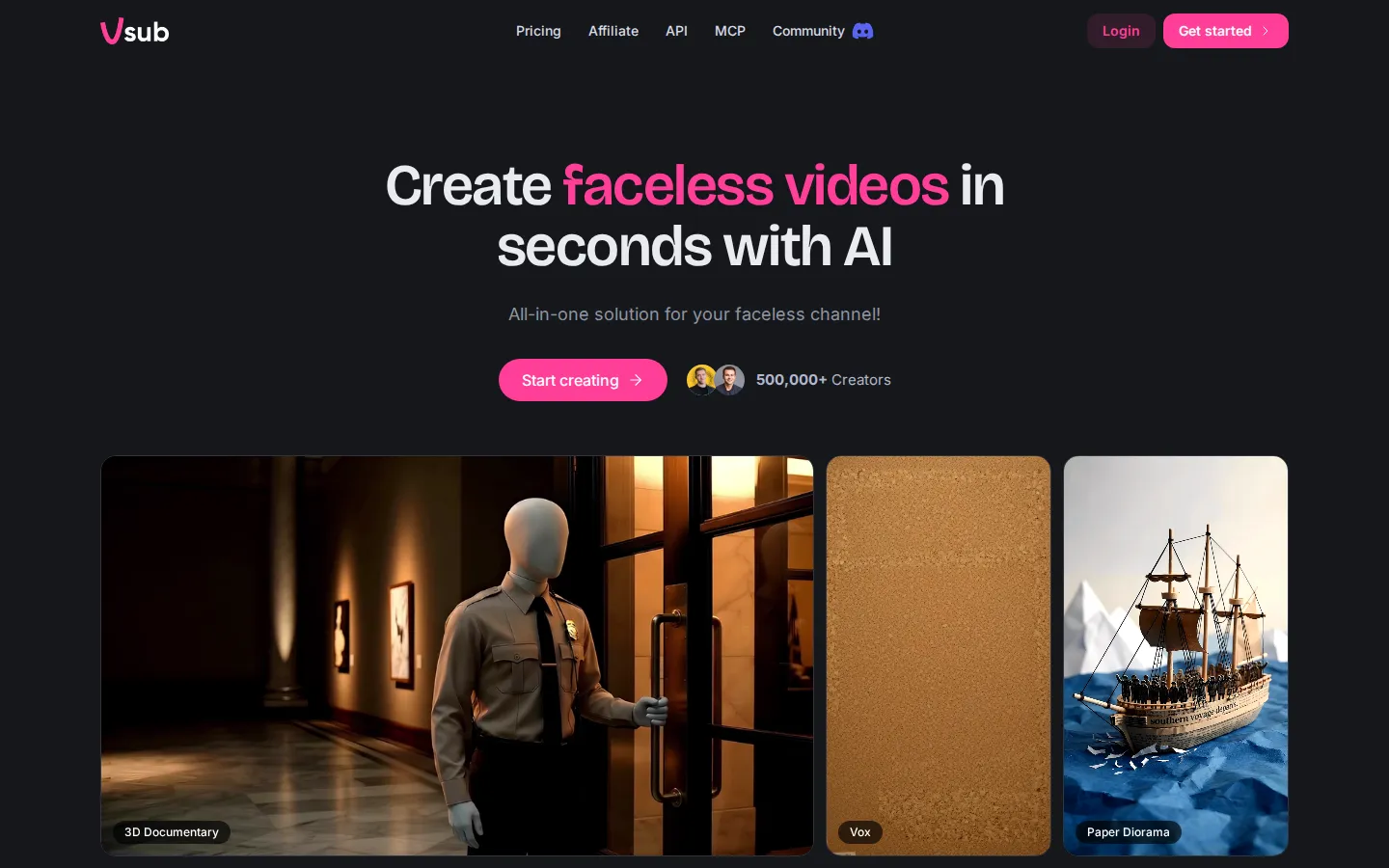
Vsub is an AI video platform built around one specific promise: turn a written script into a fully illustrated faceless video, drawn in a template style you control. The workflow starts with a template rather than a blank timeline. Published templates are ready to use immediately, covering styles such as 3D documentary, paper diorama, claymation, vox, stickman history, quiz, fake text, and commentary, and if you have a reference video whose look you like, you can upload it and Vsub will draw your video the same way. That makes the visual identity a reusable asset rather than a per-video design decision.
Once a template is chosen, production is script-driven. You paste the narration, and the platform generates one AI image per scene, applies an AI voice, draws and animates the scenes, and generates subtitles automatically, exporting at 1080p, 2K, or 4K. Scripts can run up to thirty thousand characters, bounded by the maximum video length of your plan. You can also use your own recorded voice instead of a generated one: upload a recording and the script is transcribed from your file, so no synthetic voice is layered over it. Long videos are supported explicitly, with the plans framed around one or two ten-minute videos per week and an estimation table showing that a ten-minute video costs four credits units' worth of work while a thirty-minute export uses one full plan allowance. Failed renders resume from the step where they stopped, keeping the voiceover, scenes, and images already produced without charging twice, which matters when generation takes real time.
Beyond the app, Vsub is deliberately automatable. There is a documented API endpoint for creating AI videos from a script and template, and an MCP server so an AI assistant such as Claude, ChatGPT, or Cursor can produce the video on request without opening the app. Team collaboration is included, and affiliate and community programmes sit alongside the product in the navigation.
Pricing is subscription-only with two tiers: Premium at ninety-nine dollars per month for 25,000 credits, described as one ten-minute video a week, and Premium+ at one hundred and ninety-nine dollars for 55,000 credits, roughly two ten-minute videos a week. Credit top-ups cost one dollar per 350 credits, exports run to thirty minutes, and team collaboration is included. Credits are consumed per service, with published unit costs for AI images, image animation at various resolutions, AI voice, subtitles, and video export. There is no free tier advertised, so evaluation means subscribing, and pricing suits operators producing content commercially rather than casually.
Vsub Core Features
Script to illustrated video
Paste narration and Vsub generates one AI image per scene, animates them, and assembles a finished video.
Reusable templates
Use published templates such as 3D documentary, paper diorama, claymation, vox, or commentary to keep a channel visually consistent.
Template cloning from a reference video
Upload a video whose style you like and Vsub draws your footage the same way, giving you a look nobody else has.
Automatic voice, images, and subtitles
AI voiceover, per-scene artwork, and subtitles are generated as part of the pipeline, with 1080p, 2K, and 4K exports.
Your own voice support
Upload a recording and the script is transcribed from your file so no synthetic voice is layered over it.
API and MCP integration
Create videos from code at the video endpoint, or let Claude, ChatGPT, or Cursor produce the video without opening the app.
Resumable renders
If a render fails partway, retry resumes from the stopped step and you are not charged again for scenes already made.
Who is Vsub for?
Vsub is built for faceless channel operators and the people who produce for them. Faceless YouTube channels are the core audience: a creator can publish long-form documentary, history, or commentary videos without appearing on camera, and the template model keeps a consistent visual language across a series, which matters for channel identity and for viewers recognising the format. Content agencies and video farms use it to run several channels at once, since templates, team collaboration, and the API let one operator produce what previously needed an editor and an animator. Short-form creators and TikTok or Shorts accounts use the same templates for vertical output, but the pricing and 10-minute video allowances suggest the product is tuned to long-form faceless content. Marketers and small media companies use it for explainer-style videos where narration plus drawn scenes is enough, and the MCP integration appeals to teams that want an AI assistant to produce the video on request. Operators replacing manual editing workflows value the automatic subtitles, AI images per scene, and choice of AI voice. Podcasters and educators use it to turn written scripts into visual explainers without commissioning artwork. Non-designers benefit because the template supplies the illustration style, so there is no art direction work. The product is not for creators who need to appear on camera, and it is not a general-purpose editing suite: it assembles scripted, illustrated videos rather than giving you a timeline to cut live footage. It is also an expensive entry point for hobbyists, since the cheapest plan is ninety-nine dollars per month with no free tier advertised. Teams that need precise brand animation, motion graphics, or licensed footage will still need a traditional editor. Best-fit users are faceless channel operators, agencies, and marketing teams that publish long-form scripted video regularly and want the visual production part handled.
Vsub Use Cases
Publish long-form faceless documentary videos on a weekly schedule.
Run several themed channels using different templates for each.
Clone the visual style of a reference video into a reusable template.
Turn a written script into a 4K illustrated explainer without an editor.
Generate videos over MCP from inside an AI assistant.
Produce commentary or history videos with captions for Shorts and Reels.
Scale client video output from an agency account with team collaboration.
Vsub Pros and Cons
Pros
- Template cloning from a reference video gives a channel a distinct look without commissioning artwork.
- The pipeline covers images, animation, voiceover, and subtitles, so no additional editing tool is needed for a scripted video.
- Resumable rendering and per-service credit accounting make long video production predictable.
- API and MCP access let an assistant or a script create videos without manual work in the app.
Cons
- No free tier is advertised, so the entry cost is ninety-nine dollars per month before you can evaluate it.
- It produces scripted, illustrated videos, not timeline editing, so live footage and motion graphics work still need a traditional editor.
- Credit consumption from image animation scales with video length, so long videos require higher plans or top-ups.
FAQ About Vsub
Vsub Pricing
Subscription-only: Premium at ninety-nine dollars per month for 25,000 credits and roughly one ten-minute video a week, Premium+ at one hundred and ninety-nine dollars for 55,000 credits, with top-ups at one dollar per 350 credits.
Check official pricingPremium
25,000 credits per month, about one ten-minute video a week, exports up to thirty minutes, team collaboration, $1 per 350 credit top-ups.
Premium+
55,000 credits per month, about two ten-minute videos a week, exports up to thirty minutes, team collaboration, higher animation allowance.
Vsub Alternatives

Photo to Video AI
Photo to Video AI helps creators turn photos into polished AI videos with motion, transitions, and style control.

AI Seedance - Seedance 2.5 Video Generator
Generate directed Seedance 2.5 videos with text-to-video, image-to-video, reference guidance, synchronized audio, multi-shot storytelling, and up to 4K output.

Hypit
Hypit is an open-source video programming language and runtime for AI agents. A coding agent installs the skill, reads a reference video or a written brief, and rebuilds the shots, dialogue, B-roll, captions and effects with your material, producing many variants per run. Hosted generation runs on credit plans, and your own model keys can be used instead.