
Vizard
Vizard is an AI video editing and clipping platform. Upload a long video, webinar, podcast, or interview, and Vizard's AI finds the strongest moments, cuts them into shareable clips, adds animated captions and emojis, reframes to vertical, and writes social captions with hashtags. Edit by text, translate subtitles, and publish or schedule directly to TikTok, Instagram, YouTube, and LinkedIn.
What is Vizard?
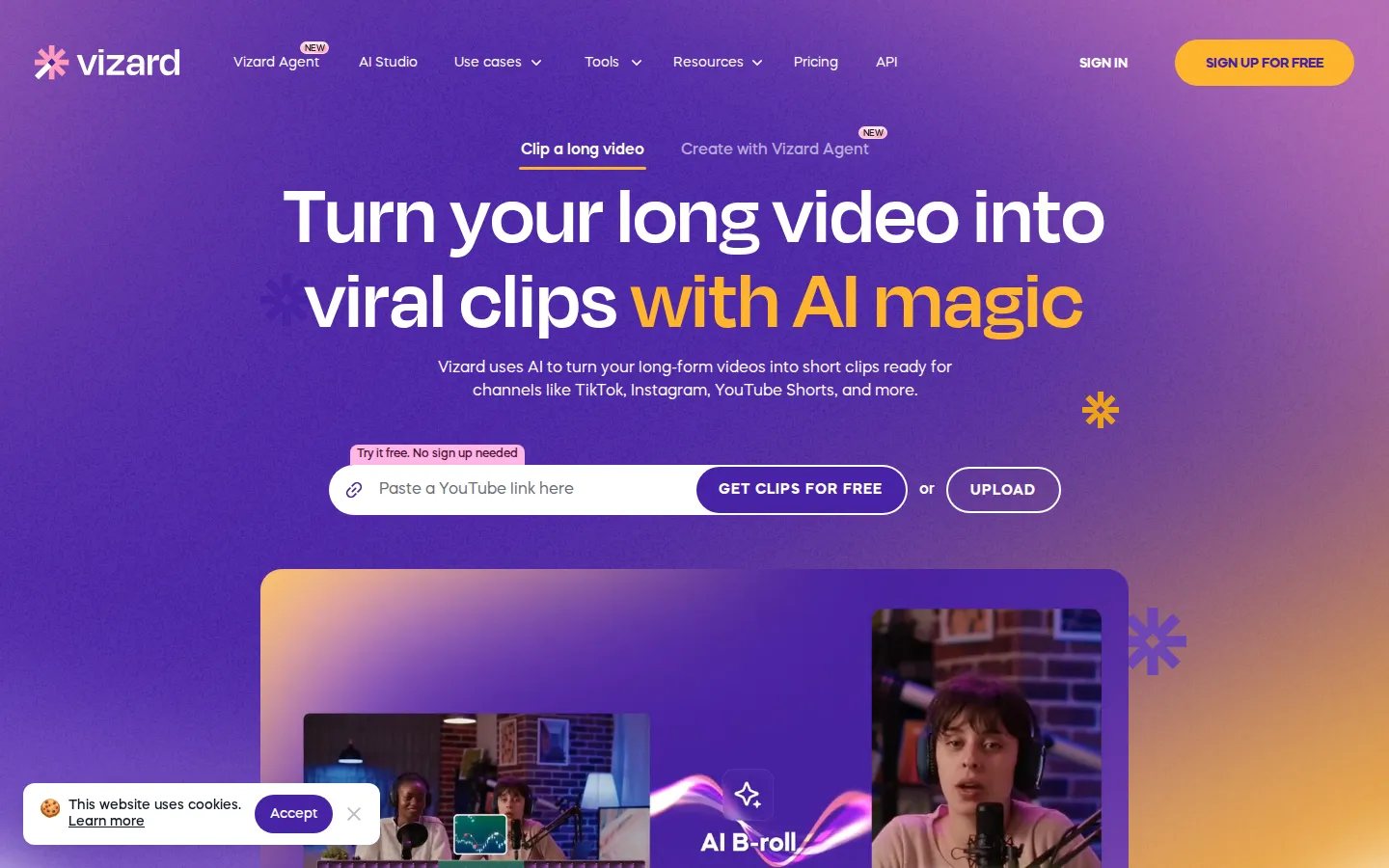
Vizard is an AI video platform for clipping, editing, and repurposing long-form video into short, social-ready clips. Its core promise is simple: give it a long recording, such as a webinar, podcast, interview, livestream, or course, and Vizard's AI finds the most engaging moments, cuts them into clips, reframes the speaker into vertical format, and adds styled captions, emojis, and b-roll in a single pass. The output is a set of finished clips ready for TikTok, Instagram Reels, YouTube Shorts, and LinkedIn, produced in minutes instead of hours.
AI clipping is the centerpiece. Rather than scrubbing a timeline, you upload a file or paste a link and click "Get AI clips." Vizard transcribes the video, detects speakers, scores the highlights, and returns a batch of clips each carrying a vitality score. You can also create videos from a URL, existing content, or simply an idea in the newer Vizard Agent and its template library, which covers product ads, talking-head videos, podcast clips, explainers, event recaps, and more.
A full editor sits behind the AI. Text-based editing lets you trim video by deleting the corresponding words in the transcript, so editing feels like editing a document. You can fine-tune cuts on a timeline down to the second, change the aspect ratio with one click, add or restyle captions, drop in AI b-roll, and apply brand templates or save your own. Subtitle translation covers over 100 languages, and paid plans export transcripts as TXT or SRT.
Publishing is built in. Clips can be downloaded, shared as links, or published and scheduled directly to connected TikTok, Instagram, YouTube, and LinkedIn accounts, and saved to Google Drive. Free accounts manage one social profile, Creator covers six, and Business covers twenty.
Collaboration is designed for teams. The Team Workspace is a shared hub where leaders invite members, manage projects, view work in real time, and share previews with clients, while a brand kit keeps fonts and styles consistent across every clip.
Vizard also exposes an API for programmatic clipping and ships an iOS app, and it rates 4.7 on G2 and 4.9 across Capterra, Software Advice, and GetApp. Pricing runs from a free tier with 60 monthly credits to Creator at $29 per month and Business at $39 per month, billed monthly.
Vizard Core Features
AI clipping with auto reframe
Vizard finds the most engaging moments, cuts them automatically, scores each clip with a vitality score, and centers subjects in vertical format for TikTok, Reels, and Shorts.
AI captions and emojis
Burned-in animated subtitles plus automatic emojis and keyword highlighting keep clips watchable with the sound off.
AI B-roll
Relevant b-roll footage is suggested and inserted to keep short clips visually varied.
AI social captions and hashtags
Vizard drafts post copy and hashtags for each clip so publishing is faster.
Text-based editor and timeline
Delete words in the transcript to trim the video, then fine-tune cuts on a timeline down to the second and change aspect ratios in one click.
Subtitle translation
Translate captions into over 100 languages to reach a global audience from one recording, and export transcripts as TXT or SRT.
Publishing, scheduling, and team workspace
Post or schedule directly to TikTok, Instagram, YouTube, and LinkedIn, share links, save to Google Drive, and collaborate in a shared hub with a brand kit.
Vizard API and app
Developers can clip and repurpose video programmatically with plan-based rate limits, and there is an iOS app for on-the-go editing.
Who is Vizard for?
Vizard is aimed at anyone who already has long-form video and needs many more short posts from it, without hiring an editor or learning a timeline. Vizard's own site groups its audience into marketers, creators, and agencies, and names specific roles such as social media marketers, content marketers, performance marketers, event marketers, podcasters, coaches, consultants, and agencies. Vizard reports that more than 10 million creators and businesses use it, with customer logos from Google, Ubisoft, Stanford, Morningstar, and others. Social media and content marketers get the most day-to-day value. They take a webinar, product demo, customer story, or event recording and turn one asset into a month of TikTok, Instagram Reels, YouTube Shorts, and LinkedIn posts. Vizard finds the hooks, reframes to vertical, burns in captions, and drafts captions and hashtags, so a small team can keep every channel fed on a weekly cadence. Performance marketers and paid-social teams use the same clips as ad creative. Because Vizard exports in up to 4K without a watermark on paid plans, teams can test many angles quickly and iterate on the ones that perform, instead of paying a freelancer per variant. Podcasters, coaches, and consultants use Vizard to build a personal brand from the content they already record. A weekly episode or a client call becomes a stream of vertical clips, and the text-based editor makes light trims easy without re-recording anything. Agencies and freelancers use Vizard as an editing co-pilot to raise output per client without raising headcount. The Business plan adds a shared workspace, a brand kit, and seats for team members, so multiple editors can work inside one account and keep every client's look consistent. Video editors and in-house production teams use the manual editor for fine control, deleting words in the transcript to trim video, adjusting captions, changing aspect ratios, and tightening edits on the timeline. Finally, teams that need programmatic volume use the Vizard API, and marketers who want to test a lot of creative fast lean on it too, while global brands use subtitle translation to reach more than 100 languages from a single recording. Non-native English speakers and small marketing teams without a dedicated editor get the biggest relief, because the work of finding moments, cutting them, captioning them, and resizing them disappears into one pass. If your bottleneck is editing time rather than filming time, Vizard is built for you.
Vizard Use Cases
Turn a webinar or podcast episode into a month of short posts for TikTok, Reels, and YouTube Shorts.
Reformat TV shows, interviews, and news segments into vertical clips without manual resizing.
Repurpose client calls and workshops into personal-brand content as a coach or consultant.
Cut performance ad variants from one long recording and test many angles quickly.
Translate subtitles into other languages to localize content for new markets.
Feed a client content calendar as an agency or freelancer without adding headcount.
Make product demos, trailers, event recaps, and listicles from existing footage or a prompt.
Automate high-volume clipping inside your own product with the Vizard API.
Vizard Pros and Cons
Pros
- Fast, accurate AI clipping that finds highlights and reframes to vertical in one click.
- Strong all-in-one workflow: clipping, captions, b-roll, editing, scheduling, and publishing in one place.
- Generous free tier with 60 monthly credits and no sign-up required to get clips.
- Solid ratings (4.7 on G2, 4.9 across Capterra, Software Advice, and GetApp) and 10M+ users.
- Team features like a shared workspace, brand kit, and seats make it practical for agencies.
Cons
- The free plan exports only 720p, adds a watermark, caps clips at 10 minutes, and keeps storage for just 3 days.
- Credits are consumed at one per minute of uploaded video, so heavy usage can require plan upgrades or top-ups.
- The free tier supports only one social account and limited API rate limits, so real scheduling and scale need paid plans.
FAQ About Vizard
Vizard Pricing
Vizard uses a freemium subscription model with monthly and yearly billing, and annual billing is advertised at up to 50 percent off. The Free plan costs $0 and includes 60 credits per month, 720p exports with a watermark, a 10-minute clip limit, and three-day storage. Creator is $29 per month monthly or $14.50 per month billed yearly ($174 per year), adding 4K exports, no watermark, scheduling, 100GB storage, and six social accounts. Business is $39 per month monthly or $19.50 per month billed yearly ($234 per year), adding a shared workspace, brand kit, unlimited storage, twenty social accounts, and team seats at $5 per month each. One credit equals one minute of uploaded video, with annual bundles from 7,200 to 74,400 credits. Custom plans are available through sales.
Check official pricingFree
60 credits per month, private workspace, one social account, AI-generated clips, 720p export, full editor access, and three-day storage.
Creator
Most popular. No watermark, 4K export, scheduled social posts, 100GB storage, and six social accounts. $14.50 per month billed yearly ($174 per year), with configurable credits from 7,200 to 74,400 per year.
Business
Everything in Creator plus a shared workspace, brand kit, unlimited storage, and twenty social accounts. $19.50 per month billed yearly ($234 per year), with team seats at $5 per month each.
Custom
Contact sales for custom plans with higher volumes, priority support, and dedicated account management for larger teams and enterprises.
Vizard Alternatives

Reelina AI
Reelina AI is a web studio for generating video, images, voice and music with several hundred third-party and in-house models on a single coin balance. Weekly and monthly plans include coins that never expire, and coin packs can be added at any time. Generation costs appear before you run anything, so you can compare models without separate subscriptions.

Faceless Reels AI
Faceless Reels AI is a browser studio that turns one topic into a finished 9:16 faceless video. It drafts an editable title, hook, narration and scene plan, then renders with a chosen narrator, captions, visual style and music. Six durations from 5 to 60 seconds, three languages, up to twelve scenes, and video plus SRT downloads.

Kaleidly
Kaleidly is an AI repurposing studio for long videos. Paste a YouTube, TikTok, Instagram, X or Facebook link and it transcribes the episode, learns your writing voice from your own posts, then returns scored vertical clips with synced captions plus five text formats. One credit covers one minute of video. It understands 35 languages and writes posts in the language you write in.