
Vheer
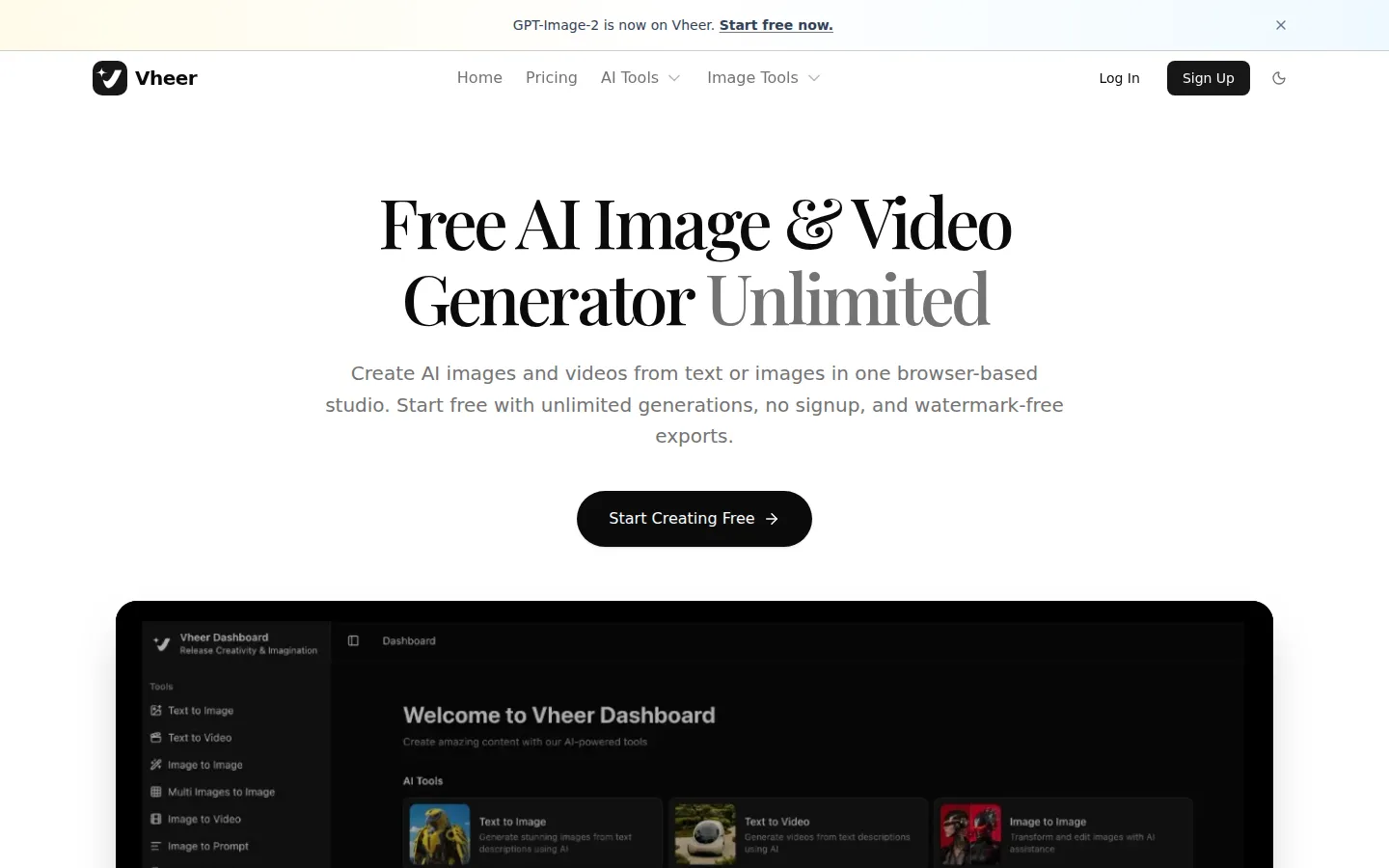
Vheer is a browser AI creative studio for images and video. It bundles text-to-image, image-to-image, image-to-video, background removal, OCR, and a long list of browser image utilities in one dashboard, and integrates current models such as Nano Banana Pro, Flux Klein, SeeDream V4, Veo3 Fast, Sora, and LTX Video. Start free without signup.
What is Vheer?
Vheer is a browser-based AI image and video studio that consolidates generation, editing, and everyday image utilities into a single dashboard. The pitch is breadth with a low entry cost: you can start generating with no signup, work across current image and video models, and export results without a watermark on the free plan. Vheer positions itself as an all-in-one creative dashboard rather than a single-purpose generator, so the value comes from not switching tools between the idea, the visual, and the cleanup.
On the generation side, Vheer exposes a rotating line-up of models instead of locking you into one. The site lists Nano Banana Pro, Nano Banana 2, Flux Klein, SeeDream V4, MiniMax Image 01 and MiniMax Hailuo for imagery, plus video models such as SeeDance V1 Pro Fast, Veo3 Fast, and LTX Video 2.3 Fast. Each model carries a short prompt example and a sample output, which makes the choice concrete: you can compare a retro-futuristic portrait render from one model against a surreal video clip from another before spending credits. Text-to-image, text-to-video, image-to-image, image-to-video, multi-image composition, image-to-prompt, and OCR text extraction all live in the same workspace, alongside a visual generation canvas, precise model controls, and a trackable generation history.
The utilities layer is what makes Vheer unusually practical for routine work. It includes an image inverter, grayscale and black-and-white converters, flip, blur, face blur, resizing with multiple strategies, HSL adjustment, splitting into grids, outline generation, background blur, dominant colour palette extraction, and image combining. These are the small mechanical tasks that normally mean opening a desktop editor; having them next to the generator reduces the hand-off problem. Background removal is a first-class tool rather than an afterthought, and text extraction via OCR lets you pull copy out of screenshots.
Pricing is transparent and credit-based. A free plan gives 50 credits per month with basic image generation, access to all free tools, email support, and no watermark. Paid tiers step up the monthly credit allowance: Premium at $9.99 for 1,000 credits, Business at $19.99 for 2,000 credits, and Ultra at $49.99 for 5,000 credits, each adding commercial use, all premium models, priority support, and no ads. One-time credit packages from 400 credits at $3.99 up to 7,000 credits at $69.99 let you top up without changing plan, and higher plans receive bonus credits on those packages. Checkout runs through PayPro with instant activation. Everything is cloud-rendered in the browser, so there is nothing to install, and there is no public developer API, which keeps Vheer squarely in the hands-on creator category rather than the automation category.
Vheer Core Features
Multi-model image generation
Pick from Nano Banana Pro, Nano Banana 2, Flux Klein, SeeDream V4, and MiniMax Image 01 with sample outputs shown beside each model.
Text-to-video and image-to-video
Animate a still or generate motion from a script with Veo3 Fast, SeeDance V1 Pro Fast, LTX Video, and MiniMax Hailuo models.
Browser image utilities
Invert, grayscale, blur, face blur, resize, split, outline, HSL adjust, palette extract, and combine images without leaving the dashboard.
Background removal and blur
Cut subjects out of images or blur only the background, which covers most product and avatar cleanup work.
Image-to-prompt and OCR
Reverse-engineer a prompt from an existing image, or extract text content from screenshots with OCR.
All-in-one creative dashboard
Instant tool switching, a visual generation canvas, precise model controls, and a trackable generation history in one workspace.
Watermark-free free tier
The free plan generates basic images with no watermark and no signup, which makes testing genuinely cost-free.
Who is Vheer for?
Vheer is built for people who need visual assets quickly and do not want to juggle five subscriptions. Social media managers are a strong fit: they can generate a hero image with one model, animate it into a short clip with another, and still use the same dashboard for cropping, background removal, and colour extraction on the outputs. Small business owners without a design team use it to produce campaign images, product visuals, and simple video spots, treating the free tier as a zero-cost studio until volume forces an upgrade. Content creators and YouTubers use the text-to-video and image-to-video entries for b-roll, thumbnail bases, and short animated hooks, and the image-to-prompt tool to reverse-engineer a look they want to repeat. Marketers and growth generalists like the breadth because one login covers generation, editing, and utility work such as background removal for ad variants. Students and hobbyists are another natural audience, because the free plan needs no signup and carries no watermark on basic generation, so experimenting costs nothing but time. Designers and freelancers use Vheer as a fast idea generator before moving final artwork into a professional editor; the browser utilities cover the small mechanical jobs that otherwise break a workflow. The product is web-only, so people who need a native desktop app or offline generation are not served. Teams that require an API, batch pipelines, or programmatic access should look elsewhere, because Vheer's workflow is entirely through its dashboard. Anyone who needs strict brand governance, shared asset libraries, or approval flows will also find it consumer-grade rather than enterprise-grade. The best-fit user is a solo creator or small marketing owner who wants one browser tab that does images, videos, and the cleanup work in between.
Vheer Use Cases
Generate a hero image and animate it into a short clip for a social campaign.
Produce product visuals with clean backgrounds for an online store listing.
Create thumbnail bases and b-roll motion clips for a YouTube channel.
Reverse-engineer the prompt behind a competitor image you want to emulate.
Extract on-screen text from screenshots into copy you can reuse.
Resize, split, or recolour a batch of images for platform-specific dimensions.
Test several image models side by side before committing paid credits to one look.
Vheer Pros and Cons
Pros
- Free tier requires no signup and removes watermarks on basic image generation, so evaluation costs nothing.
- A wide model line-up including Nano Banana Pro, Flux Klein, SeeDream V4, Veo3 Fast, and Sora gives real style range in one place.
- Browser utilities such as background removal, resizing, and palette extraction remove the need for a second editor.
- Transparent credit pricing with one-time top-up packages that do not require a plan change.
Cons
- Web-only product with no native desktop app or offline generation, so everything depends on the browser session.
- No public developer API, which rules Vheer out for teams that need programmatic or batch generation.
- Credits are consumed quickly by premium image and especially video models, so heavy motion work pushes users onto higher tiers.
FAQ About Vheer
Vheer Pricing
Freemium: free plan with 50 credits per month and no watermark, Premium $9.99, Business $19.99, and Ultra $49.99 per month, plus one-time credit packages from $3.99.
Check official pricingFree
50 credits per month, basic image generation, all free tools, no watermark, personal use, email support.
Premium
1,000 credits per month, commercial use, all premium models, priority support, no watermarks or ads.
Business
2,000 credits per month, commercial use, all premium models, bonus credits on credit packages, priority support.
Ultra
5,000 credits per month, maximum bonus on credit packages, commercial use, all premium models, priority support.
Credit packages
Top-up packs from 400 credits at $3.99 to 7,000 credits at $69.99, with bonus credits for higher plans.
Vheer Alternatives

Fetra
Fetra AI is a web-based creative suite that combines a conversational AI Director, a multi-model video and image Create studio, Viral Remix templates, an AI Avatar library, free text-to-image and image-to-image generation, an asset library, and social publishing. It brings leading models such as GPT Image 2, Nano Banana 2, Seedance, Veo, and Kling into one credit-based workspace for creators, brands, and teams.
Sogni AI
Sogni runs the Supernet, a decentralized GPU network powered by independent workers instead of data centers. The platform brings 200+ frontier image, video, music, and language models under one account, with a free tier for on-device rendering, pay-as-you-go Spark credits, and flat-rate Unlimited plans for credit-free fair-use access, plus SDK and API access for developers.

Venice AI
Venice is a privacy-first AI platform giving unrestricted access to leading AI models across text, image, video, code, and audio generation. Prompts and responses stay in your browser rather than on Venice servers, with anonymized, private, TEE, and end-to-end encrypted modes. A free tier is available, and paid plans add unlimited text prompts, more credits, and higher API limits.