
UGCraft
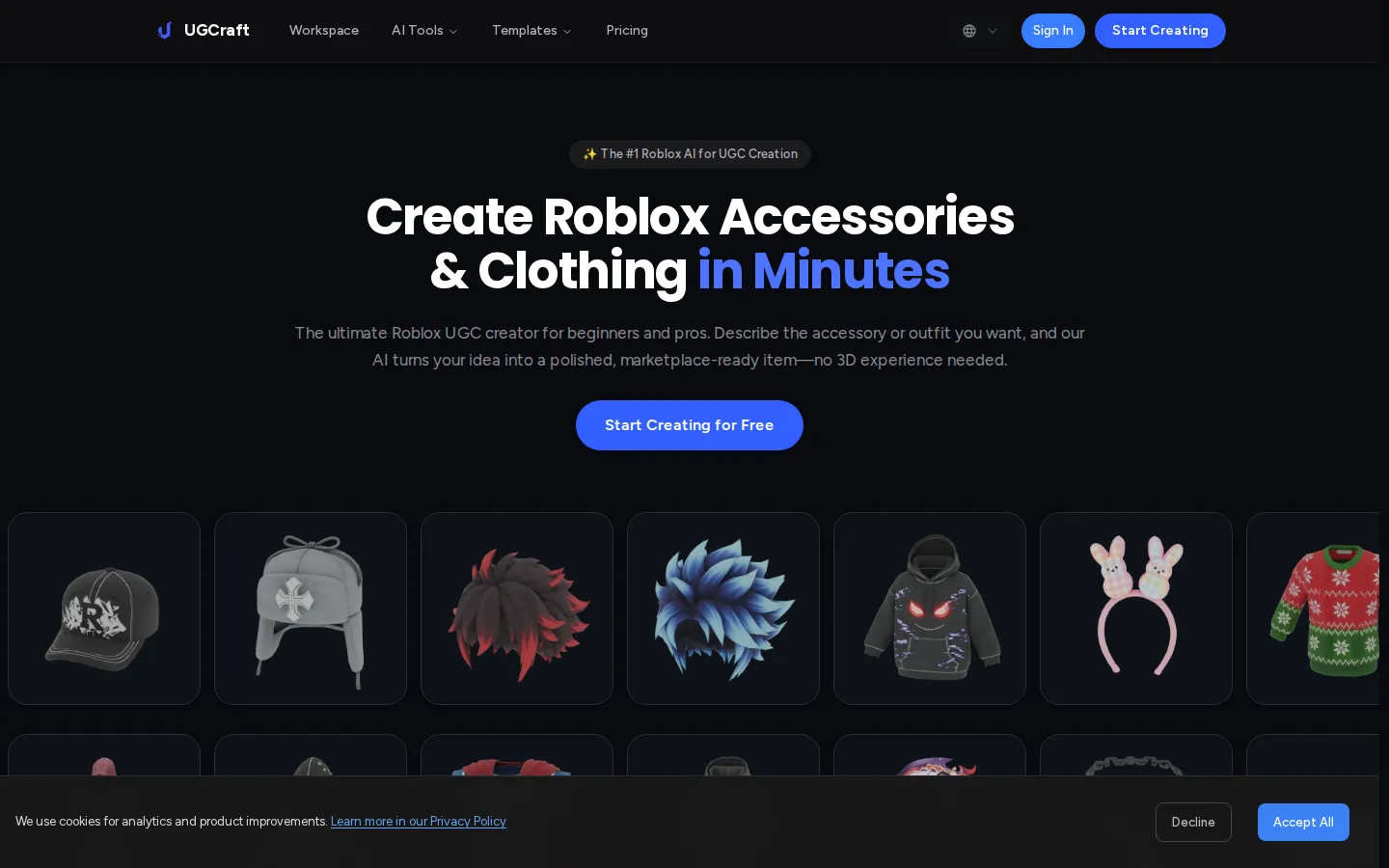
UGCraft is an AI studio for Roblox UGC creation. Describe an accessory, outfit or hairstyle in plain English, or upload a reference image, and the platform returns a marketplace-ready 3D model in under two minutes. It also covers layered clothing, classic shirts and pants, R15 emotes and animations, cage generation and a free clothing tester, so beginners can publish and earn Robux without Blender.
What is UGCraft?
UGCraft is an AI platform built for creating Roblox UGC items, turning plain-language ideas or reference images into marketplace-ready 3D accessories, clothing, hair and animations. It exists to remove the steepest barrier in Roblox UGC creation: the need for Blender, Maya or any 3D modeling skill. Instead of modeling a hat from scratch, a creator types a concept such as "Gothic Lolita dress" or "Cyberpunk demon horns", and the AI builds a finished model with proportions and details already handled.
The workflow is deliberately short. A creator opens the Roblox accessory maker, describes an item or uploads concept art, a sketch or a photo, then generates a model in under two minutes. Both the text-to-UGC and image-to-UGC paths produce files ready for direct upload to the Roblox Marketplace, and generated items can be downloaded as FBX or GLB for extra editing in Blender or Maya.
UGCraft is more than a single generator. The suite includes a Roblox clothing maker for layered 3D clothing, a shirt maker that produces upload-ready textures for classic shirts, pants and t-shirts, an emote maker that turns prompts into validated R15 emotes, and an animation maker for R15 cycles such as walk moves. A clothing cage generator accepts an uploaded mesh and auto-generates cages plus R15 skinning, normally the fiddliest step of publishing layered clothing.
Free companion tools round out the platform: a browser clothing tester previews classic shirt, pants and t-shirt templates on an R15 avatar with no login, a UGC checker validates items against Roblox's technical requirements, and a UGC ideas tool helps creators settle on a concept. UGCraft states that its generator includes built-in compliance checking and is optimized for Roblox accessories and clothing, which is the usual reason AI models fail marketplace review.
Creators keep full commercial rights to what they generate: they can sell items on the Roblox Marketplace, use them inside their own games, or share them however they like. Paid tiers add private creations, watermark-free exports, PBR texture support and commercial usage rights, while the free tier is non-commercial and watermarked. The pitch is simple: an idea becomes a sellable Roblox item in minutes rather than weeks, so beginners can ship their first UGC and experienced creators can prototype dozens of variations quickly.
UGCraft Core Features
Text-to-UGC generation
Describe an accessory or outfit in plain English and receive a marketplace-ready 3D model.
Image-to-UGC conversion
Upload concept art, a sketch or a reference photo and turn it into a Roblox-ready 3D item.
Two-minute turnaround
UGCraft advertises generation in under two minutes instead of the hours a manual Blender workflow takes.
Specialized maker suite
Separate tools for accessories, layered clothing, classic shirts, R15 emotes and R15 animations.
Clothing cage generator
Upload a clothing mesh and auto-generate cages plus R15 skinning for layered clothing uploads.
Free clothing tester
Preview classic shirt, pants and t-shirt templates on an R15 avatar in the browser with no login.
Compliance-aware exports
Items are generated for Roblox's technical requirements and export as FBX or GLB for further editing.
Credit-based plans
A 10-credit free tier, then 300 or 700 monthly credits on paid tiers with faster priority queues.
Who is UGCraft for?
UGCraft is aimed at people who want to publish on the Roblox Marketplace without learning a 3D package. Six groups get the most out of it. - Aspiring UGC sellers with no 3D background: this is the core audience. They have an item idea and a Roblox account but no Blender skills, and the free tier lets them test the whole workflow before paying anything. - Hobbyist creators on a budget: players who want their avatar to look distinctive, then discover they can sell the accessories they make. The Creator plan at $9/month on annual billing is sized for exactly them, with 300 credits and 15 accessory generations a month. - Roblox game developers: studios and solo developers who need themed hats, hair, weapons and outfits for their experience or NPC cast, produced fast and cheaply instead of commissioned from a 3D artist. - Avatar fashion and roleplay communities: creators building cohesive outfit lines for fashion games, roleplay servers or fan communities, who want dozens of variations from prompts rather than a single handcrafted model. - Experienced UGC creators and small studios: people already selling on the Marketplace who want to prototype concepts and generate variations in minutes, then refine the best picks in Blender or Maya. The Pro plan's 700 credits, PBR texture support and highest-priority queue fit that volume. - Educators, club mentors and streamers: teachers, Roblox club leads and content creators who need to demonstrate UGC creation to a group without installing heavy software, and who value the free clothing tester and UGC checker as teaching aids. UGCraft is not aimed at professional character modelers doing high-fidelity work in Maya or ZBrush, or at creators who need rigged, game-ready assets outside Roblox's technical format. Its promise is narrower and clearer: turn a Roblox UGC idea into a compliant, sellable item within minutes.
UGCraft Use Cases
Generate a first sellable hat or hair item before committing to paid 3D software.
Recreate specific concept art as a Roblox-compatible accessory using the image-to-UGC workflow.
Prototype dozens of outfit variations for a Roblox fashion line in one sitting.
Produce matching layered clothing and classic shirt textures for a game's avatar shop.
Build custom R15 emotes and walk-cycle animations for NPCs in your Roblox experience.
Check a mesh's cages and R15 skinning before uploading layered clothing to the Marketplace.
Test classic clothing templates on an R15 avatar for free before spending Robux on uploads.
Dress an entire Roblox game cast with themed accessories on a small indie budget.
UGCraft Pros and Cons
Pros
- Genuinely beginner-friendly: the site promises marketplace-ready results with no Blender or 3D modeling experience required.
- Broad suite beyond accessories, covering clothing, classic shirts, emotes, animations, cage generation and free testing tools.
- Free tier is real rather than a trial: 10 credits, text-to-3D and image-to-3D generation, and no credit card required.
- Annual billing saves up to 40% versus monthly, and the FAQ states creators keep full commercial rights to their items.
- Built-in compliance checking plus a free UGC checker targets the usual cause of Roblox Marketplace rejections.
Cons
- Free tier output is watermarked and non-commercial, so actually earning Robux requires a paid plan.
- Monthly credits are capped at 300 on Creator and 700 on Pro, which can throttle high-volume sellers.
- Results are AI-generated, so intricate geometry and unusual silhouettes may still need cleanup in Blender or Maya before upload.
FAQ About UGCraft
UGCraft Pricing
Freemium: a free tier with 10 credits (watermarked, non-commercial), Creator at $9/month and Pro at $18/month on annual billing, versus $15 and $30 monthly, with up to 40% saved by paying yearly.
Check official pricingFree
10 credits to start, 1 free AI edit per task, export 10 community designs, text-to-3D and image-to-3D generation, basic design styles; non-commercial use, watermarked output and standard queue priority.
Creator
300 credits per month, 15 Roblox accessory generations, all design styles, unlimited exports, private creations, watermark-free output, commercial usage rights and priority processing; $108 billed yearly, $15 per month if billed monthly.
Pro
700 credits per month, 35 accessory generations, 3 free AI edits per task, PBR texture support, highest priority queue, watermark-free commercial use, priority email support and early access; $216 billed yearly, $30 per month if billed monthly.
UGCraft Alternatives

Stability AI
Stability AI is the generative AI company behind Stable Diffusion, Stable Audio, Stable Video and Stable 3D, which generate and edit images, video, audio and 3D assets. Teams can call those models through the developer Platform API, download open weights from Hugging Face, or license them for self-hosted deployment. A free Community License covers organisations under $1M revenue, while enterprise licensing is quoted on request.

Fomrix
Turn images or text into GLB assets, then inspect models with browser-based STL, GLB and OBJ viewers and use STL conversion and mesh tools.

SupaVoxel
SupaVoxel is a free AI 3D model generator that turns any 2D image into a detailed, textured voxel model in seconds. Simply upload a photo, sketch, or artwork and the AI produces a ready-to-use 3D mesh with automatic PBR textures. Export to GLB, FBX, OBJ, STL, PLY, and USDZ for games, 3D printing, VFX, and AR. No modeling skills required.