
Raylight
Raylight combines a design-grade canvas, a 3D camera, animation blocks, and generated sound in one workspace for product marketing videos. AI agents build shot-by-shot edits from a prompt, an MCP server connects Claude or Codex to the canvas, and the Raylight API turns briefs from code or workflows into finished videos. Browser-based, with a Mac screen recorder and template marketplace.
What is Raylight?
Raylight is an AI video and 3D product marketing workspace built by Frames of Motion Inc. for teams that ship product demos, launch films, and feature announcements without a motion design department. The core of the product is a real design canvas: instead of stacking layers in a timeline-only editor, you lay out every shot, drop in product screens, text, and shapes, and snap, align, and group them with the precision of a design tool.
Animation works differently from a conventional compositor. You drag blocks onto a property lane and stretch their edges to set duration, so entrances, exits, count-ups, text shimmer, and draw-on lines become editable blocks instead of keyframe graphs. A real 3D camera handles push-ins, pull-back reveals, and slow drifts, with parallax between layers and two-framing moves that interpolate without arcing. Scene effects such as bloom, depth of field, motion blur, color grade, and film grain finish every frame, and a 3D tilt control leans flat UI screenshots back into the frame for instant depth.
Product mockups are a first-class feature. You place your screens on a real iPhone, iPad, or MacBook, tilt the device, move the light, and export stills at any size, and the mockup stays editable top to bottom rather than becoming a baked image.
Raylight Agents take a written description and build the video shot by shot. The agent starts from a matching template, lays out and reorders shots, animates any layer, moves the camera, sets the look, then renders real frames and filmstrips to check how small text reads and measures the sound mix so each hit lands on its beat. Every change it makes stays editable by hand.
Sound is generated in the same workspace: prompt-built sound effects, music written to the length of your video, and voiceover from a set of named voices, all mixed on a multitrack timeline. An MCP server exposes the canvas to Claude, Codex, Cursor, and Antigravity, so you can describe an edit in chat and watch it apply. The Raylight API creates productions from code, a GitHub workflow, or a chat with Claude, pitches the video for free, and makes it once you greenlight it. Capture for Mac records your screen into the editor, and a marketplace of templates gives you a finished video to start from.
Exports render in the cloud up to 4K at 60fps, share pages let reviewers scrub the animation with live cursors, and every AI action is metered in credits.
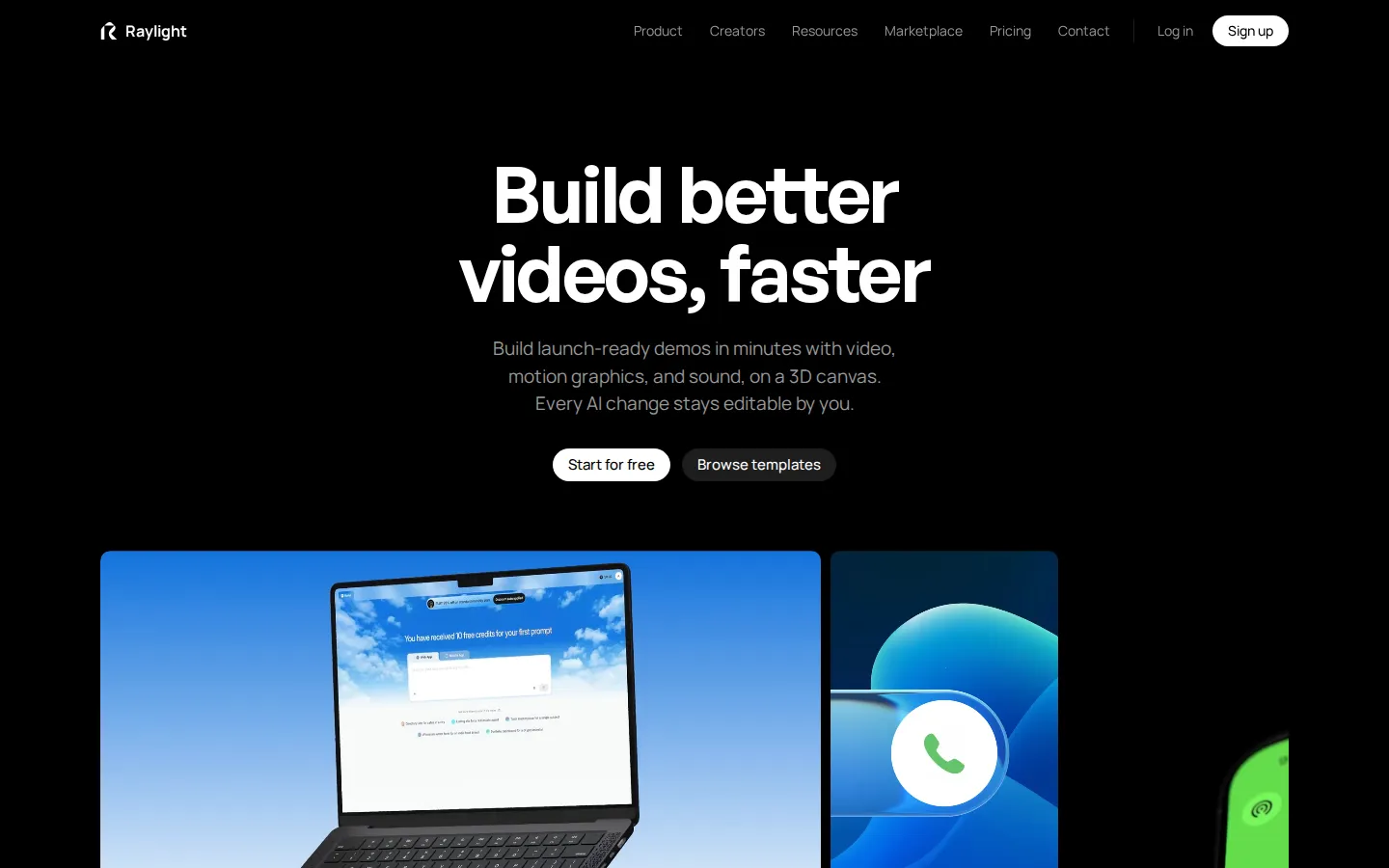
Raylight Core Features
Design canvas
Lay out every shot on a real canvas, drop in product screens, text, and shapes, and snap, align, and group layers with the precision of a design tool.
3D product mockups
Place screens on a real iPhone, iPad, or MacBook, tilt the device, move the light, and export stills at any size with the mockup still editable.
Animation blocks
Skip keyframe graphs by dragging blocks onto property lanes and stretching their edges to set timing, including entrances, count-ups, and text shimmer.
3D camera moves
Set two framings and get a smooth, arc-free move between them as a 3D dolly or a flat zoom, with parallax between layers.
Raylight Agents
Describe the video and the agent builds it shot by shot, from template pick and layout to animation, camera, look, and sound.
Generated sound
Prompt sound effects, write music to the length of your video, and generate voiceover, then mix everything on a multitrack timeline.
MCP server and API
Connect Claude, Codex, Cursor, or Antigravity to the canvas over MCP, or create productions from code and workflows through the Raylight API.
Live share pages
Send one link so reviewers scrub the animation as it plays, with their cursors moving live on the canvas.
Who is Raylight for?
Raylight is aimed at the people who own product marketing output but not an editing suite or a motion designer's calendar. The common thread is needing launch-grade motion without learning keyframe graphs or waiting on a render queue. Product marketers use it to turn a launch checklist into a demo film and a set of stills without filing a ticket with a design team, then reuse the same template for the next release. Founders and indie builders without a designer get a finished, on-brand launch video from a template plus a prompt, and can ship it the same day they write the changelog. Product designers lay out screens on a real 3D canvas, keep type and spacing exact, lean flat screenshots back with the tilt control, and hand reviewers a share link instead of a rendered file. Growth and lifecycle marketers batch feature announcements and app promo clips, reusing templates and a locked brand kit so every cut matches the current site. Content and social teams produce short edits, sound effects, and voiceover in one place rather than stitching three tools together. Devrel and developer marketing teams drive the Raylight API from a GitHub workflow, so a shipped feature publishes its own demo video with no manual edit. Agencies and studios run client workspaces with pooled credits, per-client brand kits, white-label share pages, and usage reporting for billing work back. Organizations with more than a couple of editors pick Team or Business so projects stay in the workspace when someone leaves. Solo creators who only need one clean 4K export start on Hobby, and anyone evaluating the tool can use the full editor on the free plan without a card.
Raylight Use Cases
Build a launch-ready product demo video from a brief and a template in minutes.
Place app screens on a 3D iPhone or MacBook and export marketing stills at any size.
Turn a shipped feature into a demo clip directly from a GitHub workflow via the API.
Generate music, sound effects, and voiceover for a promo cut inside the same editor.
Batch feature announcement videos with a locked brand kit so every cut matches.
Produce website hero videos and app promo clips without a motion designer.
Collect review feedback on an animation through a share link with live cursors.
Run client video workspaces with pooled credits and white-label share pages.
Raylight Pros and Cons
Pros
- Every AI edit lands as an editable block, so agent output can be tuned by hand rather than re-prompted.
- A real design canvas plus 3D camera and mockups covers layout, motion, and device shots without a separate compositor.
- Free plan includes the full editor with unlimited projects, and paid tiers start at $15 a month.
- MCP server and API make it usable from Claude, Codex, Cursor, and CI workflows, not just the web app.
- Generous team structure: viewers and commenters are unlimited at no per-seat cost.
Cons
- Credits meter AI edits, sound, and API renders, so heavy agent use needs a Max or Team plan to stay comfortable.
- Free exports carry a Made in Raylight badge, and removing it from a single export costs 500 credits.
- The Figma plugin is still marked coming soon, and 4K plus clean share pages require a paid plan.
FAQ About Raylight
Raylight Pricing
Free plan with the full editor, unlimited projects, and 1080p 60fps exports carrying a badge. Hobby $15/mo, Pro $29/mo, Max $59/mo, Team $299/mo for up to 10 editors, Business $999/mo for up to 25 editors; yearly billing saves up to 20% ($12/$24/$49/$239/$799). Credits cost one cent each and pay for AI edits, sound, and API renders.
Check official pricingRaylight Alternatives

ModelSnap
AI fashion model generator for clothing sellers. Create on-model imagery from garment photos, then review colors, cut and product details before use.

AI Jewelry Model
AI jewelry photography for sellers: create product-only, model-worn and lifestyle images from reference photos. Review fine details before publishing.

Image to Image
Image to Image is an AI photo editor: upload a photo, describe the change you want, and get a new image that keeps your subject, pose and layout.