Purupuru Maker
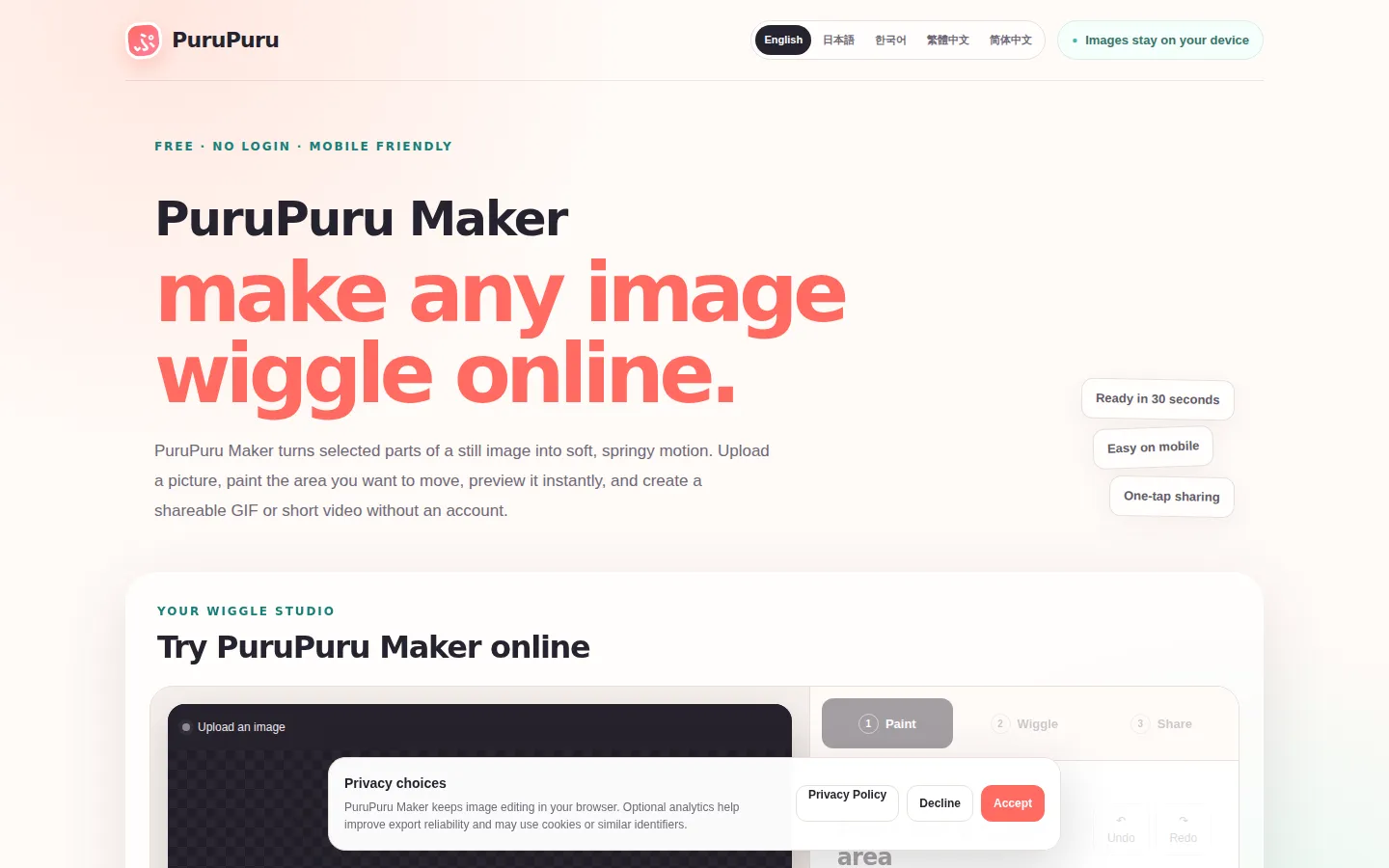
Purupuru Maker is a free online tool that turns still images into playful wobble animations. Paint the part of the picture that should move, tune the jiggle with presets like Soft Jelly and Spring Bounce, and export a GIF, WebM, or MP4 loop. Everything runs in the browser with no account and no upload.
What is Purupuru Maker?
Purupuru Maker is a free, browser-based image wobble tool that adds small, satisfying motion to still pictures. Users load a PNG, JPEG, or WebP image up to 10 MB, paint the area of the subject that should move with a soft-edged mask, and tune the motion using presets such as Soft Jelly, Spring Bounce, Quick Shake, and Zero-G Float, along with fine controls for strength, speed, stretch, settle, cohesion, and loop length. The rest of the frame stays perfectly calm, so the effect reads clearly and convincingly. The tool renders a compact GIF, WebM, or MP4 loop directly in the browser tab, letting users test the animation before sharing it in chats, posts, or presentations. A key differentiator is privacy: the image, mask, preview, and export are all processed locally in the tab, never uploaded to a server, and refreshing or closing the page clears the working data. There is no account and no sign-up requirement, and the studio works on phones with a single-column layout and one-finger touch painting. The workflow is built around three steps: mark the motion area, tune the jiggle, and export a shareable loop, with pro tips for getting cleaner wobbles such as painting tight masks, feathering edges, and keeping loops short. Common uses include reaction memes, chat stickers for Discord and Slack, profile avatars with gentle idle motion, product detail highlights, slide accents, and illustrated character animation. Purupuru Maker is positioned as a playful creative utility, and it is completely free, with no sign-up or account requirement documented anywhere on the site. The interface is deliberately minimal: a canvas workspace with a paintbrush for the motion mask, preset buttons, sliders for the fine controls, and an export panel, so new users can orient themselves in seconds. Because the tool never uploads images, it also works offline-friendly in the sense that the heavy lifting is local rendering rather than server processing. There is no account system at all, which removes the friction of signing up for what is essentially a one-minute creative task. The developer has also documented practical guidance directly on the page, such as keeping masks tight and loops short, which turns the tool into a small learning resource for anyone exploring motion effects for the first time. This combination of simplicity, privacy, and playful output has made image wobble tools a popular category for memes, stickers, and social content, and Purupuru Maker delivers the experience entirely in the browser.
Purupuru Maker Core Features
Paint Motion Areas
A soft-edged mask keeps motion on your subject while the background holds still.
Four Motion Presets
Start from Soft Jelly, Spring Bounce, Quick Shake, or Zero-G Float, then customize.
Fine Control
Dial in strength, speed, stretch, settle, cohesion, and loop length for precise results.
Private by Default
Your image is read into a local canvas and never uploaded to a server.
Three Export Formats
Record a GIF, WebM, or MP4 loop straight from the browser tab.
No Account Required
The studio works immediately with no sign-up or login.
Mobile Friendly
The studio folds into a single column and paints with one finger on phones.
Built-in Sample
Try the full workflow with the included paper-play sample without preparing a file.
Who is Purupuru Maker for?
Purupuru Maker is for anyone who wants quick, playful motion in images without opening a video editor. Social media users make reaction memes and chat stickers that land harder than static images. Discord, Slack, and group chat users wobble cutouts for stickers and emoji-style replies. Content creators and streamers add gentle idle motion to profile avatars and channel art. Marketers and product teams lift labels, badges, or buttons in product shots so one detail catches the eye. Presenters drop calm looping motion into slide decks without learning animation software. Illustrators and hobby artists give hand-drawn characters a soft jelly pulse to bring them to life. Designers who need fast motion tests for UI elements can iterate in seconds since everything runs in the browser. Privacy-conscious users who do not want their images uploaded to a server can use it safely, and beginners who have never animated anything can complete the three-step workflow in a couple of minutes. The mobile support also makes it useful for quick edits on the go. Small business owners and social media managers can quickly produce eye-catching product animations for posts without hiring a designer. Teachers and students can animate diagrams and illustrations to make presentations more engaging. Event organizers can turn photos into playful promotional clips for community channels. Digital artists can use the wobble effect as a finishing touch on character illustrations before sharing them. The tool is also useful for rapid prototyping, letting anyone test whether a subtle motion effect works for an image before committing to a full animation pipeline.
Purupuru Maker Use Cases
Turn a portrait into a reaction meme with a bounce that lands harder than a static image.
Wobble a cutout for Discord, Slack, and group chat stickers.
Add gentle idle motion to profile avatars and character icons.
Lift a label, badge, or button in a product shot so one detail catches the eye.
Drop a calm looping motion into a slide deck without a video editor.
Give a hand-drawn character a soft jelly pulse for illustration play.
Animate a pet photo or family picture into a playful shareable loop.
Purupuru Maker Pros and Cons
Pros
- Completely free with no sign-up, account, or watermark.
- Privacy-first design processes everything locally with no uploads.
- Three-step workflow makes motion effects achievable in minutes.
- Four presets plus fine controls suit both beginners and precise work.
- Works on desktop and mobile with GIF, WebM, and MP4 export.
Cons
- Image size is limited to 10 MB.
- Motion effects are simple wobbles rather than full animation tools.
- Export availability depends on browser support for the chosen format.
FAQ About Purupuru Maker
Purupuru Maker Pricing
Free. The browser editor is completely free with no sign-up, account, or watermark. No paid plans documented.
Check official pricingFree
Full editor access, no sign-up, no upload, GIF/WebM/MP4 export.
Purupuru Maker Alternatives

GoCrazyAI
GoCrazyAI – All-in-One AI Video Generator, AI Image Generator & Creative Studio

Viggle
Viggle is a Spatial GenAI platform for character motion and animation. Turn a phone clip into production-ready motion with PINOC, swap any character into trending videos with Meme Maker, remix playable games, and integrate the same intelligence through Viggle's API. A free tier offers five videos a day, with paid plans from $7.99/month.

AIGenTools
Chat with leading AI models, create and edit images, turn text or photos into video, and generate speech and sound effects