
OpenMov
OpenMov is a browser-based creative suite for AI video and image work. It covers video generation, image-to-video, video-to-video, upscaling, lipsync, merging, text-to-image, image editing and face or head swaps from one workspace. Generation runs on a shared credit balance bought in pay-as-you-go packs, with no subscription, credits that never expire and automatic refunds for failed generations.
What is OpenMov?
OpenMov is a browser-based AI media studio that covers video and image creation in one workspace. The tool index lists video generation, image-to-video, video-to-video, video upscaling, lipsync, AI video merging, text-to-image, an image editor, image upscaling, face generation, variations and a Collaborations area, so a project can move from a first generation to an edited, upscaled clip without leaving the product. Templates and workflow presets are offered alongside the individual tools, and generation quality is reported separately for advanced models.
Pricing is deliberately not subscription based. The site explains that OpenMov works on simple pay-as-you-go credit packs, that one shared credit balance covers every tool, that credits never expire, and that failed generations are refunded automatically. Larger packs include bonus credits for people who need more generations, higher resolutions or access to advanced AI models. Any pack also removes watermarks on past and future generations, unlocks the premium creative toolset, opens more templates and styles, and adds access to additional models.
Each generation's cost is calculated rather than fixed, and the site documents the rule that price equals quality mode multiplied by output resolution multiplied by video duration, with video output at 30 frames per second. Individual tools show a credit estimate before a job starts, the cheapest generations need a minimum of one credit, and the interface reports insufficient credits when the balance is too low. A first allowance of free credits is granted so new accounts can try tools, and those early generations carry a watermark until the first purchase.
For repeatable work, OpenMov exposes API keys with documented capabilities: a key can list tools, read generation status and results, and start generations that spend account credits, and keys can be revoked at any time. A billing area handles credit purchases and invoices, and the footer documents privacy, terms, refund and content policies. An optional Companion subscription exists for the chat side of the product and is billed monthly separately from credit packs.
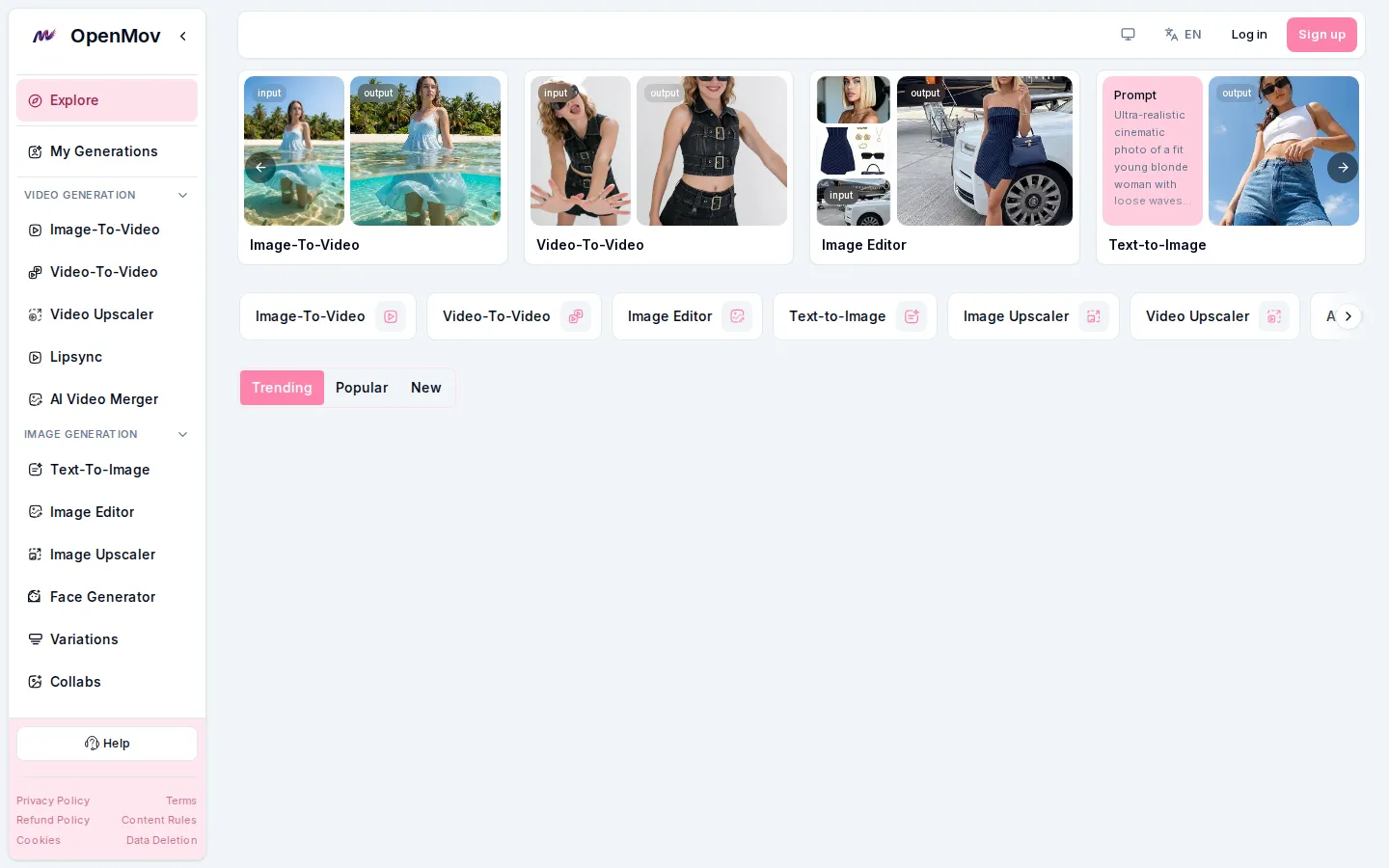
OpenMov Core Features
AI video generation
Produces clips from prompts with a credit price driven by quality mode, resolution and duration.
Image-to-video and video-to-video
Animates stills or restyles existing footage without leaving the workspace.
Upscaling and enhancement
Video upscaler and image upscaler raise resolution on both generated and uploaded media.
Lipsync and face tools
Lipsync animation, face generation and head or face swap cover talking-head and identity edits.
Image editor and text-to-image
A combined editor plus text-to-image generation handles stills, variations and touch-ups.
Credit packs, no subscription
One shared balance covers all tools, credits never expire and failed generations are refunded.
API access
Keys can list tools, read generation status and results, and start generations that spend account credits.
Templates and collaborations
Preset workflows and a Collaborations area organise projects and shared creative work.
Who is OpenMov for?
OpenMov fits creators who need short AI video and image assets without committing to a monthly subscription. Social media and content marketers generate hooks, product shots and vertical clips, then upscale or merge them into the final edit, paying only for the generations they actually run. Small e-commerce teams use it for product imagery, face or head swaps and variations when a photoshoot is too slow or expensive. Video editors and motion designers use the same tools as a source of plates to refine elsewhere, taking advantage of image-to-video, video-to-video and upscaling rather than end-to-end generation. Developers and automation builders are served by the API keys, which let a generation pipeline spend the same shared credit balance programmatically, and agencies use the Collaborations area to keep client projects together. The pay-as-you-go model suits people with bursty workloads, hobbyists testing ideas and price-sensitive users who dislike recurring charges, since credits never expire and failed generations are refunded. Content teams producing seasonal campaigns also like that spend stops when the campaign ends instead of continuing through quiet months. It is less suited to teams that want a predictable monthly quota, pooled seats or an enterprise contract, because OpenMov sells credit packs and a per-generation credit cost rather than fixed plans with a stated monthly allowance.
OpenMov Use Cases
Generate short vertical ad clips for social campaigns without booking a shoot or hiring a creator.
Turn product photos into moving clips with image-to-video, then upscale them for a paid-media placement.
Replace a presenter's face or add lipsync to a voiceover so one recording covers several regions.
Edit and upscale AI-generated stills into print-ready product images for an online store.
Restyle existing footage with video-to-video instead of reshooting a scene that already worked.
Batch-generate image variations to test several creative directions before committing to one.
Automate generation from your own pipeline by calling the API instead of using the web interface.
Run occasional seasonal projects on credit packs, spending only when campaigns are actually live.
OpenMov Pros and Cons
Pros
- One workspace covers video generation, image generation, editing, upscaling, lipsync and face swaps.
- Pay-as-you-go credit packs with no subscription, credits that never expire and automatic refunds for failed generations.
- Documented credit formula, so cost per generation is predictable from quality mode, resolution and duration.
- API keys with list, generate and revoke capabilities support automated or high-volume pipelines.
Cons
- No fixed monthly plans or stated monthly quota, so budgeting depends on how many generations you run.
- The pricing path is not linked from the main navigation and generation costs must be checked per tool before running a job.
- Watermarks appear on the free starting credits until the first pack is purchased, and an optional Companion chat is billed separately.
FAQ About OpenMov
OpenMov Pricing
Pay-as-you-go credit packs with no subscription: a small free starting balance covers first tests with watermarked output, one shared credit balance works across every tool, credits never expire, failed generations are refunded automatically, and larger packs include bonus credits. Generation cost = quality mode x resolution x duration, at least one credit per job.
Check official pricingFree starting credits
A first allowance of free credits for new accounts; generations made with them carry a watermark.
Credit packs
Pay-as-you-go packs bought in the in-app billing area; larger packs include bonus credits and any pack removes watermarks and unlocks premium tools.
OpenMov Alternatives

Seedance 2.5 Free
Create polished AI videos from text or images online with Seedance 2.5 Free.

Fetra
Fetra AI is a web-based creative suite that combines a conversational AI Director, a multi-model video and image Create studio, Viral Remix templates, an AI Avatar library, free text-to-image and image-to-image generation, an asset library, and social publishing. It brings leading models such as GPT Image 2, Nano Banana 2, Seedance, Veo, and Kling into one credit-based workspace for creators, brands, and teams.

Photo to Video AI
Photo to Video AI helps creators turn photos into polished AI videos with motion, transitions, and style control.