
Nim
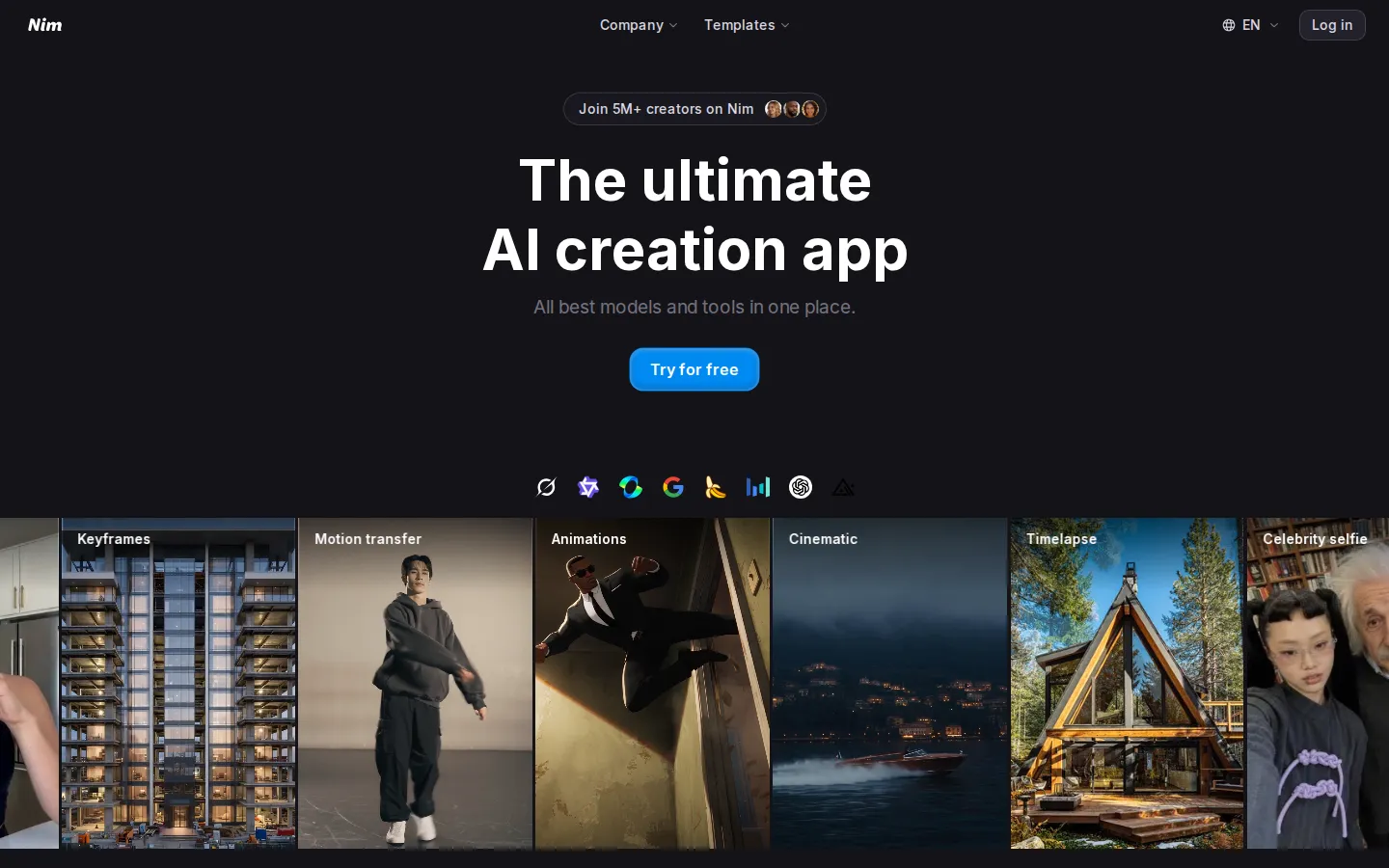
Nim is a browser-based AI creation app used by more than 5 million creators. It bundles leading text-to-video, image-to-video and text-to-image models with ready-made templates for UGC ads, talking heads, cinematic shots, timelapses and fashion videos. You pick a model or template, add a prompt or photo, and generate videos or images from one shared credit balance on simple monthly plans.
What is Nim?
Nim, reached at nim.video, is a browser-based AI creation suite that collects the strongest generation models of the moment into one workspace. Instead of subscribing to half a dozen services, you sign in once and keep a single credit balance. The product is organised around three areas. Create holds the direct tools: text to image, text to video, image to video, edit image, lip sync, add sound, upscale, describe (turn any image back into a prompt) and keyframes (build a video from a starting and an ending image). Templates holds pre-built workflows that Nim's AI team has tuned with prompts, pipelines and settings, so you only add an input such as a product photo, a selfie or brand assets, then generate a finished result in one click. Agent is a chat assistant that helps plan and run generations conversationally.
Templates are grouped by intent: ecommerce, UGC and AI influencers, architecture and design, business, photoshoots, viral trends, personal projects, and functional jobs such as timelapses, motion transfer and celebrity selfies. Each model and tool shows its credit price next to its name, credits are deducted when you press Generate, failed generations are refunded, and a usage history page records everything you spent.
Model coverage is the main selling point. The video line-up runs from budget options such as Wan 2.2 Low at 15 credits and Seedance Lite at 20, through Veo 3.1 variants, Kling 2.1 up to Kling 3, Sora 2, Runway, Pika, Vidu, Luma Ray2, Hailuo and LTX-2, all the way to Veo 3.1 Character with sound at 480 credits. Image models span Nano Banana and Nano Banana Pro, GPT Image and GPT Image 1.5, Seedream 4 to 5 Lite, Z-Image Turbo, Qwen Image 2, Flux 2, Google Imagen 4, Higgsfield Soul, Gen-4 Image and Hidream, priced from 2 to 40 credits per generation.
Plans are credit-based and can be billed monthly or annually. Starter at $17 per month includes 1,700 credits. Pro at $30 includes 4,500 credits plus 4K generations, watermark-free downloads, private projects, commercial use and the chat assistant. Max at $75 includes 12,000 credits, unlimited concurrent tasks, queue priority and five free daily Nano Banana Pro generations. Team at $200 provides 30,000 shared credits and ten seats for a collaborative workspace with usage tracking and common billing. Annual billing is advertised as saving up to 47 percent.
There are real limits to understand. Unused subscription credits expire at the end of each billing cycle, while separately purchased credit packs last six months and are used only after plan credits run out. Nim states plainly that it does not offer an unlimited plan. A $5 Welcome pack with 2,000 credits works as a cheap paid trial, and the FAQ refers to a Free tier, where the watermark applies. An MCP page is linked from the main navigation.
Nim Core Features
Multi-model video generation
text-to-video, image-to-video and keyframe workflows covering Veo, Kling, Seedance, Sora, Wan, Hailuo, LTX, Pika, Runway, Vidu, Luma and Hunyuan models.
Multi-model image generation
text-to-image and image editing with Nano Banana, GPT Image, Seedream, Qwen Image, Flux, Google Imagen, Grok Imagine, Higgsfield and Hidream.
One-click templates
pre-tuned workflows for UGC reviews, talking heads, cinematic shots, timelapses, fashion videos, photoshoots, viral trends and celebrity selfies.
Editing toolkit
edit image, lip sync, add sound, upscale and describe, which turns any uploaded image back into a reusable prompt.
Chat agent
a conversational assistant that helps plan and run generations on paid plans.
Transparent credit pricing
every model and tool displays its credit cost before you generate, and failed generations are refunded automatically.
Plan and credit flexibility
Starter, Pro, Max and Team tiers, monthly or annual billing, add-on credit packs, private projects and commercial use on higher plans.
Team collaboration
30,000 shared credits, ten seats, a shared workspace, usage tracking and common billing on the Team plan.
Who is Nim for?
Nim suits people who need finished visuals but do not want to juggle several AI subscriptions or learn prompt engineering from scratch. Six groups get the most out of it. Social-media creators and short-form video makers produce Reels, TikToks, Shorts and YouTube clips and need a steady stream of b-roll, hooks and talking-head footage without booking a shoot; the UGC, viral-trend and fashion template groups are built for that pattern, and cheap models keep iteration affordable. UGC creators and performance marketers ship many ad variations for a product, and want creator-style reviews and demos generated from a product photo, then re-cut quickly as test results come back; Nim's talking-head templates and image-to-video tools cover that loop inside one account. Ecommerce and dropshipping sellers need product videos, lifestyle shots and photoshoot-style visuals for listings and paid campaigns, and the ecommerce templates plus image models such as Nano Banana, Seedream and Flux handle catalogue and advertising work without a studio shoot. Small marketing teams and in-house brand designers are another core audience. Marketers without a dedicated video editor need cinematic intros, timelapses and animations on a predictable monthly budget, and Pro and Max add 4K output, watermark-free downloads, private projects and commercial use, which is what client-facing and branded work actually requires. Agencies and freelancers producing assets for several clients benefit from private projects, add-on credit packs and shared seats on the Team plan rather than paying for a separate tool per client, and the collaborative workspace, usage tracking and common billing are aimed squarely at them. Real-estate, architecture and interior marketers use the architecture-and-design template group to turn listing photos and design imagery into walkthrough timelapses, before-and-after clips and visualisations. Solo hobbyists and experimenters also fit, because low-cost models such as Z-Image Turbo or Wan 2.2 Low cost only a few credits per output, and the $5 Welcome pack gives 2,000 credits to test everything. Nim is a weaker fit if you need frame-accurate editing, a broadcast post-production pipeline or genuinely unlimited generation volume. It is a generation suite, not an editor, and the company states that no unlimited plan exists.
Nim Use Cases
Generate short-form UGC-style product ads without filming a creator or licensing stock footage.
Turn a single product photo into a talking-head review clip using a ready-made template.
Produce cinematic b-roll for a brand video by describing the shot and choosing a model.
Build consistent AI influencer content by reusing character references across image and video generations.
Animate a still image with keyframes, motion transfer or image-to-video workflows.
Finish existing clips inside one workspace by upscaling, lip-syncing or adding sound to them.
Create real-estate walkthrough timelapses and before-and-after visuals from listing photos.
Prototype many creative variants with cheap models before spending credits on premium renders.
Nim Pros and Cons
Pros
- One subscription unlocks dozens of leading video and image models instead of a separate account per tool.
- Templates remove prompt writing: add a photo or product image and generate a finished clip in one click.
- Per-model credit prices are visible up front, and failed generations are refunded to your balance.
- Pro and Max tiers add 4K output, watermark-free downloads, private projects and commercial use.
- The model catalogue is updated continuously, and the platform reports more than 5 million creators.
Cons
- Subscription credits expire at the end of every billing cycle and cannot accumulate unless you buy separate credit packs.
- Premium models are expensive in credits, so frequent video production burns through plan allowances quickly.
- The entry tier keeps a watermark and excludes 4K, private projects and commercial use, and no unlimited plan exists.
FAQ About Nim
Nim Pricing
Nim is freemium in practice: a free tier and a $5 Welcome pack with 2,000 credits let you try the platform, while paid plans run from $17 per month for Starter with 1,700 credits through Pro at $30, Max at $75 and Team at $200, with annual billing advertised as saving up to 47 percent.
Check official pricingFree
Entry tier referenced in Nim's FAQ, where the watermark is applied to Free and Starter plans; the rendered pricing page does not list its credit allowance.
Starter
1,700 credits monthly, up to 170 videos or 850 images, full template access, up to 3 concurrent tasks, watermark included, no 4K and no private projects.
Pro
4,500 credits monthly, up to 450 videos or 2,250 images, 4K generations, no watermark, private projects, commercial use, chat assistant, up to 6 concurrent tasks.
Max
12,000 credits monthly, up to 1,200 videos or 6,000 images, unlimited concurrent tasks, queue priority, 4K, commercial use and 5 free daily Nano Banana Pro generations.
Team
30,000 shared credits for ten included seats, collaborative workspace, private and shared projects, common billing, usage tracking and priority support.
Nim Alternatives

Photo to Video AI
Photo to Video AI helps creators turn photos into polished AI videos with motion, transitions, and style control.

AI Seedance - Seedance 2.5 Video Generator
Generate directed Seedance 2.5 videos with text-to-video, image-to-video, reference guidance, synchronized audio, multi-shot storytelling, and up to 4K output.

Hypit
Hypit is an open-source video programming language and runtime for AI agents. A coding agent installs the skill, reads a reference video or a written brief, and rebuilds the shots, dialogue, B-roll, captions and effects with your material, producing many variants per run. Hosted generation runs on credit plans, and your own model keys can be used instead.