
MagicShot
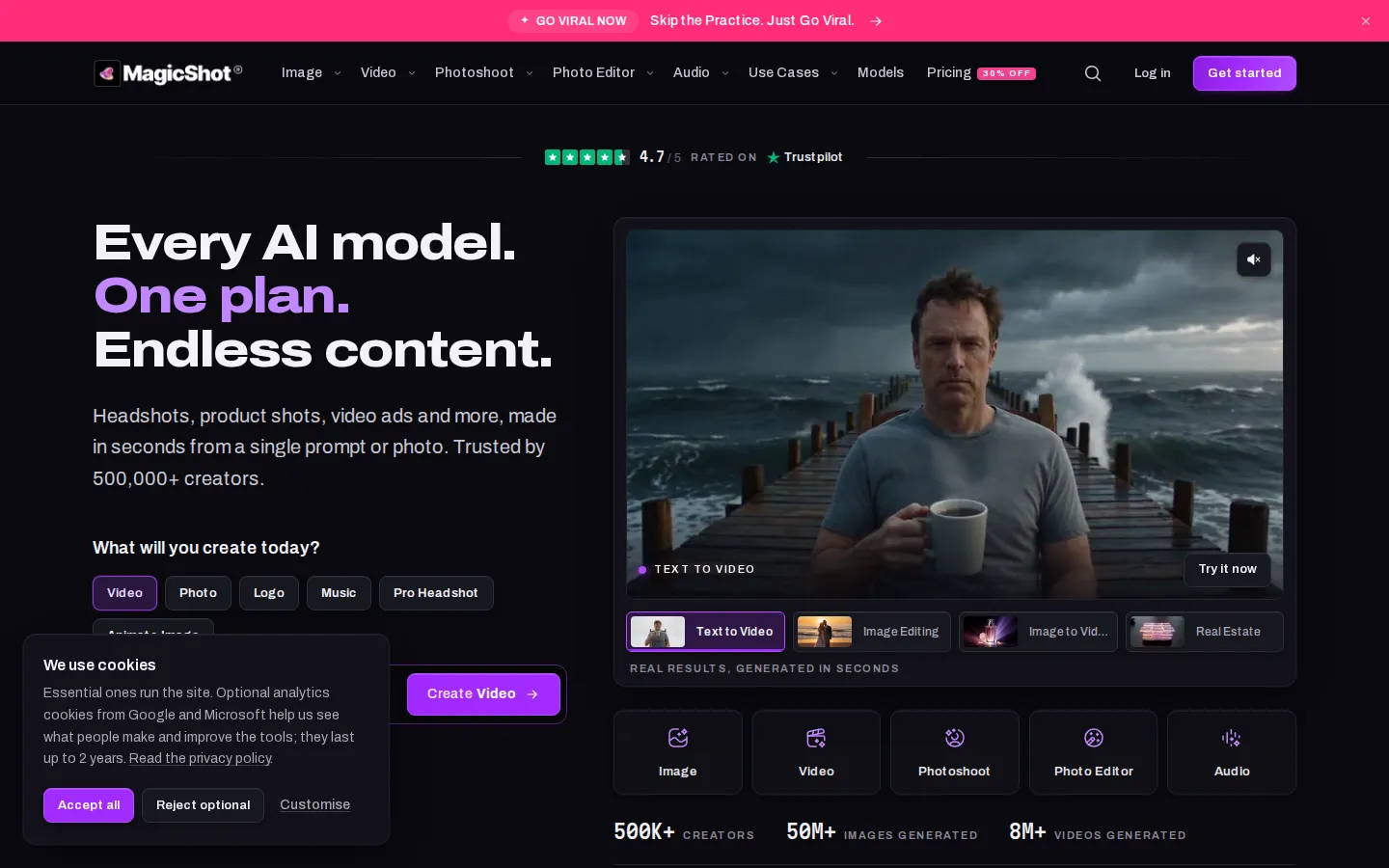
MagicShot is an all-in-one AI studio for images, video, photoshoots, photo editing and audio. It bundles 85+ tools and 500+ third-party models including FLUX 3, Nano Banana 2.1 and Ideogram 4.5 under one login and one monthly credit balance. Creators use it to generate, edit, upscale and narrate content without juggling separate subscriptions, plus a documented MCP server for agents.
What is MagicShot?
MagicShot is an all-in-one AI media generation suite built around one login, one credit balance and 85+ tools. It spans five families: Image, Video, Photoshoot, Photo Editor and Audio. The image side covers an AI Image and Art Generator, AI Image Enhancer, YouTube Thumbnail Generator, AI Logo Generator, Product Photo Generator, Sticker Maker, QR Code Generator and Face Enhancer. The video side covers Text to Video, UGC Videos, AI Podcast Creator, AI Video Upscaler up to 4K, Image to Video, Film Studio for trailers and short films, AI Video Effects and a Go Viral trend tool. Photoshoot turns selfies into professional headshots, fashion looks, wedding photos, avatars, baby portraits and pet portraits. The Photo Editor handles background and object removal, upscaling, colorization and restoration of damaged prints, while Audio adds text to speech, music generation, transcription and video sound effects.
Under the hood MagicShot aggregates hundreds of third-party models, including FLUX 3, Nano Banana 2.1, Ideogram 4.5, GPT Image 2.5, Seedream 5.0 Pro, Grok Imagine Image 2.0, Kling v3, Seedance 2.5, HappyHorse 1.1 and Gemini Omni 1.1, alongside its own MagicVoice 1.5 voice model. The site's positioning is that every model is unlocked on every paid plan: no premium-only models, no rate-limiting of the good models on lower tiers, and no per-model surcharge. Credits are one shared pool across image, video and audio, so users choose how to spend them, all on video one day and all on headshots the next.
The workflow is deliberately flat. Pick a tool, type a prompt or upload a photo, and download the result in HD, with no timeline, layers or learning curve, and a prompt-first landing experience that opens the right tool with your text already in place. Beyond the web app, MagicShot ships a documented MCP server for agents and power users, a browser extension, iOS and iPad apps with 4K watermark-free export, a public Gallery of community creations, a Models directory and an image-editing workspace. Paid plans include full commercial rights to what you generate. The company reports 500,000+ creators, 50 million+ images and 8 million+ videos generated, with a 4.7/5 Trustpilot rating, and supports buyer-side discovery through use case pages for influencers, ecommerce, small business, agencies, real estate and podcasters.
On the commercial side, MagicShot runs a freemium model. Four tools, text to video, image to video, text to speech and the AI photo generator, are free to use with no plan or card, and paid credit plans start at nine dollars per month for 8,000 monthly credits, rising through Premium and Premium+ tiers at nineteen and thirty-five dollars. Credits are shared across every tool, monthly allowances do not roll over, and annual billing discounts reach forty-two percent. Integrations are lighter than the tool count suggests: the MCP server is documented, but there is no published REST API with SDKs or rate limits, so MagicShot competes on breadth and price rather than platform lock-in.
MagicShot Core Features
All-in-one studio
85+ tools across five families (Image, Video, Photoshoot, Photo Editor, Audio) share a single login and one monthly credit balance.
Model marketplace
hundreds of third-party models including FLUX 3, Nano Banana 2.1, Ideogram 4.5, GPT Image 2.5, Kling v3 and Seedance 2.5, plus the in-house MagicVoice 1.5.
No model gatekeeping
every model is unlocked on every paid plan, with no per-model surcharges, no premium-only models and no throttling on cheaper tiers.
Video generation suite
text to video, image to video, UGC-style ad videos, AI podcast videos, film and trailer generation, cinematic video effects and a Go Viral trend tool.
AI Photoshoot
professional headshots, avatars, fashion on-model shots, wedding photos, baby portraits and pet portraits generated from a handful of selfies.
One-click photo editing
background remover, object remover, image upscaler, colorizer, photo restorer, brighten and anime effects, plus a text-driven image-editing workspace.
Automation and integrations
a documented MagicShot MCP server for agents and power users, a browser extension, and iOS/iPad apps with 4K watermark-free export.
Commercial license and community
full commercial rights on paid plans, a public Gallery of community creations, a Models directory, and a 4.7/5 Trustpilot rating.
Who is MagicShot for?
MagicShot targets creators and small teams who need finished visual and audio assets fast, without assembling a stack of separate subscriptions. Social media managers and influencers use it to produce daily posts, profile headshots, avatars and UGC-style video ads from a phone photo. Ecommerce sellers generate listing-ready product photography, lifestyle scenes and promo clips without renting a studio, a lightbox or a model. Small businesses build a brand kit on one plan: logos, flyers, thumbnails and a promo video, all drawing on the same credit pool. Marketing and creative agencies are a strong fit because a single subscription can carry multiple client campaigns, with every model unlocked on the cheapest paid tier and no per-model surcharges. Real estate agents use it for listing photos, virtual staging and tour videos; podcasters use text-to-speech, music generation, transcription and video episodes. Photographers and hobbyists come for the photo editor: background and object removal, image upscaling, colorization of old prints and restoration of damaged photos. It is also a reasonable first AI tool for beginners. The workflow is a single text box or upload, results land in seconds, and the same credits cover image, video and audio, so there is no need to learn separate apps. Power users and developers can go further through the documented MCP server. Anyone who wants fine-grained professional control over render pipelines, or who needs dedicated GPU capacity and enterprise procurement, will find MagicShot more of a fast all-rounder than a specialist workstation tool. Freelance designers and social agencies also lean on it to draft concepts quickly before polishing in dedicated software, and direct-to-consumer brands use the AI Fashion Model tool to preview apparel on photoreal models without booking a shoot. Businesses that need written procurement terms, SSO or enterprise support will find MagicShot less suited, since no company entity name or enterprise tier is published, and monthly credits do not roll over, which rewards regular users over occasional ones.
MagicShot Use Cases
Generate a set of LinkedIn-ready professional headshots from a few phone selfies in minutes.
Create listing-ready product photos for an online store without a lightbox or studio rental.
Produce UGC-style video ads that look creator-shot for paid social campaigns on any budget.
Turn a still product or lifestyle photo into a short animated clip with image to video.
Design a logo, thumbnails and promo flyers for a small business from one subscription.
Restore, colorize and upscale old family photographs and damaged prints with one-click edits.
Remove backgrounds and unwanted objects from existing photos for clean, reusable marketing assets.
Write and narrate a podcast or video script with text to speech, music and transcription tools.
MagicShot Pros and Cons
Pros
- Genuinely broad: image, video, photoshoot, editing and audio tools live behind one login and one credit balance, replacing several separate subscriptions.
- Every model is available on the cheapest paid plan, with no per-model surcharges or throttling of top models, which is unusual at this price point.
- Free tier covers several useful tools (text to video, image to video, text to speech, AI photo generator) with no card required, so you can judge quality first.
- Simple, prompt-first workflow that produces usable results in seconds, and paid plans include full commercial rights to what you make.
- Documented MCP server plus a browser extension and iOS/iPad apps extend it beyond the browser for power users.
Cons
- Monthly credits do not roll over, so unused allowance is lost at each billing cycle and heavy video generation can burn a plan quickly.
- All-in-one breadth comes at the cost of fine-grained control, and there is no free trial of the paid tiers, only a subset of tools free to use.
- The site states no company or legal entity name and offers no enterprise pricing or on-premise option, which can matter for procurement.
FAQ About MagicShot
MagicShot Pricing
MagicShot is freemium: several tools are free with no card, and paid credit plans run $9/month (Essential, 8,000 credits), $19/month (Premium, 19,000 credits) and $35/month (Premium+, 40,000 credits), with annual billing discounts up to 42% and a 30% off first-month welcome offer.
Check official pricingFree
Free to use with no plan or card required. Includes selected tools such as Text to Video, Image to Video, Text to Speech and the AI Photo Generator; upgrade any time for every other tool.
Essential
8,000 credits a month, 85+ tools, all AI models without restrictions, up to 2,000 images and 25 videos monthly. $63 billed once a year at 42% off.
Premium
Most popular tier with 30% off the first month ($13.30). 19,000 credits a month, all models, up to 6,000 images and 70 videos monthly. $138 billed once a year at 39% off.
Premium+
40,000 credits a month, all 85+ tools and models, up to 10,000 images and 120 videos monthly, aimed at businesses and high-volume creators. $270 billed once a year at 36% off.
MagicShot Alternatives
Sartoris
Sartoris is a browser-based AI creative studio that generates premium still images and cinematic video from text prompts, with optional start and end frames plus image, video, and audio references. It runs on purchased credits rather than a subscription, keeps one library for both media types, and deletes finished generations twelve hours after they are created.

Reelina AI
Reelina AI is a web studio for generating video, images, voice and music with several hundred third-party and in-house models on a single coin balance. Weekly and monthly plans include coins that never expire, and coin packs can be added at any time. Generation costs appear before you run anything, so you can compare models without separate subscriptions.

ANI
ANI (anicomic.ai) turns a single selfie into a four-panel manga, manhwa, or comic strip in roughly 30 seconds. Choose from seven hand-tuned art styles, add dialogue and a beginning-middle-end story, then download, print, or share the result. It runs in the browser and as an iOS and Android app, with 1.8M+ comics created and a 4.9 App Store rating.