Klap
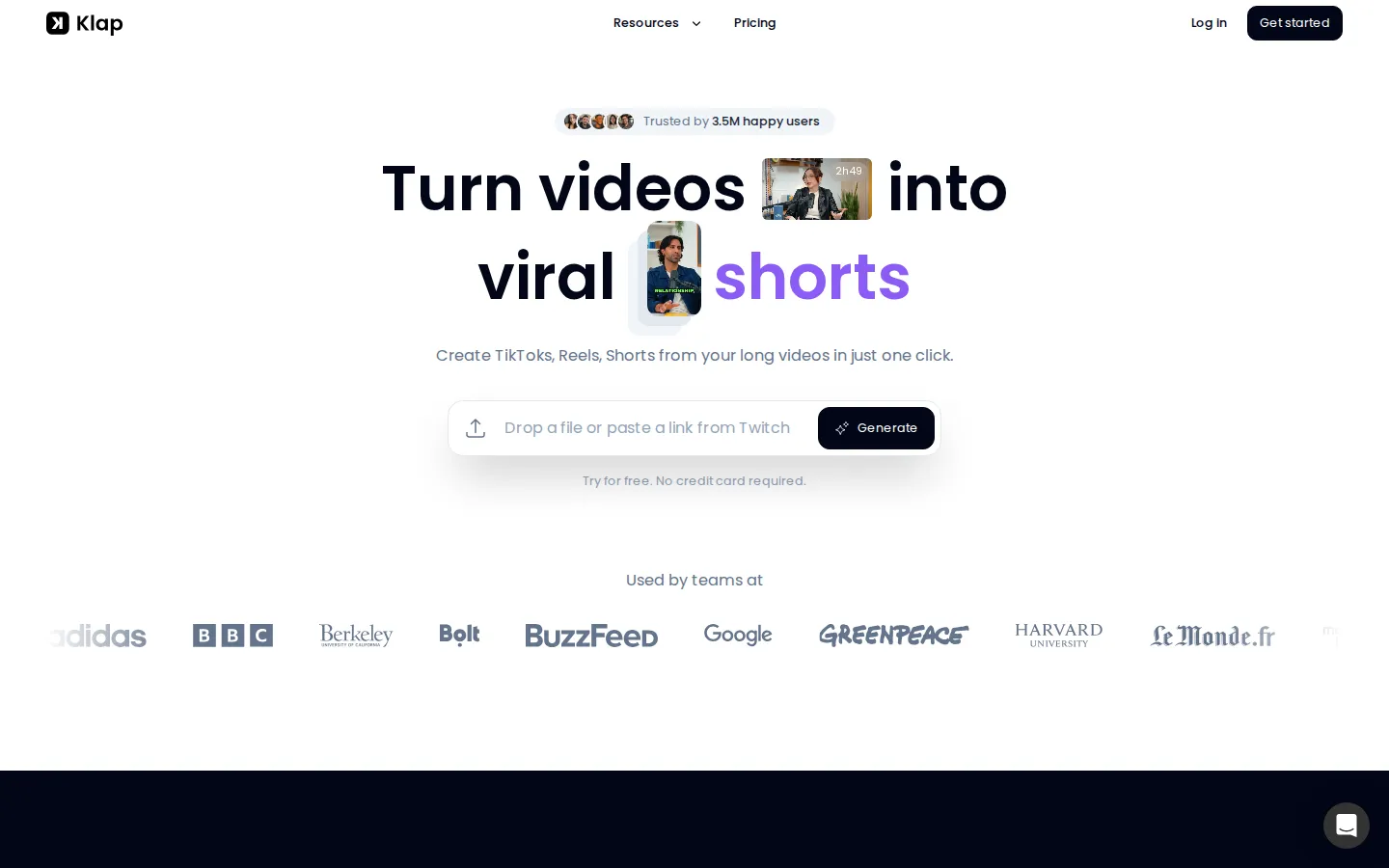
Klap (klap.app) automatically converts long-form video into short vertical clips. Paste a YouTube, Vimeo, or Twitch link or upload a file, and Klap's AI finds the most engaging moments, reframes them for mobile, adds animated captions, and scores each clip's viral potential. You can edit clips in the browser, then publish or schedule them directly to TikTok, Instagram Reels, YouTube Shorts, and LinkedIn.
What is Klap?
Klap is an AI video repurposing platform that turns long-form footage into short vertical clips for social media. Operated by ZIGG SAS, which does business as Klap, the tool is used by more than 3.5 million creators who have produced over 8.5 million clips, according to the counters on its homepage.
The core workflow is deliberately simple. You paste a link from YouTube, Twitch, or Vimeo, or upload a video file, and Klap's AI analyses the audio transcript to identify the most interesting topics and quotable moments. It cuts those moments into standalone clips, reframes the footage into a 9:16 vertical format, tracks the speaker so the subject stays centred, and burns in animated captions. A Virality Score ranks every clip so you can prioritise the ones most likely to perform.
Editing happens inside the browser. Klap includes a transcript-based editor, so you can delete words from the text and have the video cut follow, plus a canvas editor for adjusting captions, fonts, colours, logos, layouts, and framing. AI Reframe 2, the newer layout engine, recognises scene types such as split screen, screencasts, and gaming footage to pick a sensible composition automatically. Transcription covers 52 languages, and the caption engine supports more than 100.
Publishing is built in. Klap connects to TikTok, Instagram, YouTube, and LinkedIn with unlimited social accounts on every plan, so clips can be exported in high resolution, shared straight from the dashboard, or scheduled to fit a posting calendar. Analytics on published clips are included as well.
Klap also exposes a REST API documented at docs.klap.app. The endpoint api.klap.app/v2/video-to-shorts accepts a source video URL or file and returns formatted shorts, while other capabilities cover caption generation, smart reframing, word-level transcripts, managed sub-users, and embedded editor access for SaaS products that want to offer clipping inside their own applications.
Pricing is metered by upload minutes rather than seats. Basic provides 300 minutes per month for $14, Pro gives 900 minutes for $39, and Pro+ gives 2,700 minutes for $94, all billed yearly with a 50 percent saving advertised. New users can create one video free without a credit card. Support runs mainly through the company's Discord community and live chat.
Klap Core Features
AI highlight detection that scans the transcript to find the most engaging topics and cuts them into standalone clips automatically.
AI Reframe 2 auto-reframing that converts landscape footage to 9:16 and keeps the main subject centred, with layouts for split screen, screencasts, and gaming.
Animated captions and subtitles, with transcription in 52 languages and caption generation in more than 100.
Virality Score ranking that grades each generated clip on its likely performance before you post it.
Transcript-based browser editor
delete words in the text and the video cut follows, with controls for fonts, colours, logos, layouts, and framing.
Direct publishing and scheduling to TikTok, Instagram, YouTube, and LinkedIn, with unlimited social accounts on every plan.
A REST API at api.klap.app/v2 supporting video-to-shorts, captioning, reframing, word-level transcripts, managed users, and an embeddable editor.
Performance analytics for published clips, plus pooled team minutes on the Pro+ plan.
Who is Klap for?
Klap targets anyone who publishes long-form video and wants a consistent short-form presence without hiring an editor. The clearest fit is the solo content creator: YouTubers, podcasters, streamers, and course instructors who already record hours of talking-head or interview footage and need daily Reels, TikToks, and Shorts to feed the algorithm. Klap's own guidance is that talking-heavy content produces the best results, naming podcasts, interviews, educational videos, product reviews, and training sessions, because the AI leans on speech detection to find highlights. Social media managers and small marketing teams are a second strong audience. Repurposing a webinar or a founder interview into a week of vertical clips is the exact task Klap automates, and the shared team plan, Pro+ at 2,700 minutes per month, plus brand customisation for fonts, colours, and logos, makes it workable for agencies juggling several clients. The third group is developers and product teams. Klap's REST API, managed users, and embeddable editor let a SaaS platform, podcast host, or media company add automatic clipping to their own product without building the render pipeline. Klap's API page names agencies, SaaS, ecommerce, studios, education, and high-volume creators as its target segments. Klap is a weaker fit if you need frame-accurate manual editing, cinematic colour grading, or motion graphics; it is a repurposing tool, not a full non-linear editor. It also performs poorly on footage with no speech, such as silent travel montages or ambient music videos, since highlight detection depends on the transcript. Beginners are well served though: the workflow is upload, review, publish, with no editing experience required, and the free trial keeps the risk of trying it low.
Klap Use Cases
Turn a two-hour podcast episode into dozens of captioned vertical clips for TikTok, Reels, and Shorts
Repurpose a recorded webinar or product demo into a scheduled week of short-form posts
Convert a YouTube upload into TikTok and Instagram Reels without re-editing the source
Clip streamer highlights from Twitch VODs for daily gaming Shorts
Generate subtitled clips from interviews, trainings, and course lessons for public or internal sharing
Automate client video clipping at scale for an agency using the API and saved brand presets
Embed automatic clipping inside a SaaS product with managed users and the hosted Klap editor
Klap Pros and Cons
Pros
- Genuinely fast repurposing: a one-minute video yields roughly five clips, and long uploads process in minutes.
- All-in-one workflow, combining clipping, reframing, captioning, editing, publishing, and analytics in one browser tool.
- Beginner-friendly with no editing experience required, plus a free trial that needs no credit card.
- Strong multilingual support, with transcription in 52 languages and caption generation in more than 100.
- A real API with managed users and an embeddable editor, which most consumer clipping tools do not offer.
Cons
- Pricing is metered by upload minutes rather than output clips, so unused footage still consumes your monthly allowance.
- Auto-reframing and highlight selection can misfire on busy scenes or multi-speaker footage, requiring manual clean-up.
- Video with little or no speech, such as ambient or music-only content, clips poorly because detection relies on the transcript.
FAQ About Klap
Klap Pricing
Klap charges for upload minutes rather than seats, and there is no permanently free plan. New users can create one video free with no credit card, then upgrade to a yearly-billed subscription. Basic costs $14 per month for 300 upload minutes, Pro costs $39 per month for 900 minutes, and Pro+ costs $94 per month for 2,700 minutes, with the pricing page advertising a 50 percent saving versus monthly billing. Every plan includes AI clipping, unlimited social accounts across TikTok, Instagram, YouTube, and LinkedIn, and analytics on published clips. Teams that need more capacity are told to contact Klap through its Discord. API access is arranged separately and the developer documentation lives at docs.klap.app.
Check official pricingFree trial
Try Klap without a credit card and create one video free to test the AI clipping, editing, and export workflow.
Basic
For individuals: 300 upload minutes per month, billed yearly, with AI clipping, unlimited social accounts, and analytics included.
Pro
The most popular tier: 900 upload minutes per month, billed yearly, with the same AI clipping, unlimited social accounts, and analytics.
Pro+
For teams: 2,700 upload minutes per month, billed yearly, with shared minutes and everything in the lower plans; extra capacity is arranged through Klap on Discord.
Klap Alternatives

Reelina AI
Reelina AI is a web studio for generating video, images, voice and music with several hundred third-party and in-house models on a single coin balance. Weekly and monthly plans include coins that never expire, and coin packs can be added at any time. Generation costs appear before you run anything, so you can compare models without separate subscriptions.

Faceless Reels AI
Faceless Reels AI is a browser studio that turns one topic into a finished 9:16 faceless video. It drafts an editable title, hook, narration and scene plan, then renders with a chosen narrator, captions, visual style and music. Six durations from 5 to 60 seconds, three languages, up to twelve scenes, and video plus SRT downloads.

Kaleidly
Kaleidly is an AI repurposing studio for long videos. Paste a YouTube, TikTok, Instagram, X or Facebook link and it transcribes the episode, learns your writing voice from your own posts, then returns scored vertical clips with synced captions plus five text formats. One credit covers one minute of video. It understands 35 languages and writes posts in the language you write in.