
HuddleMate
HuddleMate is a real-time AI assistant that listens to your meeting conversation, sees your screen, and delivers the perfect response exactly when you need it. Upload resumes, job descriptions, or notes as custom knowledge, choose response formats from quick answers to STAR stories, and stay invisible to screen sharing. Pay only for active assist minutes with a free tier of 5 minutes per hour and purchased minutes that never expire.
What is HuddleMate?
HuddleMate is a real-time AI meeting copilot designed to give users the perfect answer during live conversations, whether in a job interview, sales call, or trivia game. The core experience works like this: before a meeting, users tell HuddleMate about the meeting and upload relevant context such as resumes, job descriptions, product notes, or talking points. During the meeting, HuddleMate listens to the entire conversation and sees the user's screen in real time, capturing both what is being said and what is on display, so its suggestions are grounded in the actual context. When the user needs an answer, the response appears on screen instantly, ready to be spoken aloud, with no scrambling through notes and no awkward pauses. Users can switch between response styles on the fly, from short quick-answer mode to a detailed STAR-format story, and they can create custom copilots for interview, trivia, or general meeting scenarios. HuddleMate supports custom knowledge so every answer references the user's own experience, and it is designed to be invisible to screen sharing, which matters for remote interviews where the candidate shares their screen. The platform works on mobile as well as desktop, and it includes a screen analyzer that can interpret code or documents on screen, which is useful for technical interviews. Pricing is usage-based: the free tier provides 5 minutes of active assist per hour, Standard costs $9.99 per hour of active assistance, and purchased minutes never expire, with an Enterprise tier for teams and high-volume users. HuddleMate was built by people who experienced the exact problem it solves: the mind going blank when a tough question arrives. The product therefore focuses on speed and discreteness, with responses appearing on screen the moment they are needed and a design that keeps the assistant hidden during screen shares. The platform supports multiple response formats per meeting, so a user can ask for a one-line answer in one moment and a full STAR story in the next without changing tools. Custom copilots allow users to define their own meeting types and response rules, and the custom knowledge system ingests documents such as resumes and job descriptions so every suggestion is grounded in the user's own experience rather than generic advice. The screen analyzer goes beyond transcription by interpreting what is displayed, such as code in a technical interview or a product slide in a sales demo, and incorporating it into the answer context. The usage-based pricing model, where minutes never expire, is designed to avoid the subscription waste common in AI tools, and the free tier is positioned as genuinely useful for light usage.
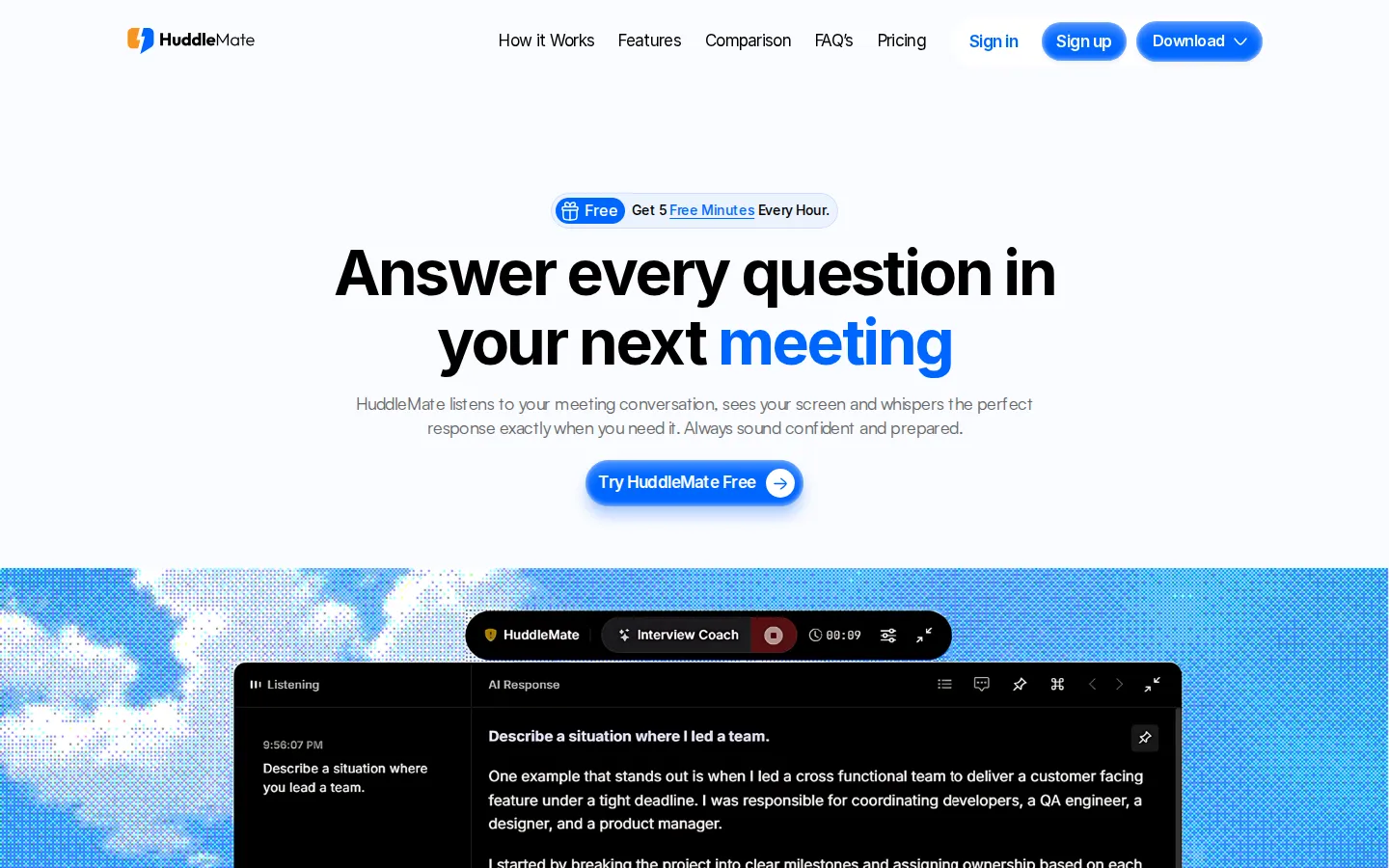
HuddleMate Core Features
Real-time listening
Captures the entire conversation, including follow-ups, so answers fit the live context.
Screen analyzer
Sees your screen and interprets documents or code on display for technical scenarios.
Custom knowledge
Upload resumes, job descriptions, product notes, and talking points for personalized answers.
Multiple response styles
Switch between short quick answers and detailed STAR-format stories anytime.
Meeting-specific copilots
Pre-built modes for interviews, trivia, and custom meeting assistants.
Invisible to screen sharing
Discreet assistance that does not appear in shared screens.
Mobile support
Works on mobile devices as well as desktop browsers.
Pay for what you use
Usage-based pricing with purchased minutes that never expire.
Who is HuddleMate for?
HuddleMate is designed for anyone who needs live assistance during high-stakes conversations. Job seekers and interview candidates are the primary audience, using custom knowledge from their resume and the job description to answer behavioral and technical questions confidently in real time. Sales professionals use it during client calls to recall product details, pricing, and talking points without fumbling through documents. Trivia players and quiz participants use it to get instant answers during live games. Students attending oral exams or presentations can receive structured prompts that keep them on track. Recruiters and hiring managers could use it to prepare structured interview questions and STAR-format evaluations. Consultants and freelancers on discovery calls can keep facts, case studies, and rates at their fingertips. Coders in technical interviews benefit from the screen analyzer, which interprets code on screen and suggests answers. Remote workers who feel nervous in meetings use the short mode for quick, confident responses. Essentially, anyone who has ever blanked during an important conversation is the target user. Language learners practicing interviews or presentations in a second language can use HuddleMate to get real-time phrasing support. Public speakers rehearse with it to build confidence and receive prompts when they lose their place. Negotiators and procurement professionals keep contract terms and pricing points at hand during calls. Medical and legal professionals preparing for oral exams can load study notes and receive structured answers under time pressure. Support agents handling live chat or phone escalations can pull troubleshooting steps instantly. Team leads running all-hands meetings use the quick-answer mode for confident responses to unexpected questions. And trivia enthusiasts, from pub quiz regulars to competitive quiz players, use it for instant factual recall during games.
HuddleMate Use Cases
Answer behavioral interview questions with STAR-format stories from your own resume.
Recall product details and pricing instantly during a sales call.
Get the correct answer in real time during trivia nights.
Keep talking points handy during client discovery calls.
Interpret code on screen during technical interviews with the screen analyzer.
Stay composed during oral exams with structured prompts.
Reference case studies and rates while pitching freelance clients.
Recover from blanking out in important meetings with instant response suggestions.
HuddleMate Pros and Cons
Pros
- Answers are grounded in real-time context, including the conversation and your screen.
- Custom knowledge makes responses personal rather than generic.
- Usage-based pricing with minutes that never expire and a free tier.
- Invisible to screen sharing, which is critical for remote interviews.
Cons
- Real-time assistance during live calls may be restricted by employers or platforms.
- Paying by the hour of active assistance adds up for long meetings.
- Ethical considerations mean users should verify whether real-time AI help is permitted in their context.
FAQ About HuddleMate
HuddleMate Pricing
Freemium. Free tier: 5 active minutes per hour; Standard $9.99/hour of active assistance (minutes never expire); Enterprise custom for teams. Pay only for active assist minutes, no lock-in.
Check official pricingFree
5 active minutes per hour, perfect for testing.
Standard
Active assist minutes that never expire, priority support.
Enterprise
Custom integrations, enterprise security, and team members.
HuddleMate Alternatives

Tana
Tana is an agentic meeting platform that runs AI agents inside native video calls, not as separate bots. It captures transcripts, generates summaries, extracts tasks, and connects results to your knowledge graph, docs, and project tools. Free users host five meetings monthly, while Pro and Max add unlimited meetings, more AI capacity, and full MCP integrations for Zoom, Teams, and Google Meet.

Recall.ai
Recall.ai is the API for meeting recording, giving developers transcripts, recordings, and metadata from Zoom, Google Meet, Microsoft Teams, Webex, GoTo Meeting, and Slack Huddles through one unified API. Products include the Meeting Bot API, Desktop Recording SDK, and Calendar API, with real-time and async data, 100% accurate speaker identification, and a 99.9% SLA trusted by 3000+ customers.

Amurex
Amurex is a free, open-source AI meeting copilot, now evolving into 'the invisible companion for work and life.' It delivers real-time suggestions during meetings, transcripts, smart summaries, late-join recaps, one-click follow-up emails, and searchable knowledge across Notion, Google Drive, and Obsidian. It runs as a browser extension from The Personal AI Company. Note: amurex.ai is currently parked for sale; the product lives on GitHub and the Chrome Web Store.