
FormHug
FormHug turns a plain-language description into a publishable form, then keeps the workflow around it: Stripe payments, booking slots with capacity, scored quizzes and assessments with certificates, and Public Query lookup pages. The free plan includes unlimited forms and 3,000 responses a month. Forms can also be built from ChatGPT, Claude or any MCP-capable agent.
What is FormHug?
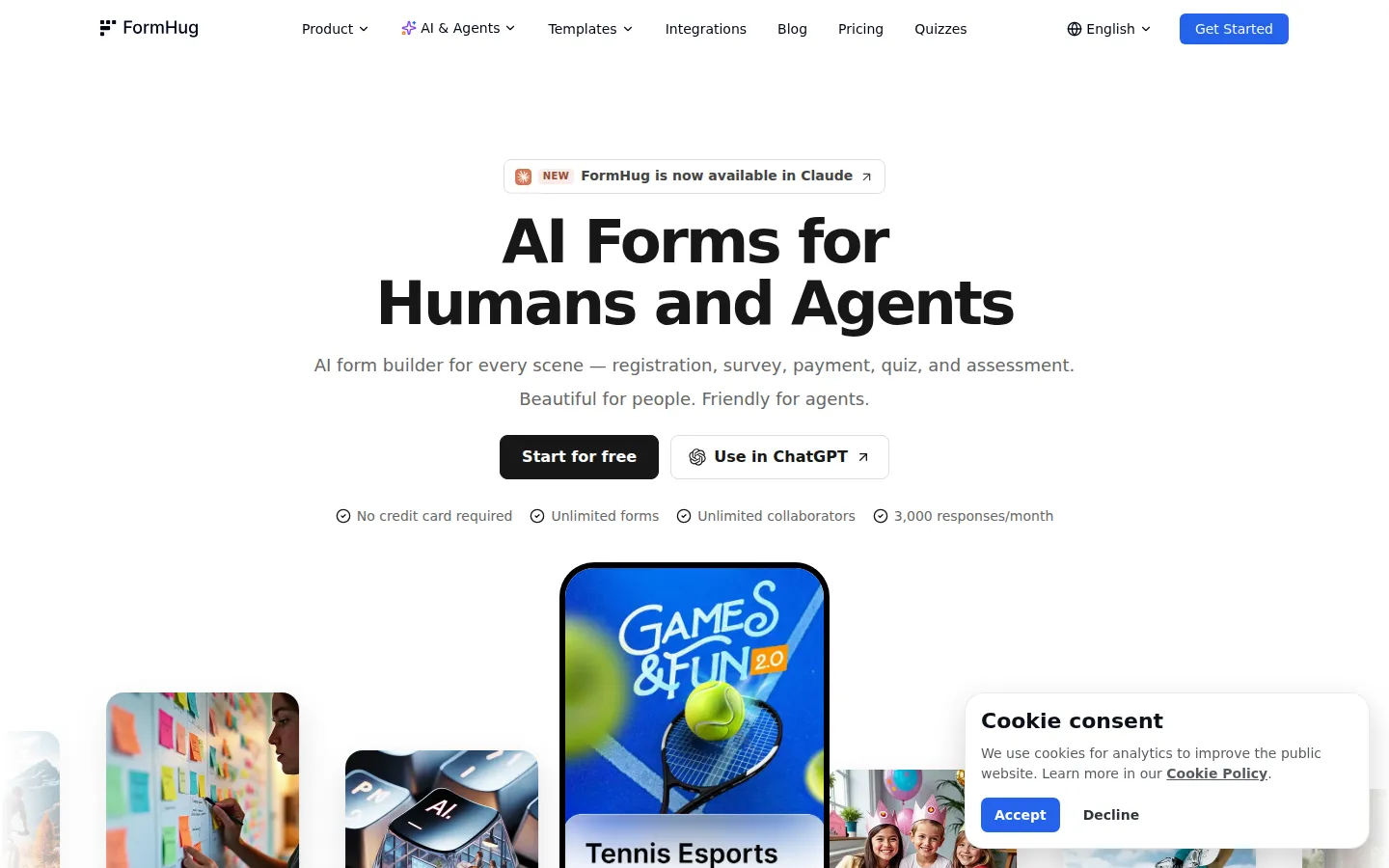
FormHug is a free AI form builder for registration forms, surveys, quizzes, assessments, bookings, payment forms and self-service lookup pages. It is built by Formagic LLC and describes itself as "AI Forms for Humans and Agents": forms that read well to respondents and can also be created and operated by AI agents. A build starts with a plain-language description; FormHug AI drafts the fields, the wording, a cover image and a QR poster, and you adjust the structure before publishing. Everything after submission, from response tables to analytics and follow-up, stays in the same workspace instead of being stitched together across a form tool, a spreadsheet and an email client.
The builder covers what a serious form product is expected to do: conditional logic, calculation fields, more than 30 field types, file uploads, e-signatures, matrix questions, QR posters and real-time response analytics. Presentation is handled through Classic or Card layouts plus a custom end page that routes each respondent to the right next step. On top of collection, FormHug adds modules that usually need separate subscriptions: Stripe payments for orders, tickets and deposits; booking with availability, time slots and capacity; scored quizzes with answer explanations, instant results and certificates; assessments with dimension reports and radar charts; and Public Query, which turns submissions or imported Excel data into a lookup page where a visitor enters an ID or email and sees only their matching record, such as a score, registration status, result or certificate detail.
The agent story is the main differentiator. The same forms can be built from ChatGPT, from Claude through its connector directory, or from any MCP-capable client such as Cursor, Manus or Windsurf; an agent can create a form, edit fields, read submissions and submit entries. Responses flow to where teams already work through native integrations and Zapier's 5,000+ apps, with Google Sheets, Notion, Slack, Stripe and Gmail named on the site. Templates cover surveys and feedback, quizzes, registration, lead generation, bookings, orders and payments, assessments, applications, RSVP and invitations, and consent.
Beyond individual forms, FormHug packages an Events & Conferences solution that ties registration, payments, participant self-service and team operations into one configurable workflow, and it publishes side-by-side comparisons with Typeform, Jotform, Tally, Fillout and Google Forms. Forms can be translated with AI, and every submission lands in a shared response table, so collaboration covers the data as well as the build. Documentation, a template library and a blog sit alongside the product.
Starting cost is zero: the free plan includes unlimited forms, 3,000 responses a month, 500 MB of uploads and the AI builder, with no credit card. Pro at $29 per month raises limits and unlocks payments and Public Query; Business at $59 adds unlimited submissions and branding control.
FormHug Core Features
AI Form Generation
Describe the form in plain language and FormHug AI drafts the fields, wording, cover image and QR poster, ready to adjust before publishing.
Quiz and Assessment Scoring
Publish scored quizzes with answer explanations, instant results and certificates, or assessments with dimension reports and radar charts.
Payments and Orders
Accept orders, tickets and deposits securely with Stripe from the same form, without bolting on a separate checkout tool.
Booking with Capacity
Manage availability, time slots and capacity inside the form while still collecting every detail each attendee needs to provide.
Public Query Lookup Pages
Turn submissions or imported Excel data into a self-service page where visitors enter an ID or email and see only their own record.
Design and Layout Control
Choose Classic or Card layouts, apply branding, and finish with a custom end page that guides every respondent to the right next step.
Advanced Form Logic
Use conditional logic, calculation fields, 30+ field types, file uploads, e-signatures, matrix questions, QR posters and real-time response analytics.
Agent and MCP Access
Build and manage forms from ChatGPT, Claude or MCP clients such as Cursor, Manus and Windsurf, and sync responses to Google Sheets, Notion, Slack, Gmail or 5,000+ apps through Zapier.
Who is FormHug for?
FormHug suits people who need a form to do more than collect answers, and who do not want to pay three subscriptions to get there. Event organizers are the clearest fit: registration, ticket payment, conditional follow-up questions, confirmation email and on-site coordination can share one form and one response table, which is the workflow FormHug markets under Events & Conferences. HR and learning teams use the quiz and assessment modules for training checks, scored exams and certificates, while schools and trainers get instant results and answer explanations without configuring every question by hand. Small businesses and solo operators benefit from the free tier: booking with availability and capacity, order forms with Stripe, and a lookup page for status questions, all at no cost until volume grows. Marketing and research teams use surveys, lead capture and NPS forms, then share a filtered live report instead of rebuilding a spreadsheet each week; agencies get reusable templates and branding controls on Business. Teams already working inside ChatGPT or Claude, or running agents in Cursor, Manus or Windsurf, are a specific audience too, since the MCP server lets those agents create forms and read submissions rather than just drafting text. Coaches, consultants and community organizers sit in between: they need a booking link, a paid intake form and a way for clients to check a result without buying an operations platform. It fits less well for anyone who needs deep CRM pipelines with lead scoring and sales automation, or enterprise procurement and security review before a tool can be adopted, since those conversations go through a custom Enterprise tier. Teams that only need raw response collection at very high volume should compare per-response limits before committing, and organizations that only need a handful of internal surveys may also find a simpler free tool sufficient.
FormHug Use Cases
Collect event registrations, ticket payments and conditional follow-up answers in one form.
Run a customer feedback or NPS survey and share a filtered live report with stakeholders.
Score a training quiz with instant results, answer explanations and downloadable certificates.
Build a skills or readiness assessment that outputs dimension reports and radar charts.
Set up appointment booking with availability rules, time slots and capacity limits.
Sell tickets, products or deposits through a Stripe-powered payment form.
Publish a lookup page so attendees can check their own status or exam score.
Generate a lead capture form from a prompt, then sync contacts to a CRM through Zapier.
FormHug Pros and Cons
Pros
- The free plan is a real product rather than a trial: unlimited forms, 3,000 responses a month, 500 MB of uploads and the AI builder with no credit card.
- One workspace covers collection, Stripe payments, booking, scoring, certificates and result lookup, replacing several subscriptions.
- Public Query and MCP support are unusual at this price and make the same form useful to respondents and to AI agents.
- Plain-language generation produces fields, wording, cover image and QR poster at once, so a publishable form takes minutes.
- Responses route to Google Sheets, Notion, Slack, Gmail and 5,000+ apps through Zapier without extra glue code.
Cons
- Payments and Public Query are Pro features, so anyone on the free plan still needs another tool to charge money or let people check their own results.
- The free tier caps responses at 3,000 a month and uploads at 500 MB, and the brand badge cannot be removed until Business at $59 per month.
- No REST API is documented beyond the MCP server, and there is no native CRM or sales automation, so complex pipelines still depend on Zapier or another platform.
FAQ About FormHug
FormHug Pricing
Freemium: $0/month includes unlimited forms, 3,000 submissions a month, 500 MB of file uploads, templates, the AI builder, conditional logic, 30+ field types, quiz and exam scenarios and agent connections, with no credit card. Pro is $29/month with 30,000 submissions, 5 GB uploads, all field types, Stripe payments, rich link previews, Public Query and a powerful end page. Business is $59/month with unlimited submissions and collaborators, 20 GB uploads, brand-badge removal, deep analytics, custom integrations and priority support. Yearly billing saves 17%. Enterprise is custom priced.
Check official pricingFree
Unlimited forms, 3,000 submissions/month, 500 MB file uploads, templates, AI form builder, conditional logic, 30+ field types, quiz and exam scenarios, connect your agent; no credit card required.
Pro
Everything in Free plus 30,000 submissions/month, 5 GB uploads, all field types, Stripe payments, rich link previews, Public Query pages and a powerful end page.
Business
Everything in Pro plus unlimited submissions, unlimited collaborators, 20 GB uploads, brand-badge removal, complete branding control, advanced marketing tools, deep analytics and priority support.
Enterprise
All Business features plus high-concurrency submissions, global CDN delivery, multilingual forms, multi-team rollout, dedicated 1:1 support, onboarding and procurement guidance.
