
Customuse
Customuse is an AI 3D creation platform that brings the latest image, video, and 3D generation models into one workspace. Users can ideate, generate, edit, animate, and texture game-ready assets, scenes, characters, and product visuals, then export for production pipelines. It combines a node editor, cinema studio, team collaboration, and free tools like a 3D file converter, and serves creators, studios, and enterprise teams.
What is Customuse?
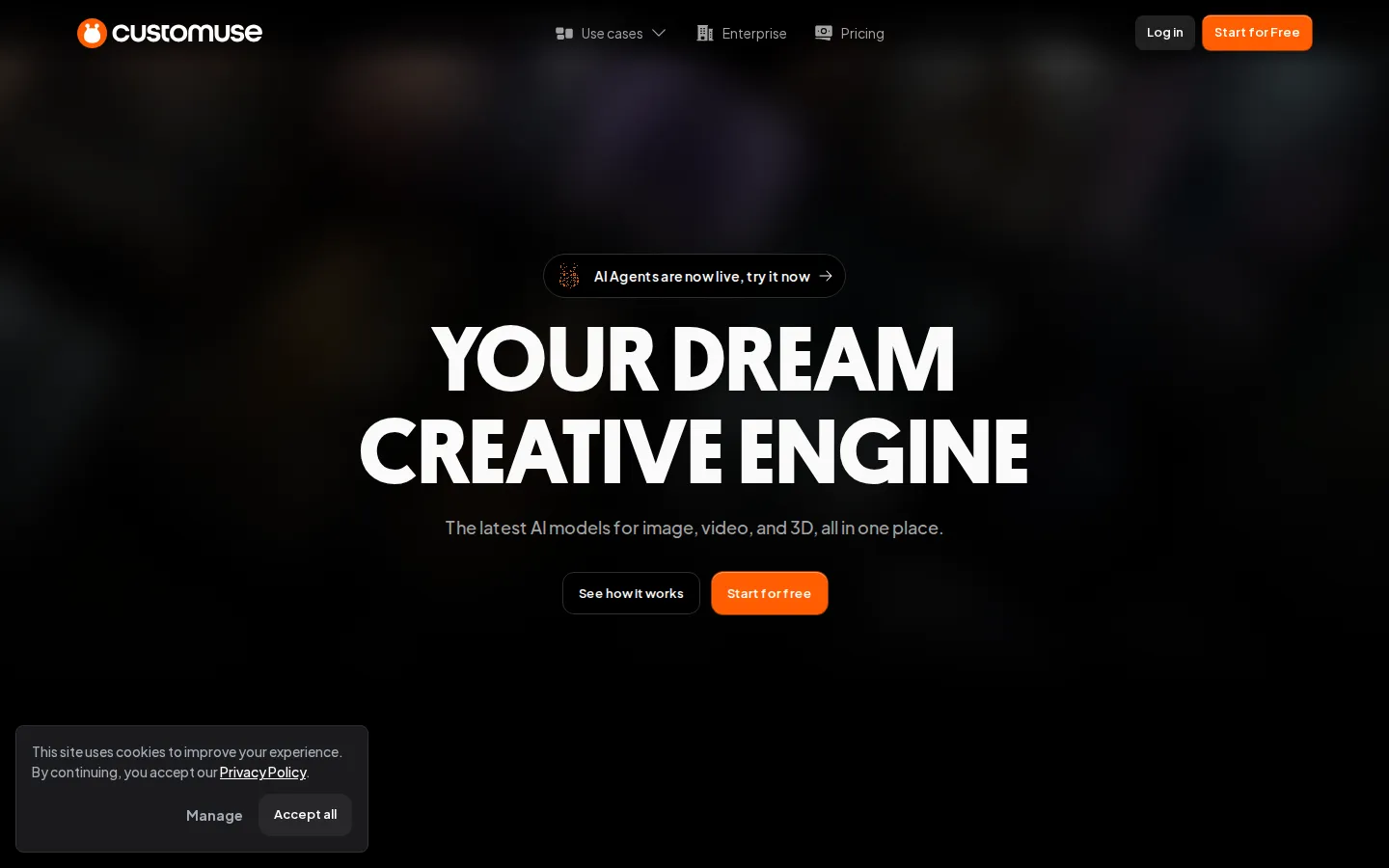
Customuse is an AI 3D creation platform that brings the latest AI models for image, video, and 3D generation into one workspace. It is not just a prompt box: it combines AI models, 3D scenes, node workflows, collaboration, and production tools so users can create, control, refine, and export assets in one place. For ideation, users generate images and video with models from OpenAI (GPT Image 2 and its edit variants), Google (Nano Banana, Nano Banana 2, Nano Banana Pro, and Veo 3.1 video), Black Forest Labs (the latest FLUX models), Kling AI (Kling 3 Pro), and ByteDance (Seedance 2.0). For 3D, the platform integrates Tripo v3.1, Tripo P1, and Tripo Retexture; Meshy 6 and Meshy 6 Retexture; and Tencent Hunyuan 3D v3.1 for image-to-3D meshes, low-poly meshes, and retexturing. The node editor gives an infinite canvas where users branch experiments, run parallel generations, re-run any node with a different model, and version workflows like a Houdini graph. Material slots are preserved through the pipeline, so multi-material assets like a bike with separate spokes, tire, and frame materials keep per-slot textures. Cinema Studio lets teams set up a 3D scene and generate images and videos straight from a prompt. For game studios, the pipeline spans concept, high-poly generation, retopology, low-poly mesh, PBR texturing, decals and stickers, and skinning and rigging, with engine-ready exports in FBX, GLB, and USD. Team and enterprise capabilities include shared workspaces, credit pools, usage visibility, brand kits, granular roles, SSO, API access, and IP governance with no cross-customer data sharing. The company reports over 35 million AI generations per month. Free tools include a Roblox clothes preview, Roblox clothes maker, 3D file converter, and 3D file viewer, and AI Agents were announced as live on the platform. The platform also exposes an API, which lets product teams embed 3D and AI generation directly into their own applications, and the asset library grows continuously as the community creates and shares new content.
Customuse Core Features
Access the latest AI image, video, and 3D models from OpenAI, Google, FLUX, Kling, Seedance, Tripo, and Meshy in one place.
Node editor with an infinite canvas for branching, parallelizing, and versioning generation workflows like a Houdini graph.
Generate game-ready 3D assets, low-poly meshes, and textures with image-to-3D models and per-slot material preservation.
Cinema Studio lets you set up a 3D scene and generate images and videos straight from your prompts.
Full game asset pipeline
concept, high-poly generation, retopology, low-poly mesh, PBR texturing, decals, and skinning and rigging.
Engine-ready exports in FBX, GLB, and USD with quad-only retopology and rigged, materially-correct output.
Team workspaces with shared credit pools, usage visibility, brand kits, and granular role-based access controls.
Free tools including a Roblox clothes preview, Roblox clothes maker, 3D file converter, and 3D file viewer.
Who is Customuse for?
Customuse is built for anyone who creates visual or 3D content with AI, from solo hobbyists to large production teams. Individual creators use it to move quickly from ideas to skins, avatars, outfits, props, assets, scenes, renders, and visual content. Professional 3D artists use it to explore asset directions, create model and texture variations, compose scenes, direct cameras, and prepare work for downstream tools like Unreal, Unity, or Houdini. Game development studios use Customuse as a repeatable 3D asset pipeline spanning concept, high-poly generation, retopology, low-poly meshes, PBR texturing, decals, and skinning and rigging, with engine-ready exports. Roblox developers get Roblox-ready assets, clothing, thumbnails, worlds, and direct upload. Animation and VFX teams use structured 3D scenes, characters, and camera control to generate more consistent images and video. Interior designers control 3D layouts and render client-ready concepts, ecommerce teams produce professional-grade product photography, product designers explore form and CMF, and architects render multiple design directions. Enterprise and studio teams get private workspaces, shared asset libraries, granular role controls, custom workflows, API access, SSO, and dedicated support. Whether you are testing your first AI generation or shipping thousands of assets a month, Customuse is designed to fit. Design leads and creative directors also use Customuse to keep visual output consistent across campaigns, and agencies deploy it to produce on-brand assets for multiple clients without expanding their design teams.
Customuse Use Cases
Game studios build repeatable AI 3D pipelines from concept to engine-ready assets for live-service titles.
Roblox developers create clothing, skins, thumbnails, and worlds and upload them directly to Roblox.
Animation and VFX teams direct AI rendering with structured scenes, cameras, characters, and consistent visuals.
Interior designers control 3D layouts and render AI-powered interiors for client-ready presentations.
Ecommerce teams produce professional-grade product photography without a physical photoshoot.
Product designers explore product form, CMF, and launch assets in one connected workflow.
Architects design buildings and render multiple architectural directions with AI.
Individual creators turn ideas into skins, avatars, outfits, props, renders, and visual content fast.
Customuse Pros and Cons
Pros
- Aggregates leading image, video, and 3D AI models in one subscription, so teams avoid tab-switching between providers.
- Node-graph pipeline preserves material slots and runs parallel generations, keeping multi-material assets production-ready.
- Engine-ready exports with quad-only retopology and skinned, rigged characters drop straight into Unreal or Unity.
- Offers a free tier plus free tools like the 3D file converter, making the platform easy to try before paying.
- Enterprise-grade IP governance with no training on studio uploads and no cross-customer data sharing.
Cons
- AI credits are required for generation tools, and different tools consume different credit amounts, which complicates budget planning.
- The free plan only covers core design tools and first downloads, without AI credits, unlimited exports, watermark removal, or commercial rights.
- API access, SSO, and advanced access controls are reserved for the custom Enterprise tier, not available on self-serve plans.
FAQ About Customuse
Customuse Pricing
Customuse is freemium: a free tier covers core design tools and first downloads, with paid credit plans starting at $14.99/month (Starter), $35/month (Pro), $99/month (Studio), and custom Enterprise pricing; annual billing saves 20%.
Check official pricingFree
Core design tools, community templates, and download of your first designs; upgrade for AI credits, unlimited exports, and commercial rights.
Starter
1,000 monthly AI credits, fixed credit allowance, core design tools and templates, unlimited exports, commercial rights, and buyable extra credits.
Pro
3,000-7,000 monthly AI credits with a slider, full access to AI generation tools, unlimited exports, no watermark, and live chat support.
Studio
9,000-20,000 shared monthly credits, 3 seats (up to 8), team workspace and credit pool, usage visibility, Brand Kit, priority rendering and support.
Enterprise
Custom credits, seats, and teams, SSO, API and custom integrations, advanced access controls, dedicated onboarding and support.
Customuse Alternatives
Stability AI
Stability AI is the generative AI company behind Stable Diffusion, Stable Audio, Stable Video and Stable 3D, which generate and edit images, video, audio and 3D assets. Teams can call those models through the developer Platform API, download open weights from Hugging Face, or license them for self-hosted deployment. A free Community License covers organisations under $1M revenue, while enterprise licensing is quoted on request.

Fomrix
Turn images or text into GLB assets, then inspect models with browser-based STL, GLB and OBJ viewers and use STL conversion and mesh tools.

SupaVoxel
SupaVoxel is a free AI 3D model generator that turns any 2D image into a detailed, textured voxel model in seconds. Simply upload a photo, sketch, or artwork and the AI produces a ready-to-use 3D mesh with automatic PBR textures. Export to GLB, FBX, OBJ, STL, PLY, and USDZ for games, 3D printing, VFX, and AR. No modeling skills required.