CreateVision AI
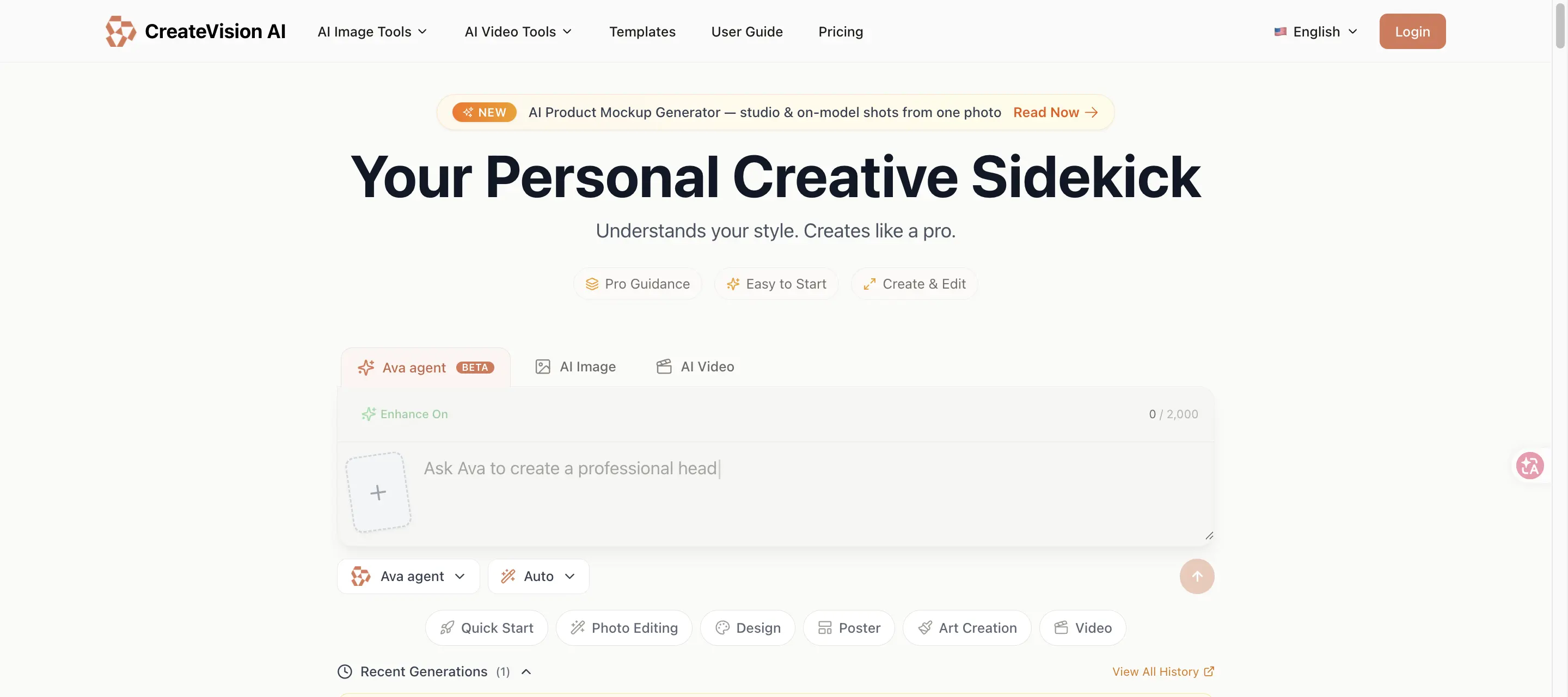
CreateVision AI helps users generate and edit images and videos with a guided creative workflow. It includes an Ava agent, AI image models, AI video models, templates, photo enhancement tools, face swap, background removal, image upscaling, object removal, product mockups, portraits, style transfer, and social media creative tools.
What is CreateVision AI?
CreateVision AI is a browser-based AI image and video creation platform. Users can ask the Ava agent to generate visuals, choose specific image or video models, start from templates, or use specialized tools such as face swap, image upscaling, background removal, product mockups, and style transfer.
CreateVision AI Core Features
Ava creative agent for guided image and video creation
AI image models such as GPT Image, Nano Banana, Qwen Image, and Seedream options
AI video models including Seedance, Sora, Veo, and Kling-style workflows
Large template library for portraits, product mockups, social media, and style transfer
Photo editing tools including background remover, upscaler, object remover, face swap, and image translator
Freemium credit plans with daily and monthly credit limits
Light and dark mode web interface
Who is CreateVision AI for?
CreateVision AI is suitable for creators, social media managers, marketers, ecommerce operators, designers, small businesses, and casual users who need images, short videos, mockups, portraits, social posts, or edited photos from prompts and templates.
CreateVision AI Use Cases
Generate images from prompts for marketing or creative projects
Create short videos from text or image references
Build social media visuals and trend-style templates
Make ecommerce product mockups and product photography concepts
Edit photos by removing backgrounds, objects, watermarks, or changing styles
Create portraits, avatars, couple photos, family photos, cards, and branded images
Experiment with multiple image and video models from one interface
CreateVision AI Pros and Cons
Pros
- Free daily credits make it easy to test before paying
- Combines agent guidance, model selection, and templates in one workspace
- Pricing page gives detailed credit limits and model usage examples
- Covers both image generation and video generation workflows
Cons
- Advanced models and higher output quality depend on paid credits and plan limits
- No public API documentation was visible during review
- Template-heavy tools may still require manual review for brand consistency and rights clearance
FAQ About CreateVision AI
CreateVision AI Pricing
CreateVision AI lists a free plan with 80 daily credits and 400 monthly credits, plus Basic, Premium, and Ultimate subscriptions. The pricing page shows monthly prices from $19 per month for Basic, $29 per month for Premium, and $49 per month for Ultimate, with yearly discounts and model-specific credit usage.
Check official pricingCreateVision AI Alternatives
Sartoris
Sartoris is a browser-based AI creative studio that generates premium still images and cinematic video from text prompts, with optional start and end frames plus image, video, and audio references. It runs on purchased credits rather than a subscription, keeps one library for both media types, and deletes finished generations twelve hours after they are created.

Reelina AI
Reelina AI is a web studio for generating video, images, voice and music with several hundred third-party and in-house models on a single coin balance. Weekly and monthly plans include coins that never expire, and coin packs can be added at any time. Generation costs appear before you run anything, so you can compare models without separate subscriptions.

ANI
ANI (anicomic.ai) turns a single selfie into a four-panel manga, manhwa, or comic strip in roughly 30 seconds. Choose from seven hand-tuned art styles, add dialogue and a beginning-middle-end story, then download, print, or share the result. It runs in the browser and as an iOS and Android app, with 1.8M+ comics created and a 4.9 App Store rating.