
Codia
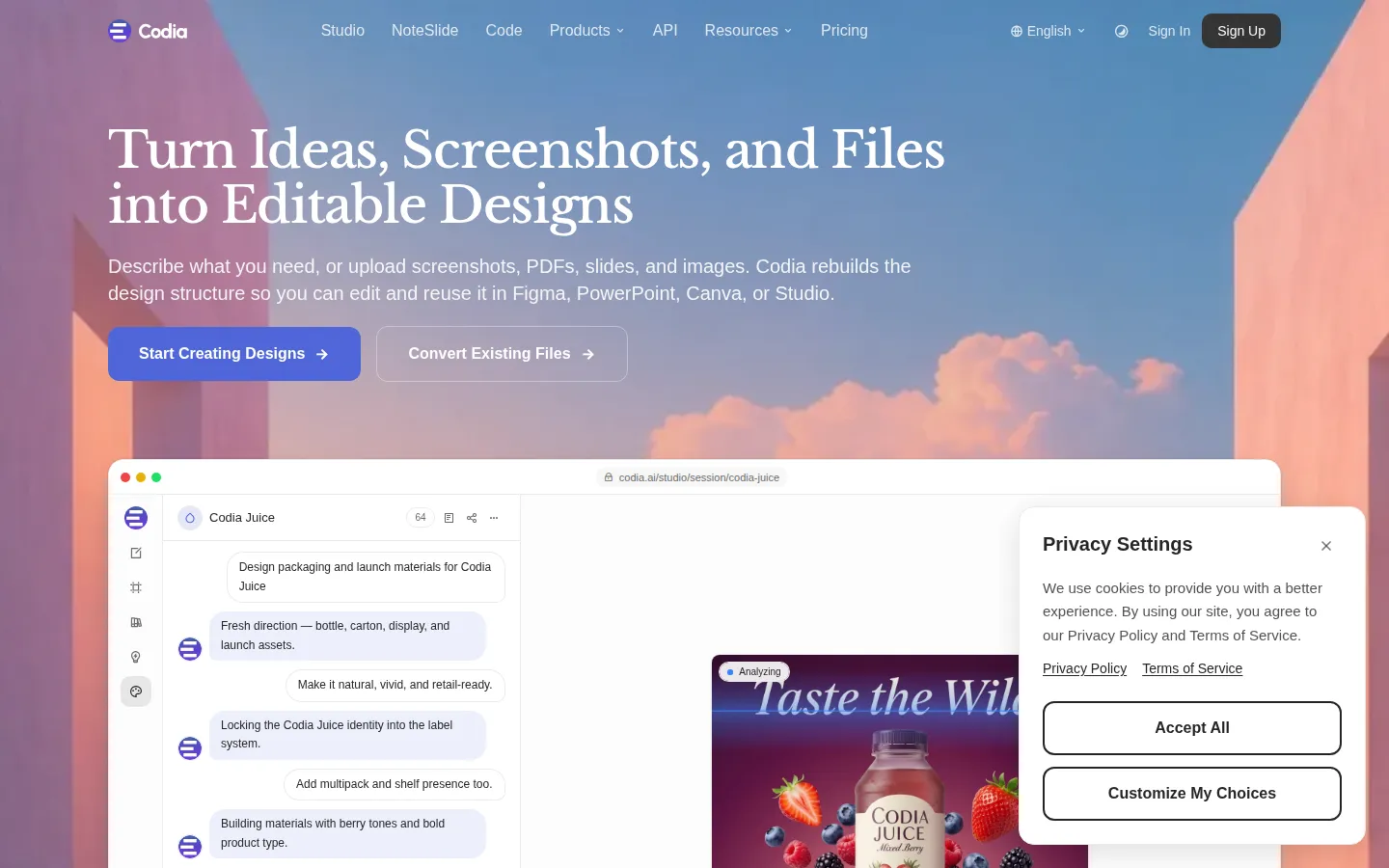
Codia is an AI-powered design and development platform that turns static visuals, such as screenshots, PDFs, slides, and design files, into editable designs. Its AI Vision reconstructs text, shapes, layers, and layout so users can edit and reuse content in Figma, PowerPoint, Canva, and Studio. Products include Codia Studio, NoteSlide, design-to-code, and an Open API for developers, with credit-based free and paid plans.
What is Codia?
Codia is an AI-powered design and development platform that reconstructs static visuals into editable design files. Instead of treating screenshots, PDFs, slides, and locked design formats as flat images, Codia's AI Vision understands the visual structure, including text, shapes, colors, layout, hierarchy, and components, then rebuilds them into editable text, layers, and design objects. Users can describe what they need or upload screenshots, PDFs, slides, and images, and Codia rebuilds the design structure so it can be edited and reused in Figma, PowerPoint, Canva, or its own Studio. The platform covers three workflows: Convert, which turns static visuals into editable files; Edit, which modifies text, shapes, colors, layouts, icons, and visual elements after conversion; and Reuse, which exports to PowerPoint, Figma, Canva, Keynote, SVG, and other production-ready formats. Codia is actually a family of products built around editable reconstruction: Codia Studio is an all-in-one AI design studio where an AI agent creates, edits, and refines production-ready designs; NoteSlide converts NotebookLM PDFs, image slides, and static presentation files into editable decks; design-to-code converts designs into code; and the Codia Open API exposes image-to-design, PDF-to-PPT, and SVG capabilities to tools like Codex, Claude, Cursor, and local AI agents. There are also specialized converters for screenshot-to-Figma, PDF-to-Figma, PSD-to-Figma, HTML-to-Figma, and Canva-to-Figma, plus AI image tools such as an image text editor, upscaler, watermark remover, and background remover. Pricing is credit-based across all products, with a free plan to start and paid tiers for freelancers, growing teams, professional teams, and large companies, plus team purchasing by seat. Codia also includes AI Remix for generating variations of existing visuals, Magic Layers for separating and editing individual design elements, and an AI image text editor for changing text inside images. Team purchasing lets organizations buy subscriptions by seat, invite members, and manage shared billing from one dashboard. The free plan provides a usable monthly allowance, and paid plans add more credits, concurrent tasks, and brand kits, so teams can grow without switching tools.
Codia Core Features
AI Vision Reconstruction
Understands text, shapes, layout, hierarchy, colors, and components to rebuild static visuals into editable designs
Convert Workflows
Turns PDFs, screenshots, images, slides, and design files into editable formats
Full Editing
Modifies text, shapes, colors, layouts, icons, and visual elements after conversion
Multi-Format Export
Exports to PowerPoint, Figma, Canva, Keynote, SVG, and other production-ready formats
Codia Studio
All-in-one AI design studio where an AI agent creates, edits, and refines production-ready designs
NoteSlide
Converts NotebookLM PDFs, image slides, and static presentation files into editable decks
Design to Code
Converts designs into code for development handoff
Open API
Image/PDF to design, PDF to PPT, and SVG APIs installable into Codex, Claude, Cursor, and AI agents
Who is Codia for?
Codia serves designers, marketers, educators, and developers who need to work with visual content trapped in static formats. Designers use screenshot-to-Figma and PDF-to-Figma to turn UI references into editable layers instead of redrawing them. Marketers and presentation creators use NoteSlide to convert PDFs and image slides into editable decks for PowerPoint and Canva. Product managers and consultants convert slide exports and image-based decks into reusable presentation assets. Developers use design-to-code and the Open API to turn designs into code or to install Codia tools into Codex, Claude, Cursor, and other AI agents. Freelancers and small teams start on the starter plan, while growing teams, professional teams, and large companies scale with more credits, concurrent tasks, and brand kits. Teams that buy by seat can manage shared billing and invite members. Anyone who frequently receives content in locked formats, such as PSD files, scanned slides, or exported PDFs, and needs to edit and reuse it, fits Codia's core workflow. UI/UX teams use Codia to turn design references into Figma files that match their design systems, and agencies use it to convert client decks and slide exports into editable assets they can rebrand. Educators and course creators convert slide decks and PDFs into editable materials, while operations teams use the API to automate document-to-design pipelines. Solo creators on the free plan use the image tools for quick edits like background removal and upscaling.
Codia Use Cases
Turn a UI screenshot into an editable Figma layout instead of redrawing it
Convert PDF slide exports into editable PowerPoint decks
Rebuild a scanned document image into structured design layers
Generate design variations from an existing visual asset
Convert NotebookLM PDFs into editable presentation files with NoteSlide
Automate image-to-design conversion with the Open API in Cursor or Codex
Remove backgrounds and watermarks from images before reuse
Codia Pros and Cons
Pros
- Covers the full convert-edit-reuse loop across multiple target formats
- Credit system spans all products, including an API for developers
- Free plan available to evaluate the core workflow
- Family of products (Studio, NoteSlide, code, API) serves many workflows
Cons
- OCR and reconstruction quality depends on source file quality
- Credit-based pricing means heavy conversion volume requires higher tiers
- Complex or low-quality source files may still need manual review
FAQ About Codia
Codia Pricing
Freemium, credit-based. Codia Studio Starter $20/mo ($16 annual), Basic $49, Pro $99, Ultra $200; free plan available. Open API from $49/mo.
Check official pricingStarter
2,000 credits/month, 2 concurrent tasks, 5 brand kits, commercial use ($16/mo annual)
Basic
5,500 credits/month, 4 concurrent tasks, 10 brand kits ($39/mo annual)
Pro
12,000 credits/month, 8 concurrent tasks, 30 brand kits, 10% off top-ups ($79/mo annual)
Ultra
25,000 credits/month, 10 concurrent tasks, 100 brand kits ($160/mo annual)
Open API
5,500 credits/month, RESTful API access, PDF to PPT and SVG APIs
Codia Alternatives

BlockPoster.ai
Create custom block posters from your photos or AI-generated art with BlockPoster.ai. Easily crop, split, and preview designs for free.

Zoviz
Zoviz is an AI branding and content platform for small businesses, creators, and agencies. Set up a Brand Profile with your audience, voice, colors, and fonts, then generate logos, business cards, social posts, product ads, videos, and websites that automatically match your brand. It also offers API and MCP access for developers, plus mobile apps for iOS and Android.
NormalMap AI
NormalMap AI is a free browser-based generator that converts a single photo or albedo texture into a complete set of PBR maps—normal, height, roughness, metallic and ambient occlusion—using real-time WebGL, so nothing is uploaded. Its AI section turns text prompts into seamless, tileable textures, and the built-in 3D viewer previews results on spheres, cubes and planes before you download transparent PNGs.