Illustrae
Illustrae is a scientific illustration platform for researchers, PhDs, educators, and professionals. It turns text prompts, sketches, photos, and abstracts into polished scientific figures, graphical abstracts, academic posters, presentation visuals, and editable research illustrations on an intelligent canvas.
What is Illustrae?
Illustrae is an AI-powered scientific illustration and research figure platform. Users can describe, sketch, upload, or transform research concepts into publication-ready images, diagrams, graphical abstracts, posters, and teaching materials while editing outputs on a canvas.
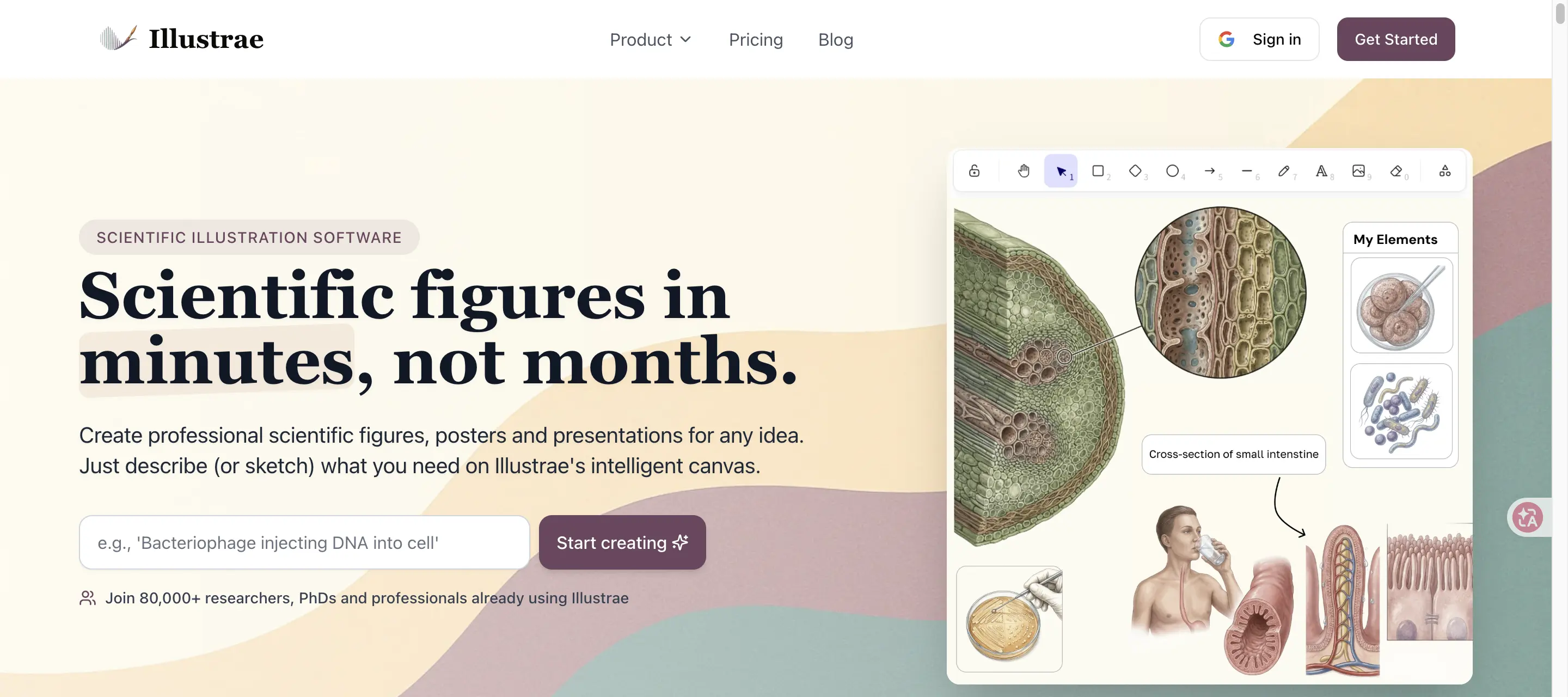
Illustrae Core Features
Text-to-figure generation
Turn written scientific ideas into polished research visuals.
Sketch-to-figure and photo-to-figure
Convert rough sketches or lab photos into professional illustrations.
Abstract-to-poster workflow
Transform research abstracts into graphical abstracts or academic posters.
Intelligent canvas
Arrange, align, scale, and organize scientific elements on an infinite canvas.
Targeted image editing
Add, remove, recolor, relight, or refine elements with natural language prompts.
Scientific style options
Choose vintage, modern, photo-realistic, watercolor, or custom visual styles.
Publication-ready exports
Export high-resolution PNG files, transparent backgrounds, selections, and supported SVG elements.
Commercial and publication rights
The FAQ says users retain rights to use generated images in publications, presentations, education, and commercial projects.
Who is Illustrae for?
Illustrae is for researchers, PhD students, postdocs, professors, educators, scientific communicators, lab teams, academic institutions, and professionals who need high-quality scientific visuals for papers, presentations, grants, teaching, and posters.
Illustrae Use Cases
Create journal article figures that explain complex research concepts.
Design conference presentation visuals and academic slides.
Generate teaching materials for complex scientific topics.
Create grant proposal visuals that communicate research plans.
Build thesis and dissertation figures with consistent visual language.
Turn research abstracts into graphical abstracts or academic posters.
Convert lab equipment photos, sketches, or specimens into custom illustrations.
Illustrae Pros and Cons
Pros
- Focused specifically on scientific illustration and academic figure workflows.
- Supports multiple input modes including text, sketch, photo, and abstract.
- Includes intelligent canvas editing instead of only one-shot image generation.
- Pricing page clearly states publication and commercial-use permission.
- Useful for journal figures, posters, slides, teaching materials, and grants.
Cons
- No free plan or free trial is currently offered according to the FAQ.
- Scientific accuracy still depends on expert review and iterative prompting.
- Public API documentation was not visible during review.
- Starter plan limits monthly image generations and active canvases.
FAQ About Illustrae
Illustrae Pricing
Illustrae lists annual plans with Starter at $4.92 per month billed annually ($59/year), Unlimited at $12.92 per month billed annually ($155/year), a Lifetime option at $299 one-time, and custom pricing for teams and institutions. The FAQ says there is no free plan or free trial, but a 15 day 100% refund is offered.
Check official pricingIllustrae Alternatives

Yeri AI
Yeri AI is an all-in-one AI creative platform for generating images and videos. Use text prompts to create original visuals, apply photo effects and filters, edit with AI-powered tools, and generate videos from text or image inputs.
Raphael AI
Raphael AI is a free-start AI image generator that supports text-to-image, image-to-image, templates, image editing, background removal, image expansion, and access to current image and video models. The site emphasizes no login for basic image generation, unlimited basic generations, fast generation, privacy controls, and paid plans for no watermark and commercial use.
CreateVision AI
CreateVision AI helps users generate and edit images and videos with a guided creative workflow. It includes an Ava agent, AI image models, AI video models, templates, photo enhancement tools, face swap, background removal, image upscaling, object removal, product mockups, portraits, style transfer, and social media creative tools.