
Unwatermark AI
Unwatermark AI is a browser-based tool that removes watermarks, logos, text, and unwanted objects from images and videos using AI. Auto-detection finds stamps and full-screen watermarks instantly, a Magic Eraser cleans up people and objects, and a video cleaner handles TikTok, YouTube, and generated videos frame by frame. A manual brush provides pixel-level control, and the tool supports JPG, PNG, WEBP, MP4, M4V, and MOV without requiring login.
What is Unwatermark AI?
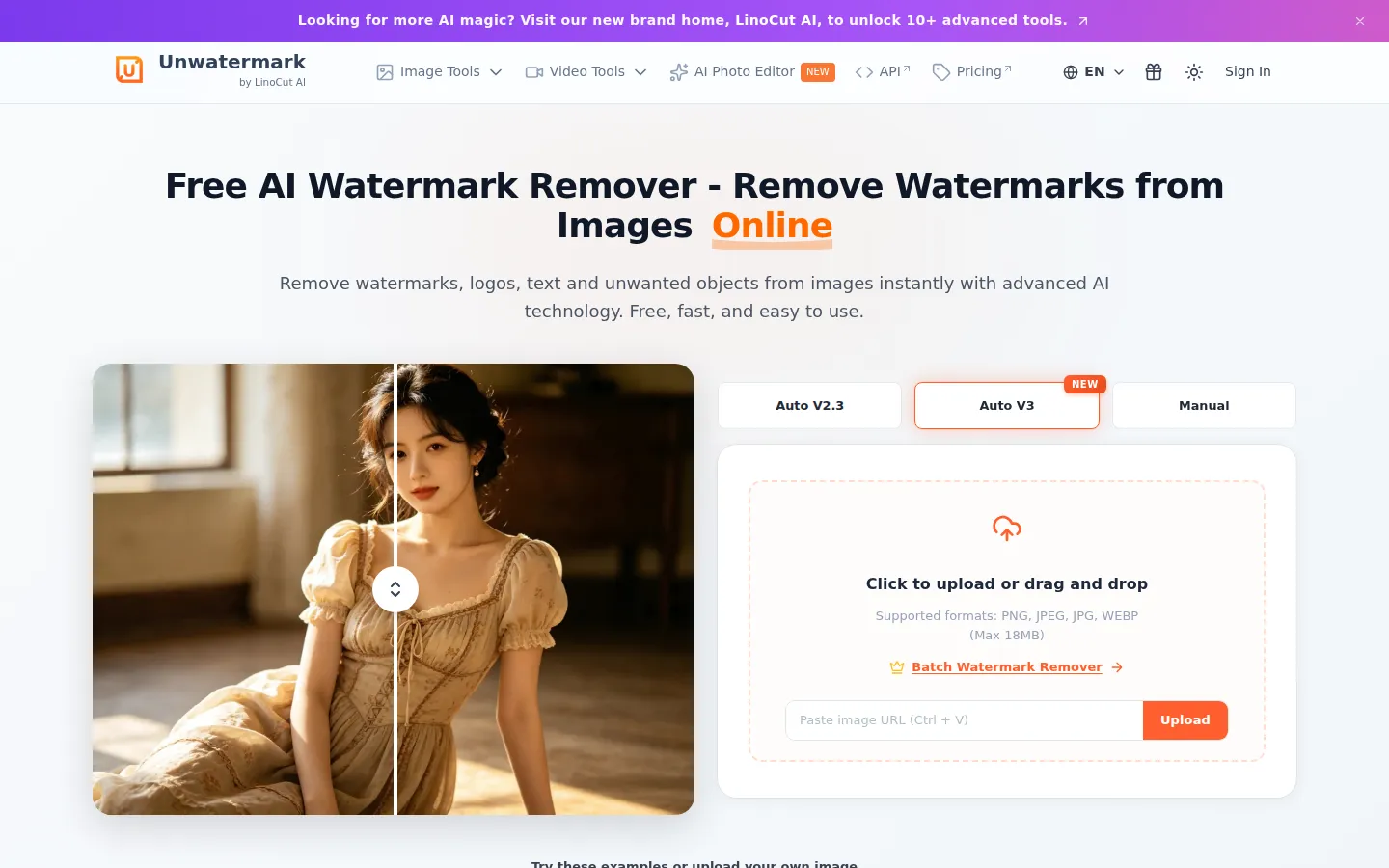
Unwatermark AI is an online tool that uses artificial intelligence to remove watermarks, logos, text, and unwanted objects from images and videos. It is free to use without login and supports common formats including JPG, PNG, WEBP, MP4, M4V, and MOV. The tool offers two automatic modes and one manual mode: Auto V2.3 and the newer Auto V3 handle detection, while the Manual mode gives users a brush for precise edits. Its AI auto-detection locates logos, stamps, and full-screen watermarks and removes them in seconds without user selection, with the company claiming original image quality stays 100% intact with no blur or pixelation. The Magic Eraser function goes beyond watermarks, cleaning date stamps, brand logos, text overlays, and even strangers in the background while intelligently reconstructing background texture. For video, the AI video cleaner uses frame-by-frame analysis to erase watermarks from TikTok, YouTube, or AI-generated videos, leaving clean, polished output without requiring video editing skills. The precision manual brush is designed for the most stubborn details, faint watermarks, or complex backgrounds, with adjustable brush size for pixel-perfect repair on both images and videos. The workflow is straightforward: upload, choose automatic detection or manual brush, let the AI process, then preview and download the clean result. The product is aimed at users who want professional-looking content without the complexity of desktop editing software, and it markets itself as free, fast, and easy to use with example images available for testing. The platform's processing is designed around a preview-and-confirm loop: after the AI finishes, users can inspect the result before downloading, which reduces wasted credits on unsatisfactory outputs. For images, the tool reconstructs background patterns, textures, and gradients around removed elements so the cleaned area blends with the rest of the picture. For videos, the frame-by-frame approach keeps motion consistent across the clip, avoiding the flicker that naive per-frame edits can produce. The service also markets itself as a productivity aid for businesses that need to repurpose licensed or branded media, and its example library lets new users test the tool on sample images before uploading their own files.
Unwatermark AI Core Features
AI auto-detection
Instantly locates and erases logos, stamps, and full-screen watermarks without manual selection.
Magic Eraser
Removes logos, text, objects, date stamps, and even people while reconstructing background texture.
AI video cleaner
Frame-by-frame watermark removal for TikTok, YouTube, and AI-generated videos.
Precision manual brush
Pixel-perfect repair for faint watermarks and complex backgrounds with adjustable brush size.
No login required
Upload, process, and download watermark-free content without creating an account.
Wide format support
Works with JPG, PNG, WEBP, MP4, M4V, MOV, and other common formats.
Preview before download
Confirm the processing effect before committing to the final file.
Free to start
Free credits refresh periodically for light image enhancement workloads.
Who is Unwatermark AI for?
Unwatermark AI is built for content creators, marketers, and everyday users who need to clean watermarks and unwanted elements from visual content quickly. Social media creators and influencers use it to remove watermarks from stock videos and images they license for their channels. E-commerce sellers and product photographers clean brand logos, date stamps, and background objects from product photos before listing them on marketplaces. Marketing teams and small business owners remove text overlays and watermarks from promotional assets to repurpose them for ads and social campaigns. Students and educators clean up images from the web for presentations and study materials. Photographers use the manual brush for precise retouching of complex backgrounds and faint watermarks that automatic tools miss. Video editors and content agencies use the AI video cleaner to process TikTok, YouTube, and AI-generated videos frame by frame without editing skills. Bloggers and website owners clean up screenshots and stock images for their sites. In short, anyone who regularly handles images or videos with watermarks, logos, or distracting objects, and wants a fast no-login cleanup tool, fits Unwatermark AI's audience. Freelance designers and retouchers use the tool as a quick cleanup pass before final polish in professional editors. Print-on-demand sellers remove storefront watermarks from their own mockups, and real estate agents clean date stamps off listing photos. Journalists and researchers clean watermarks from screenshots used in reports and articles, while social media managers repurpose competitor ads for internal creative benchmarking. The no-login workflow also appeals to casual users who need a single cleanup done immediately without creating yet another account.
Unwatermark AI Use Cases
Remove watermarks and logos from stock images before using them in social media posts.
Clean date stamps, brand logos, and text overlays from product photos for e-commerce listings.
Erase watermarks from TikTok and YouTube videos frame by frame with the AI video cleaner.
Delete strangers or background objects from photos while reconstructing natural texture.
Retouch faint watermarks on complex backgrounds using the precision manual brush.
Clean up screenshots and downloaded images for blog posts and presentations.
Process AI-generated videos that carry tool watermarks before publishing them.
Unwatermark AI Pros and Cons
Pros
- Free to use without login, with periodic free credits for light workloads.
- Handles both images and videos, covering more formats than many competing tools.
- Auto-detection plus a manual brush balances speed with precision for stubborn watermarks.
- No editing skills required for common watermark removal tasks.
Cons
- Subscription and credit pack prices are only shown per-credit at checkout rather than as fixed monthly prices.
- Heavy or commercial workloads require paid credits, and free credits are limited.
- Output quality depends on watermark complexity and source resolution for difficult cases.
FAQ About Unwatermark AI
Unwatermark AI Pricing
Freemium: free tier with periodically refreshing credits; subscriptions for recurring workloads (about $0.026/credit) and credit packs (about $0.060/credit); custom business plans.
Check official pricingFree
Basic enhancement flow with free credits that refresh periodically.
Subscription
Recurring subscription for watermark removal workloads, 500 credits per cycle.
Credit Packs
Pay-as-you-go credit packs for occasional use without a subscription.
Business
Higher-volume processing, business workflow support, and custom arrangements.
