SVGAnimate
SVGAnimate (SvgAnimate) is an AI web animation studio that converts one prompt into SVG animations or complete HTML videos. Content creators, educators and engineers get auto-expanded scripts, editable storyboards, voiceover narration and subtitles, plus a gallery of logo, loader, map, data-visualization and STEM templates, then export the result as GIF, MP4 or HTML without coding or professional editing software.
What is SVGAnimate?
SVGAnimate, also written SVG Animate, is an AI web animation studio that turns a single text prompt into browser-ready motion. Rather than handing you only a rendered video file, it generates SVG animation code and complete HTML video scenes that you can preview, edit and export, which removes the usual bottleneck of learning motion tools or hiring an animator. The platform positions itself as the most powerful AI SVG animation generator, aimed at content creators, educators, teachers and engineers, and the site states that generation is powered by Gemini 3.1 Pro.
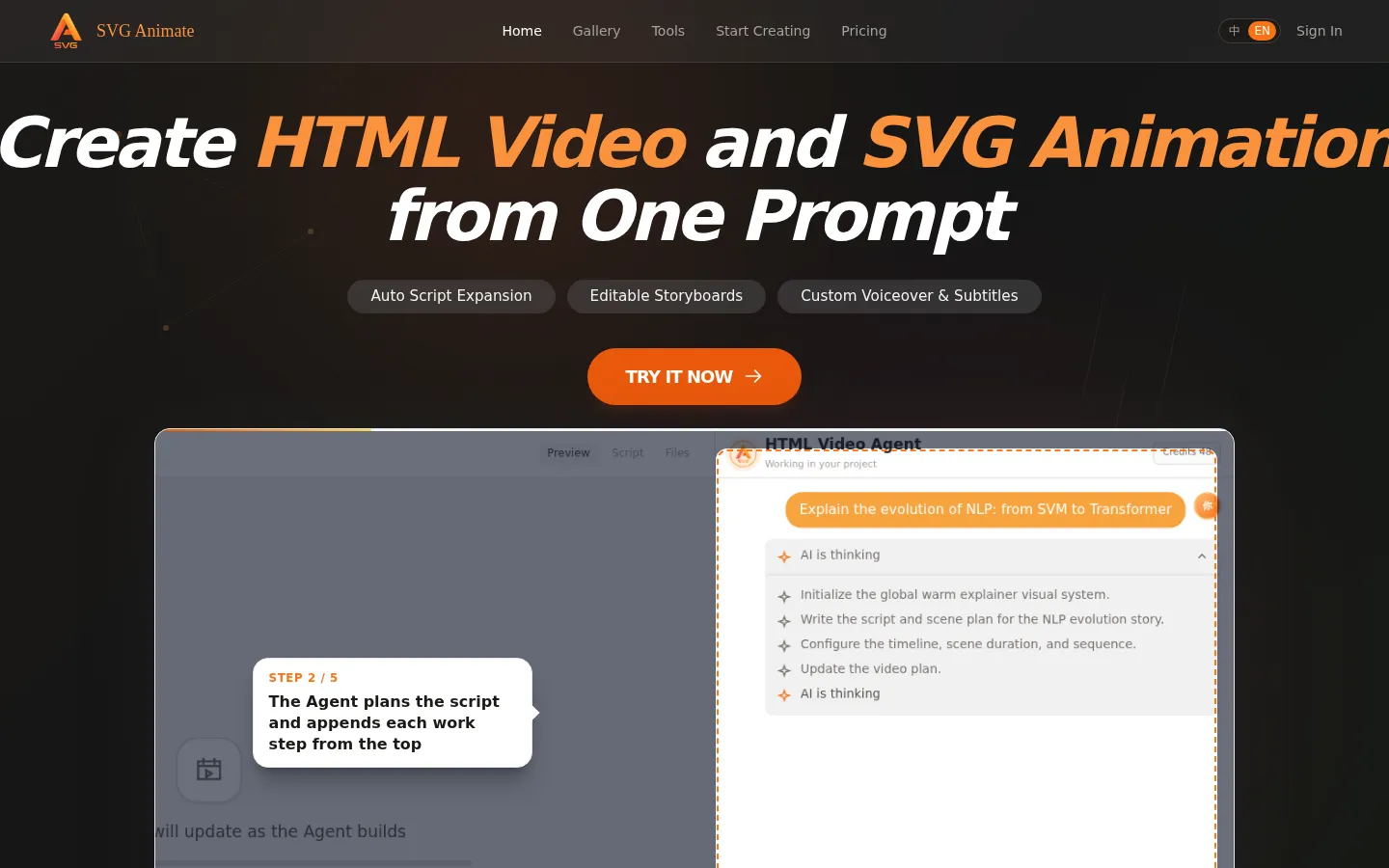
Two creation modes sit behind the editor. HTML Video generates a complete video in one click: the agent expands the prompt into a script, splits it into storyboard scenes, adds voiceover narration and subtitles, and shows a live composition preview with a timeline and scene list, so each storyboard panel can be edited before rendering. SVG Animation produces single-scene vector motion instead, covering logo animation, text animation, map animation, flowchart animation, data visualization, 3D animation, stick figure and STEM explainer animation, loading animation, hand-drawn animation, interactive animation, line drawing, web mini games and dynamic webpages. The public gallery exposes more than fifteen of those categories as browsable templates.
A companion guide page documents the prompt formula the generator expects: subject, motion, style, color, timing, easing and looping, with simple and detailed examples for physics motion, technical explainers, logo intros and character motion. The gallery doubles as a template library, where you can filter by category, search examples by keyword, hover a card to play its preview, and reuse the pattern in your own project.
Outputs target the web rather than a video timeline. Depending on what you built, you can export GIF, MP4 video or HTML, and an export menu offers a direct-recording option for a true WYSIWYG capture when the rendered file differs from the on-screen preview; the site recommends Chrome for that path. Animations stay private unless you choose to publish them, icons, diagrams and loaders are handled better than photorealistic imagery because SVG output is code-generated geometry, and the terms of service confirm commercially usable results. Usage is metered in points against a monthly quota that does not roll over, and accounts sign in with Google, GitHub or WeChat.
SVGAnimate Core Features
HTML Video agent
One prompt expands into a full script, multiple storyboard scenes, voiceover narration and subtitles, previewed on a live composition timeline before export.
SVG animation gallery
More than fifteen browsable categories cover logo, text, map, flowchart, loading, hand-drawn, line-drawing, interactive, stick figure, 3D and data-visualization motion.
Editable storyboards
Auto-generated scene panels stay editable, so pacing, ordering and wording of a narration can be adjusted without regenerating the whole video.
Custom voiceover and subtitles
Narration audio and matching subtitle tracks are generated with the scenes, aimed at explainer and classroom use rather than silent motion graphics.
Prompt formula guidance
A guide page documents subject, motion, style, color, timing, easing and loop, with simple and detailed sample prompts plus per-category prompt tips.
Multi-format export
Output can be exported as GIF, MP4 video or HTML, with a direct-recording option for a true WYSIWYG capture when the file differs from the preview.
Monthly point quota
Each account works against a monthly points allowance that resets monthly, with higher plans unlocking watermark-free export and 2K or 4K resolutions.
Browser-native output
Animations are generated as SVG and HTML code rather than pixels, so they stay scalable, lightweight and embeddable directly in web pages.
Who is SVGAnimate for?
SVGAnimate is built for people who need animated explainers and web motion without a motion-design background. Knowledge explainers and educators are the primary audience. The site names knowledge explainers, classroom teaching and storytelling as its three flagship scenarios, and the STEM education category targets teachers turning abstract concepts such as physics, astronomy and molecular structure into visual scenes with generated narration. Course creators and technical communicators come next: people producing onboarding videos, training material, technical explainers and documentation walkthroughs who need a repeatable pipeline rather than one-off renders. Brand and marketing teams use it for logo reveals, text animations, video openers and product hero motion, where the site claims DeepSeek-style polish is not required and results can be exported without a watermark on paid tiers. Product teams and founders use the product demo and dynamic webpage categories to mock up interactive flows, landing-page motion and UI walkthroughs that can be embedded as HTML instead of video. Web developers and designers use it for loaders, hand-drawn and line-drawing effects, icons and micro-interactions that ship as lightweight SVG or HTML rather than heavy video assets. Data practitioners use the data visualization category for growing bar charts, line graphs and dashboard motion that make static numbers easier to read in a presentation. Indie developers and hobbyists use the web mini game and stick figure categories for lightweight character idle, jump and pickup feedback animations. Chinese-speaking and bilingual creators are also served directly, since the site ships a 中文 and EN switcher, a WeChat contact channel and WeChat account login alongside Google. Agencies and freelancers treating it as a production shortcut sit between these groups: they draft logo reveals, explainers and social clips in the browser first, then rebuild only the pieces that need custom polish. It is a weaker fit for teams needing photorealistic footage or fine-grained frame-by-frame control, since the output is geometric vector motion and the workflow is prompt-driven.
SVGAnimate Use Cases
Explain an abstract concept such as orbital mechanics or a neural network with a narrated HTML video built from one prompt.
Produce a lesson-point video for a classroom or flipped-learning course, complete with voiceover and subtitles.
Create a logo reveal or brand opener for a video intro with rolling text, sheen and morph effects.
Animate a data story with growing bar charts and line graphs for a pitch deck or analytics dashboard.
Build a loader, toggle or micro-interaction as SVG for a website or app interface.
Mock up an interactive product demo or dynamic webpage that stakeholders can click through in the browser.
Turn a workflow or process into an animated flowchart or map animation for internal training material.
Generate a stick-figure character animation for a lightweight game, explainer or social clip.
SVGAnimate Pros and Cons
Pros
- Two genuine output paths from one prompt: multi-scene HTML video with narration, or single-scene SVG motion for the web.
- The free tier is usable, with 100 points per month, GIF and video export at 720p and 1080p, and no credit card mentioned.
- Published pricing is clear and cheap for the category, at $9 per month for 2,000 points and $15 per month for 4,000 points, both with watermark-free export up to 4K.
- A large template and example gallery doubles as prompt inspiration, and prompt guidance is documented rather than left to guesswork.
- Generated work is explicitly yours for commercial or personal use, and unpublished animations stay private.
Cons
- Generation is metered in points on a monthly quota that does not roll over, so unused allowance is lost each month.
- The output style is geometric, code-generated vector motion, and the site itself says SVG animation is unsuitable for photorealistic imagery.
- Export fidelity can lag the on-screen preview, which is why the site has to recommend a direct-recording export option and Chrome.
FAQ About SVGAnimate
SVGAnimate Pricing
SVGAnimate runs a freemium model: a $0 free plan with 100 points per month, watermarked GIF/video export and 720p-1080p output, then Pro at $9 per month with 2,000 points, and Max at $15 per month with 4,000 points, both removing the watermark and unlocking 2K and 4K. Monthly or yearly billing is offered, with yearly advertised as saving about 14 percent on Pro and 16 percent on Max, and points reset each month instead of rolling over.
Check official pricingFree
Experience basic features with 100 points per month, export with watermark, GIF and video output, and resolutions of 720p and 1080p.
Pro
Best choice for professionals: 2,000 points per month, watermark-free export, GIF and video output, and resolutions up to 2K and 4K. Yearly billing saves about 14 percent.
Max
Unlimited for advanced users: 4,000 points per month, watermark-free export, GIF and video output, and resolutions up to 2K and 4K. Yearly billing saves about 16 percent.
SVGAnimate Alternatives

AIGenTools
Chat with leading AI models, create and edit images, turn text or photos into video, and generate speech and sound effects

Pixwit
Pixwit is an AI video studio. Write a scene or upload a still, pick a generation model, and create clips for ads, avatars, social, and longer stories

Anijam
Anijam is an AI animation and video generator that creates content from text, scripts, images or audio. It covers anime, cinematic 3D, Ghibli, Minecraft and cartoon styles, adds lip sync and AI voiceover in more than 30 languages, and runs on a credit system with paid plans starting at $16 per month for watermark-free exports.