
SandArtAI
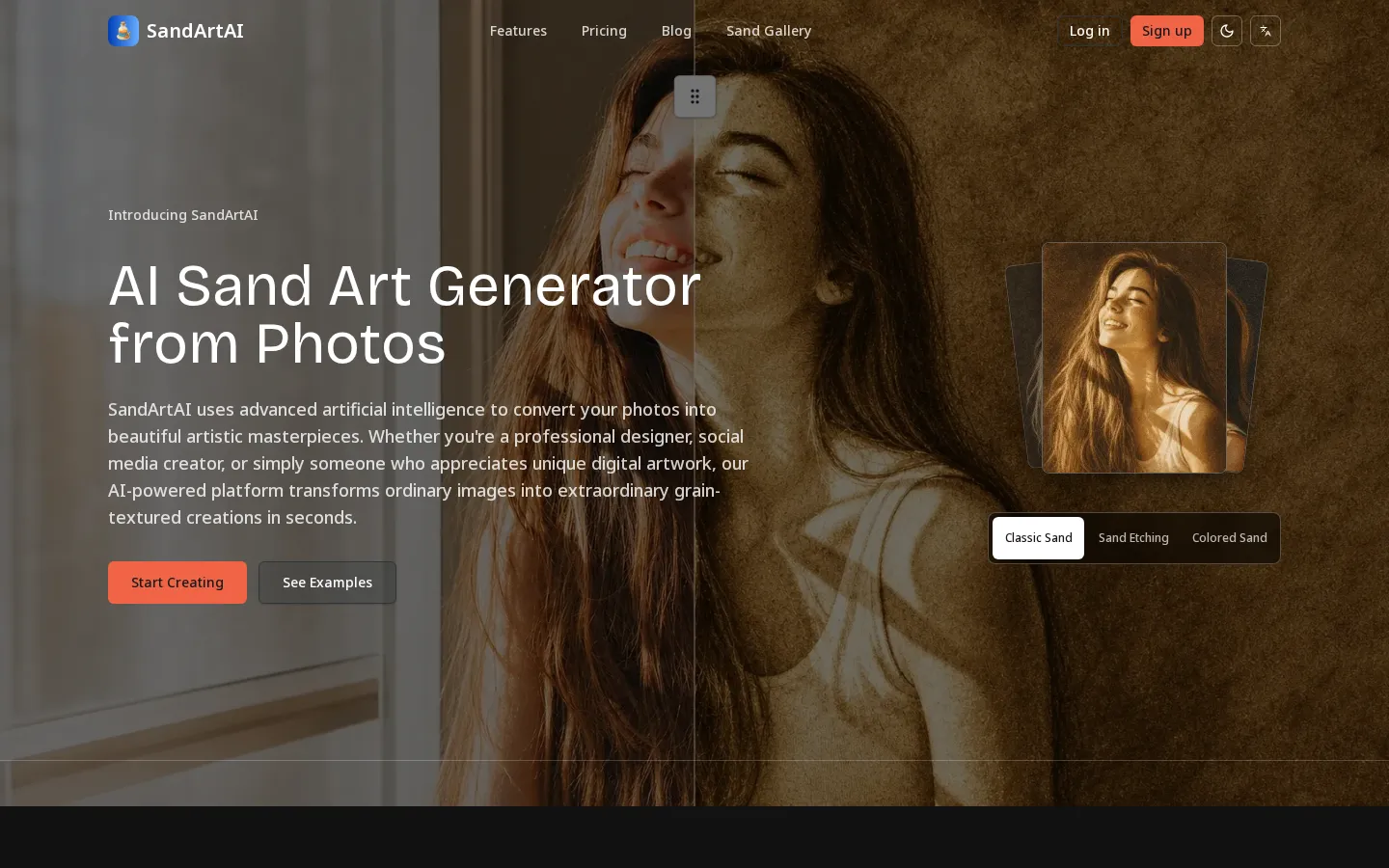
SandArtAI is a web-based AI sand art generator that converts uploaded photos into grain-textured artistic images. Users pick from twelve curated styles such as Classic Sepia, Silhouette Cutout, and Sand Etching, choose Fast or Quality generation, and select an output aspect ratio. Finished renders are downloaded as PNG or saved to a cloud gallery, all from the browser.
What is SandArtAI?
SandArtAI is a web-based AI sand art generator that transforms ordinary photographs into grain-textured artistic images styled after traditional sand art. The service is built around a single, focused promise: upload a photo, choose a sand style and aspect ratio, and receive a finished artwork in seconds without installing software or learning complex editing tools. Everything runs in the browser, so the whole workflow, upload, style selection, generation, download, and gallery management, happens on one page.
At the center of the product is the generator itself. Visitors can try the sand art generator before signing in: they upload an image through drag-and-drop or a file picker, choose a generation mode, select an art style, and pick an output aspect ratio. Supported upload formats are JPG, PNG, and WebP, and the site recommends source images of 512x512 pixels or larger for the best grain detail. Only when a user actually clicks Generate are they asked to log in, so the draft setup is preserved exactly where it was left.
SandArtAI offers two generation modes. Fast mode produces a quick render at a lower credit cost, while Quality mode spends more credits for a more refined, higher-fidelity result. The platform lists twelve curated sand styles, including Classic Sepia, Default, Silhouette Cutout, Line Art + Dust, Sand Pointillism, Soft Smudge, Zen Garden, Storybook Parchment, Relief Medallion, Stage Chiaroscuro, Colored Sand Layers, and Sand Etching, alongside a Geometric Minimal option. Each style applies a distinct approach to grain density, contrast, and linework, letting users match the mood of a portrait, a pet photo, or a landscape.
Output control is built in. Before generating, users select an aspect ratio, with presets covering portrait, landscape, square, and a match-input option, plus common sizes such as 1:1, 3:2, 2:3, 4:3, 16:9, 3:4, and 9:16. The on-page generator panel shows a cost of 20 credits per image, and consumption scales with the chosen mode.
Results flow into the rest of the platform. Generated renders can be downloaded as PNG files or saved to a personal cloud gallery for later access, and the device share menu can be used to publish them. The site also publishes a public sand gallery where visitors browse example outputs and community artwork organized by style and by gift or home-decor inspiration, such as family portraits, anniversaries, friend reunions, and pet keepsakes.
SandArtAI also ships a set of fixed-effect related tools. Photo to Line Drawing applies the Line Art + Dust effect for thin continuous linework and sparse sand-dust shading, while Picture Outline Maker applies the Silhouette Cutout effect for a bold solid subject silhouette with strong separation and minimal interior detail. These targeted workflows sit alongside the main generator, and the footer links to a blog, changelog, roadmap, waitlist, and support pages.
SandArtAI Core Features
AI photo-to-sand-art conversion
SandArtAI analyzes an uploaded photo with an advanced neural network and applies authentic sand art techniques with grain textures, generating a finished render in seconds from a single click.
Twelve curated sand styles
Choose from Classic Sepia, Default, Silhouette Cutout, Line Art + Dust, Sand Pointillism, Soft Smudge, Zen Garden, Storybook Parchment, Relief Medallion, Stage Chiaroscuro, Colored Sand Layers, Sand Etching, and Geometric Minimal.
Fast and Quality generation modes
Fast mode delivers a low-cost quick render, while Quality mode spends more credits for a more refined, higher-fidelity output suited to final artwork.
Aspect ratio control
Select portrait, landscape, square, or a match-input preset before generating, with common sizes such as 1:1, 3:2, 2:3, 4:3, 16:9, 3:4, and 9:16 available.
PNG download and cloud gallery
Download finished renders as PNG files or save selected results to a personal cloud gallery for later access and sharing.
Try before you sign in
Upload an image, pick a style and ratio, and keep your draft before login; the site only asks for an account when you click Generate.
Public sand gallery
Browse community examples and inspiration organized by styles, gifts, and home decor, from family portraits and anniversaries to reunions and pet keepsakes.
Fixed-effect related tools
Dedicated Photo to Line Drawing and Picture Outline Maker pages apply the Line Art + Dust and Silhouette Cutout effects for a consistent, targeted look.
Who is SandArtAI for?
SandArtAI targets people who want an artistic, tactile-looking transformation of their own photos without hiring a designer or learning professional image-editing software. Its natural audience is anyone turning personal memories into keepsakes, since the site's own inspiration section is organized around gift and home-art scenarios such as family portraits, anniversaries, friend reunions, and pet photos. Casual and hobbyist creators are a strong fit. Social media creators, hobby photographers, and people who simply enjoy digital art can generate a distinctive grain-textured image in seconds, choose a style that matches a mood, and post or print it. Because the interface is a single page with drag-and-drop upload, a style picker, a mode toggle, and a ratio selector, no technical skill is required, and the before-sign-in trial removes friction for first-time visitors. Designers and small creative businesses can use SandArtAI for quick concept visuals, client mood boards, prints, and merchandise mockups. The Pro plan adds a no-watermark output and a commercial usage license subject to the site's terms, which matters for anyone selling art, decorating a space for a client, or publishing commercially. Monthly credits give such users a predictable quota for repeated work. Gift-makers and print-on-demand sellers are another group the product serves, since a personalized sand art render can be printed, framed, or reproduced on home goods. Teachers and students may also use it for art projects and visual storytelling, and the fixed-effect tools such as Photo to Line Drawing and Picture Outline Maker suit users who want a specific consistent look rather than free experimentation. Finally, SandArtAI suits budget-conscious users. The free tier provides 40 one-time signup credits, roughly two Quality or four Fast generations, access to the Fast and Quality modes, and all currently available sand art styles, so people can evaluate results before paying. The main trade-offs for free users are a watermark on outputs, no commercial license, no monthly credit refill, and a 30-day window on signup credits.
SandArtAI Use Cases
Create a personalized gift: Turn a family, couple, or friend photo into a framed sand art print for birthdays, weddings, and anniversaries.
Make pet keepsakes: Transform a favorite photo of a dog, cat, or other companion into tactile-looking sand art you can print or share.
Decorate a home or living space: Produce coordinated wall art for a living room or hallway, as shown in the site's gift and room inspiration section.
Produce social media visuals: Generate distinctive grain-textured images in a chosen aspect ratio for posts, stories, and profile artwork.
Explore a specific artistic style: Use Photo to Line Drawing or Picture Outline Maker when you want a fixed, consistent effect instead of open experimentation.
Prototype client concepts: Designers and small studios can spin up quick sand art concepts, mood boards, and merchandise mockups for review.
Try AI art at no cost: Use the free tier's 40 signup credits to test the Fast and Quality modes and every available style before subscribing.
Build a reusable gallery: Save selected renders to the cloud gallery so a growing personal collection stays organized and accessible over time.
SandArtAI Pros and Cons
Pros
- Focused, genuinely simple workflow: upload a photo, pick a style and ratio, and generate in seconds.
- Twelve distinct sand styles plus Fast and Quality modes give real creative range within a narrow niche.
- You can set up a render before signing in, and the draft comes back exactly where you left it.
- The free tier is usable for evaluation, with 40 one-time credits covering about two Quality or four Fast generations.
- The Pro plan removes the watermark, adds a commercial license, and includes 500 monthly credits.
Cons
- Free output includes a watermark, carries no commercial usage license, and its signup credits expire after 30 days with no monthly refill.
- Credits are consumed per image and expire every 30 days on Pro, so extra usage requires buying additional credits.
- SandArtAI does one effect well rather than offering broad editing controls, and it has no public API or mobile app.
FAQ About SandArtAI
SandArtAI Pricing
Freemium. The Free plan costs $0 and includes 40 one-time signup credits, access to Fast and Quality modes, and all sand art styles, with a watermark and no commercial license. The Pro plan is $19.9/month with 500 monthly credits, no watermark, and a commercial usage license.
Check official pricingFree
40 one-time signup credits (about 2 Quality or 4 Fast generations), access to Fast and Quality generation modes and all currently available sand art styles; credits remain valid for 30 days. Outputs include a watermark and no commercial usage license, with no monthly credit refill.
Pro
500 credits per month (about 25 Quality or 50 Fast generations), no watermark on generated images, access to all sand art styles, a higher monthly quota, and a commercial usage license subject to the terms. Credits expire every 30 days and extra usage requires additional credits. Monthly or yearly billing available.
SandArtAI Alternatives

Garden Letters
Create heartfelt digital letters on floral paper, seal them in an envelope, add optional music, and send them like a gift.

Faymas
Faymas is a prompt discovery and sharing platform for AI creators. Every listed prompt is shown with the AI-generated output it produced, the model it targets, and counters for how many times it was copied and saved. Users browse by category or tag, save favourites, and publish their own prompts to build a following and earn from their work.

AIMakeTattoo
AIMakeTattoo is a web-based suite for designing and planning tattoos. It generates tattoo artwork from text prompts, creates custom lettering for names, dates, and phrases, converts photos and sketches into tattoo designs, previews tattoo fonts, and estimates tattoo costs. Free daily generations and one-time credit packs let you explore styles, placements, and detail levels before committing to ink.