
Reve
Reve is a web-based creative suite combining conversational image generation, natural-language editing, image remixing, direct object manipulation, visual effects, and video creation powered by Google Veo. Its API lets developers integrate image generation, editing, and remixing into their own applications and workflows. It helps users compare alternatives, understand practical strengths, and choose an appropriate workflow before spending time or budget on a larger project.
What is Reve?
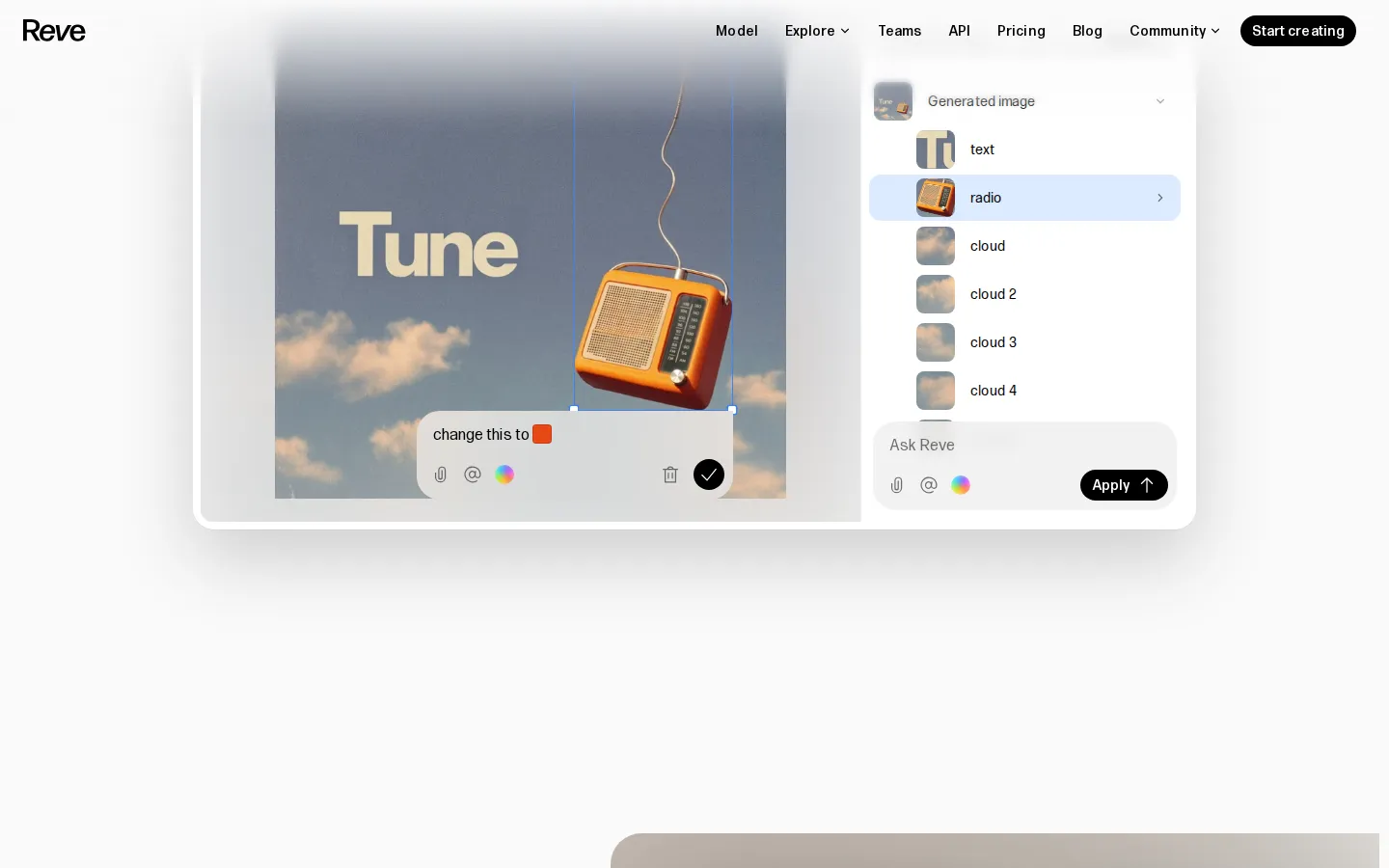
Reve is a browser creative workspace built around the principle that creative intent should matter more than technical proficiency. Its in-house research team trains an ensemble of imaging models from the ground up using a novel architecture and a structured intermediate representation. Users can describe an image in a conversational interface, optionally attach reference images, choose an aspect ratio, and request one or more results. Reve can also edit generated or uploaded images through natural-language instructions, such as changing colors, objects, composition, or visual details, and it can remix multiple images into a new result. A drag-and-drop editor, identified by Reve as beta, provides direct manipulation of visual elements, including moving, resizing, recoloring, and rendering objects. The product also supports visual effects through presets or custom shaders. Video mode uses Google’s Veo integration: users can create clips from prompts or use selected images as references or exact start and end frames. Reve’s API exposes image generation, editing, and remixing models for partner workflows; its FAQ says video is not currently supported through the API. Created work can be downloaded or shared with a Reve link, with visibility and model-training choices varying by plan and account settings. The workspace therefore combines fast generative ideation with progressively more precise ways to control and refine visual output. The comparison workflow is especially valuable when a single prompt can be sent to several models and the decision depends on output quality rather than brand reputation. Users can use the available categories to narrow evaluation to the kind of artifact they actually need, compare alternatives visually, and return to leaderboards when a new model or benchmark result becomes relevant. This makes the site both a practical discovery surface and an ongoing reference for generative AI evaluation. The comparison workflow is especially valuable when a single prompt can be sent to several models and the decision depends on output quality rather than brand reputation. Users can use the available categories to narrow evaluation to the kind of artifact they actually need, compare alternatives visually, and return to leaderboards when a new model or benchmark result becomes relevant. This makes the site both a practical discovery surface and an ongoing reference for generative AI evaluation.
Reve Core Features
Conversational text-to-image generation
Natural-language editing of generated and uploaded images
Image remixing and combining multiple references
Beta drag-and-drop, object-based direct manipulation editor
Aspect-ratio and output-count controls in Prompt mode
Presets and custom shaders for visual effects
Video generation through Google Veo, including reference frames
API for image generation, editing, and remixing
Who is Reve for?
Reve is designed for visual creators who want to move from an idea to a usable image without learning a complex collection of conventional design tools. Illustrators, designers, art directors, filmmakers, marketers, educators, students, and creative teams can use it to explore concepts, make moodboards, develop storyboards, prototype compositions, and prepare social or presentation visuals. It is also relevant to developers and product teams that want to integrate image generation, editing, or remixing into their own applications through the Reve API. Beginners can describe an idea conversationally, while experienced creatives can use references, aspect-ratio controls, image variations, and the object-based editor for greater control. Students at listed art and design schools can receive a special student tier with five times the regular Free usage, subject to eligibility and signup requirements. The service is particularly useful for iterative visual exploration, where creators need to test several directions quickly and refine promising results through conversation rather than repeatedly rebuilding files in separate applications. The service is also useful for educators introducing students to generative AI, creative directors comparing visual quality, and product managers deciding which model deserves a place in a prototype. It is less suitable for people who need guaranteed factual accuracy or a finished asset without human review. The service is also useful for educators introducing students to generative AI, creative directors comparing visual quality, and product managers deciding which model deserves a place in a prototype. It is less suitable for people who need guaranteed factual accuracy or a finished asset without human review.
Reve Use Cases
Rapid visual ideation and concept development
Storyboarding and film pre-production visualization
Moodboards and creative direction exploration
Marketing, branding, and social-media graphics with rendered text
Editing or enhancing existing uploaded images
Combining references into new compositions
Creating short prompt- or image-led videos
Embedding image workflows into software through the API
Reve Pros and Cons
Pros
- Conversational workflow reduces the need for advanced prompt or tool knowledge.
- Official materials emphasize aesthetics, text rendering, and detail preservation.
- Natural-language editing, remixing, and direct manipulation provide multiple control levels.
- Free access and a relatively low-cost Lite tier make experimentation accessible.
Cons
- Video creation is limited by energy allowances, plan availability, and regional requirements.
- API pricing is separate from app subscriptions and requires a prepaid budget.
- Free-plan content may be searchable or used for training under the stated terms unless applicable settings or plan protections change.
FAQ About Reve
Reve Pricing
Freemium subscription model with Free, Lite, and Pro plans. Lite is $7.99/month plus tax; Pro is $19.99/month plus tax. API pricing is separate and uses prepaid budgets.
Check official pricingFree
Introductory creative energy, daily refresh thereafter, basic storage, and a one-time video allowance subject to regional conditions.
Lite
Five times the Free plan’s standard energy and storage; video energy is the same as Free.
Pro
One hundred times Free standard energy and storage, 250 dedicated video energy monthly, and additional video use from standard energy.
Reve Alternatives

Filmpire
Filmpire combines AI video, image, and voice generation in one browser studio built on a shared credit balance. Start from a prompt or reference image, choose from models such as Hailuo, Seedance, Kling, Veo, or GPT Image, let the AI director plan a full story, then export watermark-free files with commercial rights on any paid plan.

JuicyChat.AI
JuicyChat.AI is a browser-based adult character chat platform built around a large library of community-created personas. You pick a card, open a roleplay and steer the story with your own messages, then extend it with generated images, short videos, voice playback and saved memories. A free tier covers basic chatting, while Premium, Deluxe and Diamond memberships add longer context, more coins and unlockable albums.

APIPod
APIPod is a unified AI media generation API for developers: one key unlocks 156 image, video and language models from 14 providers, including Seedance, Google Veo, Sora, Nano Banana, GPT Image, Kling, Wan and MiniMax. Billing is pay-as-you-go through credit top-ups, metered per token, request or second, with weighted multi-channel routing, automatic failover and circuit breakers on every request.