
MoClaw
MoClaw is a managed cloud computer for AI agents. Twenty dollars a month buys a persistent machine with 1,000 credits, Claude included or bring your own API key, more than 50 built-in skills, browser control, connectors for Google Workspace, GitHub, Linear and Slack, plus scheduled and parallel runs you can watch live. It is sandboxed, encrypted and exportable.
What is MoClaw?
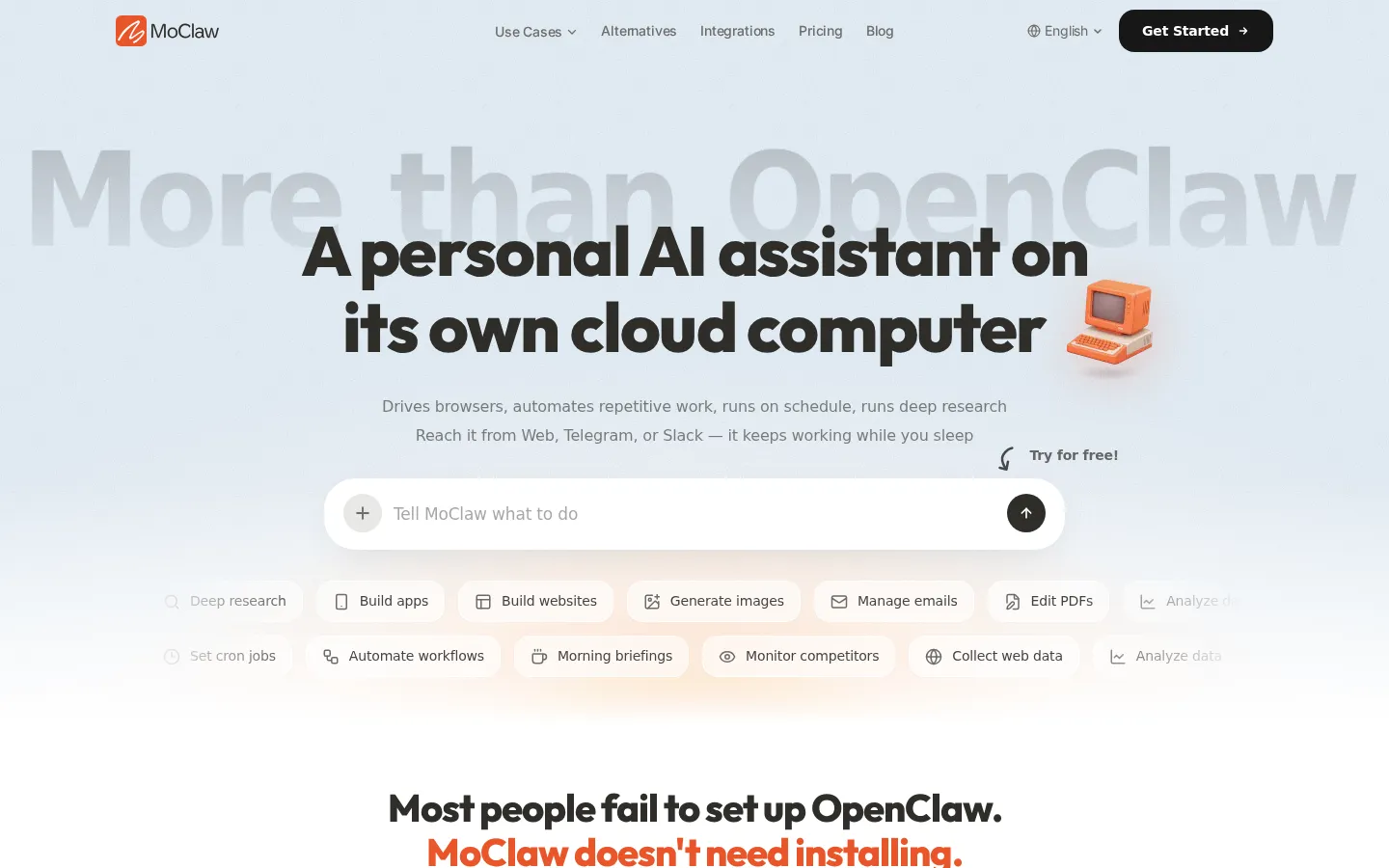
MoClaw is a hosted AI assistant that comes with its own cloud computer. Where most chat assistants answer a question and stop, MoClaw is built around doing the work: it drives a real browser, writes and edits files, runs code, generates images, reads PDFs and keeps a schedule of tasks that fire whether or not you are at your desk.
The pitch is explicitly comparative. The site leads with more than OpenClaw and spends a section on why self-hosting an open-source agent goes wrong: cloning a repository, hitting a Docker port conflict, failing on a dependency install and quitting several hours later. MoClaw's answer is to skip installation altogether. You chat in natural language from the web app, Telegram or Slack, and the agent runs tools on a dedicated cloud machine with persistent storage, so files, tools and memory survive between sessions. A visual desktop lets you watch every step in real time, and results are pushed back to your phone.
The stack has three layers. Chat entry points cover the web interface, Telegram, Slack and Discord. Capabilities include browser control, Google Workspace, cron scheduling, image generation and voice. Connectors link the SaaS tools you already run, with Google Workspace, GitHub, Linear and Slack named, and browser control fills the gaps for services that never shipped an API, such as Reddit, X and enterprise portals. Skills are OpenClaw-compatible: you can write your own script or CLI against SKILL.md, or ask MoClaw to build a skill for you inside the chat. The site advertises more than 50 built-in skills spanning research, image generation, PDF handling, video and code.
Reliability is the other selling point. Hosting is managed, so a closed laptop cannot stop a run. The team promises auto-recovery, task isolation with automatic retries, a separate environment per skill to prevent tool conflicts, and a retry queue for flaky or rate-limited APIs. Agents run sandboxed in the cloud, so nothing touches your own device or files.
Automation is treated as a first-class feature rather than an add-on. Tasks can run in parallel or on a schedule around the clock, and the worked example on the homepage is a morning competitor scan: three sites checked, differences diffed against the previous run and a summary written to a file before breakfast. Commonly listed jobs include deep research, building small apps and websites, email management, spreadsheet analysis, data collection, PDF editing and competitor monitoring.
Pricing is deliberately simple. One plan costs twenty dollars a month and includes 1,000 credits, roughly 100 conversations or 50 images, with optional credit packs from ten dollars and bring-your-own-key support if you would rather pay a model provider directly. Data is encrypted at rest, exportable in one click, and the company says customer prompts and files are never used for training.
MoClaw Core Features
Always-on cloud computer
A dedicated machine with persistent storage that keeps running after you close your laptop.
Multi-channel chat
Reach your assistant from the web app, Telegram, Slack or Discord, wherever you work.
50+ built-in skills
Research, image generation, PDF editing, video, code and spreadsheet work ready out of the box.
Browser control
Drives sites with no API, including Reddit, X and enterprise portals, with a visual desktop view.
Scheduled automation
Cron jobs and parallel runs fire around the clock and push results straight to your phone.
OpenClaw-compatible skills
Drop in SKILL.md definitions or write your own script or CLI, and ask MoClaw to build one.
Bring your own key
Connect OpenAI, Anthropic or Google keys and pay providers directly with no credit consumption.
Private and exportable
Sandboxed execution, encryption at rest, no training on your data and one-click export.
Who is MoClaw for?
MoClaw is for people who like the idea of an always-on AI assistant but do not want to maintain one. The site opens by mocking self-hosted agents that take four hours to install and then die on a dependency error, and that framing tells you exactly who the product is aimed at: anyone whose interest in agent infrastructure stops at wanting the results. Solo founders and small teams are the most obvious audience. Someone running a SaaS product, a Shopify or Etsy store or a consulting practice can hand over competitor scanning, research digests, inbox triage, invoice chasing and content drafting without hiring an operations person or renting hardware. Because the assistant keeps persistent storage and memory, it accumulates the context that makes repeat work faster. Professionals and managers come next. Recruiters, operators and consultants work in tools that each hold a fragment of the picture; a cloud assistant with connectors for Google Workspace, GitHub, Linear and Slack can pull those fragments together into briefings, trackers and scheduled reports. Marketers and sales teams fit through the content side: research and digest, scheduled alerts, social lead mining and morning briefings are named use cases. Students can use the same machine for deep research, document editing and PDF work without paying for several subscriptions. Developers and indie builders are a genuine audience rather than an afterthought. Skills are OpenClaw-compatible, so you can drop in SKILL.md definitions or write your own script or CLI, and bring-your-own-key support means you can route model calls to OpenAI, Anthropic or Google at their published prices instead of buying credits. It is a weaker fit for anyone who needs a strictly regulated, fully auditable deployment, since the marketing describes a sandboxed managed service rather than a compliance stack. It also suits people who prefer chatting to configuring: if you want deep control over the runtime, self-hosting an open-source agent may still be cheaper, just slower to start.
MoClaw Use Cases
Run a morning competitor scan that diffs pricing pages and changelogs, then writes a summary file.
Automate deep research that combines several sources into one brief while you work on something else.
Manage and triage email, draft replies and keep a running tracker of outstanding threads.
Edit PDFs and build slide decks or documents from source files you drop into the workspace.
Collect web data and monitor social channels for leads without writing a scraper.
Generate images, short video and voice output for campaigns directly from a chat prompt.
Ship small websites or internal tools by having the agent write, test and deploy the code.
MoClaw Pros and Cons
Pros
- No installation at all, which removes the setup and dependency failures that stop self-hosted agents.
- One flat $20 monthly price with persistent storage, schedulable tasks and 1,000 included credits.
- Bring-your-own-key support lets you route model calls at provider prices instead of buying credits.
- Reachable from Telegram, Slack and Discord, so results arrive where you already read messages.
- OpenClaw-compatible skills keep an upgrade path open if you later want to self-host or extend.
Cons
- Credit allowances are modest, so image-heavy or long-running workflows need top-ups or your own API key.
- Everything runs on MoClaw's cloud machine, which will not suit teams that must keep data fully on-premises.
- It is a young single-tier product, so enterprise controls such as SSO and audit trails are not advertised.
FAQ About MoClaw
MoClaw Pricing
MoClaw charges a single flat rate of $20 per month for a dedicated always-on cloud computer with 1,000 monthly credits, optional credit packs from $10 and bring-your-own-key support, with a free trial to start.
Check official pricingMoClaw Cloud Computer
One plan, no tiers: a dedicated always-on cloud computer with persistent storage, a visual desktop, 1,000 credits a month, Claude included, 50+ skills and browser control, scheduled or parallel runs, and chat from web, Telegram or Slack.
Credit Packs
Optional top-ups for built-in features such as image generation. Buy any amount from $10 to $200 at roughly $0.01 per credit, as often as you like.
MoClaw Alternatives

scvd.store
Free conformance checking for any issuer’s x402 signed offers and receipts including our competitors’ a weekly signed Bitcoin-anchored corpus.

Hypit
Hypit is an open-source video programming language and runtime for AI agents. A coding agent installs the skill, reads a reference video or a written brief, and rebuilds the shots, dialogue, B-roll, captions and effects with your material, producing many variants per run. Hosted generation runs on credit plans, and your own model keys can be used instead.

T3 Code
T3 Code is an open-source control plane for coding agents. It runs Claude Code, Codex, Antigravity, OpenCode, Cursor and Grok from one desktop app, keeps every agent thread on its own Git branch, and commits, pushes and opens a pull request with one button. iOS and Android apps steer the same work remotely. The app is free and MIT licensed; you bring your own agent subscriptions.