
Medeo
Medeo turns ideas into AI videos through a chat-based workflow. Users can create videos from text, audio, images, videos, or links, then refine scripts, visuals, subtitles, music, and exports without traditional editing complexity. It is designed for creators, marketers, educators, and teams that need faster video production.
What is Medeo?
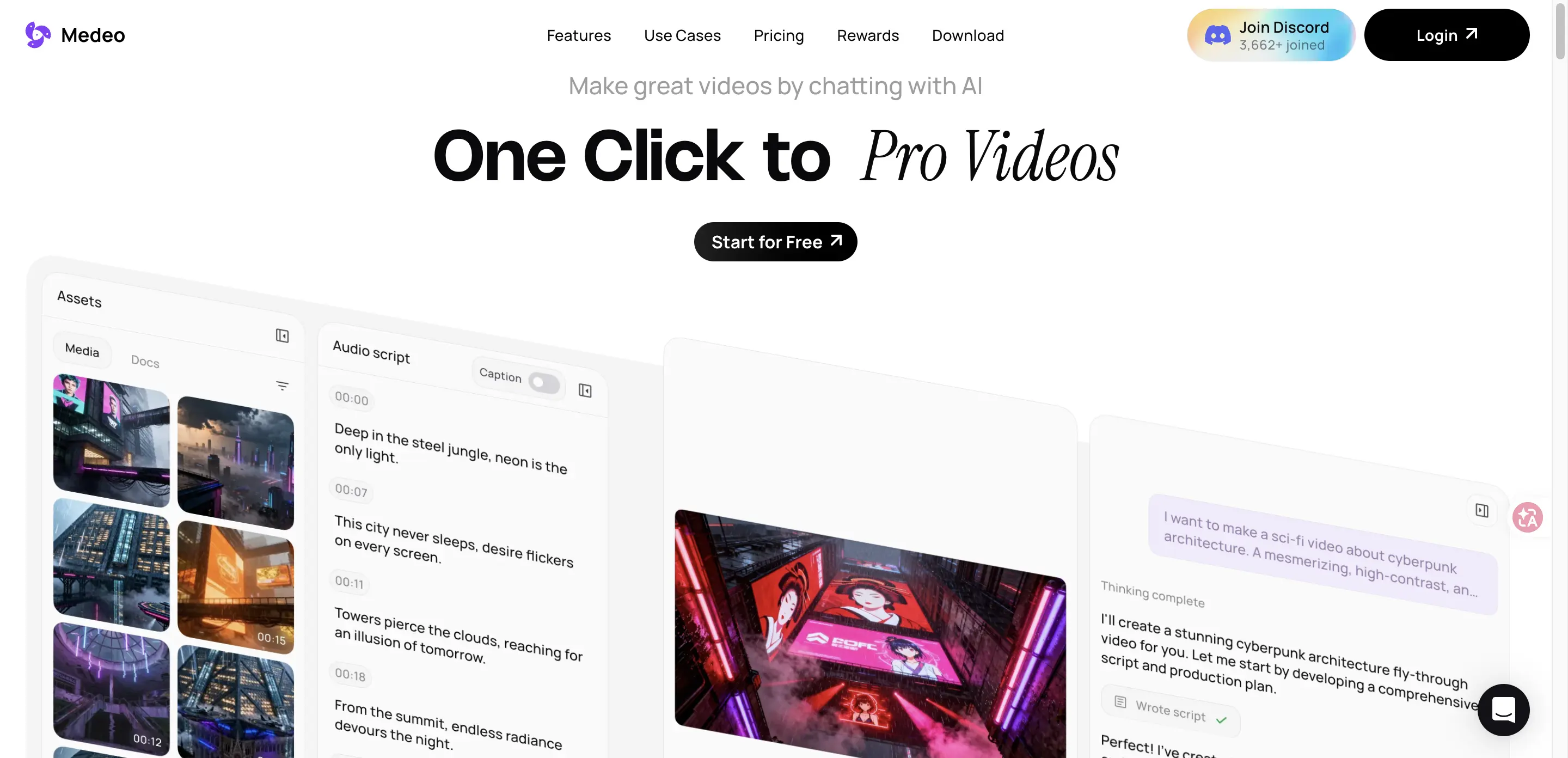
Medeo is an AI video generator and editor that lets users turn prompts, media, links, and ideas into videos through conversation. Instead of starting with a blank timeline, users describe what they want, ask the AI to generate or change scenes, and refine the output with video editing controls. The platform highlights chat-based creation, chat-based editing, character consistency, all-purpose production, stock assets, AI voices, subtitles, and flexible exports. It is built for users who want to create professional-looking videos faster without needing advanced editing skills.
Medeo Core Features
Chat-based creation
Turn natural language ideas into video projects without complex editing tools.
Chat-based editing
Ask for changes such as pacing, music, visuals, or script updates in plain language.
Multi-input workflow
Create from text, audio, images, videos, files, or links in one workspace.
AI generative features
Use supported AI models for image, video, voice, music, and visual generation.
Character consistency
Keep a character identity consistent across new scenes, actions, and emotions.
Video editor
Adjust sound, subtitles, assets, and timing while keeping the script aligned.
Stock and uploaded assets
Combine built-in media libraries with user-provided files and URLs.
Flexible exports
Export videos for widescreen and vertical formats for different publishing channels.
Enterprise API service
Access custom plans and API service through enterprise options.
Who is Medeo for?
Medeo is useful for content creators, YouTubers, marketers, educators, agencies, real estate teams, social media managers, founders, and small businesses that need videos quickly. It may also suit teams creating explainer videos, faceless videos, product promos, short-form social clips, AI image-to-video assets, and campaign videos without a full production team.
Medeo Use Cases
Create marketing videos and ads from product ideas, assets, or campaign prompts.
Turn blog posts, URLs, or written ideas into structured video drafts.
Generate explainer videos for education, onboarding, product demos, or tutorials.
Produce faceless YouTube videos with scripts, visuals, subtitles, and AI voice assets.
Create social videos in vertical and horizontal aspect ratios for multiple platforms.
Convert images into animated videos using AI model-based generation workflows.
Build real estate, game trailer, and business videos from templates or prompts.
Revise scenes, music, pacing, and captions through conversational editing requests.
Medeo Pros and Cons
Pros
- Chat-based workflow lowers the editing barrier for non-specialist video creators.
- Supports many input types, including links, images, audio, video, text, and uploaded files.
- Pricing page clearly lists free, paid, model-based, and enterprise options.
- Useful for several concrete video use cases such as explainers, faceless videos, and marketing clips.
Cons
- Exact credit usage and model pricing can be complex and should be checked on Medeo's pricing page.
- Premium models, watermark removal, and higher production limits require paid access.
- Output quality may vary by prompt quality, source assets, selected model, and editing iteration.
- Enterprise API access is mentioned, but public API documentation was not found during review.
FAQ About Medeo
Medeo Pricing
Medeo lists a free plan, paid Pro, Insider, and Elite plans, plus an Enterprise plan for custom plans, API service, and team needs. Pricing details should be checked on the live pricing page because plan prices, credits, and model rates can change.
Check official pricingMedeo Alternatives
Sartoris
Sartoris is a browser-based AI creative studio that generates premium still images and cinematic video from text prompts, with optional start and end frames plus image, video, and audio references. It runs on purchased credits rather than a subscription, keeps one library for both media types, and deletes finished generations twelve hours after they are created.

Reelina AI
Reelina AI is a web studio for generating video, images, voice and music with several hundred third-party and in-house models on a single coin balance. Weekly and monthly plans include coins that never expire, and coin packs can be added at any time. Generation costs appear before you run anything, so you can compare models without separate subscriptions.

Kenerate AI
An online AI creative studio for generating videos, images, voiceovers, and music from prompts or images.