LM Studio
LM Studio downloads and runs open-weight language models on your own machine using llama.cpp and MLX. Its Bionic agent creates and edits documents, writes code, automates tasks, and transcribes speech locally. Free users run offline models; paid plans add US-hosted open models such as Kimi K3, GLM 5.3, and DeepSeek V4 Flash with zero data retention.
What is LM Studio?
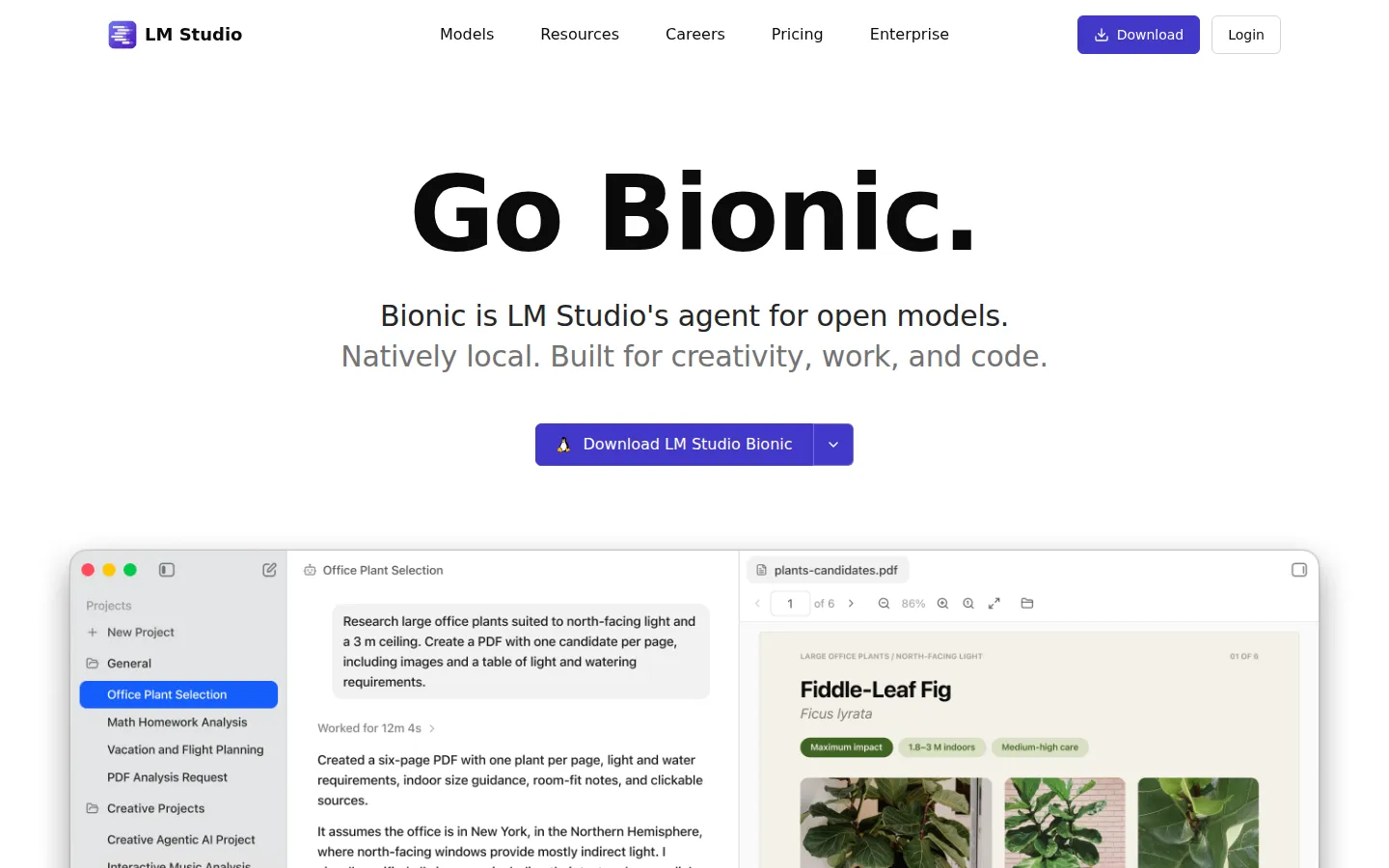
LM Studio is a desktop application from Element Labs, Inc. that lets you download and run open-weight language models directly on your own computer. The app is built around Bionic, which LM Studio describes as its agent for open models: natively local, and built for creativity, work, and code. Bionic creates and edits documents, with every change saved automatically so you can work with your agent freely, and it also handles coding tasks, automations, and computer control. Real-time voice transcription lets you talk to Bionic naturally and see your speech transcribed as you speak; LM Studio says your voice and audio data is processed locally and never leaves your device, and that multiple languages are supported.
Under the hood, the app runs on the LM Studio runtime with llama.cpp and MLX, which is what makes local inference possible on macOS, Windows, and Linux machines. You download the latest local LLMs directly inside the app from the Model Catalog, then use them for simple chats or advanced agentic tasks. The catalog mixes two kinds of models: those you download and run on your own hardware, such as Qwen3.8 27B, Muse Glimmer, DeepSeek V4 Flash, and Bonsai 27B, and larger frontier open models that the catalog marks as available in LM Studio Cloud.
For more demanding work, Bionic can run against frontier open models hosted in the cloud, including Kimi K3, GLM 5.3, and DeepSeek V4 Flash. LM Studio says cloud inference is US-hosted and that its cloud services are Zero Data Retention across the board, meaning prompts and responses are not stored by the provider. Web search and page extraction are cloud-backed features, and LM Studio notes that web search also uses Zero Data Retention while warning that querying and processing data from the web always carries its own privacy and security risks.
Developers get a documented stack rather than only a chat window. LM Studio publishes a TypeScript SDK called lmstudio-js, a Python SDK called lmstudio-python, a REST API that supports stateful chats, local server endpoints and MCPs, OpenAI-compatible endpoints for chat, responses, embeddings and more, an Anthropic-compatible Messages API, and the LM Studio CLI (lms) for downloading models, running the daemon, and starting the server. Documented building blocks include streaming text generation, tool calling and local agents with MCP, structured output validated against a JSON schema, embeddings and tokenization, and model management such as loading, downloading, and listing models. For headless deployment, LM Studio ships llmster, the core packaged as a daemon that runs standalone on servers, cloud instances, or CI without the GUI.
Free users get the Bionic Agent, local model support, offline voice transcription, LM Link for up to five devices, and limited web search. Paid plans add private US-hosted open source models, discounted bulk tokens, web search and page extraction, higher usage limits, and early access to new features, with organizations available for centralized team billing.
LM Studio Core Features
Bionic Agent
Ask it to create documents, write code, automate tasks, and control your computer.
Natively Local Models
Download open-weight LLMs inside the app and run them offline with llama.cpp and MLX.
Local Voice Transcription
Talk to Bionic naturally and get real-time transcription processed on your device, in multiple languages.
US-Hosted Cloud Models
Run Kimi K3, GLM 5.3, DeepSeek V4 Flash and other frontier models with zero data retention.
REST API and SDKs
Build with lmstudio-js, lmstudio-python, the REST API, and OpenAI-compatible or Anthropic-compatible endpoints.
Headless Deployments
Install llmster, the core packaged as a daemon, to run models on servers, cloud instances, or CI.
Tools, MCP, and Structured Output
Generate JSON that validates against a schema, create embeddings, and run local agent workflows.
Model Catalog
Browse models to download locally, such as Qwen3.8 and Muse Glimmer, plus those offered in the cloud.
Who is LM Studio for?
LM Studio is built for people who want to run AI models on hardware they control instead of routing every request to a remote API. Developers are the clearest audience: the app ships a TypeScript SDK, a Python SDK, a REST API, OpenAI-compatible and Anthropic-compatible endpoints, and the lms CLI, so you can prototype against a local server and keep the same code when you move on. If your work involves AI agents, tool calling, or structured JSON output, LM Studio gives you a place to run those experiments locally, without usage meters or rate limits. Privacy-conscious professionals are the second group. LM Studio states that voice and audio data are processed locally and never leave your device, and that cloud services are Zero Data Retention across the board, which matters if you handle client material, internal documents, or anything you would rather not upload. Writers, analysts, and researchers who want an agent for documents and research tasks can ask Bionic to create and edit files, knowing every change is saved automatically. Advanced users with serious hardware are the third group. If you have a machine with enough memory, you can download large open-weight models such as Qwen3.8 27B, Muse Glimmer, or DeepSeek V4 Flash from the Model Catalog and run them offline through the LM Studio runtime with llama.cpp and MLX. Those who want frontier-class capability without managing a big rig can instead use the US-hosted cloud models on the Bionic+ and Pro plans. Teams get a lighter version of the story: centralized billing for inference credits through an organization, with plans designed for teams described as coming soon. Students, hobbyists, and tinkerers fit the free tier well, since the Bionic Agent, local models, offline voice transcription, and LM Link for up to five devices cost nothing. Anyone who wants a browser tab on a phone, or an app that works without installing software, should look elsewhere, because LM Studio is a desktop application for macOS, Windows, and Linux. Overall it suits users who value local control, a real developer interface, and a clear answer to where their data goes.
LM Studio Use Cases
Run an open-weight model on your laptop without sending prompts to a cloud API.
Ask Bionic to draft and edit a work document while every change saves automatically.
Transcribe meetings or voice notes locally in real time without audio leaving your machine.
Point an existing OpenAI-compatible application at your local server for testing.
Query a frontier open model like Kimi K3 for demanding coding and research work.
Deploy llmster on a server or CI runner to serve models headlessly with the lms CLI.
Generate schema-valid JSON from a local model inside a Python or TypeScript pipeline.
Build an offline agent that calls local tools and MCP servers on your own hardware.
LM Studio Pros and Cons
Pros
- Runs open-weight models entirely on your own machine, with offline voice transcription and no per-token cost for local inference.
- Unusually complete developer stack: TypeScript and Python SDKs, a REST API, OpenAI- and Anthropic-compatible endpoints, and an lms CLI for headless servers.
- Clear privacy story, with voice and audio processed on-device and cloud services described as Zero Data Retention across the board.
- Genuinely usable free plan that includes the Bionic Agent, local models, voice transcription, and LM Link for up to five devices.
- Model Catalog covers both downloadable local models and larger frontier open models hosted in the cloud.
Cons
- The most capable frontier open models are cloud-only on paid plans, so the biggest models are not fully local.
- Cloud features require an account, and usage beyond the allowance included with your plan is metered through cloud credits.
- It is a desktop application for macOS, Windows, and Linux only, with no browser version for phones or tablets.
FAQ About LM Studio
LM Studio Pricing
LM Studio is free to download and use with local models, and optional cloud inference costs $20 per month for Bionic+ or $100 per month for Pro.
Check official pricingFree
Bionic Agent, local LLMs through llama.cpp and MLX, offline voice transcription, LM Link for up to five devices, and limited web search.
Bionic+
Everything in Free plus US-hosted open source models including Kimi K3, GLM 5.3 and DeepSeek V4 Flash, discounted bulk tokens, web search and page extraction.
Pro
Everything in Bionic+ plus five times the usage limits, discounted bulk tokens, and early access to new features.
LM Studio Alternatives

Google Antigravity
Google Antigravity is Google's agent-first development platform. It bundles Antigravity 2.0 for orchestrating parallel agents, a lightweight terminal CLI, a standalone IDE, extensions for popular editors and a Python SDK. Agents run inside Projects, report through Artifacts and can be scheduled. Individuals get a free tier with unlimited Tab completions; higher quotas need Google AI Pro or Ultra.

QuickPod
Affordable on-demand GPU and CPU rentals with Jupyter pre-configured for TensorFlow, PyTorch or any framework. Save up to 80% vs major clouds.

T3 Code
T3 Code is an open-source control plane for coding agents. It runs Claude Code, Codex, Antigravity, OpenCode, Cursor and Grok from one desktop app, keeps every agent thread on its own Git branch, and commits, pushes and opens a pull request with one button. iOS and Android apps steer the same work remotely. The app is free and MIT licensed; you bring your own agent subscriptions.