
Crreo AI
Crreo AI is a long-form AI video creation platform that converts scripts or ideas into videos up to 30 minutes long. It automates script writing, scene visuals, voiceover, background music, subtitles and thumbnails in one workflow, keeping characters consistent across scenes. Output exports in 16:9 or 9:16, and a free plan lets anyone test the tool without a credit card.
What is Crreo AI?
Crreo AI is a long-form AI video creation platform that turns a script or a simple idea into a complete, publish-ready video up to 30 minutes long. Instead of assembling stock footage or animating a talking head, Crreo processes an entire script, segments it into narrative scenes, and generates visuals, voiceover, music, subtitles and thumbnails inside one timeline. Everything runs in the browser, and no video editing or technical skill is required.
The workflow is built around five steps. You share your idea or paste your script and set a style; you pick or create a narrator or character; you arrange and edit the generated scenes on a storyboard; you fine-tune each asset from the timeline; then you export and share the finished video. The platform keeps characters visually consistent across scenes, so a recurring narrator or cast does not drift between clips. Photo-based characters, created by uploading an image, arrive with the Grow plan and can be saved to a personal library for reuse.
Two script modes cover different creators. Manual Script reads your text exactly, treating plain text as narration and content in brackets as visual directions that are never spoken aloud, while Auto Script generates the script from a topic. Video Maker also supports narrative form with a single narrator, or dialogue form where up to four characters interact. Output can be produced in 16:9 or 9:16 at up to 1080p.
Crreo's asset tools cover the wider production. Speech Generator creates voiceover from text, Background Music Maker generates music and sound effects, and Thumbnail Generator produces attention-focused images. Support tools include Content Writer, Topic Selector, Title Generator and an Audio-Video Transcriber. Voice options span 200+ voices across 80+ languages, and the Voxu Actor library on Pro and Ultra adds 30 voices with control over tone, pace and emotion.
Crreo runs its Kine 3.2 video model and Kalo image models, with resolution and model access varying by plan. Free gives a one-time allowance for short, watermarked videos; Start, Grow, Pro and Ultra add longer durations, larger monthly allowances, no watermark and commercial rights. Videos are generated as synthetic assets, and Crreo asks that published output be labelled accordingly.
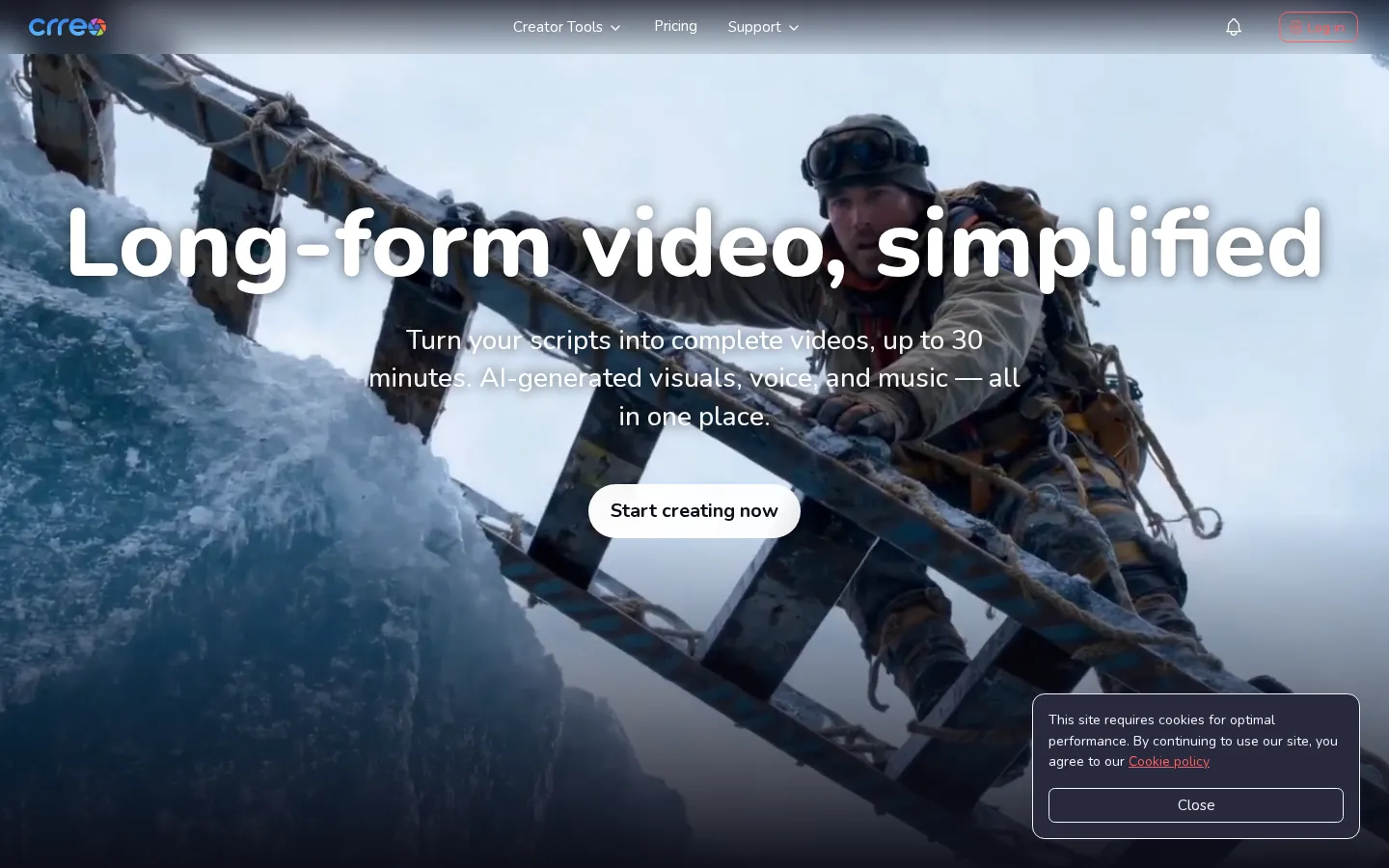
Crreo AI Core Features
Long-form video up to 30 minutes
Crreo generates videos of up to 30 minutes on Ultra, with shorter limits of 30 seconds (Free), 10 minutes (Start) and 15 minutes (Grow and Pro).
Five-step creator flow
Share an idea or script, add characters, arrange scenes, review every asset on the timeline, then export and share the finished video.
Manual and Auto Script modes
Paste a script and Crreo reads it verbatim, or enter a topic and let the platform generate the script; bracketed text becomes visual direction rather than narration.
Consistent characters
Text-based characters work on every plan, photo-based characters arrive with Grow, and saved characters in a personal library keep a narrator or cast stable across scenes.
Voice library with Voxu Actor
200+ voices across 80+ languages on all plans, plus Voxu Actor voice control with 30 voices on Pro and Ultra for tone, pace and emotion.
Integrated asset tools
Speech Generator, Background Music Maker and Thumbnail Generator cover voiceover, music and thumbnails, while Content Writer, Topic Selector, Title Generator and an Audio-Video Transcriber support ideation.
Kine 3.2 and Kalo models
The Kine 3.2 video model and Kalo image models deliver 720p on Free, Start and Grow and 1080p on Pro and Ultra, with model tiers varying by plan.
Multi-format output
Videos export in 16:9 or 9:16 at up to 1920x1080 or 1080x1920, with auto-generated subtitles synced to narration.
Who is Crreo AI for?
Crreo AI is aimed at creators and creative professionals who publish video content regularly and want to move faster without a production team. Its clearest audience is the faceless or script-driven creator: people who build YouTube channels, TikTok accounts or Instagram pages around narration, educational explainers and storytelling rather than appearing on camera. The brand kit notes that Crreo is especially popular with early-stage YouTubers producing educational explainers and narrative storytelling. New YouTubers and first-time creators are a strong fit. The platform handles scripting, visuals and voiceover, so someone with an idea but no editing background can produce a complete video in minutes. The testimonial section reflects this, with creators describing going from one video a week to several. Educators and explainers benefit from the long-form limit and consistency tools. Being able to generate up to 30 minutes of video, with characters that stay visually consistent across scenes, suits course material, history and science content, and in-depth tutorials. Dialogue mode, which supports up to four characters, helps conversational and interview-style formats. Marketers, agencies and small teams can use Crreo for product demos, marketing campaigns and social clips. Because paid plans include commercial rights, the output can be monetized or used for clients, though teams, agencies and schools need a separate Business License. The annual discount and top-up packs suit users with steady publishing workflows. Small businesses and solo founders who want video content without hiring editors also fit, especially for short social clips and promotional pieces. The Speech Generator, Background Music Maker and Thumbnail Generator extend the platform beyond full videos. Users who need self-hosted control, a documented public API or advanced timeline editing may find Crreo a companion rather than a full replacement, since voice cloning and website embedding are described as coming soon and the API is offered only by request. Overall, Crreo suits anyone who wants to turn written ideas into consistent, publish-ready long-form video quickly, and who values an integrated set of AI tools over separate single-purpose apps.
Crreo AI Use Cases
Turn a written script into a finished long-form YouTube video
Produce faceless narration and storytelling content for TikTok and Instagram
Create educational explainers and tutorials up to 30 minutes long
Generate human-like voiceovers for videos and audio with the Speech Generator
Make background music and sound effects in a chosen style
Create attention-grabbing video thumbnails with the Thumbnail Generator
Build dialogue-driven videos with up to four characters
Produce product demos and marketing videos for social and web campaigns
Crreo AI Pros and Cons
Pros
- Handles an entire script end to end, from scene visuals to voiceover, music, subtitles and thumbnails, in one timeline.
- Long-form focus with videos up to 30 minutes, which is uncommon among text-to-video tools.
- Transparent tiered pricing with a free plan, a 7-day trial on Grow and Pro, and a 14-day money-back guarantee.
- Large voice library covering 200+ voices across 80+ languages on every plan.
- Keeps characters visually consistent across scenes, with saved character libraries on Grow and above.
Cons
- The free plan gives only a one-time allowance of short, watermarked videos for personal use.
- There is no public API; API, team and enterprise access are available only by request.
- Some features, including voice cloning and website embedding, are listed as coming soon.
FAQ About Crreo AI
Crreo AI Pricing
Crreo AI uses freemium pricing: a free one-time allowance plus paid Start, Grow, Pro and Ultra plans from $9 per month billed annually ($14 monthly), with a 7-day trial on Grow and Pro and a 14-day money-back guarantee.
Check official pricingFree
One-time free allowance for videos up to 30 seconds, best models and full voice library, watermarked, personal use only, no credit card required.
Start
60 video minutes per month, videos up to 10 minutes, no watermark, full voice library, Kine 3.2 720p and Kalo M image models. $9/mo billed annually.
Grow
120 video minutes per month, videos up to 15 minutes, everything in Start plus Kalo L, photo characters and a savable character library. $18/mo billed annually.
Pro
240 video minutes per month, Kine 3.2 1080p and Kalo XL images, plus Voxu Actor vocal control with 30 voices. $29/mo billed annually.
Ultra
480 video minutes per month, videos up to 30 minutes, everything in Pro plus early access to new features. $45/mo billed annually.
Crreo AI Alternatives
Filmpire
Filmpire combines AI video, image, and voice generation in one browser studio built on a shared credit balance. Start from a prompt or reference image, choose from models such as Hailuo, Seedance, Kling, Veo, or GPT Image, let the AI director plan a full story, then export watermark-free files with commercial rights on any paid plan.

APIPod
APIPod is a unified AI media generation API for developers: one key unlocks 156 image, video and language models from 14 providers, including Seedance, Google Veo, Sora, Nano Banana, GPT Image, Kling, Wan and MiniMax. Billing is pay-as-you-go through credit top-ups, metered per token, request or second, with weighted multi-channel routing, automatic failover and circuit breakers on every request.
Sartoris
Sartoris is a browser-based AI creative studio that generates premium still images and cinematic video from text prompts, with optional start and end frames plus image, video, and audio references. It runs on purchased credits rather than a subscription, keeps one library for both media types, and deletes finished generations twelve hours after they are created.