
CREAO AI
CREAO AI is an agent builder for business work. Describe a recurring job and it assembles an agent that runs on a schedule inside tools such as Gmail, Slack, Sheets, Shopify, Notion and Semrush. Agents remember your preferences, pause for approval on risky actions, and can generate video, images and voice. Frontier models from OpenAI, Anthropic, Google and MiniMax are included.
What is CREAO AI?
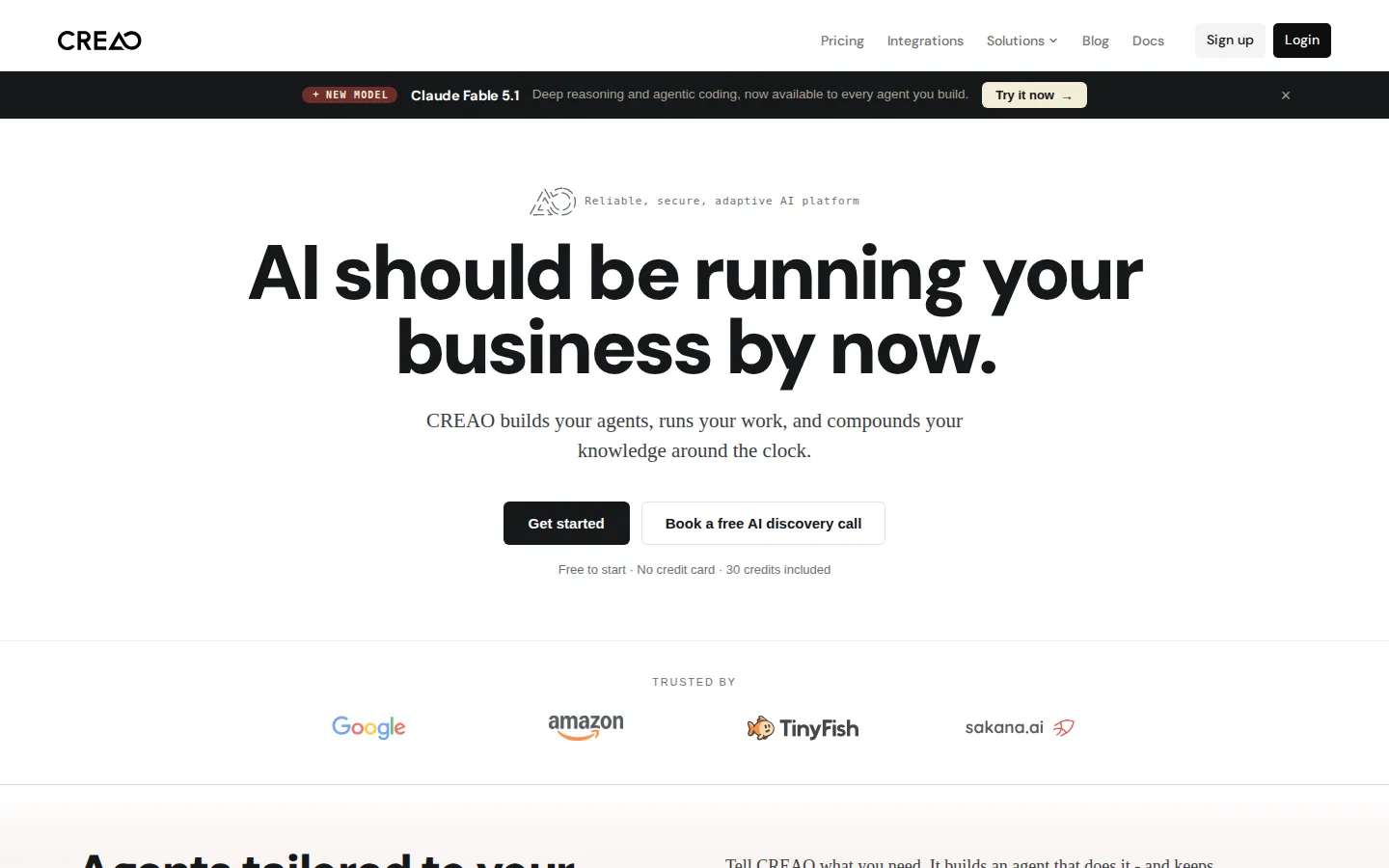
CREAO AI is an agent platform that builds and runs business workflows. The premise is stated bluntly on the homepage: AI should be running your business by now. Most companies are still typing prompts into chatbots, so CREAO asks you to describe a recurring job in plain language and then assembles an agent that performs it on a schedule inside the tools you already use.
There are two layers of product. The super agent is the conversational interface you work with directly, with memory, code execution, search and document handling. Custom agents are the durable layer: quote responders that read inbound requests, look up pricing and inventory, draft a reply and wait for sign-off; ad generators that produce fresh hooks, keywords, descriptions and images before nine each morning; inventory snapshots that flag at-risk SKUs every four hours; SEO brief writers; pull-request changelog reviewers. A workspace holds them together, and an agent leaderboard plus activity dashboard shows how much work is actually running.
Connections matter as much as the agents themselves. CREAO plugs into more than a dozen named services including Gmail, Outlook, Slack, Microsoft Teams, Google Calendar, Notion, Asana, Google Sheets, Shopify, eBay, Google Ads, YouTube, Google Analytics, Google Search Console, Semrush, Firecrawl and X. You connect once with OAuth or an API key, and every agent you build afterwards inherits that connection, so there is no per-automation integration project.
Control is explicit rather than implied. Agents can run daily, weekly, on a webhook or whenever a Slack message arrives, and each one gets its own autonomy setting. Write and destructive actions can pause for approval until you flip them to full auto, which is how the quote responder is demonstrated. The system also accumulates context: cross-thread memory carries facts, files and decisions forward, and a daily profile captures your voice, priorities and preferences so new agents inherit them instead of being retrained.
Generation is built in rather than bolted on. Agents can produce cinematic video powered by Google Veo and BytePlus Seedance, with image-to-video, first-and-last-frame guidance and reference-clip editing; create or edit photorealistic images up to 4K; narrate text in more than twenty expressive voices with mood tags and MP3 output; and operate a real browser with stealth rendering, persistent session profiles and automatic CAPTCHA solving. Model choice spans OpenAI, Anthropic, Google and MiniMax, with frontier releases added on day one.
CREAO also publishes the quality side of the story. Every run and chat is scored, the company reports 95 per cent of responses rated high quality, and a self-healing harness that detects and recovers from failures is documented on the blog. Enterprise customers get SSO, flexible credits and a dedicated partner.
CREAO AI Core Features
Plain-language agent builder
Describe a recurring task and CREAO assembles the agent that performs it.
Super agent with memory
One conversational hub with cross-thread memory, code execution, search and document handling.
Scheduled and triggered runs
Daily, weekly, webhook or Slack-triggered jobs that execute without a human in the loop.
Approval gates and autonomy control
Write and destructive actions pause for sign-off until you enable full auto.
Wide connector library
Gmail, Outlook, Slack, Teams, Notion, Asana, Sheets, Shopify, eBay, Ads, Semrush and more.
Built-in media generation
Cinematic video via Veo and Seedance, images up to 4K and voiceover in 20+ voices.
Real browser automation
Stealth rendering, persistent login profiles and automatic CAPTCHA solving for legacy sites.
Compounding memory
A daily profile of your voice, rules and priorities that every new agent inherits automatically.
Who is CREAO AI for?
CREAO is aimed at operators who already know which parts of their week are repetitive and want those parts handled without hiring or stitching together automation software. The homepage names four roles directly, and they cover most of the intended audience. Solopreneurs are the clearest fit. Someone running a one-person business can describe quote follow-ups, invoice chasing, content drafts and weekly reporting, then let agents run those loops on a schedule. The owner stays a reviewer of finished work rather than the person doing it, which is the whole point of the positioning. Freelancers and consultants use the same pattern on client work: research briefs, outreach drafts, reporting packs and competitor scans that arrive before a call. Because approvals can be switched on per agent, sending anything to a client stays a deliberate decision. Marketers get the deepest feature set. Ad generators refresh hooks, keywords, descriptions and images every morning; SEO brief writers draft outlines with intent and internal links; analytics, Search Console, Semrush and Google Ads all connect by OAuth. Teams that already live in Google Sheets and Slack can slot agents into existing routines without a migration. Small businesses and ecommerce operators are a natural audience too. Order monitoring, low-stock alerts, customer replies and marketplace work across Shopify and eBay are listed as solutions, and the quote responder example shows pricing looked up in a sheet before a reply is drafted. Creators use CREAO for the media side, since agents generate video with Veo and Seedance, images up to 4K and voiceover in more than twenty voices inside the same chat. Enterprise buyers are served through a separate conversation: flexible credits, SSO, security review and a dedicated partner. It is a poor fit for anyone who wants raw model access with no structure, for teams that will not connect business tools to a cloud agent, and for people who want pixel-level control over every step instead of plain-language delegation.
CREAO AI Use Cases
Draft and send replies to inbound quote requests after checking pricing and inventory in a sheet.
Refresh paid social hooks, keywords, descriptions and images every morning before the team starts.
Monitor stock levels and flag at-risk SKUs with reorder suggestions every few hours.
Write SEO content briefs with intent, outline, internal links and references for any target keyword.
Track rankings and produce scheduled SEO audit reports for client accounts.
Find and enrich new prospects, then draft outreach sequences for review before sending.
Reply to customer questions and monitor orders across Shopify and eBay marketplaces.
Turn uploaded property photos into listing images, MLS copy and social posts in one upload.
CREAO AI Pros and Cons
Pros
- Agents are built from a plain-language description, so non-technical operators can ship automation.
- Scheduling, approvals and autonomy settings give real control over what runs unattended.
- Connectors cover the everyday business stack, and new agents inherit existing connections automatically.
- Memory compounds across threads, so voice, rules and preferences carry into every new agent.
- Free tier with 30 credits and no credit card makes it cheap to test one workflow before paying.
Cons
- Credits meter everything, so heavy video and image generation pushes you up the tiers quickly.
- Pricing tops out at $1,000 per month for Ultra, which is a lot for small teams with spiky usage.
- There is no public developer API, so custom integrations depend on the skill and connector catalogue.
FAQ About CREAO AI
CREAO AI Pricing
CREAO is free to start with 30 one-time credits, then $20/month for Pro, $50/month for Pro Plus, $150/month for Max and $1,000/month for Ultra, with custom Enterprise pricing and 20% off yearly billing.
Check official pricingFree
No credit card required, 30 one-time credits, 5 daily bonus credits, 1 video generation, PDFs up to 10 pages, the super agent, agents and skills, one personal connector per app and community support.
Pro
Everything in Free plus 200 credits a month, super agent with memory, code and search, custom agents, combined connectors, built-in and open-source skills and custom model selection.
Pro Plus
Everything in Pro plus 600 credits a month, scheduled runs for recurring work, durable long-running video and audio renders, 100 MB images and PDFs, 500 MB videos, 5 GB storage and priority support.
Max
Everything in Pro Plus plus 2,000 credits a month, more simultaneous automations and renders, 25 GB storage and dedicated support.
Ultra
Everything in Max plus 20,000 credits a month, the highest concurrent-work allowance, 100 GB storage, dedicated support and founder office hours.
Enterprise
Flexible credits, SSO, volume pricing, security and control review, and a dedicated partner for larger teams.
CREAO AI Alternatives

scvd.store
Free conformance checking for any issuer’s x402 signed offers and receipts including our competitors’ a weekly signed Bitcoin-anchored corpus.

Hypit
Hypit is an open-source video programming language and runtime for AI agents. A coding agent installs the skill, reads a reference video or a written brief, and rebuilds the shots, dialogue, B-roll, captions and effects with your material, producing many variants per run. Hosted generation runs on credit plans, and your own model keys can be used instead.

T3 Code
T3 Code is an open-source control plane for coding agents. It runs Claude Code, Codex, Antigravity, OpenCode, Cursor and Grok from one desktop app, keeps every agent thread on its own Git branch, and commits, pushes and opens a pull request with one button. iOS and Android apps steer the same work remotely. The app is free and MIT licensed; you bring your own agent subscriptions.