ArtCraft
ArtCraft is an open-source studio for controllable AI image and video generation. It runs on macOS, Windows, and the web. Instead of prompting blindly, artists compose shots in real 3D with characters, props, and locations, then render them with models like Nano Banana and Seedance. Background removal, 2D and 3D compositing, and image-to-3D mesh are built in, and no subscription is required.
What is ArtCraft?
ArtCraft is an open-source studio for controllable AI image and video generation, built by Storyteller and shipped as a desktop app for macOS and Windows as well as a browser application. Its entire premise is that text prompting alone does not give artists enough control, so ArtCraft lets you compose a shot yourself in real 3D space, arranging characters, props, backdrops, and foreground elements, and only then hands that composition to an AI model to render. The site frames this as the control that mere words cannot buy.
Seven crafting features carry that idea. Image to Location places virtual actors into physical environments and keeps single-location consistency, so you can film multiple shots in one room without objects disappearing between takes. 3D Compositing builds scenes with real depth from images, backdrops, foreground elements, and props, blending a couple of images into a finished composition. 2D Compositing combines images, background removal, layers, and simple drawing tools for precise layered control. Image to 3D Mesh turns pictures into geometry so complex scenes can be blocked out with intentional shapes instead of fighting prompts. Mixed Assets lets image cutouts, worlds, and 3D meshes share one canvas. Character Posing lets you pose characters to nail the precise character, scene, and camera blocking before calling action. Background Removal cuts subjects out of images instantly so they become clean assets ready for compositing.
ArtCraft leans hard on ownership. The whole studio is on GitHub, so anyone can read it, fork it, or make it their own. The team positions this as an alternative to renting from aggregator websites: there is no middleman between you and the models, and your work stays yours. ArtCraft is described as yours to own and keep forever, with no rent payments, even though optional subscriptions help accelerate development.
On the model side, the studio surfaces current generation tools including Nano Banana 2, Nano Banana Pro, Nano Banana Pro 4K, GPT-Image-1.5, Seedance 2.5, and Kling 3.0 Pro, covering both still images and short video clips. Paid plans are sold as monthly credit allowances, with larger allowances on higher tiers, and one-time credit packs let you top up without changing a plan. Credits are refunded if a generation fails, and credit packs never expire.
ArtCraft runs on macOS and Windows as a free download, or directly in the browser at app.getartcraft.com with no install needed. Storyteller markets it as made by artists, for artists. Subscriptions start with Basic for getting started and scale through Pro for serious creators and Max for studios and power users, with a custom Enterprise tier for teams that need bespoke credit allocation, secure models, support SLAs, and custom integrations. Even so, the free and open-source core can be used without paying anything, including bringing your own compute and third-party model subscriptions.
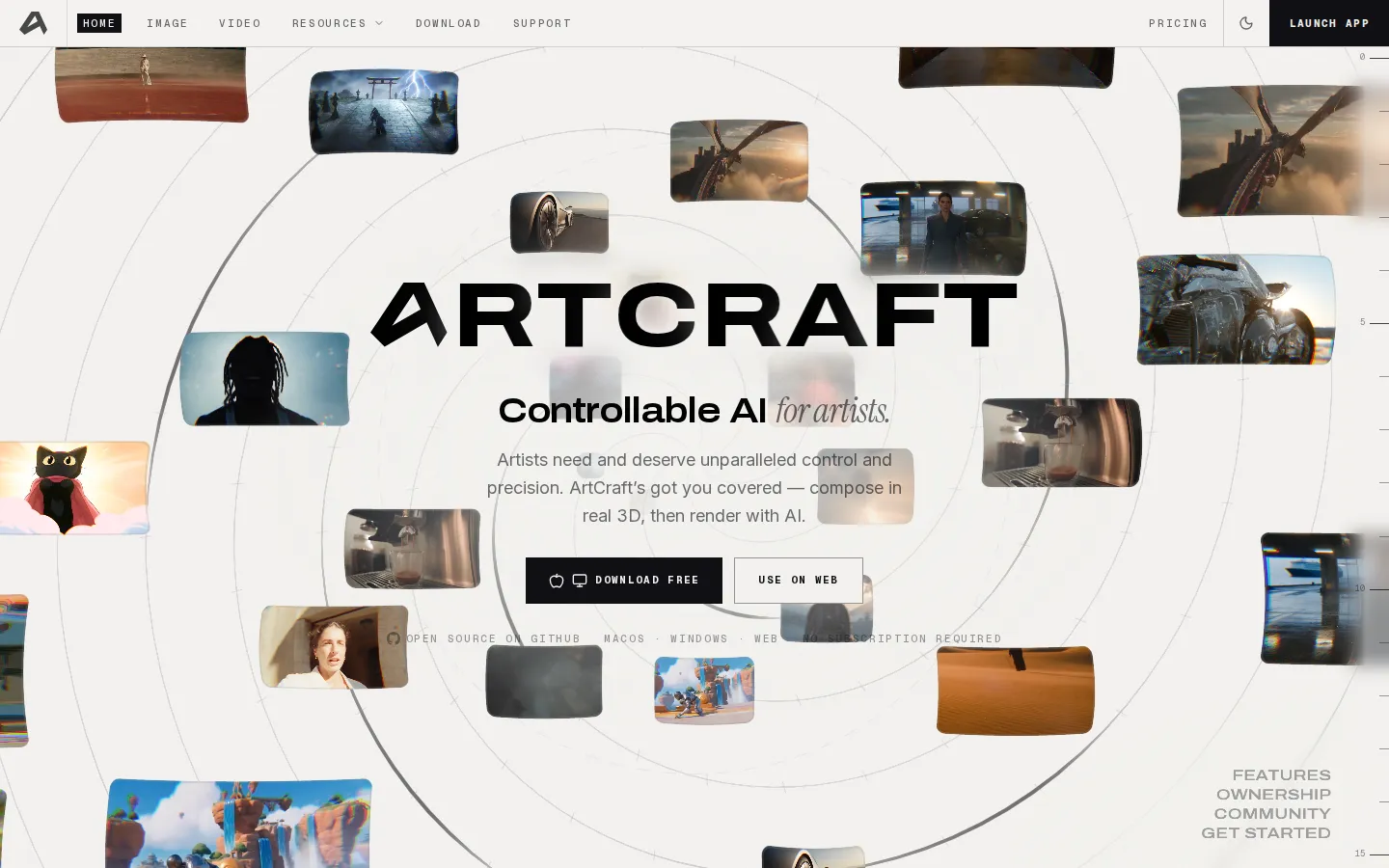
ArtCraft Core Features
Image to Location
Place virtual actors into physical environments and keep single-location consistency so multiple shots in one room hold together.
3D Compositing
Build scenes with real depth using images, backdrops, foreground elements, and props, blending a few assets into a finished composition.
2D Compositing
Combine images, background removal, layers, and simple drawing tools to compose a scene exactly as you imagined it.
Image to 3D Mesh
Convert images into 3D geometry so complex scenes can be blocked with intentional shapes instead of fighting prompts.
Mixed Assets
Mix image cutouts, generated worlds, and 3D meshes on a single canvas to lay out scenes with precision.
Character Posing
Dynamically pose characters to lock in character, scene, and camera blocking before calling action.
Background Removal
Instantly cut backgrounds out of images to create clean assets that are ready for compositing.
Open Source Studio
The full studio lives on GitHub, so you can read it, fork it, and keep it forever with no rent payments.
Who is ArtCraft for?
ArtCraft is aimed at artists who find text prompting too blunt for the work they actually do. Concept artists, illustrators, storyboard artists, and matte painters are the clearest fit, because the studio is built around composing a shot with real depth, real blocking, and real layering rather than describing it and hoping. If you already think in cameras, sets, props, and foreground elements, ArtCraft gives you a canvas that matches that thinking. Indie filmmakers, animators, and previsualization artists are the second natural audience. Image to Location keeps a single location consistent across multiple shots, which matters when you are planning a sequence in one room and cannot have furniture or props wandering between takes. Character Posing lets directors and animators nail character, scene, and camera blocking before calling action, so a storyboard or animatic can be locked down before any budget is spent. Game artists and 3D generalists benefit from Image to 3D Mesh and Mixed Assets. Turning images into geometry lets you block complex scenes with intentional shapes instead of fighting prompts, and mixing cutouts, worlds, and meshes on one canvas suits anyone who already works with layered scene files. Background Removal makes it quick to turn references or renders into clean compositing assets. AI video and image creators who already use platforms like Nano Banana, Seedance, or Kling are a strong fit as well, because ArtCraft keeps those models available while adding a composition layer and ownership on top. Social content creators who shoot multiple shots in a single set will get particular value from the location consistency tools. Studios and small production teams should look at the Max and Enterprise tiers, which add larger credit allowances, bespoke credit allocation, secure models, support SLAs, and custom integrations for team workflows. Finally, ArtCraft suits open-source advocates and tinkerers who prefer to run, fork, and self-host software rather than rent from an aggregator, and hobbyists who want to start free on macOS, Windows, or the web before deciding whether to subscribe.
ArtCraft Use Cases
Compose a multi-shot sequence inside one location while keeping props and set dressing consistent.
Pose characters for a storyboard or animatic before committing budget to a shoot.
Block out a complex scene with 3D meshes instead of writing longer prompts.
Cut backgrounds from reference images to build clean compositing assets fast.
Render still images from a layered 3D composition using Nano Banana models.
Generate short AI video clips from a shot you composed and posed yourself.
Mix cutouts, worlds, and meshes on one canvas to plan a full scene layout.
Self-host or fork the studio to keep full control of your generation workflow.
ArtCraft Pros and Cons
Pros
- Free to download and use, with a fully open-source studio on GitHub and no subscription required.
- Composition-first workflow in real 3D gives far more control than prompt-only image and video tools.
- Runs on macOS, Windows, and the browser, so you can start on desktop or skip the install entirely.
- Clear, credit-based pricing from $10/month, credit packs that never expire, and credits refunded when a generation fails.
- Active community channels on Discord and YouTube, with tutorials, news, and a press kit on the site.
Cons
- The most advanced models and larger monthly credit allowances sit behind the paid Pro, Max, and Enterprise plans.
- Composing scenes in real 3D takes real effort, so it is less convenient than one-box prompt tools for casual users.
- Generated 3D, image, and video output still depends on third-party models, so results vary by model and generation.
FAQ About ArtCraft
ArtCraft Pricing
ArtCraft is free and open source with optional subscriptions: Basic $10/month, Pro $35/month and Max $60/month, each currently 20% off in a limited-time promo (yearly $96/$336/$576), plus one-time credit packs and a custom Enterprise tier.
Check official pricingBasic
For getting started: 1,000 credits per month, roughly 250 Nano Banana images, 33 Nano Banana Pro 4K images, 200 GPT-Image-1.5 images, 63 seconds of Seedance 2.0 video or 45 seconds of Kling 3.0 Pro video. Limited-time 20% promo brings it to $8/month, or $96 billed yearly.
Pro
For serious creators: 3,750 credits per month, roughly 938 Nano Banana images, 125 Nano Banana Pro 4K images, 750 GPT-Image-1.5 images, 234 seconds of Seedance 2.0 video or 167 seconds of Kling 3.0 Pro video. Limited-time 20% promo brings it to $28/month, or $336 billed yearly.
Max
For studios and power users: 6,600 credits per month, roughly 1,650 Nano Banana images, 220 Nano Banana Pro 4K images, 1,320 GPT-Image-1.5 images, 413 seconds of Seedance 2.0 video or 295 seconds of Kling 3.0 Pro video. Limited-time 20% promo brings it to $48/month, or $576 billed yearly.
Enterprise
For teams, with bespoke volume and terms. Everything in Max plus bespoke credit allocation, secure models, support SLAs, and custom integrations. Contact the team for pricing.
ArtCraft Alternatives
Filmpire
Filmpire combines AI video, image, and voice generation in one browser studio built on a shared credit balance. Start from a prompt or reference image, choose from models such as Hailuo, Seedance, Kling, Veo, or GPT Image, let the AI director plan a full story, then export watermark-free files with commercial rights on any paid plan.

JuicyChat.AI
JuicyChat.AI is a browser-based adult character chat platform built around a large library of community-created personas. You pick a card, open a roleplay and steer the story with your own messages, then extend it with generated images, short videos, voice playback and saved memories. A free tier covers basic chatting, while Premium, Deluxe and Diamond memberships add longer context, more coins and unlockable albums.
APIPod
APIPod is a unified AI media generation API for developers: one key unlocks 156 image, video and language models from 14 providers, including Seedance, Google Veo, Sora, Nano Banana, GPT Image, Kling, Wan and MiniMax. Billing is pay-as-you-go through credit top-ups, metered per token, request or second, with weighted multi-channel routing, automatic failover and circuit breakers on every request.